

14 Useful, No-Fuss Gadgets That Just Work Right Out Of The Box
We may receive a commission on purchases made from links.
Getting older means being inexplicably tired all day, having your knees make concerning sounds, and — most importantly for our purposes — losing your patience for buggy, unreliable, finicky tech. Where once you could fiddle with a Linux distribution all weekend to fix a minor issue, nowadays when you boot up a computer you just want it to work; it's one reason why a lot of people end up switching to a Mac when Microsoft robs you of that last shred of patience. In that spirit, we're looking at tech devices that do what they're supposed to do right after unboxing.
What we mean by that is tech that requires very minimal setup and virtually no specialist knowledge to get running. Tech that continues to do what you need it to without headaches after setup, too. These 14 items from a wide range of categories, in our view, are perfect for people who don't have time, patience, or interest in tinkering.
Anker 25,000mAh Power Bank
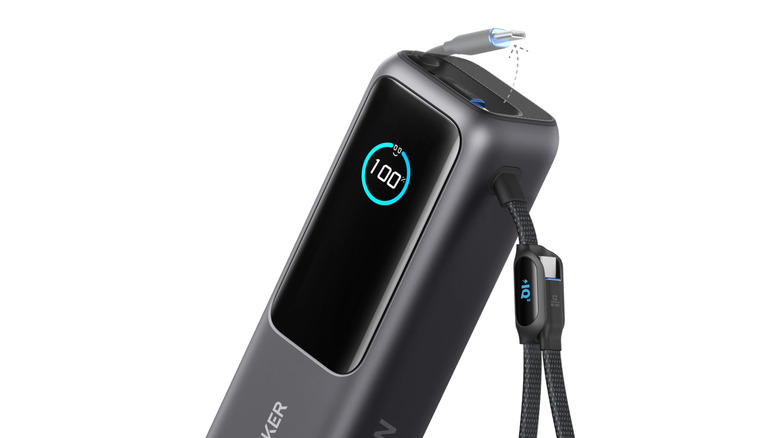
It's no secret that Anker makes some of the best — if not the best — power banks on the market. The 25,000 mAh Anker Laptop Power Bank somehow raises that bar. Not only does it have a huge amount of capacity and an ungodly 165W max output, but it's a power bank that quite literally works out of the box. As in, you don't need to bring your own cables; you just use one of the two built-in cables. To add to the "it just works" requirement, it has a beautiful, snappy display that shows you how much charge is left, how much power a device is drawing, and how long it will take to charge.
In my own testing, it proved to be incredibly well-designed, reliable, with exceptionally high build quality. Group travelers especially will love it, since it can supply power to four devices at a time, including laptops and gaming handhelds. However, it's worth questioning Anker's claim that the cable can be retracted 20,000 times, and the carrying strap may not inspire confidence given how heavy the power bank is. Still, there are two USB ports to fall back on.
Know that airlines have been gradually banning power bank usage in-flight and confiscating power banks at the counter, while the TSA is also getting more strict. Anker claims you can take it on a flight, but be prepared to surrender it if you get unlucky. At $119.99, that's going to be a tough pill to swallow.
Toloco Massage Gun
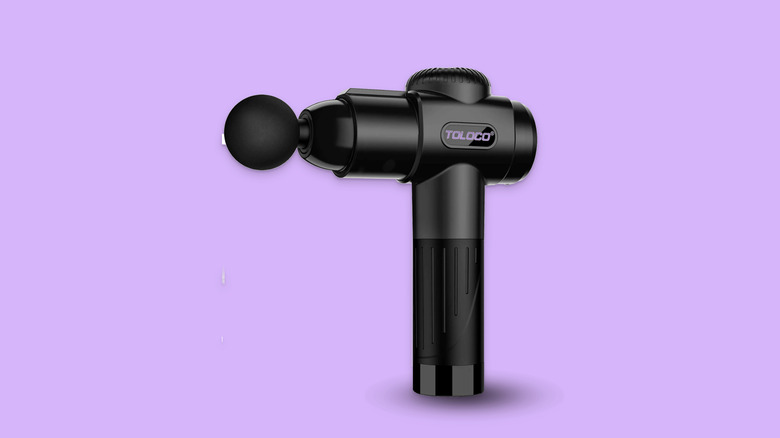
Working from home requires at least a few upgrades to your home office. Perhaps the most impactful upgrade you can make is investing in a standing desk since sitting for long hours is horrible for your health. If you're not ready to commit to a standing desk, though, a nice halfway point is a massage gun — speaking from personal experience. There are tons of options out there, but one with a decent price and solid ratings is the Toloco Massage Gun at $59.99.
Yeah, it does feel a bit weird to stand up during your workday and deploy the massage gun on your glutes and thighs — especially if you're in an office with other people. But man, does it make sitting for long periods more tolerable. Setup is easy and straightforward. Once you unbox it, make sure it's charged, attach one of the heads, adjust the intensity, and away you go.
Just make sure you don't use it without any professional guidance. Massage guns can hurt you really badly if you're not careful. Respect the massage gun; it was once a device only physical therapists used.
Anker MagGo UFO 3-in-1 Charger
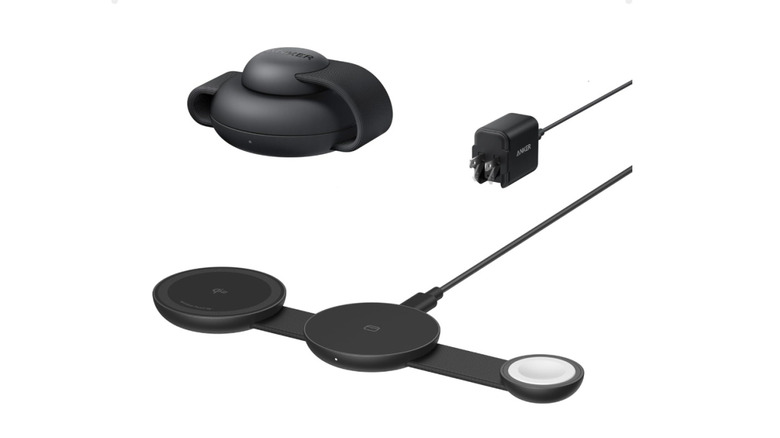
3-in-1 chargers are common for charging your smartphone, wireless earbuds, and smartwatch simultaneously. When traveling, they're just about the easiest, most convenient, and compact way to top up your gadgets. Anker's MagSafe Compatible MagGo UFO is, arguably, the best choice out there for travelers. For one, it folds up into an incredibly compact and stylish UFO-esque puck shape — hence the name — and boasts up to 15W wireless charging. You can also fold it backward to make a stand for your phone.
Bear in mind, the MagSafe compatibility doesn't limit it to just iPhones. Any Qi2-compatible or PixelSnap devices will work. It includes a 40W adapter and cable, powerful enough to charge a bigger device like an iPad or a MacBook Air when you're not using the UFO. It's hard to think of a 3-in-1 charging setup that's easier to set up and use out of the box. Just prepare for some sticker shock. The UFO 3-in-1 charger retails for a pricey $89.99.
8BitDo Ultimate 2 Wireless Controller
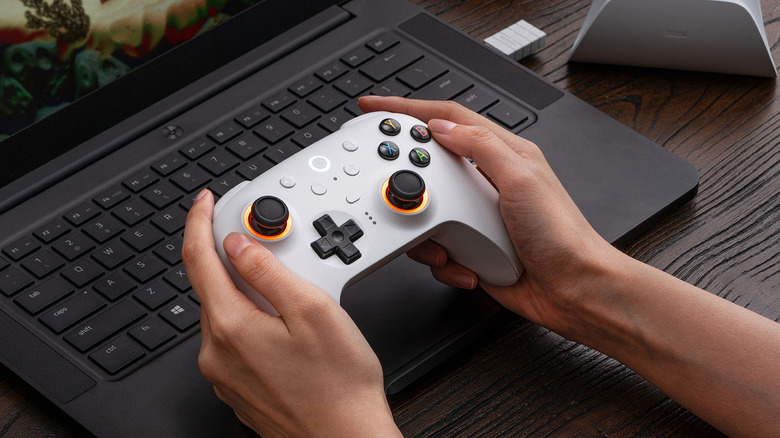
At the top of our list of the best gaming controllers you can buy on Amazon, we put the 8BitDo Ultimate 2C, not a PlayStation or Xbox controller. While the 2C is an excellent controller we'd recommend to anyone, its older brother — the 8BitDo Ultimate 2 — is the endgame. It's so good that we almost worry it might put the company out of business because customers would have little reason to upgrade again.
Based on my personal use, this controller is basically perfect. The build quality is sublime, the ergonomics are solid, and the spec sheet is almost too good for the $59.99 retail price. It supports both Bluetooth and 2.4G via its own dongle, which works with the charging dock; the TMR joysticks and Hall Effect triggers are must-haves for durability and precision; you can switch the triggers to a shorter travel distance; it even includes an extra shoulder button and back paddles that can be programmed for extra inputs. Add in the RGB lighting and the optional motion control, and you have basically everything one could want or need.
On the "it just works" front, it really does just work. Any device I've connected it to — Windows, Linux, MacBook, iPad, Apple TV — has needed no further setup. In fact, you don't even need to install the 8BitDo Ultimate Software V2 except to fine-tune the RGB, reprogram buttons, and get firmware updates. I can count on one hand the number of times I've picked it up and it didn't connect immediately.
Creative Pebble V3
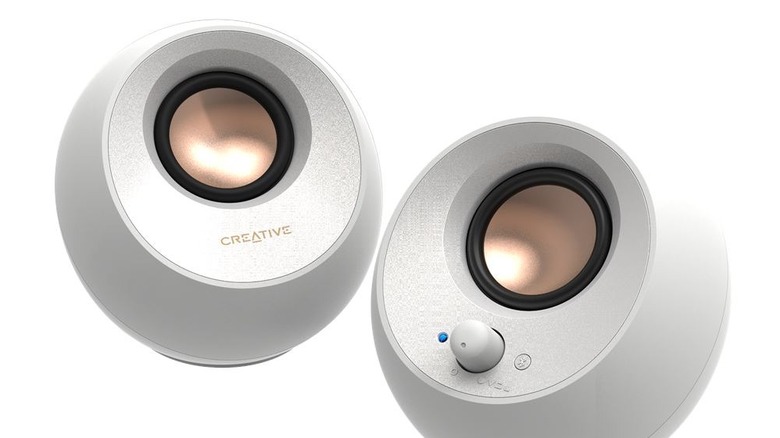
Want a pair of desktop speakers that look stylish, sound good, are easy to use, and are still priced reasonably? Get the Creative Pebble V3. All you need to do is plug in the USB-C cable (no 3.5mm necessary), turn them on, change the output on your computer, and voila; Bluetooth 5.0 is also available. The speakers come in simple white and black, and they're small enough to fit even on a cramped desktop.
I've used them for a while now to watch TV series, listen to music, and play games. While they're definitely not audiophile-grade, they produce a delightfully clear and punchy sound with sufficient bass for casual media consumption. Positioning them for a good soundscape is easy, and listening to them, I could only justify an upgrade if I were in need of reference monitors for serious audio work. For $44.99, it's hard to ask for more.
Jsaux Docking Station
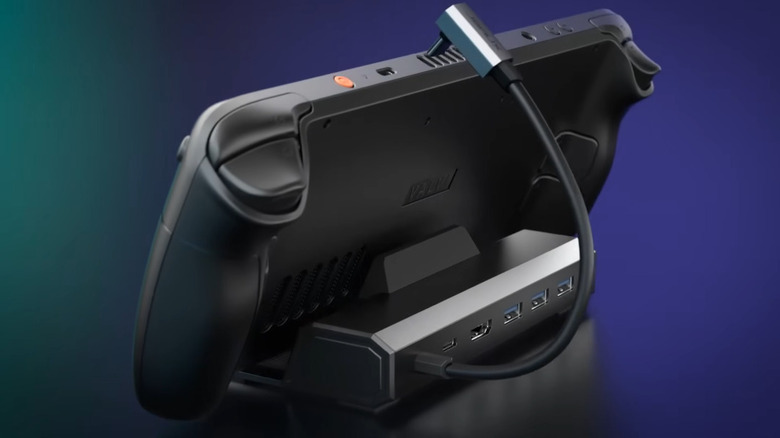
If you can stomach the absurdity of RAM pricing right now, then a gaming handheld is an easy recommendation for casual gamers. Only the Nintendo Switch 2 could beat a handheld in terms of all-in-one, easy-to-use, portable gaming. While you're shopping for handheld gaming accessories, definitely include a docking station in your cart. We recommend the JSAUX Docking Station. It has three USB-A ports, one USB-C port, HDMI, and Ethernet packed into a stylish stand that should fit most gaming handhelds.
Having used JSAUXs docks myself, the setup process is quite literally two steps: Put your handheld in the dock and plug in the USB-C connector. That's it. I've never had to troubleshoot when connecting it to an external display with HDMI or when plugging in my Ethernet to speed up downloads. The dock supports Linux-based handhelds like the Steam Deck and Windows handhelds like the MSI Claw instantly, right out of the box, end of story.
Tessan Surge Protector
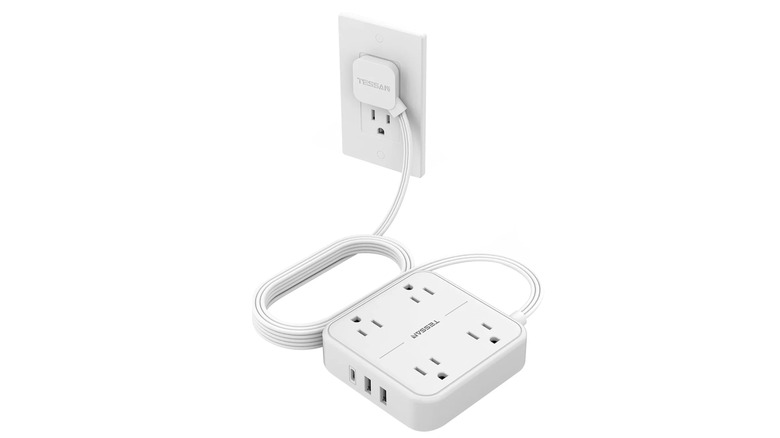
If you've been using a surge protector for so long it's reached legal drinking age, that's an instant cue to replace it ASAP. Luckily, surge protectors are cheap. One solid option is the Tessan Surge Protector. Beyond its price, it uses a somewhat uncommon flat-plug cord that we wish more appliances and chargers would incorporate. With the Tessan, you can use those outlets that are hidden behind furniture without worrying about bumping the plug.
It's also pretty compact as far as surge protectors go, somehow squeezing four outlets and three USB ports into a compact box that's light enough to stick to the wall or under your desk with double-sided tape. I own several of these and they've served valiantly. Just please know that this model only supports up to 1,250 watts max. Do not, under any circumstances, plug in big appliances or a bunch of high-power devices.
UnionSine USB-C Flash Drive
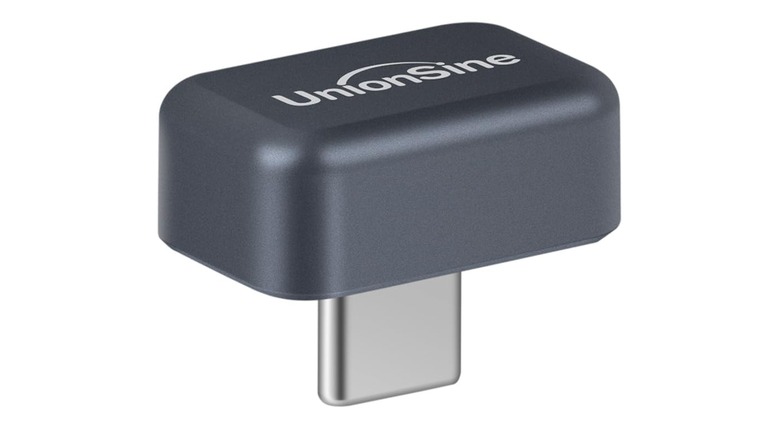
You don't see many flagship phones these days with add-on SD card slots, and yet those same flagships are able to shoot 4K video that takes up half a gigabyte per minute of footage. On the bright side, many phones support external storage devices like USB-C flash drives and SSDs. One we recommend is the UnionSine 128GB USB-C Flash Drive, compatible with Android and iOS. Since 128GB tends to be the baseline for storage, you're adding a whole phone's worth of capacity to your device in perhaps the most compact form factor for a phone-oriented SSD that we've seen.
Actually using the drive is one or two steps short of plug and play. You can record videos directly to external storage on iPhones. For Android users, it'll depend on which model they have. Samsung phones running at least One UI 7.0 can turn on the "Save videos to external storage" toggle in the Camera app's settings. Having an SSD like this will come in handy when you want to capture as much footage as you like without thinking about phone storage.
Larq Self-Cleaning Water Bottle
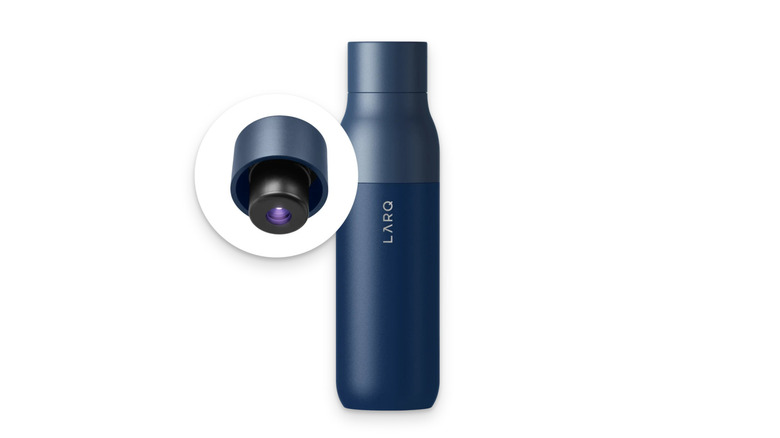
If you never fully trust the faucets where you top up your water bottle, then the Larq Self-Cleaning Water Bottle is for you. Larq uses UV-C light to kill bacteria inside the bottle — particularly its UV-LED technology, which is more effective. The bottle runs a cleaning cycle every two hours, but you can trigger it manually with the button and get clean water in only a minute. According to Larq, this bottle can scour your water of bacteria for up to a month on a single charge.
The bottle is pricey, with the 17 oz version costing $99 and the 25 oz version costing $109, but then again so could the hospital bill if you got sick. Just for the record, UV light is effective against many viruses and bacteria, and Larq claims its PureVis bottle can neutralize up to 99% of bacteria (like E. coli) in independent testing, provided the water is visually clear and not filled with sediment. That said, UV light doesn't remove other water contaminants, like heavy metals.
Logitech Keys-to-Go 2
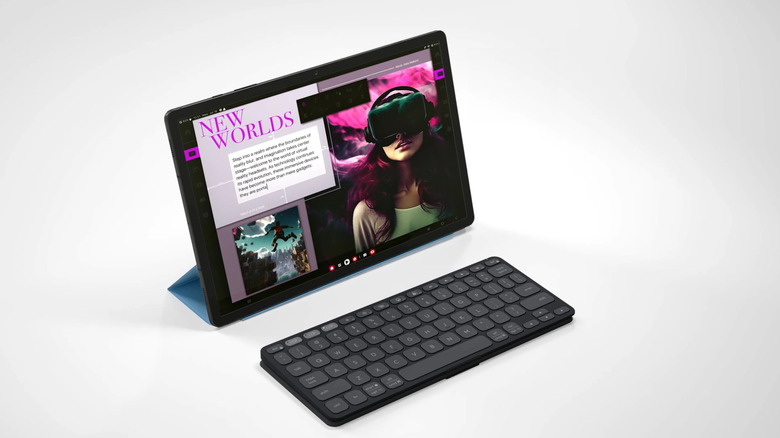
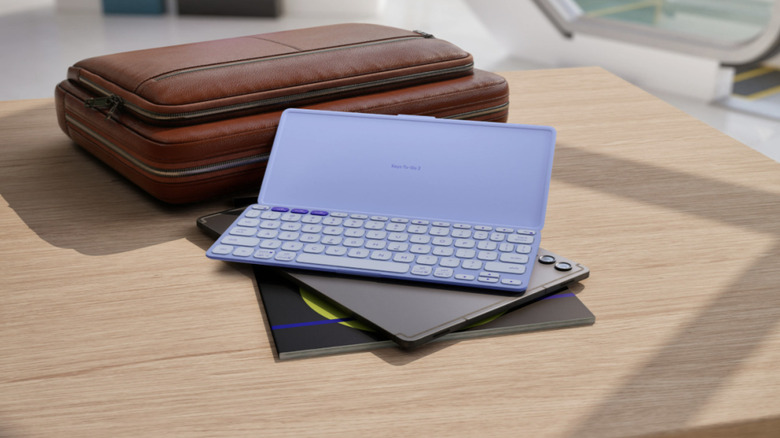
The Logitech Keys-to-Go 2 is the best portable keyboard for a few simple reasons. One, it is impossibly small, thin, and lightweight, clocking in at 222g and being 8.97mm at its thickest; the battery lasts three years with the included, replaceable coin cell; and it can pair with up to three devices. Add to that the fact that it comes with its own protective cover, and we rest our case. I've used this keyboard while on travels to make the iPad feel like a Mac, and for those instances it's truly excellent. The only thing you might be missing is a backlight. Using the keyboard is effortless, and pairing new devices is about as easy as it can be.
For a keyboard that's this flat and portable, the typing experience is great, though it's certainly only ideal for temporary use and not as your main desktop keyboard. Get a wireless mechanical keyboard if you experience finger fatigue easily. Perhaps the worst part of this keyboard is the price. You'd think it's a cheap $20 Logitech keyboard at a glance, but it retails for $79.99. It's hard to recommend it unless you travel frequently with a tablet instead of a computer.
Google Fitbit Air

If you don't care much for having notifications on your wrist and you want no-nonsense health metrics, the Google Fitbit Air may be your speed. The screenless $99.99 fitness tracker works on Android and iOS through the Google Health app and boasts seven-day battery life. It can track your heart rate, blood oxygen, temperature, sleep, and more. There are a few things you should know about the Google Fitbit before you buy, but none of those things are major dealbreakers unless you're interested in the AI features — those start at $9.99 a month.
It's the epitome of a no-fuss gadget that works out of the box. All you have to do is pair the Fitbit Air with your Google Health app, put it on, and then it's off to the races — perhaps quite literally. It'll track health metrics for days so you can focus on workouts and then look at an overview of them later. Compare it to other screen-based smartwatches that require you to manually start workouts and "fuss" with them more often for optimal results.
Steam Machine
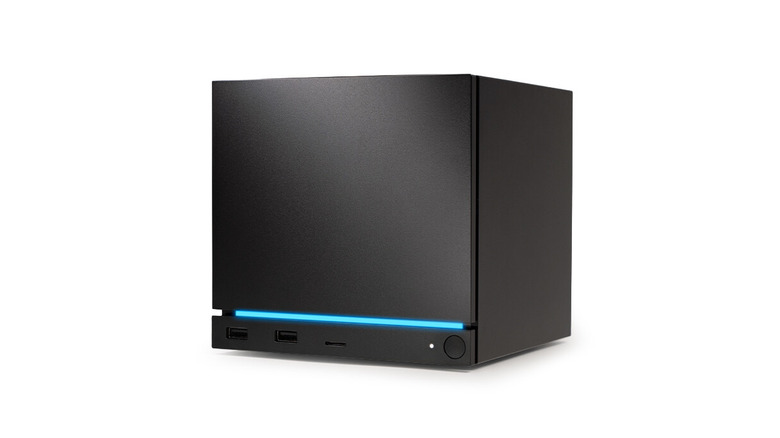
Valve's new Steam Machine is intended to be a sea change for desktop PC gaming, putting the PC in a package that's as small and easy to use as a console. Thanks to the RAM crisis, the $1,049 asking price has put a damper on that promise. However, no other device aside from the Steam Deck puts an incredibly small desktop PC in your living room that plays games easily, with no fuss involved.
Valve has made the Steam Machine setup perhaps the easiest a computer has ever had. Plug in the cables, run through a few very straightforward prompts — preferably with a Steam Controller — and you'll be ready to game in minutes. Similar to a console, the Steam Machine can turn on with a single button press using the Steam Controller. SteamOS makes it effortless to buy, download, and play games without all the manual configuration that puts a lot of people off PC gaming. As long as a game is Steam Machine Verified, it should just work.
At the time of writing, the Steam Machine is yet to launch. You'll need to join the waitlist, after which you'll be randomly selected to purchase. Make sure you choose the right bundle when signing up, as you won't be able to change it later.
Plaud NotePin
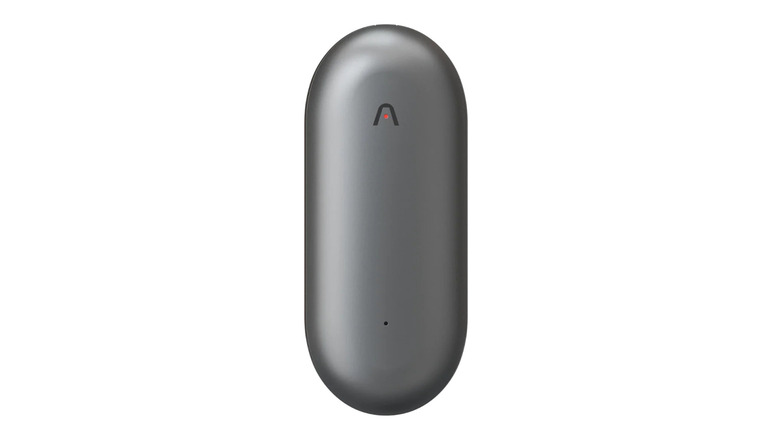
If you sit through a lot of meetings, taking all those notes gets incredibly tedious. The Plaud NotePin makes it painless and easy. Wear the NotePin unobtrusively on your clothing or wrist, and it'll transcribe conversations in the background (in multiple languages) while separating speakers and comprehending your own custom jargon. Later, those long meetings can be summarized using built-in summary templates. It really is the perfect solution for anyone who wants to effortlessly keep meeting minutes with minimal distraction — especially if those conversations might include sensitive or confidential information.
Setup is easy. Download the app, log in to your account, pair the NotePin, and then you can begin recording and transcribing with a single button press. Everything works automatically, requiring very little user interaction.
Before you buy this, do bear in mind that the free starter plan only gives you 300 minutes of transcription per month. Pro and Unlimited plans cost $8.33 and $19.99, respectively, per month. You might just be better off transcribing meetings using your phone.
AirTag
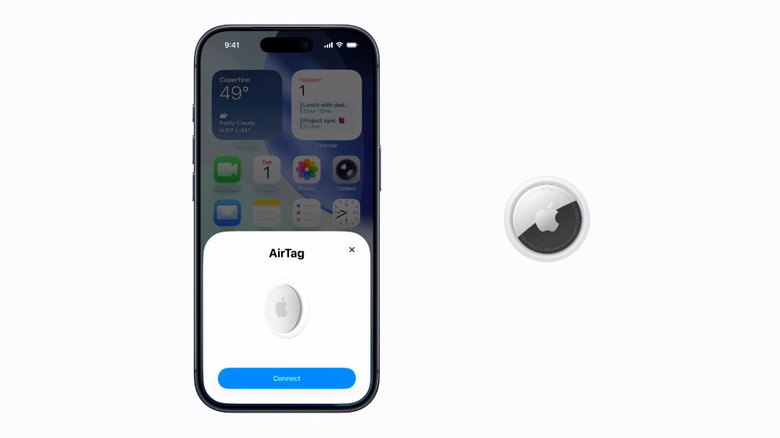
AirTags rock. Provided you're not tracking the things you shouldn't, they are the platinum standard for keeping tabs on your belongings. The recent second-gen AirTag has better range than its predecessor, more precise finding, and a louder speaker — and surprisingly, its affordable $29 price tag didn't get hit by the mid-2026 Apple product price increases.
Provided you have an iPhone, AirTag setup takes seconds. Pull out the plastic battery tab (you should hear a sound), hold it next to your iPhone, then follow the prompts to connect it to your Apple Account and assign it a name or item. That's it. Now, you should see the AirTag in Find My on all your Apple devices, with options to locate it, mark it as lost, share its location with someone else, and much more.
Anyone who's used an AirTag knows that once it's set up, you don't have to think about it again. At least until your luggage doesn't turn up on the carousel, for example. Even the infrequent battery changes take seconds.
Our criteria for the items on this list

To make it onto this list, an item primarily had to be dead simple to set up and require no special technical knowledge. If your grandma can do it without calling you for tech support, we included it. Eligible items also had to continue to be easy to use after setup, for example, having few issues and requiring next to no troubleshooting.
We have personally tested — and in several cases owned — most of the items on this list, or closely comparable products. Further, we only chose products that had at least 100 reviews and an average rating of 4 stars on Amazon or the manufacturer's website. The Steam Machine was the only exception since it's not yet widely available.