

16 Useful Apps You Didn't Know Existed

Sometimes, one little app that you stumble upon out of nowhere can solve that one problem you've had like a hand in glove. Many of the best Mac apps were ones I wouldn't have known about without some obscure forum post, but they were almost life-changing for my workflow. Perhaps it's something minor, like Cider, an actually decent Apple Music replacement app. Perhaps it's something major, like Maccy, the best clipboard manager you ever did see. A good app can't help you if you don't know about it, though, so that's where we come in.
We're casting a wide net for a whole bunch of situations, so we had to research deeply and get creative. These apps are, in several cases, the keystone of what they do; without them, there would be few (or no) good alternatives. We also tried for a good mix of apps on Windows, macOS, Linux, Android, and iOS — no one is getting left out here. It's our hope that by the end of this article, you find at least one app you weren't aware of, one that becomes a mainstay in your repertoire.
Poolsuite
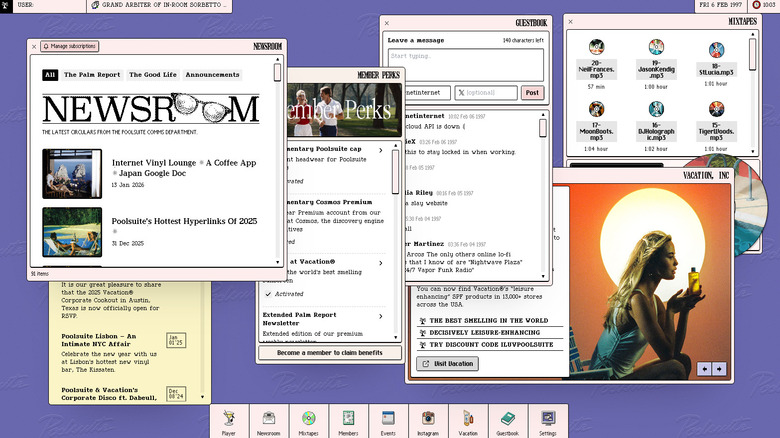
Remember vaporwave? It was a mid-2010s music "genre" that sounded like elevator music on an acid trip, paired with the aesthetics of a Windows 95-era computer GUI. Then vaporwave "died" as it fell out of fashion. Some of us (myself included) feel it was one of the best internet subcultures, with music that's a massage on the ears. Poolsuite keeps the dream alive. If nothing we're saying makes sense here, then just open Poolsuite and maybe you'll understand.
You'll need to create an account, but once you load into Poolsuite, you're treated to a pixelated interface with the date set to 1997. Through the player, you can choose from various different stations to listen to: Poolsuite FM, Friday Night Heat, Hangover Club, and Tokyo Disco. There's a newsroom section that has articles that look like something straight out of a '90s magazine, as well as an "events" calendar, a link to a fake Vacation brand webpage, and more. You can change the look of Poolsuite OS in the settings if you like. Poolsuite is all about the vibes, and we're so here for it.
Poolsuite uses the SoundCloud API, so you can click on the songs to go to them directly, sometimes with the option to download them. It's free to use. There's also an app for macOS, iOS, Android, and the PlayDate.
KineStop

One of the best hidden features of the iPhone is the anti-car sickness feature, Vehicle Motion Cues. Having used this one extensively, I can say it really works. The dots on the side of the screen move in relation to the movement of the car, tricking your lizard brain into thinking you're stationary, so you're less likely to hurl chunks. Android has no such feature, at least not until Android 17. In the meantime, you can use the free KineStop app. Interestingly, it's been around longer than Vehicle Motion Cues.
KineStop works very similarly, placing dots across your screen that move in response to the vehicle's acceleration, braking, and turns — the parts that really exacerbate motion sickness. I tested this app a couple of times, and it does seem to reduce my nausea while in a moving vehicle. However, I don't think it's as effective as the implementation on iPhone, which I can use for hours without getting almost any nausea. Still better than nothing, though.
WinDiskWriter
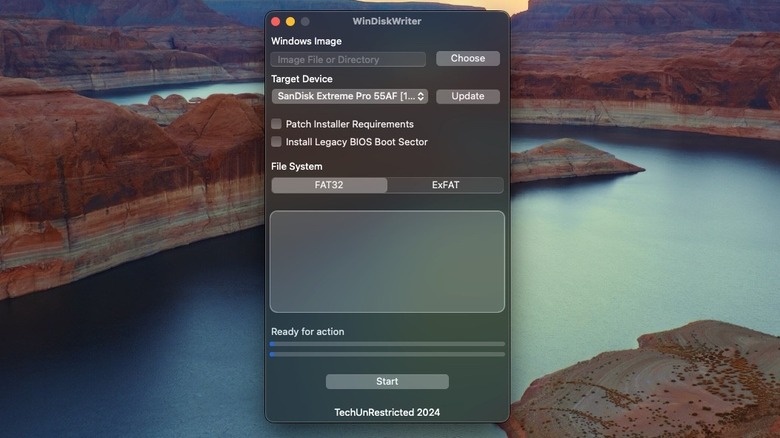
When people make the switch from Windows to Mac, they usually do so with finality. You're leaving Windows with no intention of coming back. But sometimes situations emerge where you need to reinstall Windows on a device with a bootable USB. On Windows, you simply download Microsoft's proprietary tool. On macOS, you can't, and options like Rufus don't have a macOS version. The options for creating bootable drives on macOS (like balenaEtcher) don't work, at least for me. Trust me, I spent way too much time on this only to create bootable Windows USBs that didn't work. You need WinDiskWriter.
WinDiskWriter is a free macOS utility for creating Windows installation media, specifically. It works incredibly well, and it goes a step further by helping you bypass Windows 11's strict hardware requirements, like TPM. So if you need to install Windows 11 on, say, a handheld PC like the Legion Go S, you can do it yourself without borrowing a friend's Windows PC.
Photopea
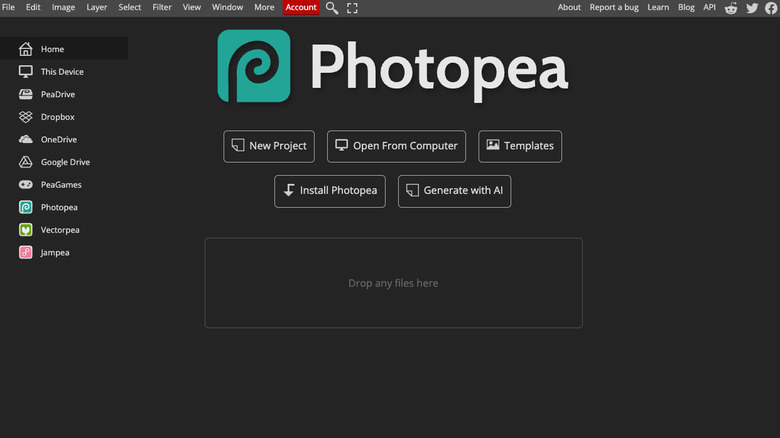
You shouldn't have to pay for Apple Creator Studio or Adobe Creative Cloud if you just want to touch up group pics once in a while. Even downloading an entire program for occasional retouching may feel excessive. So do it all from your browser with Photopea. It supports the major file types and should be more than enough for basic editing. No downloads, no fees, no problem. The app supports itself with ads (or its ad-free subscription), which is a very fair trade considering what you get. If the online-only option isn't ideal for you, you can install it directly to your device as a browser app.
If you've ever used Photoshop, then the interface will be easy enough to figure out. Photopea's tutorials are there to help in any case. Photopea is far from the only free Photoshop alternative; check out our list of the best Adobe app alternatives that are cheap or free.
Readest
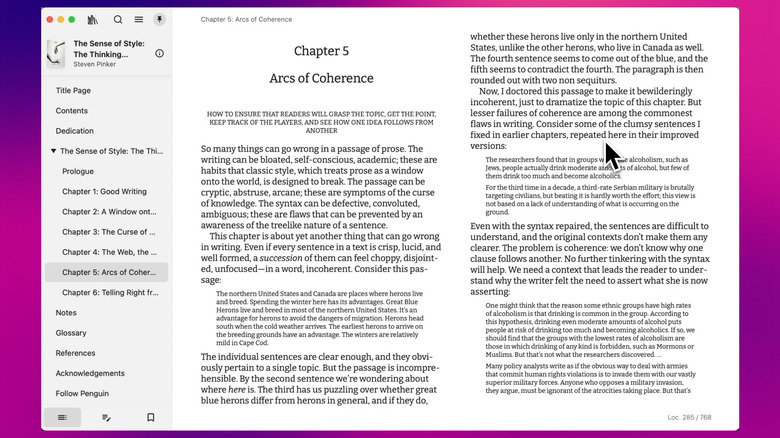
The big hogs like Apple Books and Kindle get the job done for most avid readers. But if you want to detach your reading collection from the Apple or Amazon ecosystem, Readest is a good start. It's a free, open-source e-reader that works on basically every platform: macOS, Windows, iOS, Android, Linux, and the web. Similar to its competition, it has a full suite of text customization options, dictionaries, translators, TTS (text-to-speech), as well as complete progress sync on all platforms and built-in notes and highlights.
It even tries to distinguish itself with a couple of unique features. For example, a parallel read feature that lets you read two documents at the same time. Coupled with DeepL translation, it could be helpful for someone learning a language.
Note that while the app is free to use, the library and progress syncing have a 500 MB storage limit. The Plus and Pro plans, priced at $4.99 and $9.99, give you 5 GB and 20 GB, respectively. Or, you can get a lifetime plan starting at $9.99.
novelWriter
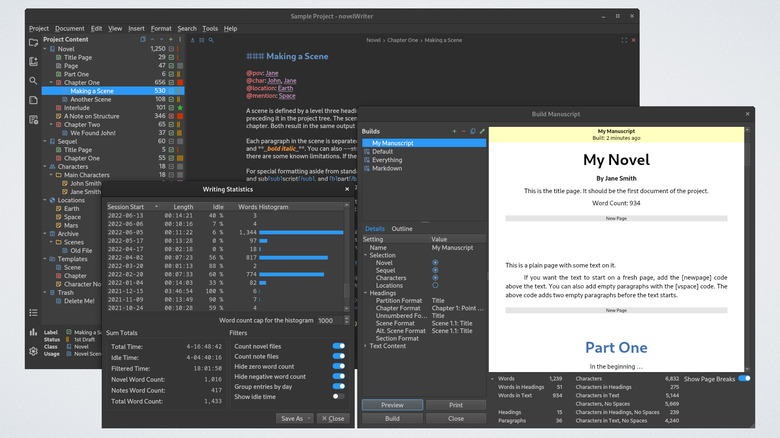
We've previously covered the best software for someone writing the next great American novel. Scrivener and Ulysses are industry standards, though pricey ones. novelWriter is free and competitive. Like both Ulysses and Scrivener, novelWriter provides a hierarchical organization scheme for a long writing project (e.g., novels), complete with niceties like comment support and novel-related metadata, such as synopses. It leans more toward the Ulysses side with support for Markdown.
Multiple different modes, like the Outline View, help you plan your novel from a bird's-eye view. The Editor Focus Mode helps out a lot during the writing process when you just need to put words down on the page. When the time comes to share your novel with a writing group, agent, or even better, a publishing house, there's a convenient export tool to create a beautiful PDF that excludes any documents you don't want. If you're not a fan of novelWriter, we'd recommend Zettlr.
Exporter
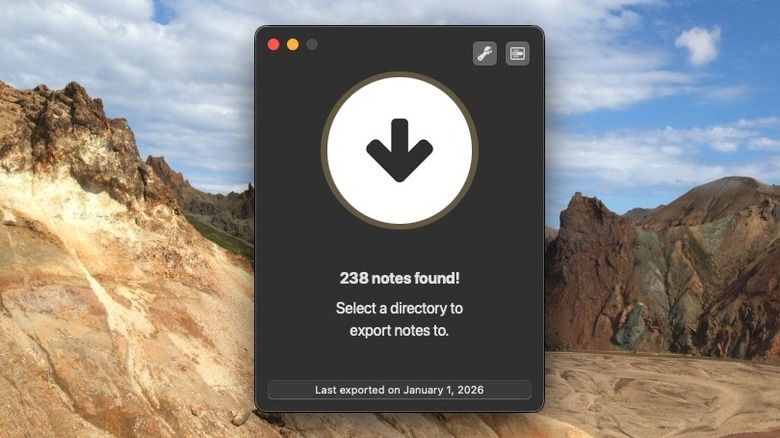
There are a lot of things Apple Notes can do that you might not have known about, but one thing you certainly cannot do is export those notes to another note-taking app. That's why you need the straightforwardly named Exporter. Exporter exports (shocker) your notes into Markdown or HTML in the hierarchy you organized them with, complete with important metadata like creation and modification dates and attachments.
In a couple of clicks, I had my entire Apple Notes library ready to be relocated elsewhere. Just be aware that any locked notes — i.e., encrypted ones — will be inaccessible to Exporter, so you'll have to manually copy and paste those yourself. In any case, it's great that apps like this exist to give you an escape hatch in the event you have to leave the Apple ecosystem. The app is free; however, for $4.99, you can get the option to extract only specific folders.
Free Download Manager
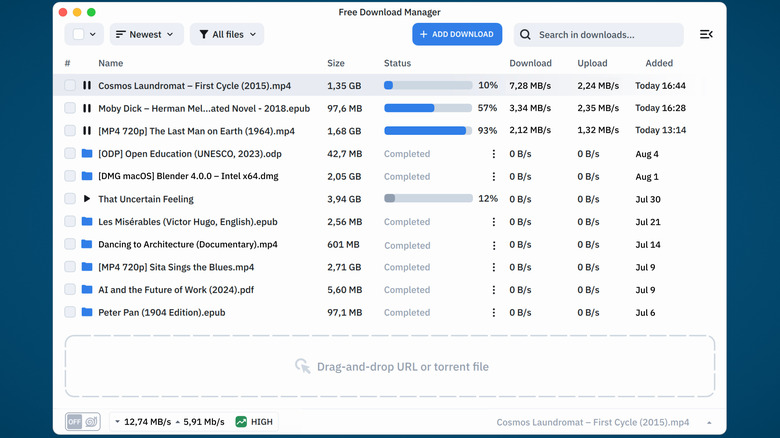
Think about how often you find yourself downloading a large file, one that takes forever or fails frequently, requiring constant restarting. Sometimes, these downloads simply never finish. A download manager can help. Download managers do things your browser can't, like breaking up downloads into chunks to get faster speeds and automatically resuming a download any time it gets interrupted — among other things. Free Download Manager (FDM) is one of the best options out there.
On top of just being better at downloading, FDM lets you download videos from streaming sites and torrents. It'll even do things like download the same file from multiple mirrors or take out the portion of a zip file you need, ignoring the rest. Download the browser extensions to get further control. The app supports Windows, macOS, Android, and Linux. It's pretty awesome from top to bottom, and since it's free, please donate if you can.
Spotube
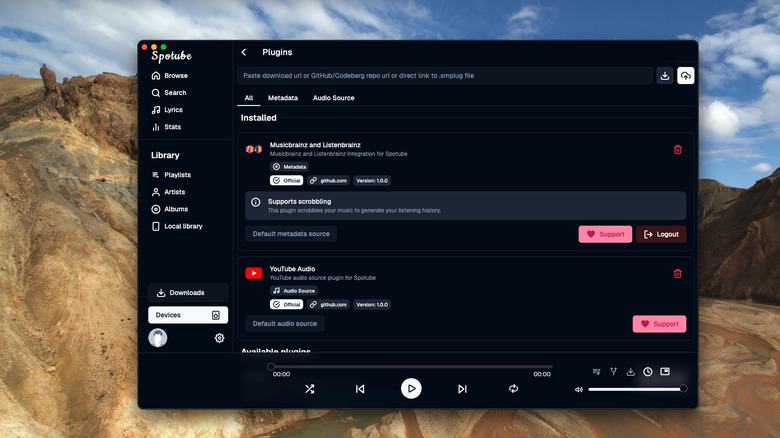
YouTube Music is a pretty affordable way to enjoy your music collection since it comes with YouTube Premium, and you can easily transfer your Apple Music playlist to YouTube Music. However, it's annoying to use YouTube without a subscription for music since you'll get bombarded with ads, and YouTube Music does not have a desktop app. Spotube (a portmanteau of Spotify and YouTube) is a free app that gets rid of the ads.
While the app is primarily focused on YouTube Music, it does have plugins that can support other platforms, like Spotify. The real benefit of those plugins, though, is the ability to add metadata to your music through platforms like MusicBrainz. Your music thus gets album artwork and accurate descriptions. It's a solid app that has a beautiful UI without Electron — a huge selling point, if you ask me. Users on Windows, macOS, Linux, and Android can download Spotube now.
CrossOver
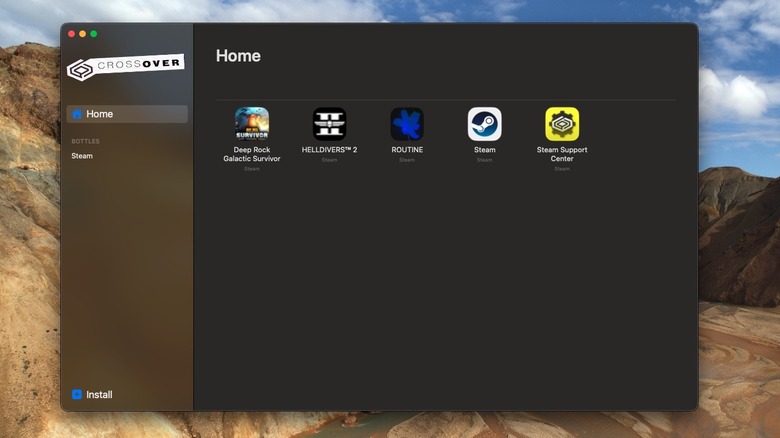
Apple makes great computers, but gaming on a MacBook is still a no-go due to painfully limited native Mac titles. For those willing to invest just a bit of money and patience, CrossOver lets you translate your PC games to run on macOS, using the same foundational technology that the Steam Deck (a Linux machine) uses to run Windows games.
Like the Steam Deck, CrossOver makes software installation about as easy as it is realistically possible, though there's a primary focus on gaming. That includes paid titles through proprietary storefronts like Steam. Before you download, make sure you use the CrossOver compatibility checker to see if other users have gotten a game to work. Please bear in mind that CrossOver is arguably still in its alpha stages of PC-to-macOS translation, so you'll be doing some settings tweaking.
CrossOver's pricing strategy is to sell one-year, renewable licenses — though that renewal is almost 50% off the regular sale price. But the version you buy, you can keep forever. Don't be too put off by that cost, though. Your money is going toward CrossOver and the generalized betterment of the Wine Project that powers all Linux/macOS game translation.
FxSound
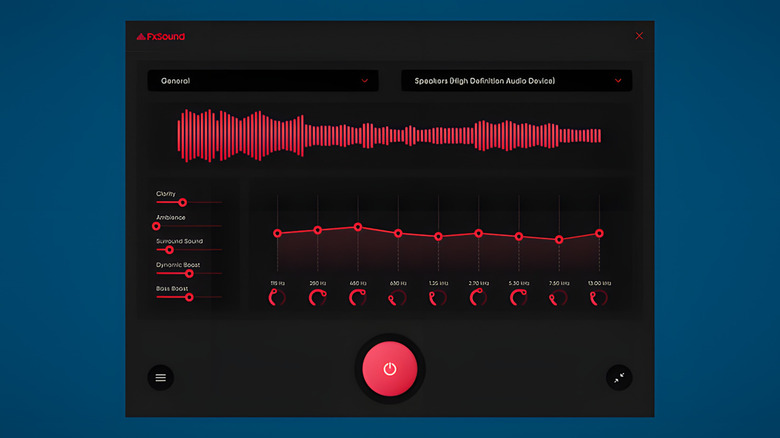
Hate the way your speakers or headphones sound on Windows? FxSound is a free, one-click way to change that. If you're not interested in fine-tuning the equalizer, you can just choose a sound profile for broad categories, like TV and movies, music, and video games. There are also options to boost bass or increase the volume beyond what Windows normally supports. Give it a shot; you lose nothing since it's free.
Who exactly is this program for? Anyone who is unsatisfied with the sound quality on whatever headphones or speakers they're using. An app like this will be particularly helpful if you have speakers that sound cheap or tinny. With FxSound, anecdotally speaking, the unimpressive built-in speakers on one of my devices ended up sounding more expensive than they actually were.
FxSound used to be paid software over 20 years in the making. Now it relies on donations. So please, contribute if it makes your headphones and speakers sound better.
Solaar
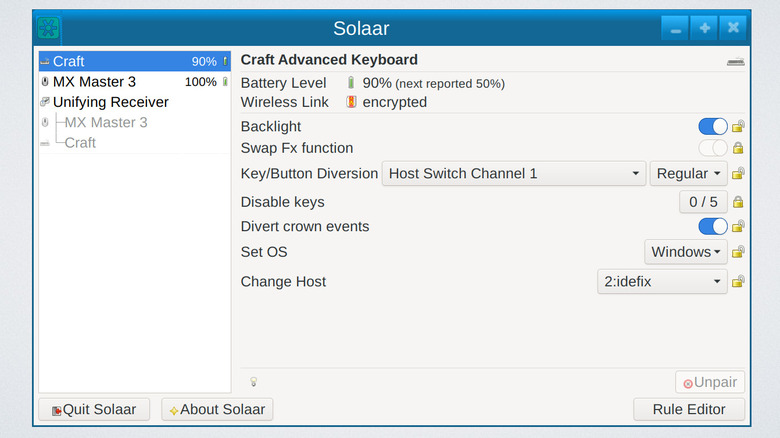
Logitech is a leader in the peripherals industry because it makes some of the best ergonomic mice and keyboards for all budgets. Where Logitech falls flat is on the software side; macOS users may remember when all the special functions on their fancy peripherals stopped working in January 2026 for a couple of days. Another place where Logitech drops the ball is with Linux support. There's no Logi Options+ for Linux, leaving you unable to reprogram the buttons without a friend's computer. Solaar is the Logitech Linux utility that never was.
Solaar can do almost everything its proprietary Windows and macOS counterparts can. Namely, it can connect to Logitech's proprietary Unifying and Bolt receivers (including pairing new devices to them), reprogram mouse and keyboard buttons, change scroll directions, check battery levels, and more. It does this without drivers, ensuring broader compatibility. While it can't update the firmware or log you into your Logitech account to make these settings work across devices, we'd argue Solaar is better because it does only what it's supposed to — no Logitech bloat.
WinBoat
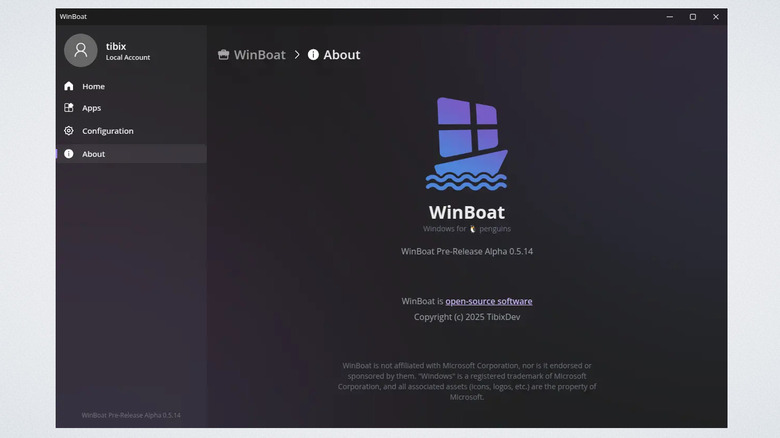
CrossOver does support Linux as well, but as we've established, it's not free. WinBoat is. This is not a Wine translator like CrossOver. Instead, it installs a virtual Windows machine on your device and then runs its apps in a native window container that makes them feel like they're running on Linux — including file-system integration, passthrough for USB, and other ways to reduce friction inherent to virtual machines. Long story short, this is meant to be a seamless, hands-off approach to virtualizing Windows programs.
Be aware that one of the major disadvantages of WinBoat — and any VM software — is that resource usage is going to be much, much higher than with a translator like CrossOver. Your computer will simultaneously run two operating systems at the same time, your Linux system and Windows on top of it. If you don't have sufficient CPU or RAM, you will likely experience slowdown. However, the big benefit of WinBoat is that you'll suffer fewer compatibility issues. We'd recommend CrossOver for lightweight systems and WinBoat for PCs with headroom to spare.
GameHub
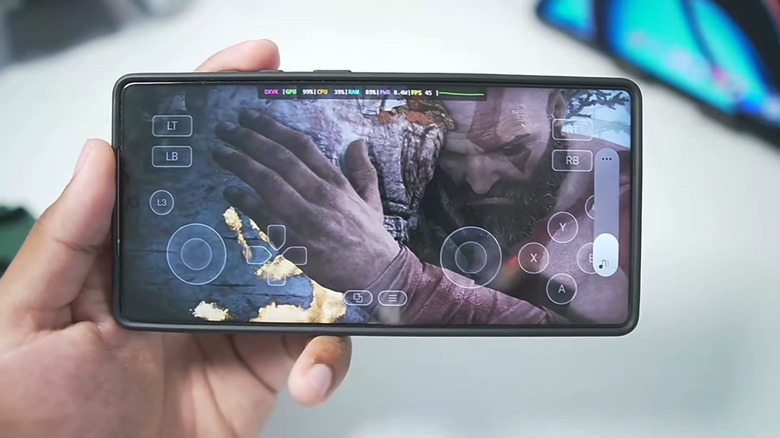
You can now play PC games on your Android device. No, really. Consider your Android phone a Steam Deck Lite, thanks to programs like GameHub and GameNative. Both apps are oriented toward people with a Steam account and make it almost painless to install and run a good chunk of the games in your PC library. You'd be surprised what's playable; some people have gotten "Cyberpunk 2077" running at 60fps on devices with the latest Snapdragon 8 Elite SoC. Anyone with a recent flagship, like the Samsung Galaxy S25 Ultra (which has the 8 Elite), has an untapped goldmine of performance at their fingertips.
It's not a flawless experience. Not yet. Prepare for a lot of games not to work and for the more demanding ones to struggle to obtain an acceptable frame rate. We're currently waiting for driver support on newer chips (like the 8 Elite) to mature. Regardless, the fact that your Android can now moonlight as a miniature gaming PC changes the game — pun intended.
LibrePods
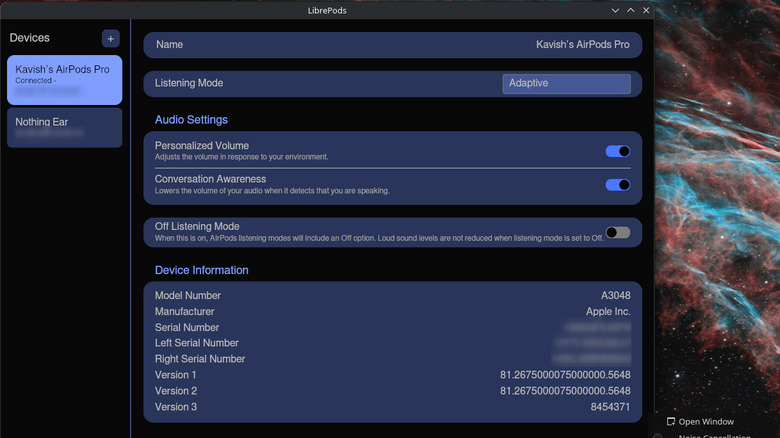
Regardless of whether you get the older AirPods Pro 2 or the AirPods Pro 3, you're in for an incredible listening experience — unless you use a non-Apple device to listen to them. They're famously uncooperative with Windows, Android, and/or Linux. Apple makes you go to one of its stores to update the firmware, for crying out loud, rather than making an app for other platforms. LibrePods, as the name implies, frees your AirPods to a large extent from the clutches of Apple's walled garden.
All the settings that would otherwise require you to have an Apple device to adjust them — noise cancellation mode, transparency mode, head gestures, conversational awareness, battery status, etc. — work on LibrePods. That includes basically everything short of updating the AirPods and having them transfer automatically from one active device to another. The only downside is that LibrePods is currently only available on Linux and Android. Also bear in mind that LibrePods is a small project from one developer and fellow contributors; due to personal time constraints, development is paused until May 2026.
Hemingway Editor
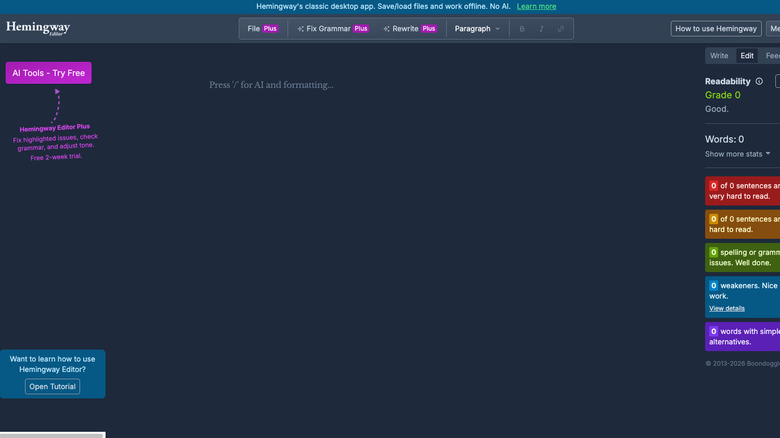
If you haven't yet succumbed to letting ChatGPT do all your writing, there's an exceptionally helpful app for making your prose flow better and be more readable: Hemingway Editor. Rather than suggesting more fancy-sounding synonyms and run-on sentences, Hemingway Editor encourages you to break up long sentences, supplant overcomplicated words, and trim any fat that makes your writing more difficult to read and less impactful.
I've used this tool from time to time to get a feel for where my writing could improve. Before you accept all the changes it suggests, let me say this: It's not the be-all, end-all. It's just a tool. Like a spellchecker or grammar checker can be wrong, Hemingway can miss the mark too. Apply the suggestions you agree with and discard the rest. Hemingway Editor exists primarily as a web tool, but there's a paid app for PC and Mac, and a more comprehensive AI tool starting at $8.33 a month.