

7 Great Gaming Gadgets Under $30
We may receive a commission on purchases made from links.
Gaming is an expensive hobby. With the ever-increasing prices of consoles and games, the barrier to entry keeps getting hard to clear for the average consumer. These days, getting started gaming costs a lot of money on every platform, but that doesn't mean you can't save some cash along the way.
Out of all the components of a video game experience, additional accessories and gadgets bear the most varied prices. Many gaming peripherals can maximize your immersion, and cost nearly the same price as another console. However, you can also buy plenty of gaming gadgets for pennies on the dollar. Traditional logic dictates that these inexpensive alternatives aren't as high quality, but that's not necessarily true. Many companies have made names for themselves producing third-party controllers and other devices that sacrifice some bells and whistles in the name of affordability. And then there are older items that aren't as advanced as newer products but still worth owning due to their quality; they're just a bit cheaper now.
Here are several gaming gadgets you can buy without breaking the bank.
8BitDo Ultimate 2C wireless controller
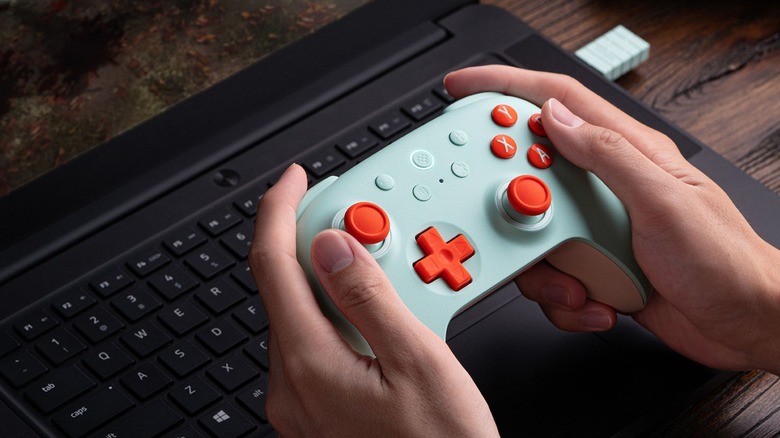
When you're looking for a quality third-party controller, look no further than 8BitDo. The company produces controllers of all shapes and price points, and while its cheaper options are mostly wired, some wireless models are actually affordable.
8BitDo's Ultimate 2C Wireless Controller is one of the best controllers out there, especially if you want to play PC games. The Ultimate 2C Wireless Controller feels solid and responsive thanks to its clicky bumper buttons and d-pad, hall-effect joysticks, and multiple connection methods (Bluetooth, 2.4 Ghz, and wired). And like any proper game controller, the 8BitDo Ultimate 2C comes in several colors. Oh, and unlike the Xbox controllers it copies for shape and button layout, batteries aren't sold separately; the Ultimate 2C Wireless relies on a rechargeable lithium power pack providing between 19 to 32 hours of uninterrupted gameplay.
At $24.69 on Amazon, the 8BitDo Ultimate 2C Wireless Controller is well under $30 (not counting any taxes or shipping fees). But if you need a controller for other consoles, you can find many quality devices for under $30, and you don't even have to buy them used at GameStop. PowerA, for instance, sells controllers for the Nintendo Switch and Xbox Series X/S, although they are wired. And we can't forget 8BitDo's miniaturized Light SE Bluetooth Gamepad, which has all the buttons of a full-size controller but can fit in your pocket. You've got to appreciate a studio that knows how to insert rumble motors into something smaller than a smartphone.
Charging station
Modern gaming technology is a double-edged sword. Wireless and Bluetooth technology lets you control games without worrying about cables unplugging during particularly frustrating sessions, but you've got to charge your controllers every so often. Most controllers and third-party battery kits come with charging cables, but there's another option.
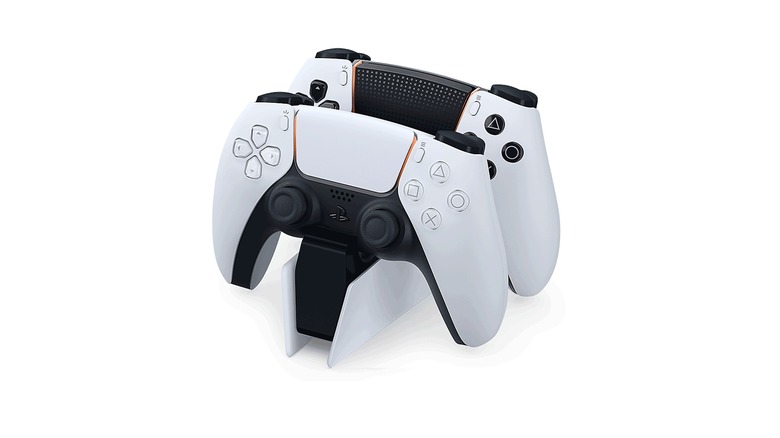
Instead of occupying your console's valuable USB ports, you can use a charging station for your Xbox Series X/S or PlayStation 5. Just set your controller down onto the add-on and let the electricity flow. Depending on the manufacturer, the charging stand might come with additional features, such as magnetic coupling to keep the controller nice and secure or two contact points that let you charge two controllers at once. The fewer USB slots you need to charge all your controllers, the better.
Because different controllers have different shapes and thus battery charging contacts installed in different locations, you'll need a specific charging station depending on which console you own. Thankfully, many of these peripherals cost $30 or less. For instance, the official PlayStation 5 DualSense charging station, which fits two controllers, costs $29, whereas PowerA's budget alternative costs only $21.49 but runs off an AC adaptor. Meanwhile, Xbox charging stations are a little more expensive since they also have to include rechargeable batteries – Xbox controllers still use AAs out of the box. These range from $27.37 for the PowerA Duo Charging Station to $24.99 for the 8BitDo Charging Dock. If you're lucky, you could find a high-end mode like the Razer Universal Charging Stand on sale, too.
Hyper X Cloud Stinger 2 Core headset
When you play a video game, you probably want to hear everything. Maybe it's for the immersion and ambience, maybe it's so you can keep your head on a swivel during multiplayer matches. Normally, one might assume that less expensive headsets or speakers provide worse sound quality, but that isn't always the case.
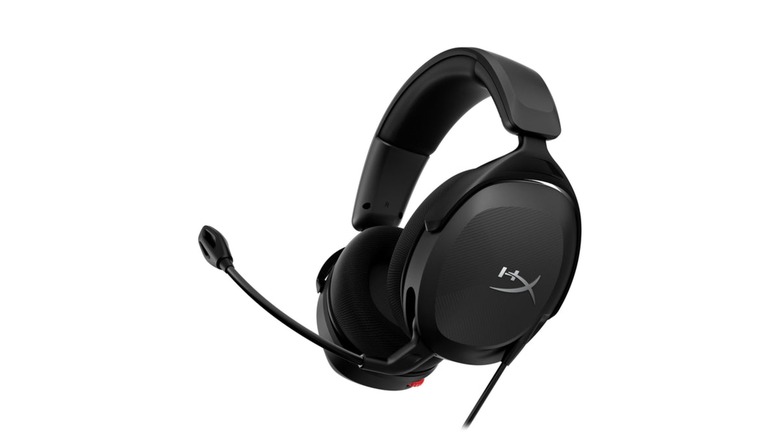
The Hyper X Cloud Stinger 2 Core is the budget version of the Hyper X Cloud Stinger 2, which is itself the younger cousin of the Hyper X Cloud 2 — one of our favorite surround sound headsets from 2024. The Stinger 2 Core is still no slouch in the gaming arena. The headset delivers crisp spatial audio and an easy-to-use microphone for multiplayer gaming sessions. While less comfortable than the Stinger 2, the Stinger 2 Core still punches well above its price tag.
Shopping for a Hyper X Cloud Stinger 2 Core is a bit confusing. If you want to keep it under $30, you will have to buy it from Amazon where it sells for $24.98. What if you have a gaming PC? The site sells another Cloud Stinger 2 Core design for PC at $39.98. However, all Hyper X Cloud Stinger 2 Cores headsets are compatible with all devices that accept a 3.5mm audio jack. The only difference is the color accent — not that you can see them when wearing these headsets.
Game holder
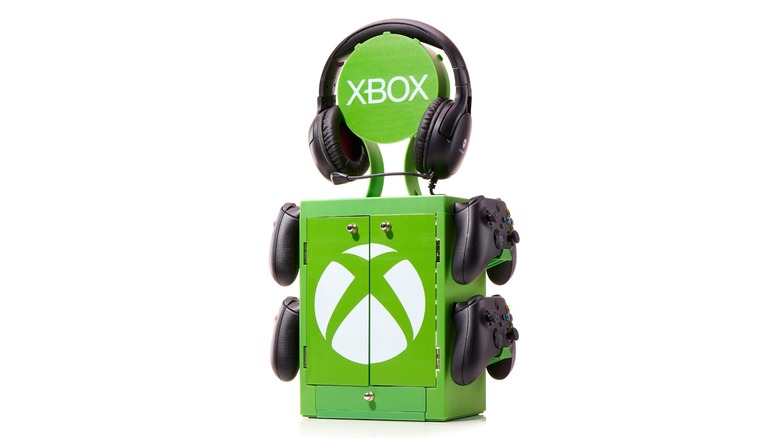
Unless you've gone completely digital (which isn't advisable for game preservation), you need a place to store your physical disks and cartridges. It's a good idea to keep them in their cases, but where do you keep the cases?
Game towers are excellent for keeping your games nice and organized. Just slot the cases in, and that's it. Since the designs of these towers are generally platform agnostic, you can use them to store collections from multiple consoles. Take the Nargos Video Game Storage Stand Tower. At $25.19, this sturdy and well-reviewed game tower can store up to 36 PlayStation or Xbox games. And some models, such as the Kytok Video Game Storage Tower Holder, also include controller holders. This "tower" can only store 20 games, but you can also orient the unit vertically and horizontally. Not bad for $21.99.
Not all game organizing towers are universal, but even the more situational solutions have their place. Take the Numskull Xbox Gaming Locker, which costs $29.99. It is much smaller than other game organizers and best suited for Xbox games, but it can also store up to four controllers and a headset. If you own a Nintendo Switch, game towers won't do you much good since most are built with disc cases in mind. However, you can take your Switch game libraries on the go with the Amazon Basics Game Storage Cases, which hold up to 24 Switch cartridges and costs $8.33. They're not as impressive as game towers, but they're every bit as portable as the Switch consoles.
Carrying case
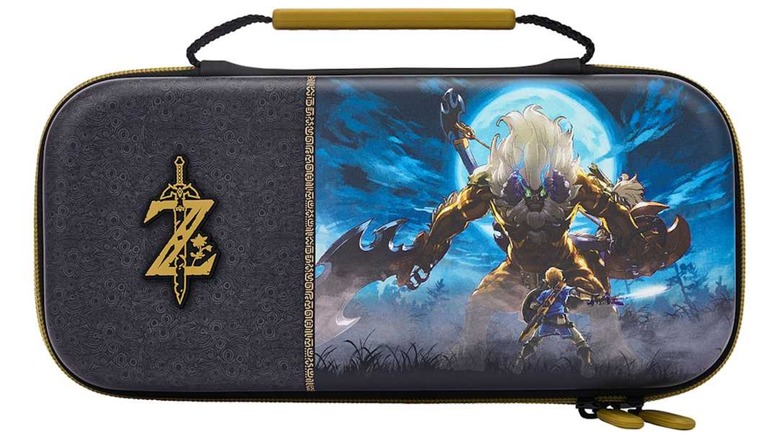
Sure, the Nintendo Switch is designed around portability, but there is a big difference between transporting a console and transporting a console safely.
Since the console line is made up of hybrid home/handheld consoles (except for the Switch Lite, which can't plug into Switch docks), countless companies sell Switch carrying cases. Some are rugged but plain, such as the RDS Game Case for $14.24, but you can also find a tidal wave worth of smaller and more colorful cases decorated with Nintendo-related iconography. Nintendo and PowerA sell these for anywhere between $14.99 to $29.99. While they can't store your charging cables, they can tell everyone around you that you're a die-hard "Pokémon" or "Legend of Zelda" fan.
And even though the Xbox and PlayStation consoles aren't portable — and are a downright hassle to transport — their controllers are sort of meant to travel. In fact, you can link your Xbox account to your controller so when you visit a friend, you can log into your account on their console just by turning on your controller. As such, you can buy controller cases for these peripherals. SCUF and 8BitDo sell universal carrying cases for $11.99 and $14.99 each, respectively, which can fit standard controllers or their respective mimic controllers. RDS also sells an official Xbox controller carrying case for $19.99 if you game mostly at home, you might not ever need such add-ons, but if you travel a lot and like to bring your games with you, these are a must.
Air duster
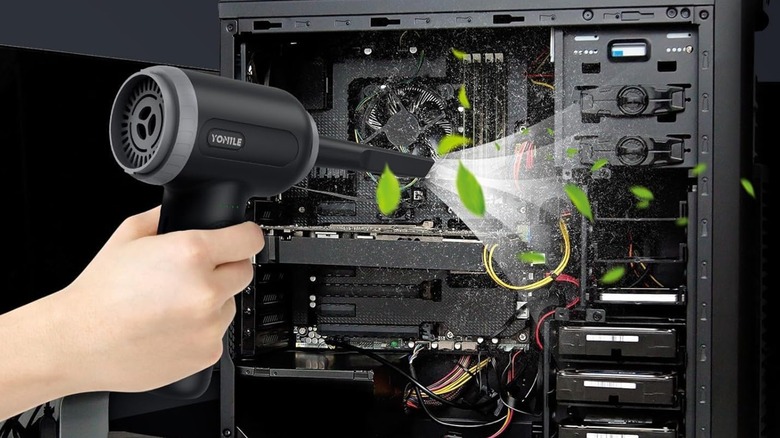
Since most computing and gaming systems draw in air to stay cool, their fans and grates are magnets for dust and other particulates. The more dust in a cooling system, the less efficient it will run and thus the hotter it will get during gaming sessions.
This might sound like an argument for liquid cooling over air cooling in gaming PCs, but it's also an argument for air dusters. Blasting your Xbox, PlayStation, or Switch's intakes and fans with a powerful burst of air is also highly recommended every so often. Cans of compressed air are an inexpensive way to get the job done, but we're here to talk about gadgets — electric air dusters are an excellent alternative, since they help cut down on trash.
You can find plenty of excellent electric air dusters on sites such as Amazon, but they generally sit on the expensive side (around $100). But you can find plenty of good electric air dusters if you are on a budget. Gadgets such as the Yomile 2-in-1 are reliable and frugal choices, which runs for $29.99.
Random decorations
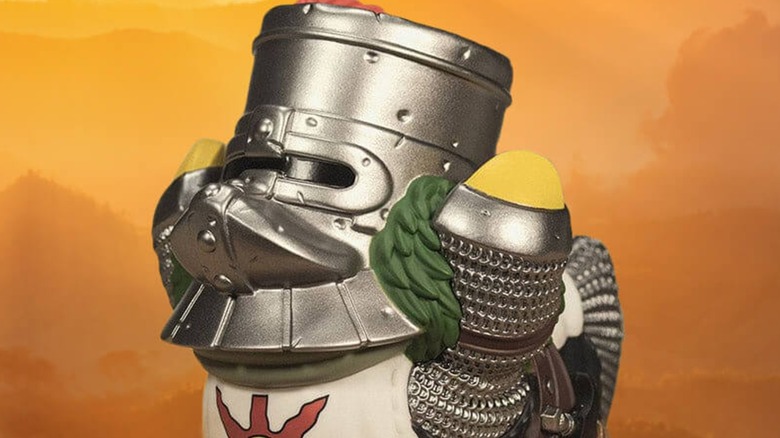
Forget eyes; decorations are the window into the soul, doubly so when it's a video game decoration. Not only does it show your aesthetic taste, but it also shows what kinds of games you enjoy.
These might not count as "gadgets,"but you can find an almost endless supply of doodads to place around your gaming setup for under $30. There are too many to list everything, but we can recommend (or at least suggest) the Tubbz line of cosplay rubber ducks. These come in every color of the gamer and geek rainbow, including "DOOM," "Resident Evil," "Jurassic Park," "Yakuza," and more. And even if you don't find one you like, just wait a bit, and the brand is always adapting new IPs into bath toys (that are ironically not safe in the bath).
If you want more specialized decorations, you only need look in the right spot. For instance, if you're a fan of "Pokémon," you can find something a little more plush at the Pokémon Center. The store sells plenty of smaller plushes from every generation, from Abra to Zygarde. Most of these fall into the "Sitting Cuties" line that are filled with weighted beads so the dolls can, well, sit down. That extra mass will just give them extra stability when decorating your game room.