

15 Gadgets & Pieces Of Tech You Probably Shouldn't Have In Your Home Office
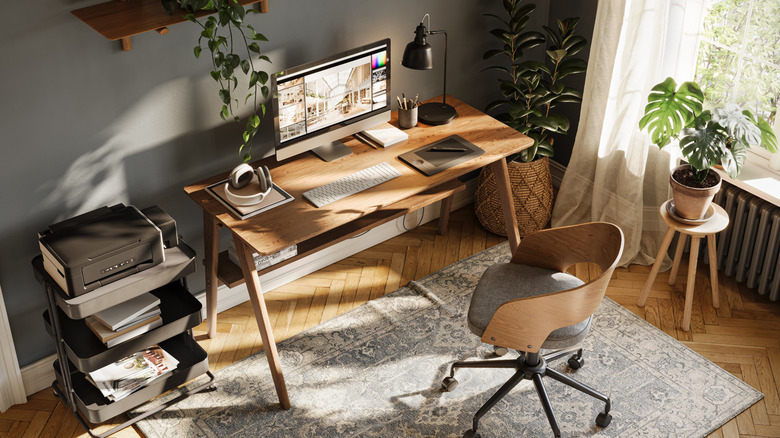
Home offices rock if you work from home. No playing talk therapist to co-workers, no being under constant scrutiny in open-office layouts, no sterile corporate cube draining the life force from your bones, but yes to working in your underwear. Even if you don't do that much work from home, it's the one place you can have exactly the way you want it for focus, peace, and productivity. We've previously taken a quick look at the smart gadgets that upgrade your home office, but this time we want to take a different angle — gadgets that are a detriment to a home office work environment.
We are intentionally casting a wide net here, looking at gadgets that could be distracting, less helpful to your productivity than they may seem, and/or pose potential harm to you and any other occupant. Nothing here is a universal blanket recommendation for all people. These 15 gadgets might be better off elsewhere.
Cheap USB hubs or docks
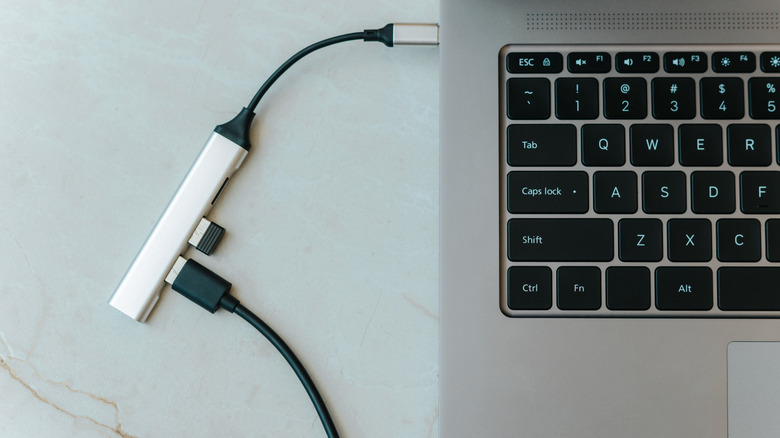
USB hubs and docks are a must, whether you're working off a laptop with limited I/O or a desktop PC where the I/O is on the back panel and takes a hero's journey to reach. And they're cheap too. You can find a hub on Amazon for $20 that doubles or triples your USB ports. The problem is that these cheap hubs have their limitations, especially if you use them for everything.
These problems may not go away even if you upgrade to a slightly more expensive docking station. Speaking anecdotally, I once purchased a budget docking station that struggled to power multiple peripherals, had sluggish read/write speeds on my external SSD, and whose HDMI port could only mirror the first display — not show a second. I kid you not when I say that my microphone would cut out during meetings because the headset wasn't getting enough power while plugged into — you guessed it — the docking station.
Case in point, going cheap could be more trouble than it's worth. This is one of those situations where investing a little more upfront is smart. Consider a docking station like this Plugable Docking Station.
Vertical mice
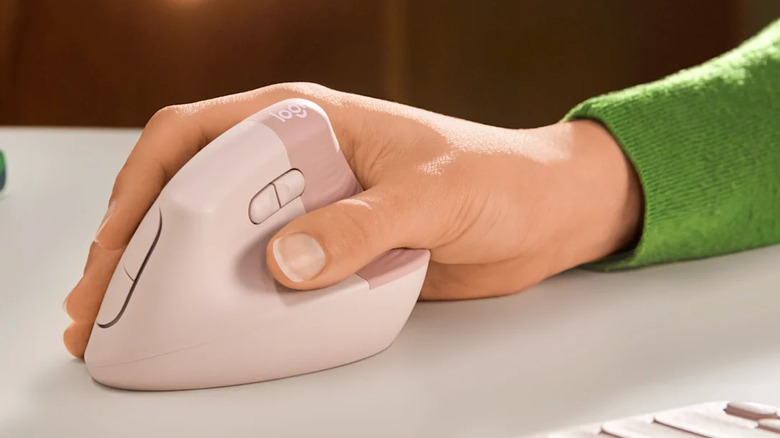
Everyone who spends long hours at a desk is uncomfortably familiar with one of the seven horsemen of chronic pain: carpal tunnel syndrome. The Logitech Lift mouse is one attempt to stop it. The idea is that since the mouse is used in a vertical orientation, there's no pressure on your metacarpal nerve, and therefore no carpal tunnel. Some reviews of the mouse are glowing. However, others admit that there's more nuance than meets the eye.
For starters, it doesn't eliminate wrist pressure — it just relocates it elsewhere. Further, some studies have suggested that vertical mice do nothing to alleviate carpal tunnel syndrome. I personally know someone who bought one of these mice and, by the end of the week, had already sold it because of that. It seems to be a device that is great for some people and a miss for others, which is our point: you might be dropping a lot of money on a false promise.
Working on your ergonomics will probably go further than putting your bet on niche peripherals — not just the Logitech Lift, but also any oddball peripherals that don't guarantee help. Work on good posture, a monitor positioned at eye level, and keep your wrists straight (via Mayo Clinic). Get an ergonomic mouse that's comfortable to hold.
Compact mice
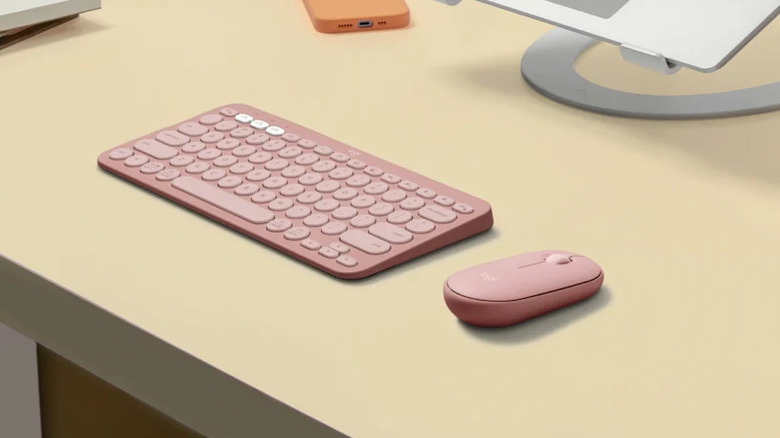
We have to give it to the weird ergonomic mice (like the Logitech Lift) for at least trying to improve ergonomics. Mice like the Logitech Pebble — small, low-profile, compact mice — go the opposite direction in favor of cheap, long-lasting devices for a minimalist setup or for travelers who need a Bluetooth mouse. But for a home office where you will be spending longer hours at work? It's going to feel like a one-way ticket to carpal tunnel, my friend.
That's not just us saying that. Some studies suggest that unergonomic mice increase the risk of wrist injury, and if not, simply are more painful to use long term. Beyond the studies, it's not hard to find user reviews that agree on the discomfort front. Users make similar complaints about other popular low-profile mice like the Apple Magic Mouse.
Speaking from my own personal experience, mice like these are not worth their petite form factor and ridiculously long battery life if you're paying with your wrist. Invest in a decent ergonomic mouse if you can. A budget of just $20 will suffice.
MOBA gaming mice (for productivity)
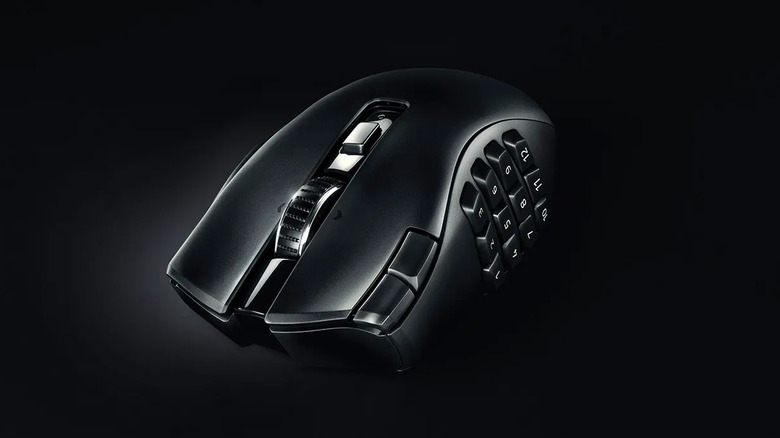
Recently, there's been a new productivity hack making the rounds on the internet: using a competitive gaming mouse for productivity purposes. For example, using a mouse like the Razer Naga V2 HyperSpeed to, instead of mapping its side buttons for actions in MMOs and MOBAs, map them to handle repetitive productivity shortcuts. So, for example, instead of hitting the shortcut for copy, you could press the first button, and so on. Sounds great, right? Program all the most common, tedious keystrokes you use to a single button press without reaching for the keys. It's my personal contention that this won't work for everyone.
Based on my own experience, a lot of people will bounce right off this. For one, the mouse buttons are too sensitive, making misfires and accidental presses very common. Often, I would lift up the mouse with my thumb and ring finger to reposition it and accidentally press a button, triggering a shortcut I didn't want. The buttons are small, requiring a ton of brain-to-hand coordination to ingrain their placement into muscle memory without looking at them. Regardless, it's a steep learning curve that makes you utterly dependent on that mouse once you've climbed it. Long story short, this may not be the productivity hack that it seems.
Non-mechanical keyboards
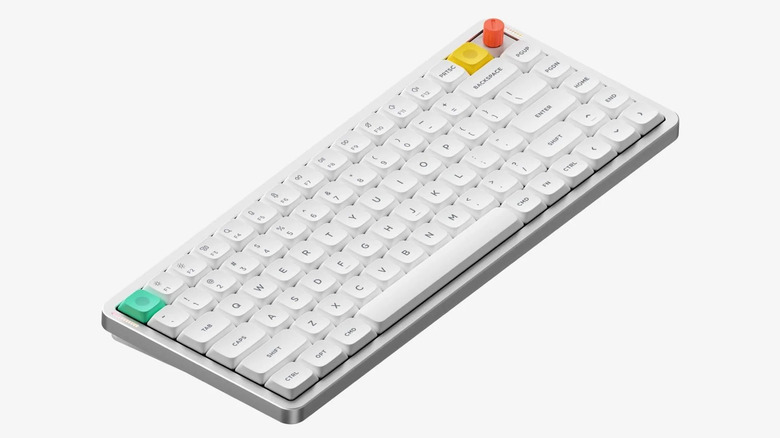
If you're even moderately online, you've probably heard people raving about mechanical keyboards. They're touted as feeling better to type on, producing a spine-tingling click-clack, and allowing for more user customizability and repair than is common with keyboards. They may have another unseen benefit: more comfortable, less painful typing. Lots of people have pointed out anecdotally that keyboards with short travel — particularly low-profile keyboards or built-in laptop keyboards — can be painful or exacerbate an RSI when used for long hours.
Anecdotally speaking, this has been my experience. With my previous low-profile membrane keyboard, it felt like I was slamming my fingertips against the desktop, whereas a mechanical keyboard cushions them on their way down, reducing strain. Admittedly, this is mostly a subjective argument. Studies do point in that direction, though they offer no conclusive evidence. Evidence suggests people merely "dislike" keyboards with short travel. So if your fingers hurt after long hours of typing, a mechanical keyboard may help with that.
Smartphone charging stands
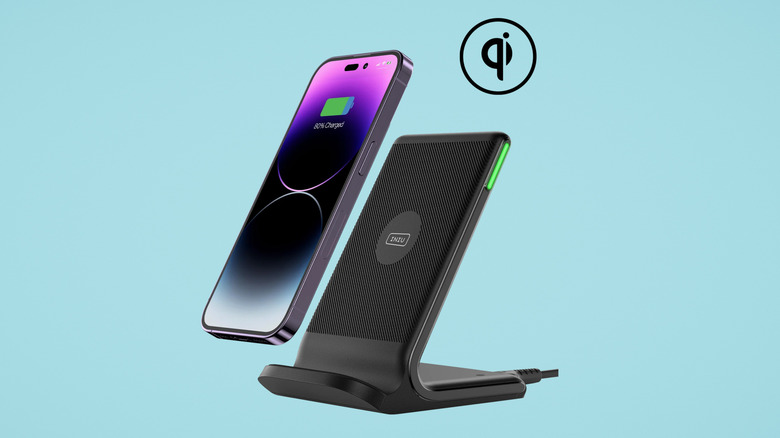
Hear me out. Wireless smartphone charging stands are great, like the one pictured above, especially if they support something like MagSafe to turn them sideways for the iPhone's StandBy mode. They can almost be like an extension of your computer, a way to check something on the small screen without taking up space on the big screen. However, I'd argue that if productivity is the aim, these are the worst way to have your phone on your desk.
I make this argument on a subjective basis. Smartphones are notoriously distracting already, so propping them up so they're more present in your field of vision — especially if they've got an always-on display — can't do anything good for your work focus. Studies have already demonstrated that a smartphone that's just sitting there, untouched, not even pinging notifications, already saps your cognitive capacity (via UT News).
What's interesting is that this same study suggested that all it took was increasing the distance between you and your smartphone — e.g., putting it in another room — to make you more focused. By that logic, I contend that if you're going to keep your smartphone at your desk, don't let it be any more disruptive than it already is. Consider getting a traditional flat wireless charger rather than a stand.
Cheap USB accent lights
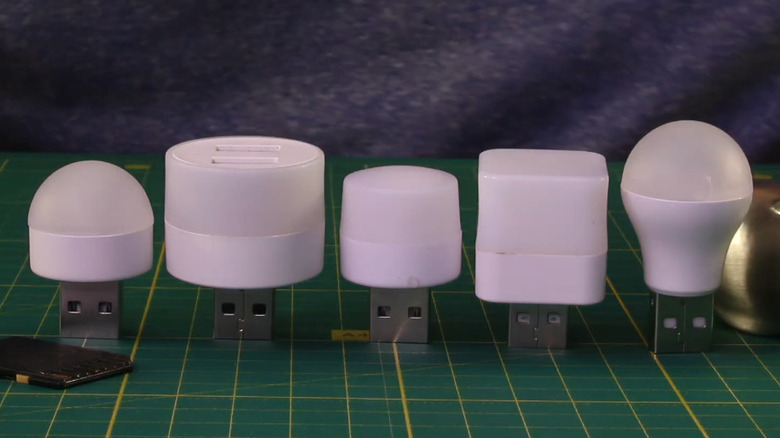
One of the biggest benefits of a home office is customizing it exactly the way you want, especially now that you're free of sterile corporate fluorescents. An easy and cheap solution to lighting up the space is USB LED bulbs, like these. Based on personal experience, these may not be a good idea. For one thing, they often don't have an off switch. Any USB ports that receive continuous power will keep them running 24/7, wasting power (even if it's only a trickle), which isn't ideal. Having used these myself, I can say they also can become a bit of an eyesore. A light without a shade quickly becomes distracting, especially if it starts reflecting off the screen or the wall.
There's also the very real risk of a fire hazard. In the past, cheap LED lighting solutions have been recalled for overheating. You'd think that since they're LEDs (known for producing little heat and being fairly power efficient), that wouldn't be a risk, but these recalls prove otherwise. The LED itself might be fine while the other components burn. It's best to skip these in favor of another lighting solution.
Old surge protectors
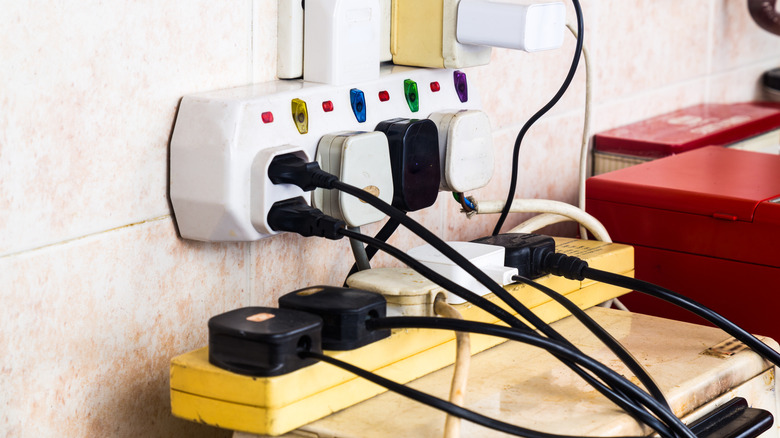
When setting up your office, you might be tempted to grab an old, unused surge protector to get more outlets. Careful. One of the issues with surge protectors is that they don't last forever. Even without any major surges, they wear down and eventually become little more than glorified extension cords, becoming effectively useless against harmful energy fluctuations. We cannot recommend strongly enough throwing away old surge protectors ASAP and buying new ones. A surge protector that's been plugged in for three to five years is a surge protector non grata.
This is especially important for an office where (we assume) you have a computer, monitors, and other delicate electronic equipment that would not be cheap to replace. Just get a new one. Surge protectors generally are cheap and still reliable. If you haven't replaced your surge protectors in a long while (hopefully not longer than five years), you'd get the added benefit of features that are becoming more common, like USB ports, so you can minimize power bricks.
Cheap USB chargers and cables
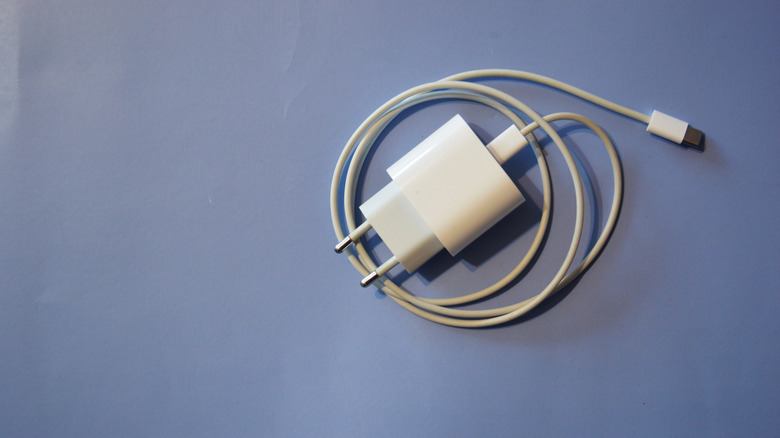
No one wants to spend a lot of money on a charger and/or cable. It seems like the only major benefit to doing so is faster charging, more USB ports, and a nicer cable, things most people can live without. Going cheap, however, is how you get fire hazards. Even in the current year, a cheap charging plug could be a dangerous mistake. Even if it doesn't turn your apartment block into ashes, a cheap charger could damage your phone.
Buy from trustworthy cord and charger brands as much as possible. Avoid alphabet-soup-named brands that are as short-lived as the seasons. Don't assume we're completely past that time when 90% of Amazon chargers were fakes. A shocking amount of counterfeit goods continue to make their way onto the storefront in recent years. We still see recalls and fires because of them. Looking at it that way, spending more on a charger is cheap compared to the alternative.
Steam Deck (or any gaming handheld)

It's safe to assume that if you have a home office, it is your everything-office too, unless you're trying to write the space off on your taxes. You may have your gaming rig, such as a gaming handheld like the Steam Deck. Though most people probably have enough willpower to stop themselves from gaming when they should be working or focusing on something else, I find that the presence of a gaming handheld can add an unnecessary distraction that interrupts your flow.
Even when not gaming, a gaming handheld for me becomes a source of procrastination when I've hit a wall at work. I might find myself, say, turning on my handheld and checking for updates, kind of like how you compulsively check your phone for notifications. And if you can't control your impulses, of course, then you might suddenly find yourself pulled into a run of "Deep Rock Galactic: Survivor" when something's due in an hour. It happens to the best of us. In the interest of focus, it might be best to just relocate that gaming handheld elsewhere until the docket is cleared.
Webcams without a cover
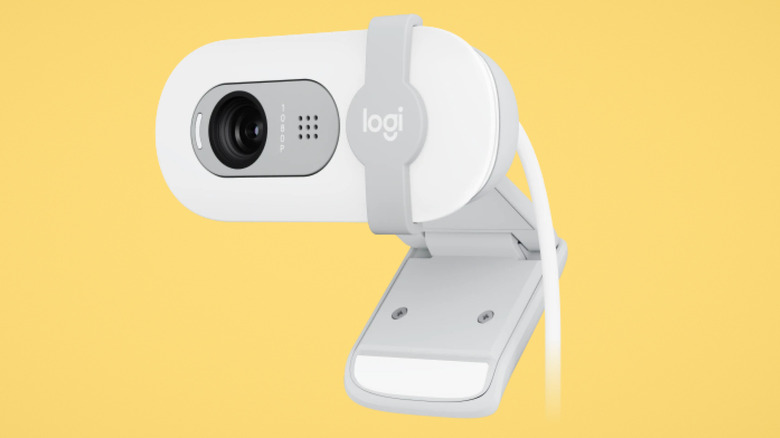
Is it still a risk that your webcam could get hacked in the current year? Absolutely, yes. Cameras in general just seem to be a juicy target that's also not very hard to compromise; thousands of internet-connected CCTVs out there right now are basically ready and waiting for someone industrious enough to hack into them. You probably wouldn't know it, either, since hackers have figured out how to disable indicator lights. Since you can't really ever trust your webcam, it's best to distrust it by default.
You have two options here. One, you could buy a webcam that comes with a physical privacy cover or shutter to physically blind the camera. This Logitech Brio 100 is a good example. Two, you could buy a cheap webcam slide cover that you stick over a webcam you already have (in this case, a laptop's built-in webcam) and simply close it whenever you're finished using it. Either way, it's one of those things that's definitely not worth risking, especially if you really committed to the WFH bit and literally work in your underwear.
Small electric standing desk
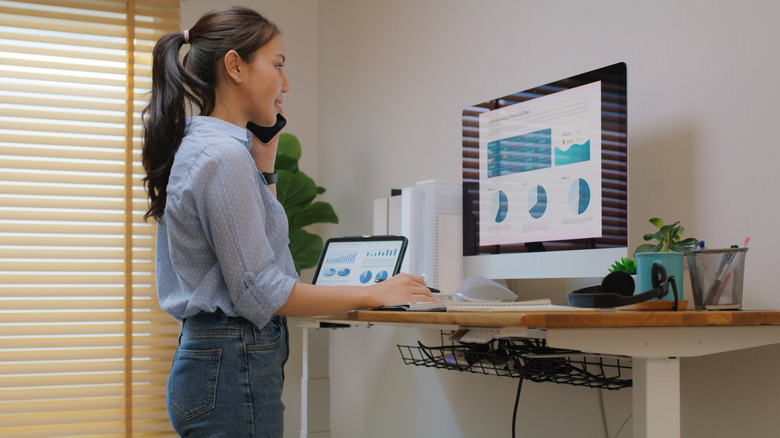
Standing desks keep you active at work and, if nothing else, keep your butt from getting sore. We think they're awesome. But before you buy one, it's important to recognize their limitations.
Based on personal experience, a common issue for the smaller electric standing desks is that they have a subjectively limited weight capacity. Loaded down with just a computer and monitors, they may struggle to rise under that load. I remember one time I had a computer and monitors on my standing desk, and they started to shake like there was an earthquake as the desk went up. It forced me to keep a very minimalist setup on top with careful weight distribution, which in turn limited usable desk space and prevented me from just pressing the height preset button and walking away.
The point is, a standing desk (particularly one on the smaller side) may present issues, especially if you have multiple monitors, desktop speakers, a computer tower, and other heavy items that cannot go on the ground. Unfortunately, even the "cheap" motorized standing desks often start around $100. It may make more sense to go with one of those risers that converts your traditional desk into a standing desk.
Space heater
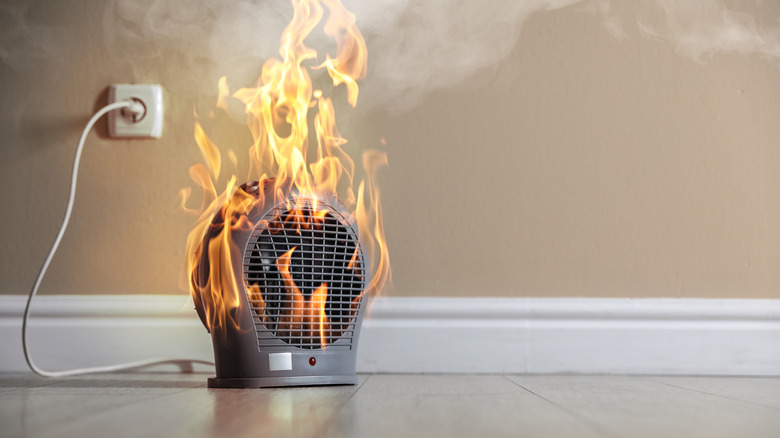
A space heater is an excellent way to keep a small home office warm, yet space heaters consistently rank as one of the most dangerous home appliances. It's not hard to see why. People often use electric heaters wrong. They plug them into a power strip rather than the wall, keep them too close to flammable materials, or coop them up (like under a desk in your home office), where they turn from a fire risk into fire reality. If you're going to use a space heater, make sure you read the manual to make sure you're not about to be an example of what could go wrong.
Another reason to be wary of space heaters is that they could be a fire hazard no matter how correctly you use them. Just do a little research and you'll find a concerning number of space heaters have been recalled in past years, even "pricier" ones costing over $100. No matter how cold your feet get in the winter, nothing is colder than the sight of the charred ruins of your house — so maybe just skip this one and get a blanket and an extra pair of socks.
Ionizer

You may have seen ionizers recommended online as a way to remove particulate matter and kill germs. Some studies lend credence to that, but they come with one big glaring downside that makes them nearly impossible to recommend for use anywhere indoors: They produce ozone. Ozone might sound nice since it makes you think of the ozone layer, giving the impression that it's a protective barrier of sorts, but in reality it's a lung irritant you'll find in things like smog. Even if it is making your home somewhat safer from disease, it can also worsen air quality, especially if you plop one down in your home office: a small, confined space that may not be getting as much ventilation as the rest of your home.
The EPA's page on this doesn't mince words. Ion generators, ionizers, whatever companies call them, have benefits that are often oversold. The quantity of ozone they output would make an OSHA inspector blush.
3D printer
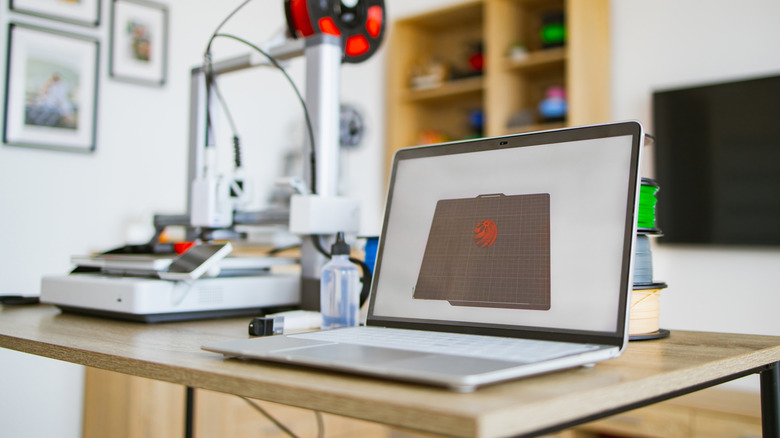
We'd assume that if you have a 3D printer, you keep it next to your desk. That could be a bad idea. Already, it's becoming clear that 3D printers present a health risk when in operation in occupied spaces. It makes sense when you think about it. Microparticles, like microplastics, are already a huge issue in their own right, so something that's literally heating plastic up for hours at a time (with fans running to keep things cool) is going to be a little microparticle factory. We'd recommend keeping it out of your office, or at least not having it running when you're in there.
There's a similar concern with laser printers. They also produce ultrafine particles that could be harmful to your health in the long run. If you do a lot of printing, it might be best to relocate them elsewhere, or use these devices in a well-ventilated space when you're not present.