

7 Samsung Galaxy Phone Accessories That Just Work
We may receive a commission on purchases made from links.
Long gone are the days when people would carry their phone in their pocket and be done with it. Today's smartphones are more powerful, more versatile, and there are plenty of ways to accessorize them. This is especially true for Samsung owners. Samsung has the largest share of the Android smartphone market, so there's a much wider range of accessories available for Samsung phones because accessory companies want to target the largest audiences.
So, why would you need accessories? There are loads of reasons. Every time my wife or I drop one of our phones, the household motto is, "well, that's why we wear cases." Plus, Samsung phones (and most other smartphones) can interact with all sorts of devices, like smart home gadgets, smartwatches, and even trackers that you can attach to your keys or backpack. Modern Samsung phones can also work with magnetic accessories similar to Apple's MagSafe, which gives you a whole other category of accessories to explore.
It can definitely get overwhelming if you don't engage with that part of the industry very often. I've spent enough time exploring that side of the industry, and I think several accessories are well worth considering since they add enough functionality to justify their cost. Better yet, they work with modern Samsung devices without the need for complicated setups or technical knowledge.
Torras Magnetic Kickstand Case
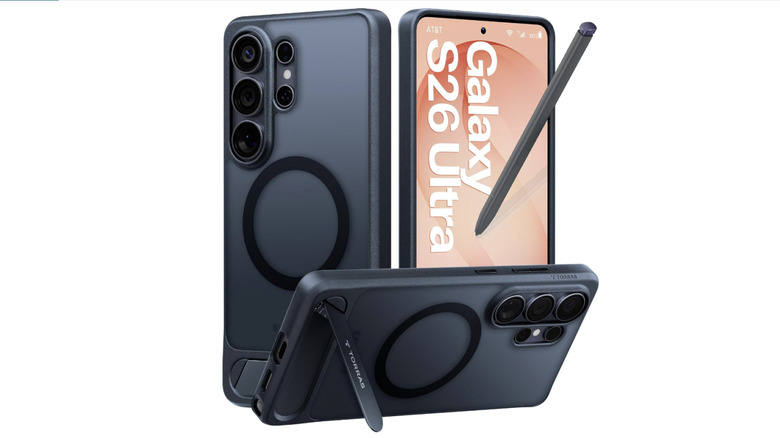
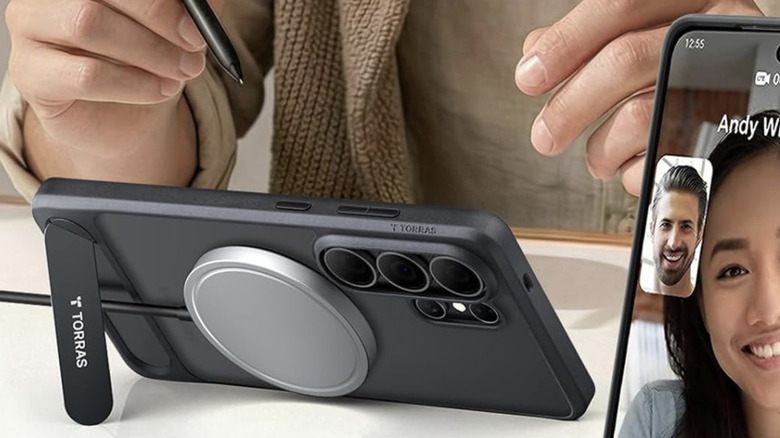
Cases are a dime a dozen for Samsung phones, with many case makers to choose from, and most of them have multiple lineups, resulting in well over 100 cases for any given Samsung phone. For my money, Torras strikes a good balance between features, protection, and affordability. The case comes with all the goodies, including a magnetic ring for accessories and a kickstand for those times when you want to watch something without holding your phone. It's sold for nine different Samsung devices, from the Galaxy S24 to the newly announced Galaxy Z Fold 8. It also comes in eight different colors, which vary based on the phone you have.
I've used Torras cases a few times over the years. The case itself has a matte finish that is a little slick but feels good and offers solid drop protection thanks to its medium thickness. The kickstand has held up quite well over the long term, and the magnetic ring is strong enough in my experience. Torras also has versions without the magnet or the kickstand if you want something a little cheaper, and a more expensive variant where the magnetic ring and the kickstand are the same mechanism.
One size doesn't fit all, though, so if you're looking for something else, Spigen and Tech21 both make some excellent cases.
Baseus Picogo Power Bank
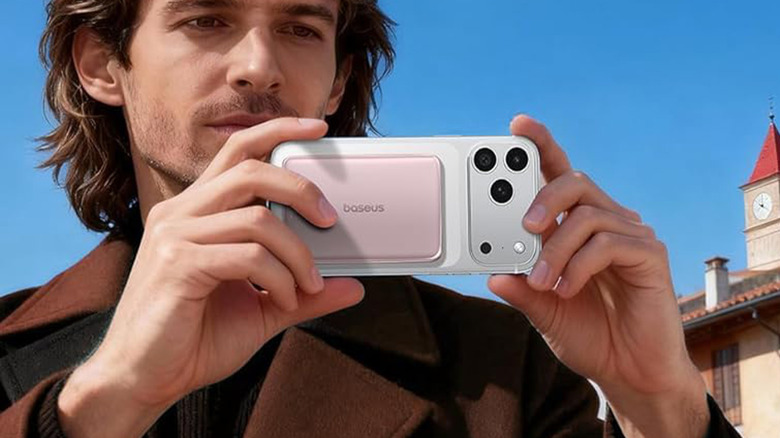
Finding magnetic accessories for Galaxy phones can be a bit of a pain. Many of the products online are designed for Apple's MagSafe system, and there can be some compatibility issues. For example, the Samsung Galaxy S26 Ultra has a vertical camera system, and that can interfere with larger magnetic accessories, preventing the accessories from sitting flush against the back of the phone. Some accessories, like magnetic chargers, generally work well, but we'll get into that in a bit. For now, let's talk about a magnetic accessory that actually works with modern Samsung phones.
For this, I recommend the Baseus Picogo Power Bank. This little guy is smaller than many other MagSafe-compatible power banks, and that allows it to work better with Samsung phones. It features a 10,000mAh capacity, which is enough to charge the Galaxy S26 Ultra (and other Samsung Galaxy Ultra phones) roughly about 1.5 times when taking into account power loss due to phone use, heat, and other factors. It comes in four colors. While they're marketed to match iPhones, neutral options like black and gray look great with Samsung phones too.
Unfortunately, many MagSafe accessories, like the larger battery packs, aren't an ideal fit for Samsung phones, so the Baseus Picogo Power Bank is arguably your best bet to take advantage of that magnetic ring. Other fun options include MagSafe phone grips and some smaller magnetic wallets.
Samsung Galaxy Magnet Wireless Charger
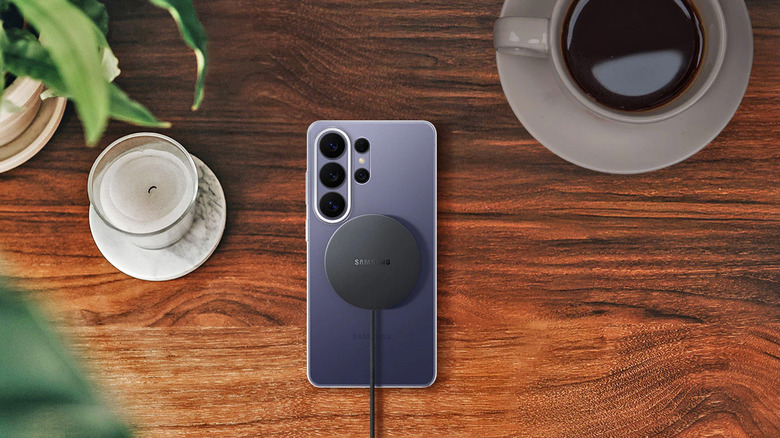
The most prominent and functional use for the magnetic ring on the back is for charging, and you can find these chargers all over the place. The idea is that you snap a small magnetic charging disc to the ring, and it charges the phone wirelessly. These accessories are compatible with any supported Samsung phone, including the entire current Galaxy S lineup. Samsung sells an official magnetic charger that works with all phones that can charge wirelessly and support magnetic rings. It maxes out any Samsung Galaxy phone, including the Ultra models, and the power brick is 45W in case you want to swap to faster wired charging.
If you don't have the magnetic ring, virtually every Samsung flagship released in the last decade supports basic wireless charging without a magnet. Samsung has products for these too, including a basic 15W charging pad and a 15W Charger Duo that has an additional spot for a Galaxy Watch if you own one. Both of these work seamlessly for Samsung phones, and I own the Duo, which I use for my Galaxy S26 Plus and my Galaxy Watch 4. It hasn't let me down yet, although I have knocked the phone off the charger in the middle of the night, which can be annoying.
There are pros and cons to wireless charging, but it's a convenient solution since you're not tethered to a cable. Any Qi wireless charger also works fine if you prefer to go third-party.
An appropriately powered phone charger
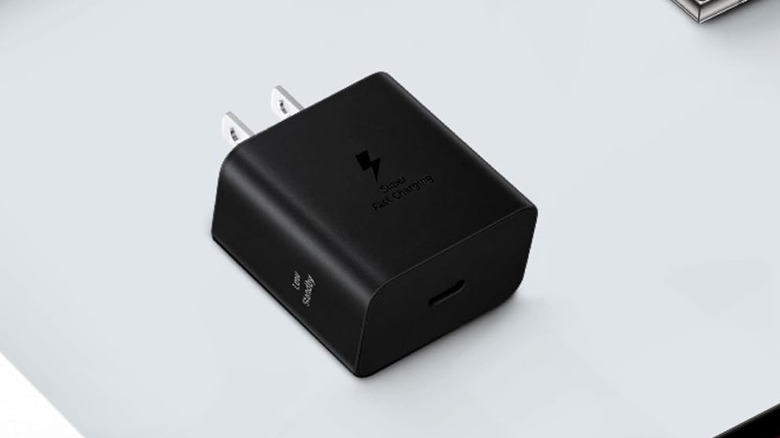
Should you decide to stick to the wire, something to take into consideration is getting a charging brick that can maximize your Samsung phone's charging speeds. This can vary depending on which phone you own. My Galaxy S26 Plus gets up to 45W of charging while the Ultra gets 60W and the regular S26 gets 25W. Before shopping for a power brick, it's worth Googling your specific phone to see what your max charging speed is so that you can buy a charger that'll charge it as fast as possible.
If you want to skip the searching, Samsung has 25W chargers, 45W chargers, and 60W chargers that are all compatible with modern Samsung phones. You can actually get one that supports faster charging since the phone can moderate how much power it gets on its own. Each brick gets progressively more expensive as well but that's to be expected. Otherwise, it's pretty straightforward: a big black plastic brick that charges your phone as fast as it can. I have a couple of these in major hangout spots around the house in case I need a top-up before bed.
You can go third party if you want to pay less and that's perfectly okay. As long as the charger supports USB Power Delivery (USB PD) and has a Programmable Power Supply (PPS), it'll charge your phone as quickly as Samsung's chargers do, provided it has the proper wattage and voltage.
Samsung Galaxy SmartTag2
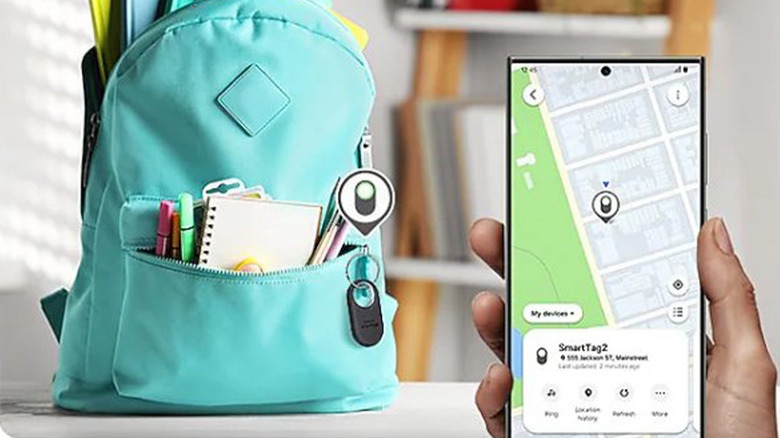
Accessories don't necessarily need to be something you attach to the phone. Samsung phones have a pretty wide ecosystem for accessories, and the Samsung Galaxy SmartTag2 is one such example. I actually got one of these by accident. I'd ordered something from Amazon and instead of sending me what I ordered, they sent me a SmartTag2. When I contacted Amazon to return it, they told me to just keep it, and it's been on my key ring ever since. They come individually or in four-packs if you want to keep track of more items.
These little gadgets are pretty neat. You set them up with Samsung's SmartThings app, where you can customize a few things like the Smart Button action to ring your phone, turn on smart home gadgets, or trigger other SmartThings routines. You can also use the SmartThings Find function (built into the SmartThings app) to see the tag's location on a map. This can help you find misplaced luggage or other belongings, and even keep track of your dog if you attach one of these to the dog's collar.
These things are pretty easy to use, and the battery is user-replaceable with a CR2032 battery, which is readily available on Amazon. Simply use a SIM-eject tool or a paper clip to pop the tag open, replace the battery, and click it back together and you're back in business. There are other good Bluetooth trackers on the market, but none of them have direct integration with Samsung's ecosystem.
Samsung USB-C to 3.5mm headphone adapter
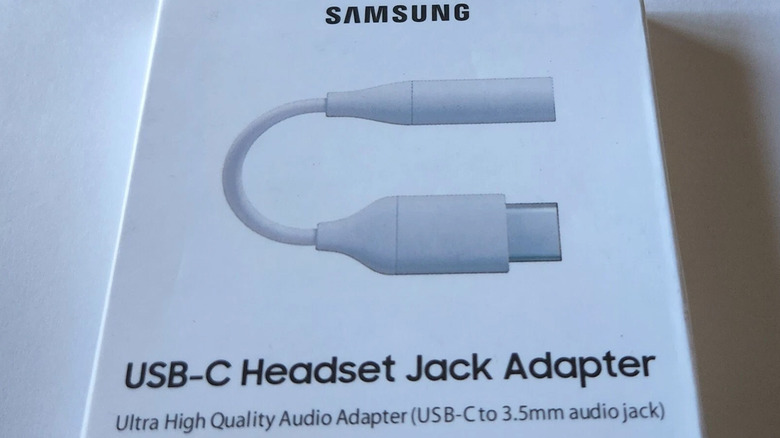
Samsung removed the headphone jack from its phones years ago with the Galaxy Note 10 and hasn't looked back. The sad thing is that there are still plenty of excellent wired headphones. You can still listen to them on Samsung phones with a USB-C to 3.5mm dongle which, while not the most optimal way to do it, lets you use your phone like you used to be able to. Samsung has sold its own USB-C to 3.5mm adapter off and on since the release of the Note 10.
It's a serviceable dongle that doesn't add a lot of cable length, and it's also not too expensive. The only downside is that Samsung doesn't have these in stock for long periods of time, so they can be a bit difficult to find. If that's an issue, third-party models like this Ugreen Audio Adapter are in stock much more often and cost about the same.
Audiophiles have more options, which predictably cost more money. Products like the Qudelix 5K and FiiO BTR17 let you connect your expensive headphones to your phone via Bluetooth or cable, and also have the benefit of superior amplification. I own a Qudelix 5K and haven't used a dongle in years.
Samsung Galaxy Watch 9
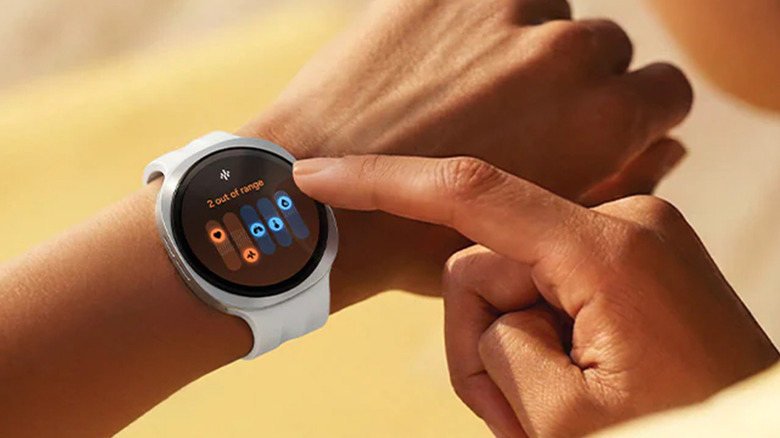
One of the best accessories for a Samsung phone is a Samsung smartwatch. Samsung currently sells the Galaxy Watch 9 in various sizes and colors. The biggest benefit of pairing a Galaxy Watch with your Galaxy phone is that certain features only work together. For example, the ECG monitoring and the blood pressure tracking only work on the watch when connected to a Samsung phone. The watch also has better compatibility with Samsung SmartThings than competitor watches, giving you even more features.
It's usually the best idea to get the most recent Galaxy Watch available if you're buying your first one, which is the 9th generation as of this writing. I personally own the Galaxy Watch 4, which I bought in 2022. It's on my wrist right now as I write this, so I can attest that these things have some serious longevity if you take care of them. You can still use other smartwatches, like the Pixel Watch, but if you want to maximize your features and integrations, a Galaxy Watch is the way to go.
This applies to wireless earbuds as well. The various Galaxy Buds models also have more features when paired to a Samsung phone, like 24-bit Hi-Fi audio streaming, 360-degree sound with head tracking, and other modern features. The features available depend on which set of Galaxy Buds you have, but the same rules apply as with the Galaxy Watch.
How we chose these products
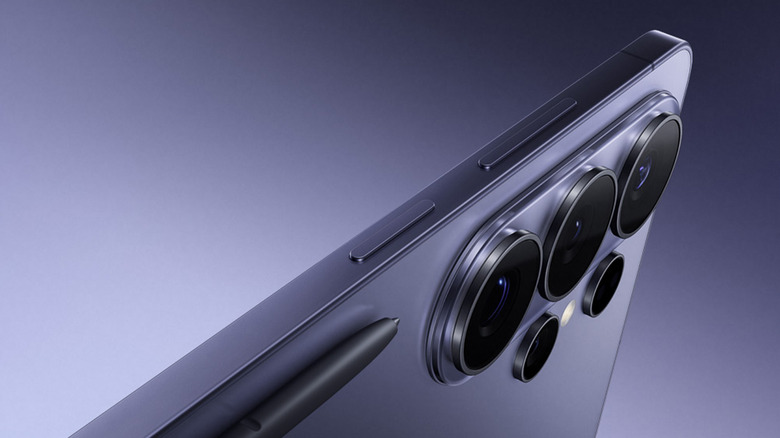
I have been buying Samsung flagship products since the Samsung Galaxy Note II and have owned at least one phone per generation through the Samsung Galaxy S26, with my current Galaxy S26 Plus, which is a viable alternative to the Galaxy S26 Ultra. In any case, over the years, I've used many accessories from tons of different companies, from mainstays like Spigen, which has been making accessories since the iPod days, to more experimental or niche products like the Qudelix 5K.
All of the recommendations above are either products I've used or are products that are similar to ones I've used before. For example, I own the Torras case I recommended above, but I haven't used a Galaxy Watch other than mine, which is the 4th generation. The goal of this list was to recommend accessories that require as little setup as possible. Fortunately, even the more complex stuff like the Galaxy Watch is pretty easy to configure these days.