

ASUS ProArt PX13 GoPro Edition Review: A Content Creator's Laptop That's Built To Move
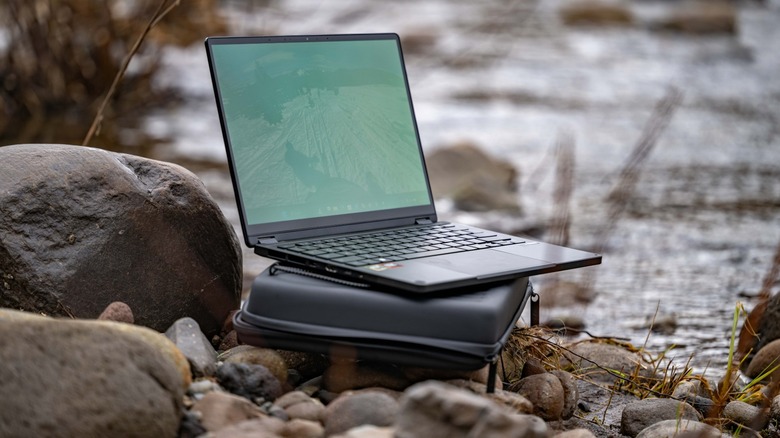
On the face of it, it may seem a little odd for an action camera manufacturer to decide to suddenly get into the laptop game, but in their partnership with ASUS, that's exactly what GoPro has done. While there are several different models available, and the naming scheme is a bit confusing, the specific laptop I tested is the ASUS ProArt GoPro Edition (PX13 | HN7306).
Just to get it out of the way, this is essentially an ASUS laptop with GoPro branding. However, so long as it's a good laptop and is reasonably priced, I'm perfectly OK with that. In fact, I've always loved GoPro's branding on their products, and to be quite honest, I love that look here, and it comes bundled with some extra goodies that also interest me.
ASUS provided the ProArt GoPro Edition (PX13 | HN7306) for the purposes of this review. I went into testing it somewhat blind, and what I found surprised me.
Potent hardware in this slim-n-lite laptop
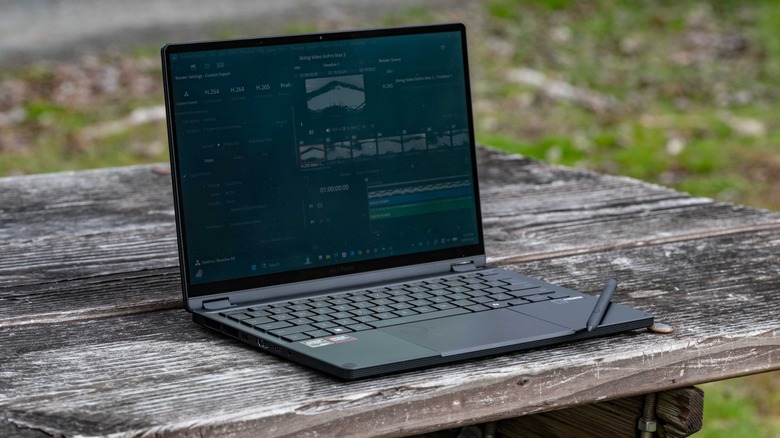
With a whopping 128GB of RAM, you have plenty of headroom in this regard for any task you care to undertake. That's paired with an AMD RYZEN AI MAX+ 395 processor, and Radeon 8060S graphics with 4GB of RAM. The RAM situation is somewhat unusual, and will be discussed in depth later on.
 Andy Zahn/SlashGear
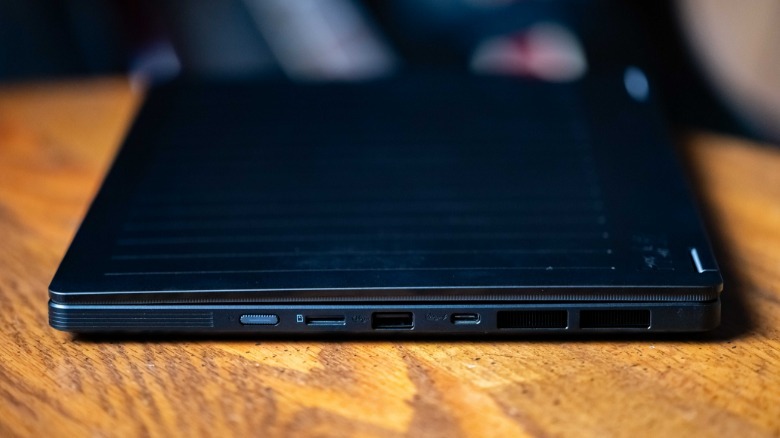
For storage, there's 1 TB solid state drive, which while plenty fast could be somewhat limiting if you want to store a lot of footage on the laptop — but then this device is designed to be used alongside GoPro's subscription cloud service, so in theory you're not meant to be storing a lot of data long term on the laptop. Even if you ignore the cloud, I always backup my data on external drives in any case. There is a microSD card reader, so conceivable you could stick a 2TB card in there and greatly expand your onboard storage.
 Andy Zahn/SlashGear
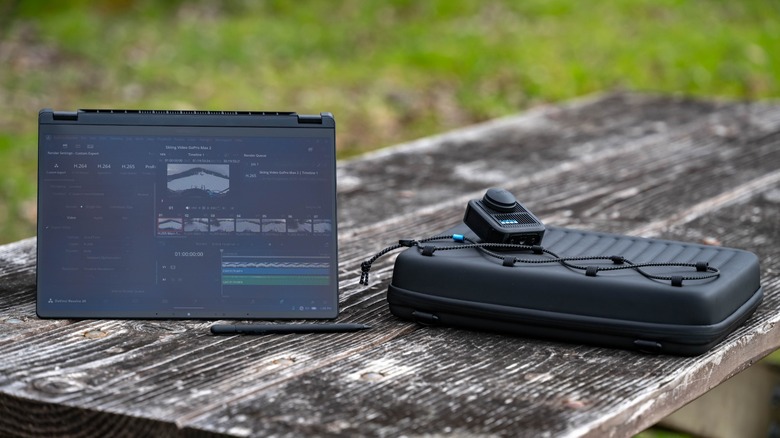
The PX13 has a fully articulating hinge, allowing it to be used in laptop, tablet, or tent modes. It's a really useful setup for someone like me who constantly swaps between photo/video editing and writing. Laptop mode is certainly best for typing, while if I'm working on visual content, I can flip it around and use it like a tablet.
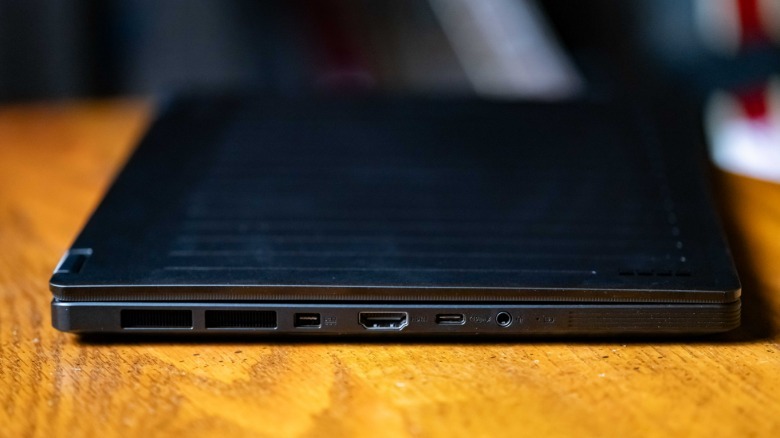
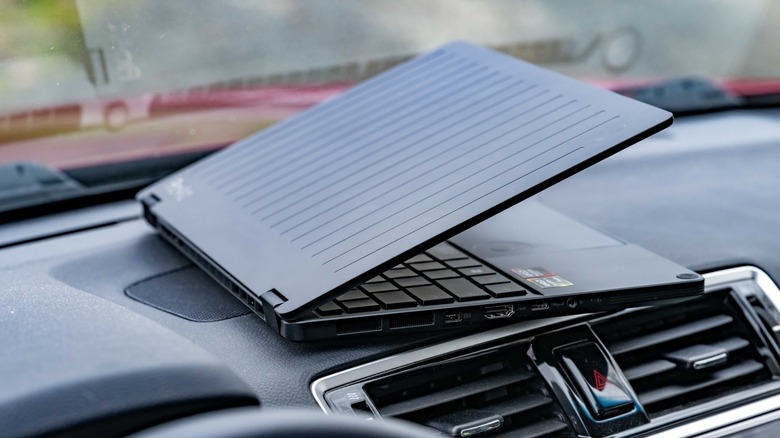
For ports, you get one USB 3.2 Gen 2 Type-A port, and two USB 4.0 Type-C ports with power delivery and DisplayPort capability. There's also an HDMI 2.1 port, and a 3.5mm audio jack. This selection is decent, though I would have preferred another USB Type-A port, an Ethernet port, and more built-in types of card readers, but to be fair, this is a slim-and-light laptop, so there's really not enough space for all that.
Tougher than it looks
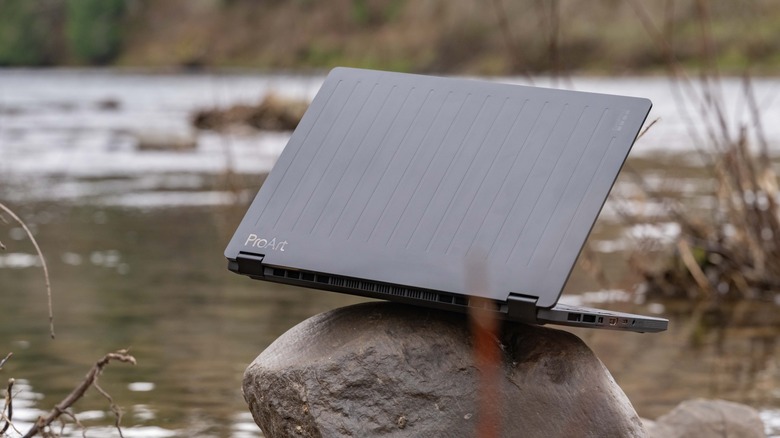
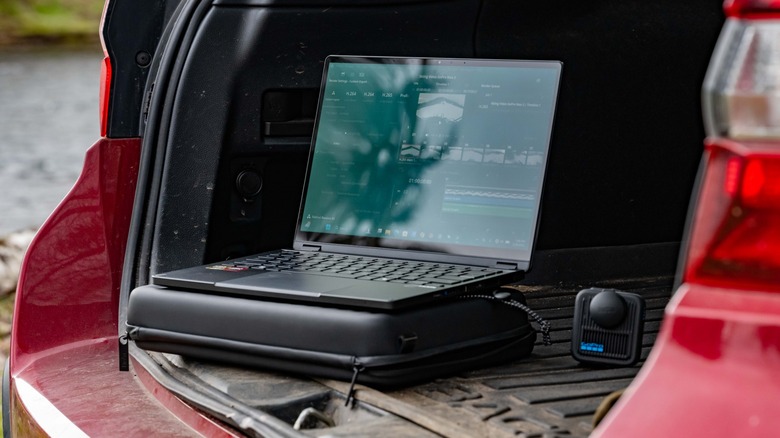
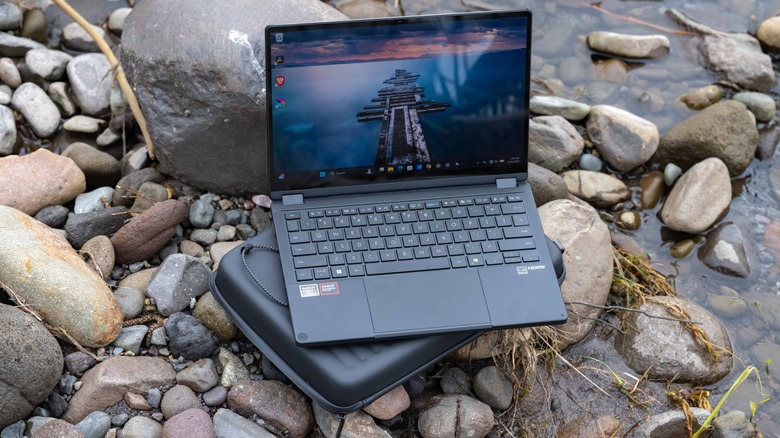
The ProArt GoPro Edition defies the perception of thin and light devices as being fragile and sensitive. It weighs just 3.06LBS, but is rated to exceed MIL-STD-810H military standards. That means it's designed to be resistant to sand, dust, shock, and up to 95% Relative Humidity (which is certainly helpful here in the temperate rainforest of the Pacific Northwest).
It's also rated to survive temperatures anywhere between -25.6 and +158 degrees Fahrenheit, and for use at up to 15,000 feet of elevation. This essentially boils down to say, that while you don't want to use it in a rainstorm or dunk it in the ocean, it's more resilient than most other laptops.
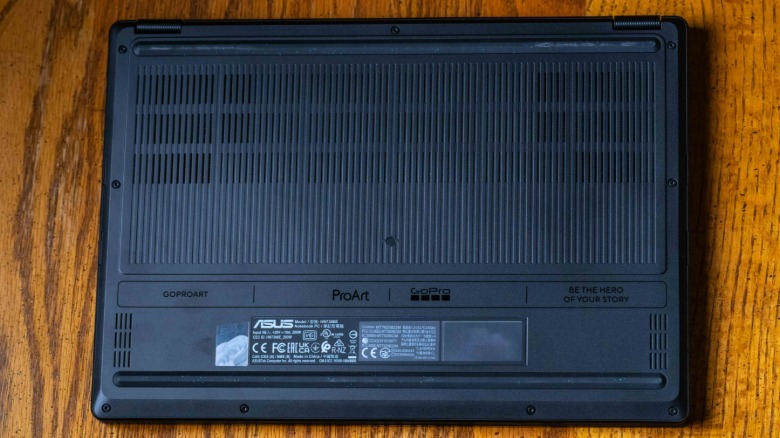 Andy Zahn/SlashGear
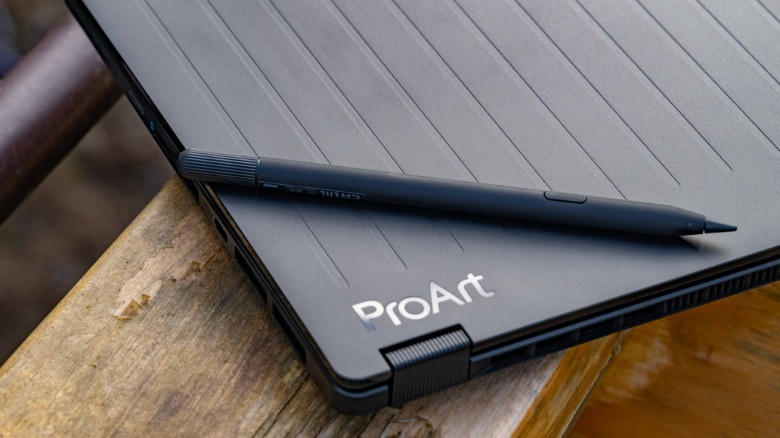
This is exactly the laptop I'd choose to have with me on location, or while on a camping trip. It's not going to be bothered by the rigors of outdoor use, and it's really a perfect device to pair with a GoPro. It definitely nails the GoPro-look in terms of aesthetics, and I even really appreciate the small touches, such as the "GoProArt" label on the underside of the laptop.
It's just a shame they don't use that in the title of the product itself; GoPro/ASUS should have called this the "ASUS GoProArt Herobook", rather than the "ASUS ProArt GoPro Edition (PX13 | HN7306)."
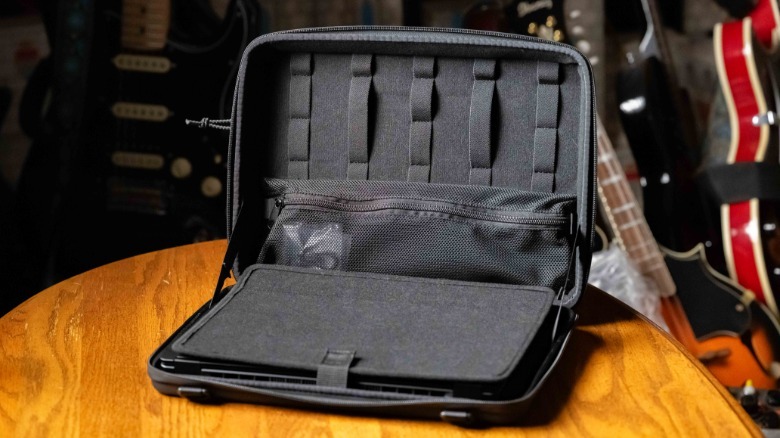 Andy Zahn/SlashGear
The box the PX13 comes in is designed to be reused, with pre-cut foam cubes that enable it to be used as a storage case, complete with GoPro/ProArt branded straps. Also included is a protective carrying case for the laptop itself, with space for the stylus which ships with the PX13 and its power cable, and which could easily also fit a mouse and other accoutrements. It features a shoulder strap, and a built-in folding laptop stand.
A secret gaming powerhouse
While this is very much a professional and creative laptop, it does come bundled with a free month-long subscription to Microsoft Game Pass, so I couldn't resist jumping in to see how this laptop handles some of my favorite titles. To my shock, I was able to boot up Microsoft Flight Simulator 2024, max out the graphics, and get very consistent playable framerates. That's not something I expected to happen with an ultra-thin, ultra-light laptop like this, and it really demonstrates how much graphical and processing capacity is packed into its slim chassis.
In Forza Horizon 5, I ran the benchmarking program at first launch to optimize the game for the laptop. This determined that the game needed to set the graphics to "low" to achieve 60fps. However, I then boosted the settings up to ultra, and the game ran just fine, achieving 60fps in the benchmark just like at the low setting, so I'm not sure why Forza Horizon 5 misjudged the recommended setting so poorly. This game clearly isn't a challenge for the laptop to run, and it delivered a really high quality experience in this title.
I also played Diablo 2: Resurrected, where I encountered the same odd situation where the game defaulted to the minimum settings, but then played perfectly after I boosted it up to the maximum settings. Something about the configuration of the hardware in this laptop is fooling the automatic graphics settings of the software.
Superb for mobile content creation
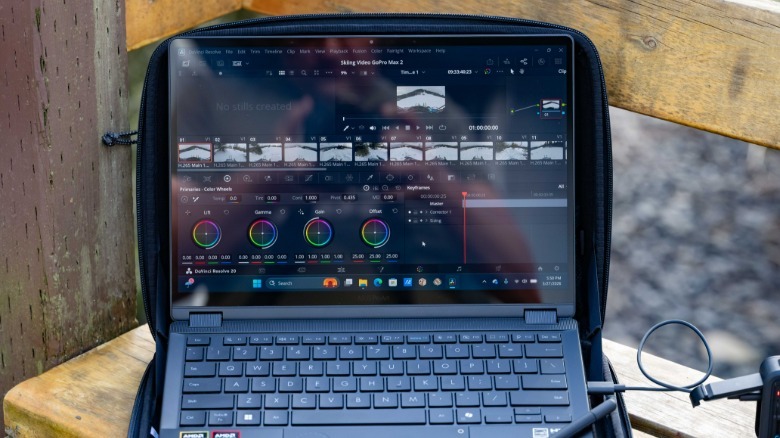
As a professional photographer and video creator, I typically prefer to work on a 32-inch 4K monitor, with a second 27-inch monitor beside it. In a pinch, a laptop with a large screen is my typical go-to for work away from my desktop, preferably with a secondary display such as the EleCrow Crowview attached. I was therefore surprised to find myself barely missing my accustomed acres of screen space on the relatively dainty 13-inch GoPro laptop.
 Andy Zahn/SlashGear
This is in part due to just how nice the screen is. Its 2880 X 1880 resolution with a 60hz refresh rate, its OLED display is absolutely gorgeous, and thanks to 100% DCI-P3 coverage and Delta Extagstartz1 factory calibration, it's impressively color accurate, while also being bright enough to use outdoors.
Clever architecture enables the surprising power of the PX13
The innovative design of the ProArt GoPro Edition PX13 is the secret sauce responsible for the impressive performance of this laptop. The source of this lies in the architecture of the CPU and RAM. Usually, the CPU and graphics memory are separate, but the PX13 utilizes unified memory, so in most scenarios there will never be a bottleneck for either the CPU or the GPU in terms of available RAM.
The sheer power of the PX13 really showed up when it came to exporting video in DaVinci Resolve. I edited together a 20 minute long 4K 60fps video which I shot with the GoPro Hero Max 2. Not only did I never encounter any stuttering or other slowdowns while editing, but the export was completed in just a little more than 6 minutes. On my powerful desktop PC equipped with an Nvidia Geforce RTX 5070, a similar task would take between 20 minutes and half an hour.
 Andy Zahn/SlashGear
What's even more surprising is how cool the PX13 fairs in terms of temperature. Despite pushing it with numerous different high performance tasks, it never became more than a little warm. That's really good for a number of reasons, from comfort to battery life and longevity of components. Speaking of battery life, I was able to throw together that aforementioned 20 minute long video in a few hours on battery power alone, with plenty of power to spare. The 73Whr battery is rated for around 11 hours of run time, and that seems to be basically spot-on (though your mileage will vary,).
The onboard speakers are also decent. They're loud, with good bass and clarity (for a laptop), and they sounded perfectly acceptable when playing 2Cello's cover of "Thunderstruck."
Keyboard and webcam
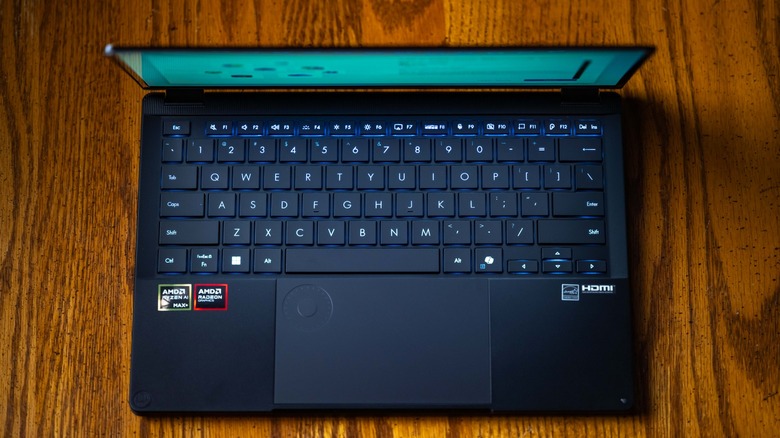
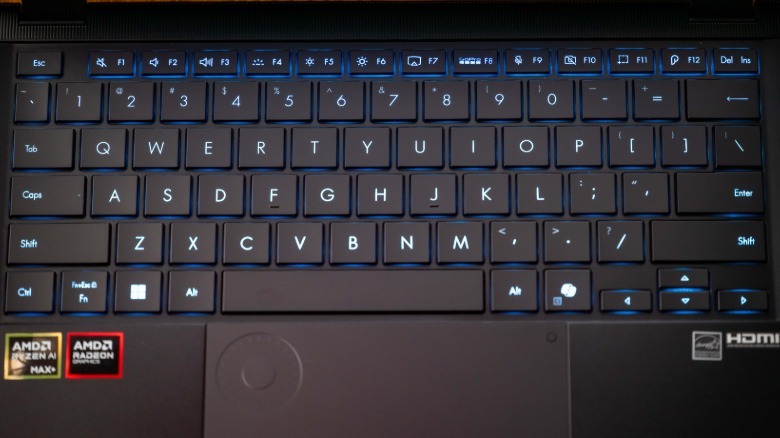
The keyboard of the PX13 is fairly standard for a thin-and-light laptop (aside from the dedicated GoPro key), but still very nice to write on. I'm used to typing on a larger ProArt Studiobook, and the PX13 is a very similar experience, albeit without the num-pad. Given that I really like how my own daily-driver laptop feels, and that the PX13 so closely resembles it in this regard, I very much enjoy the keyboard experience of the ProArt GoPro Edition laptop. Typing is both fast, accurate and quiet, and the keyboard features a backlight tuned to GoPro's signature shade of blue.
 Andy Zahn/SlashGear
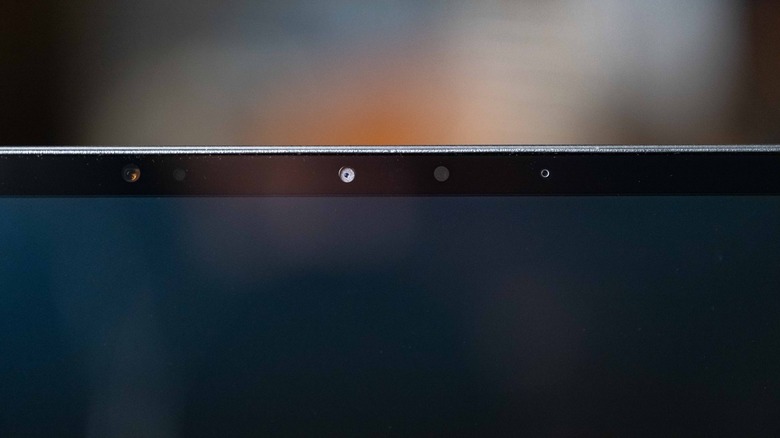
There's also a webcam of course, which features Windows Hello support. However, it's a fairly typical laptop camera, and is only any good in decent lighting conditions. That said, it's perfectly functional for zoom calls, and given that this laptop is aimed at video creators, most people buying the PX13 will probably have a superior external camera on hand they can hook up to it if they want better image quality.
Good onboard software that's let down by Windows 11
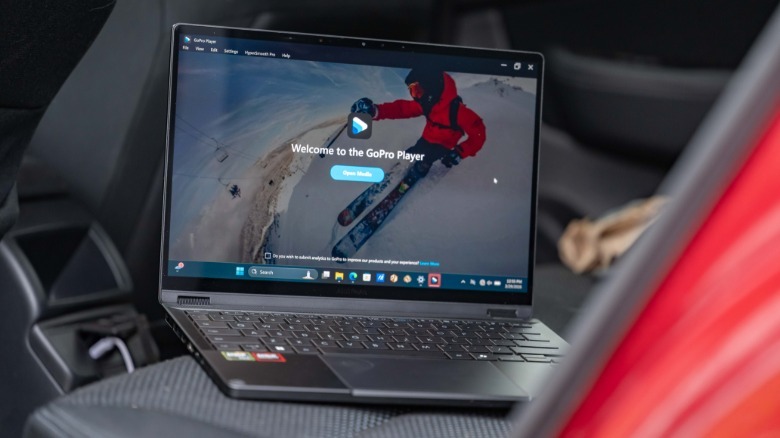
The built-in software is great, and I even appreciated the dedicated physical GoPro key (F8). Initially, it launched what is essentially a GoPro storefront with some device and media management attached, but once I downloaded GoPro player (which has become a frequent part of my workflow), the key automatically defaulted to launching that instead, which is much more useful. For customers looking for a laptop companion for their GoPro cameras, this key is genuinely useful. Purchase of the PX13 also includes a 12-month GoPro Premium+ subscription, so you get access to all the considerable perks that entails.
Just about the only thing I didn't like about the laptop is something which neither Asus nor GoPro really has any control over, and that thing is Windows 11. At this point, I don't think it's controversial to say that Windows 11 is an awful operating system. Microsoft's insistence on shoehorning their Copilot AI into everything is even more irritating than OneDrive and their numerous ways of attempting to harvest your data by any means necessary. To make matters even worse, it's more difficult than ever to use Windows 11 without signing in with a Microsoft account, something I always try to avoid doing with a new PC. It just has to be mentioned that it's a shame that otherwise amazing devices like this must be saddled with this unappealing bloat.
It's worth mentioning that ASUS has some cool built-in software of its own here, most notably StoryCube, which helps with importing and organizing content. This has been integrated with GoPro's cloud storage, and is definitely helpful when you're looking for a specific video file amongst your archives.
Expensive, but justifiably so
As I was falling for the ASUS ProArt GoPro Edition, I had to keep reminding myself of the price; $2999 is a lot of money. It's hard to get away from that fact, and this price tag puts it out of reach of a fair number of people. However, given my overall experience with the device, it absolutely justifies the cost.
Given the prices of RAM as of this writing, 128GB of DDR5 can easily set you back a staggering $2000 or more. By that metric, having that included in a $2999 laptop makes the device look like an enticing bargain by comparison. Hook it into an external monitor and a USB hub, and the PX13 can act as a full desktop workstation with few compromises.
 Andy Zahn/SlashGear
Add together the value of the case and stylus, and the value proposition here is genuinely enticing. Given the claimed durability rating, the PX13 is a piece of tech worth investing in.
Conclusion
My enthusiasm for the ASUS ProArt GoPro Edition (PX13 | HN7306) steadily grew over the course of my time with it. I went into testing this laptop with a healthy dose of skepticism; ASUS ProArt products are generally very good (I own and use a ProArt laptop myself), but the PX13 kept delivering new and welcome surprises at every turn.
I initially believed that the steep price tag of the ProArt GoPro Edition might be too bitter a pill to overcome, but came away with the impression of a device that's worth what it costs. Thanks to a powerful processor and 128GB of unified memory, it's able to handle shockingly demanding processes, such as the fluid editing of 8K 360 video.
The only serious downside here is that it runs Windows 11, but that's a complaint I'd level against most modern laptops. I would also appreciate a few design tweaks to make the laptop even more rugged. Overall though, the PX13 is one of the most well rounded devices I've tested, and it jives really nicely with the GoPro branding. I certainly appreciate the included accessories, and one might look at the ProArt GoPro Edition as a natural companion to a GoPro Max 2, or one of GoPro's enticing new cameras which they've been teasing.
The ASUS ProArt GoPro Edition (PX13 | HN7306) is without a doubt the most versatile laptop I've ever used. It's available on ASUS's online store for $2,999.