

7 Things An iPhone Can Do That Your iPad Can't
iPads feel like big iPhones. Shoot, they were bona fide iOS devices until 2019 when Apple bifurcated them into iOS and iPadOS, and they can still run many iOS apps today. In fact, there are quite a few advantages in the iPad's court. They pack Apple's latest desktop-class M-series chips, support the Apple Pencil when iPhone doesn't, and get exclusive features like macOS Sidecar. Doing the math, Apple's iPad Mini 2024 is cheaper than even the iPhone 17e, so for a device that can do almost everything an iPhone can, it might seem like the better deal, especially with a bigger screen. But spoiler alert: The iPhone has some major advantages.
Let's be real, the iPhone is Apple's bread and butter. It's always going to give the iPhone preferential treatment, so aside from natural software advantages the iPad has due to its screen size, the iPhone often has the upper hand in hardware and software. Some of the things the iPhone can do that the iPad can't would make the latter unusable in everyday situations. These are just seven of the things the iPhone does that — at least at the time of writing — the iPad cannot.
Make calls or send messages (with its own phone number)
To be abundantly clear, all iPad models have a cellular version that can support 5G data. Like iPhones, you can subscribe to your major carrier networks like AT&T, T-Mobile, and Verizon to get the same coverage you'd get with your iPhone, including short-term pay-as-you-go plans for trips. But here's the kicker: That doesn't include a phone number. So you cannot set up a backup number with your iPad and use it to take calls and send messages in the event your iPhone is out of commission. If you look at Apple's iPad + Cellular page, you'll notice the language intentionally limits itself to cellular data and makes no mention of texts or calls. A cellular plan is really only there so your iPad can connect to the internet, anywhere. Nothing more.
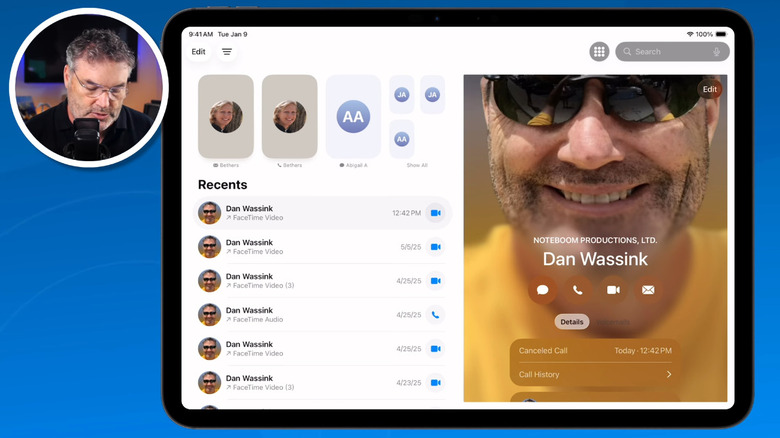
That said, the iPad does have a new phone app as of iPadOS 26, but it's only to mirror your iPhone. Any calls it receives are really calls your iPhone receives. And of course, for years the iPad has had its own iMessage Messages app that receives and sends messages via your iCloud account — but that's over iCloud, not cellular, and any messages that require SMS and RCS need your iPhone's phone plan.
Having no phone number has implications beyond being limited to cellular data. For example, iPads cannot sign up for accounts that require a phone number, such as WhatsApp. Lastly, iPads don't support emergency satellite connectivity, and probably never will. I mean, when would you get stranded in the wilderness with an iPad, but not your iPhone? Intentionally or not, this all relegates the iPad to being a secondary device.
Use NFC contactless payments with Apple Pay
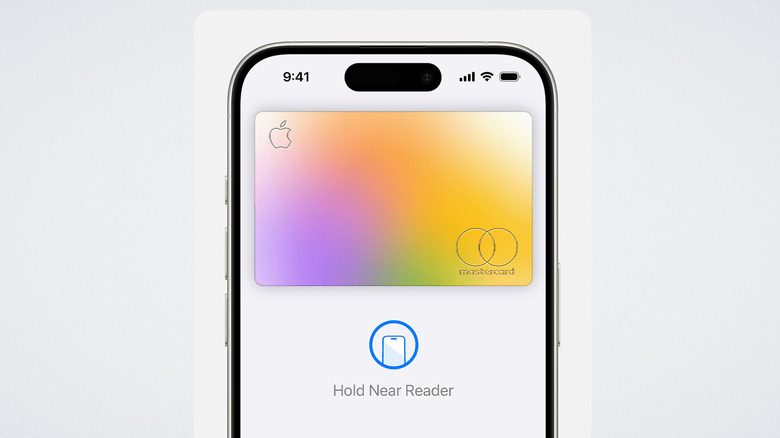
NFC mobile payments are a safe, fast, and convenient way to make payments and have all but done away with cash and credit cards in some places. Apple Pay is the backbone of iPhone's payments, although Apple did loosen its grip on NFC payments for others. Using it couldn't be easier. Double-press the power button, authenticate with Face ID, make sure you're using the right card, and tap it on the reader. But on iPad? Crickets. Any feature enabled by NFC is completely unavailable, even on the latest iPad Pro.
This is understandable, of course; it would be pretty unwieldy to pull that thing out at a restaurant, and much less line up the iPad on the payment terminal. But even so, it would be nice to have this feature on, say, the iPad mini, since it's not much bigger than an iPhone Pro Max.
In addition, the standalone Wallet app is completely absent on the iPad. You can only access it through the settings, and even so, to a very limited degree. It's mostly there so you can add cards to pay for things on the App Store or online. So if you got approved for the Apple Card, you won't be able to do much to manage your spending and payments — you'll need your iPhone for that.
Use NameDrop
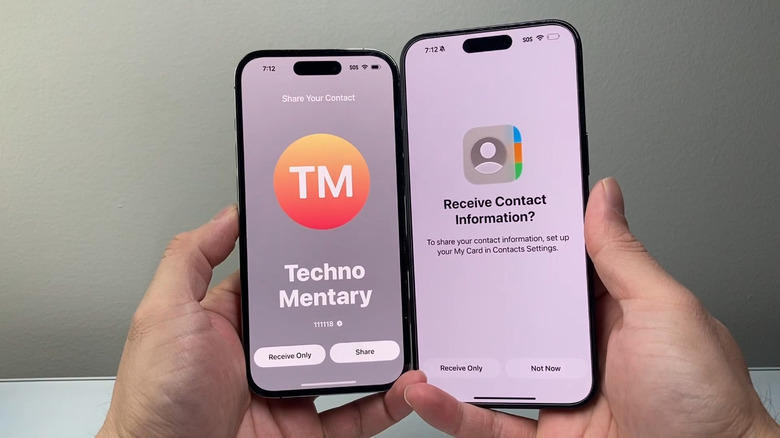
Back with iOS 17, we got the absolutely brilliant NameDrop feature on iPhone. NameDrop facilitates sharing contact information with strangers in the coolest way imaginable. Rather than reading them your number and having them message or call you like you used to, you just tap the top of your iPhone to theirs, and their deets are pulled from their phone with a satisfying warp animation and haptic vibration. It's so convenient and fun to use that I've done it with friends already in my contacts just because. Not to be left out of the fun, Google is adding the feature, too. But there shall be no NameDropping on iPads.
Again, this is one of those features that Apple probably didn't incorporate for good reasons. Using an iPhone to grab someone's contact details will be easier in most scenarios. Even if your iPad is already in your hands, it's going to be unwieldy and weird-looking to touch it to an iPhone. However, it would be nice if the iPad supported the Bring Devices Together feature for AirDrop on iPhone. To initiate an AirDrop, rather than searching for the person in the list of options, you can tap the top of your iPhone to a contact's iPhone to initiate the transfer.
The reason iPads lack NameDrop or tap-to-AirDrop, unfortunately, is a technical limitation: Apple would have to add an NFC chip to the iPad. Neither function uses Bluetooth; it's waiting for another NFC chip to come into proximity. Perhaps, given the size of iPads, putting them together would give the NFC chip enough reach. Maybe someday we'll get the feature, but for now, anything NFC-related on iPad is a no-go.
Survive submersion in water
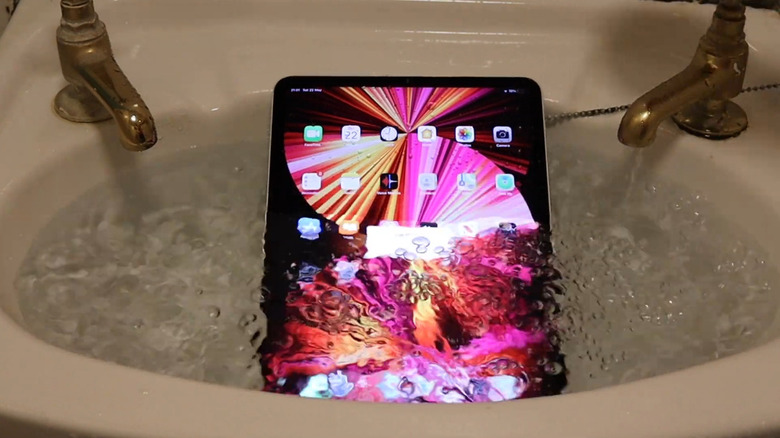
Back in the day, it was a fun prank to push your fully-clothed friend into the pool at a pool party. Then smartphones came around, and sending someone into the depths with a $500+ device in their pocket made it significantly less advisable. Now, most smartphones — particularly iPhones — have some sort of water resistance, so you can happily push your friend in the pool like you used to. But keep that iPad far, far away from any splashes or potential submersion. Even Apple's creme-de-la-creme iPad Pro M5 has no official waterproofing or dust resistance to speak of, despite costing as much as a nice laptop.
All recent iPhone models, however, are waterproof. The iPhone 17e, iPhone 17, and iPhone 17 Pro all have the same IP68 water and dust resistance rating. That means even the 17E, the so-called budget device, can be submerged for 30 minutes and survive as long as the iPhone 17 Pro. To give the iPad some credit, a submersion test by MyUnboxingsAndFun shows that the iPad lasts about 3 minutes in a sink filled with water, after which it does not seem to be revivable.
While other features on this list are understandable omissions, this one is not. People don't just use iPads to watch Netflix in the bedroom. They use them outside, next to the pool, in a cafe — places where rain, splashes, and spilled coffee could condemn the iPad to an e-waste grave. Perhaps this is a cost-cutting measure, since it's not free to ensure devices are water- and dust-resistant, and the iPad presents unique challenges in both.
Use a hardware button for context-aware actions
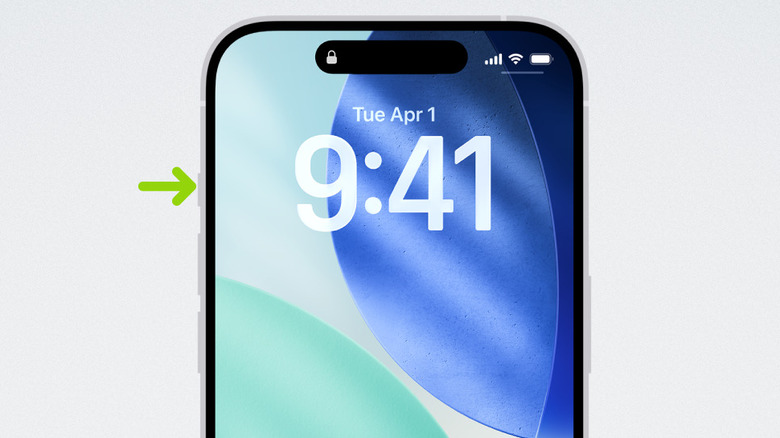
The iPhone 15 Pro introduced the Action Button to replace the long-running mute switch. By the iPhone 16 series, it was standard on all models. You know how useful it can be if you have one. Even the default options, which are limited to things like changing the ring mode or opening the flashlight, really come in handy — especially if you use a shortcut. Anything that can be done with a shortcut can be done with the action button, making it one incredibly powerful button. But you guessed it, it's not on the iPad.
From the iPad Mini to the iPad Pro, you only have two volume buttons and a power button. That's it. We'll also put this in the category of frustrating omissions. Using the action button on the iPad would be awesome, and we struggle to imagine that adding one would have a negative impact on the iPad's engineering or significantly increase costs.
So why doesn't the iPad have an action button? We can only guess. Perhaps the reasoning is that the action button is to give the iPhone more capability to account for its smaller screen, and so on the iPad, with its Apple Pencil and extra touch gestures, it's overkill.
Support the Apple Watch
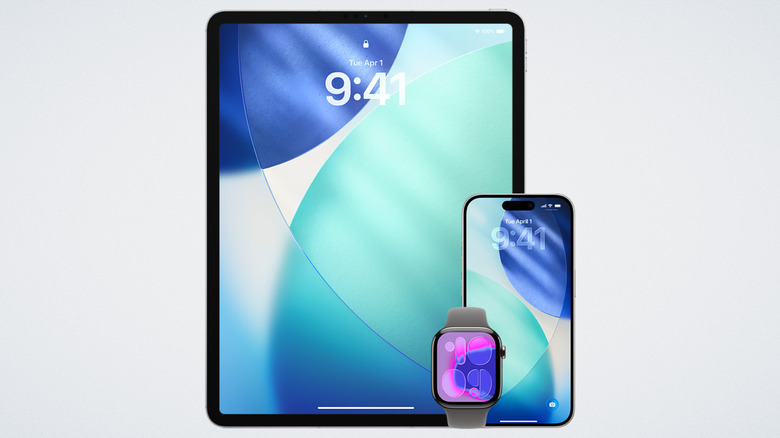
If you have an Apple Watch, you know it's very chummy with your iPhone and MacBook. It can unlock both devices, receive notifications from the former, and authorize password requests (and other things) on the latter, so you don't have to put in the administrator password. The Apple Watch can hand off whatever tasks it's working on to either device, so you don't have to do them on that smaller screen. The list goes on. You'd think the iPad could do all of that, but surprisingly, it cannot. The Apple Watch and the iPad are like those two relatives who hate each other so much that they pretend the other doesn't exist during Thanksgiving and Christmas.
It's anyone's guess why this is the case. If you ask me, it's probably some technical challenge. The Apple Watch is sort of like a sidecar to the iPhone, attached and dependent, able only to do a couple of things with a Mac that likely don't require a constant connection. I would guess that connecting to a third device — particularly one that's essentially a larger version of iOS — could cause issues with syncing notifications and probably drain the battery more, since the Apple Watch connects over Bluetooth.
It's a shame, though, since the iPad does support features that are closely tied to the Apple Watch. Take the Apple Health app on iPad, for example. You can't connect the Apple Watch to the iPad, but you can ironically see information only the Apple Watch could gather, such as vitals, workout data, and sleep tracking.
Work with MagSafe accessories
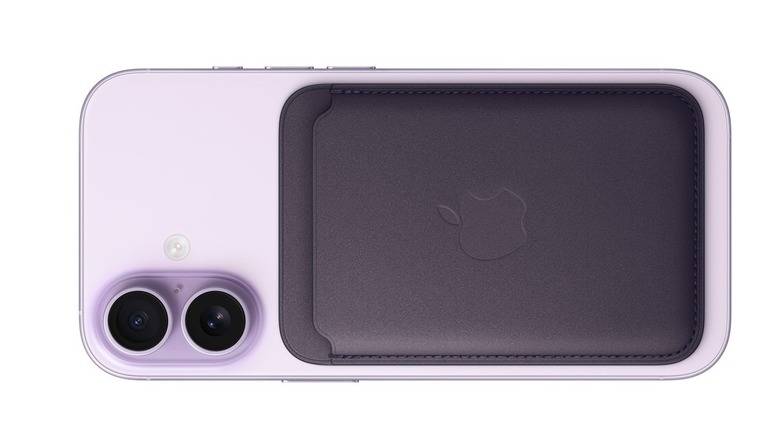
MagSafe is one of the perks of having an iPhone. Aside from magnetic charging being safer for your battery, not to mention more convenient, it enables a whole bunch of MagSafe accessories like magnetically attachable wallets and power banks. Apple has the magnets arranged just perfectly so there's enough pull to keep things securely attached without making them too hard to remove. Android phones do have Qi2, which is effectively the same thing, but it's not yet as widespread. Unfortunately, the iPad misses out on MagSafe entirely.
Of course, no one's going to put a MagSafe wallet on their iPad, but they might want a MagSafe power bank. If that were a thing, then maybe iPads could also support StandBy mode — the iPhone feature that turns your iPhone into an alarm clock — so you could have a nice, big display at your bedside to check the time and calendar.
Having said all that, it's easy to see why Apple hasn't included MagSafe and why it probably never will. You'd have trouble finding the MagSafe charging spot without some sort of marking, which Apple would never do if it meant impinging on its sleek aluminum device bodies and Apple logos.