

14 Portable Gadgets That Can Turn Your Backpack Into A Mobile Office
We may receive a commission on purchases made from links.
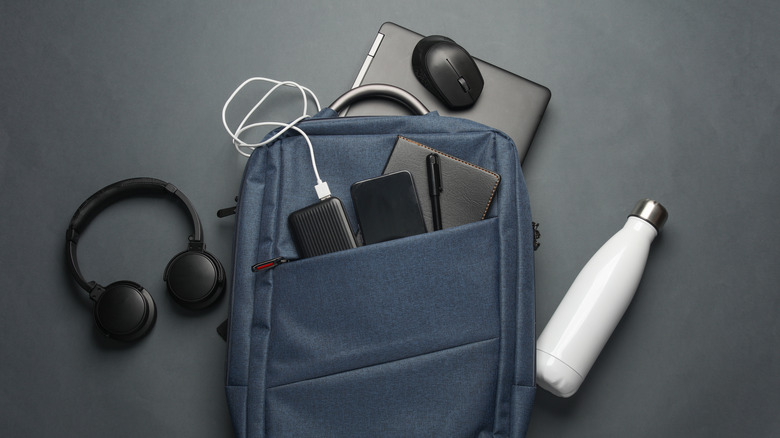
Working on the go these days is easier than ever. An incredibly slim, minimalist laptop gives you all the power you need wherever you go and keeps you away from an outlet for hours. Fast, unlimited 5G data plans are relatively affordable. So you no longer need a full desktop setup; you can instead put the desk in your backpack and take it wherever the winds carry you.
I've done quite a bit of work away from my home office, sometimes at cafes, sometimes at hotels, without taking a huge hit to my productivity. The key is having the right hardware that works for whatever it is you need to do away from the office or home. Here are a few of my recommendations, based on years of experience with portable gadgets of all kinds, for all use cases, that can effectively put an entire desk workstation inside your backpack.
ProtoArc XK01 Full-Size Foldable Bluetooth Keyboard
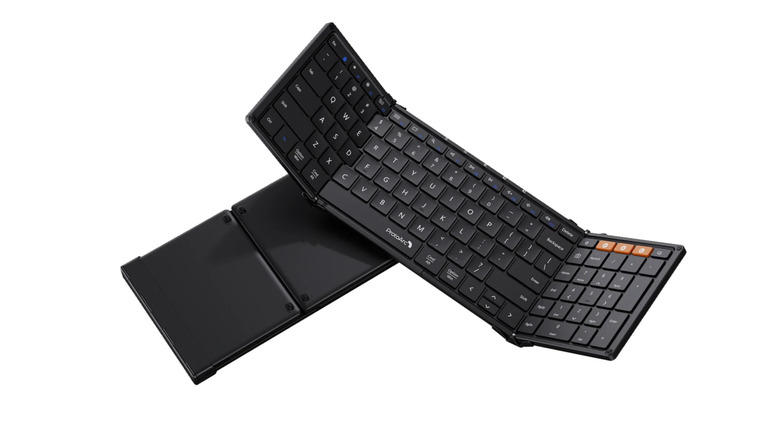
Perhaps the number one issue with working with a laptop is that you often don't have a complete keyboard, and that keyboard is often cramped. The lack of a numpad really sucks when you need to do more than occasional number entry. Bringing an entire keyboard with you, though, is not the solution. Instead, try an ultra-portable folding keyboard like this ProtoArc XK01. It's a full 105-key keyboard (including F-row/function keys and a numpad) that shrinks to just under 9 inches long when folded.
The folding aspect doesn't really compromise the keyboard, either. It has a rechargeable battery that lasts up to five months on a single charge and supports pairing with up to three devices. The fact that it folds also adds a unique benefit: It protects the keys during transportation. You won't need a keyboard case. The only potential downside is a lack of a backlight, which you can get with the XK01 Plus version. Also, if we can indulge just a bit, it looks really cool snapping it open before you start to type.
Logitech Keys-To-Go 2
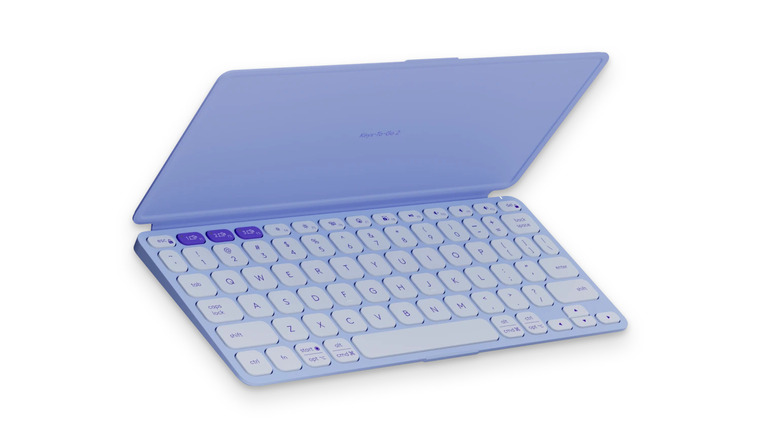
Folding keyboards may not appeal to everyone, fair enough. But if we're looking for the smallest, most compact possible keyboard out there, then the Logitech Keys-To-Go 2 is a close second. And this thing is small, particularly with how thin it is. Despite the seemingly impossible engineering Logitech did here, the keyboard promises to keep going for three years and only needs a coin battery to do it. Oh, and it still has stuff you'd hope for on a keyboard, like multi-device pairing and function row keys. I also like how it has its own attached cover, and comes in fun pastel colors.
Owning this one myself, I will admit it's more for iPads since they don't have a physical keyboard. If you're using this on a laptop, it may be less than ideal for an all-day work session, especially with these impossibly thin keys that can get painful to type on for long stretches. Having said that, the build quality is solid, and Logitech really has delivered on that battery life. When climate change wipes us out, this thing is still going to have a decade of juice left.
Logitech M350s Pebble 2
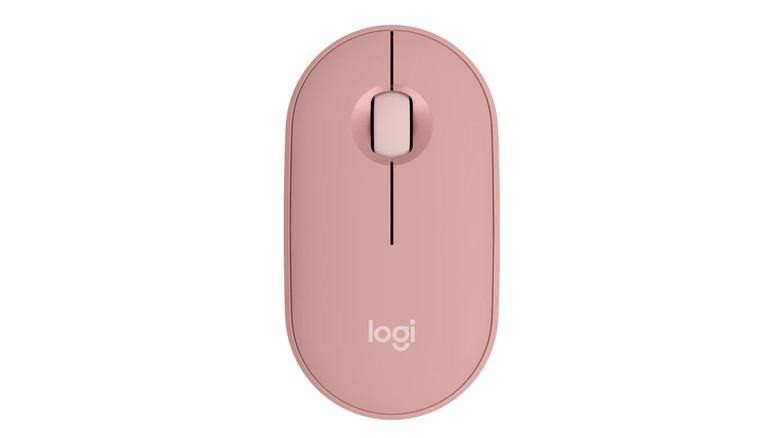
Competition is fierce in the low-profile keyboard space, but one area where I feel there's a clear victor is among mice, and that victor is Logitech. I've used too many mice to count over the years, and Logitech's are always the best designed, the most reliable, and the easiest to use. For the most portable and still usable mouse out there, I'd recommend the Logitech M350s Pebble 2. It strikes the perfect balance between low profile and ergonomic, feeling somehow like both at the same time, when the similarly proportioned Apple Magic Mouse is painful just to look at. Logitech also seems like one of the few brands out there that understands that silent clicks should be the baseline.
The removable magnetic top plate reveals the battery and the USB dongle holder, and in my humble opinion, it's the easiest and most cleverly designed way I've seen on any mouse to access the internals. There's a three-device pairing button, a programmable middle button, and the removable battery lasts two years. You can find a couple more fun colors on Logitech's website.
AirPods Pro 2
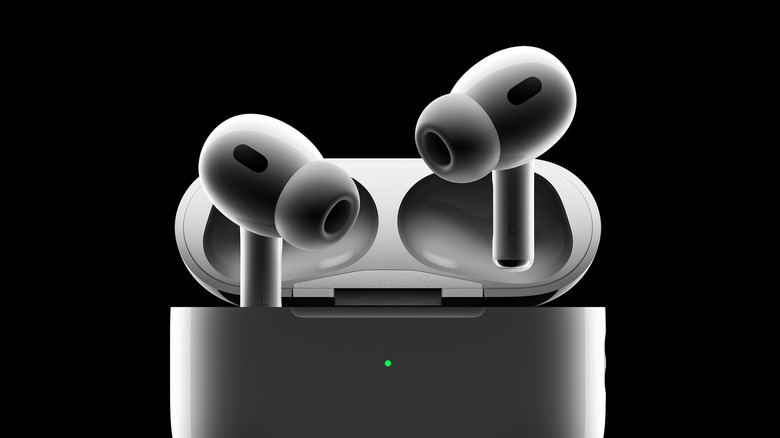
Since this is a mobile office, you'll probably be working in public places that tend to be noisy and distracting. A pair of ANC headphones is a must to cut through the distracting cacophony around you. For a pair of earbuds that's affordable, very compact, sounds great, and has exceptional ANC, the previous-generation AirPods Pro 2 are an excellent choice. They still hold up incredibly well despite already having been replaced by the AirPods Pro 3, and are only lacking a few new features. You can buy a renewed pair on Amazon for $155. Sales often go deeper. The Apple AirPods 4 with ANC are even cheaper. Bear in mind, the Apple AirPods Pro 3 don't cost that much more when they go on sale.
The only time we wouldn't recommend these is if you have an Android phone. Apple effectively makes it impossible to change the settings for the AirPods or update them without an iPhone. In that case, try something like the Anker Soundcore Liberty 5 Pro, or the Nothing Ear (3). On the upper end of the budget, you have the AirPods equivalent, the Samsung Galaxy Buds 4 Pro. Trust me, when you're trying to get work done and not be impeded by someone's loud conversation or the sound of nearby construction, these will save your life.
JBL Go 5 Portable Bluetooth Speaker
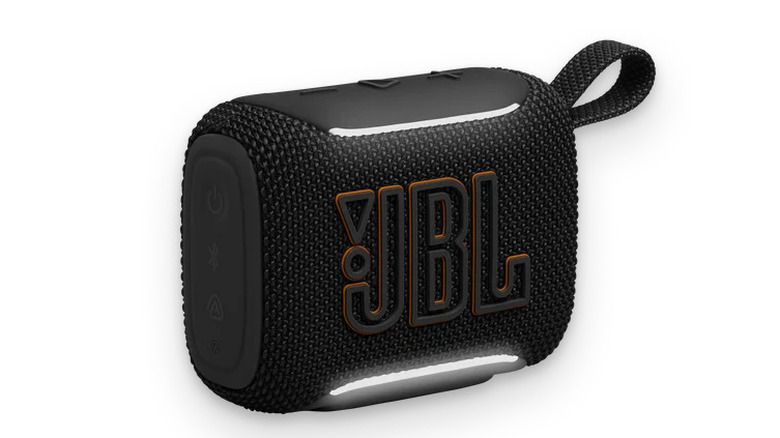
What if you don't want headphones and would prefer a traditional computer speaker setup? The JBL Go 5 is a portable Bluetooth speaker that might work. For one, it's wireless, so no chaos to deal with, and the 10-hour battery life should last all day. It's waterproof and dustproof, protected against all the elements you can throw at it, and durable enough to chuck in your backpack.
The piece de resistance is that it can team up with a second JBL Go 5 to provide stereo sound. All you have to do is "bump" it with the second speaker. Effectively, it's a pair of wireless computer speakers in an incredibly small package. If nothing else, the sound will likely be better than the built-in speakers on most laptops.
Anker USB-C 5-in-1 for Laptops
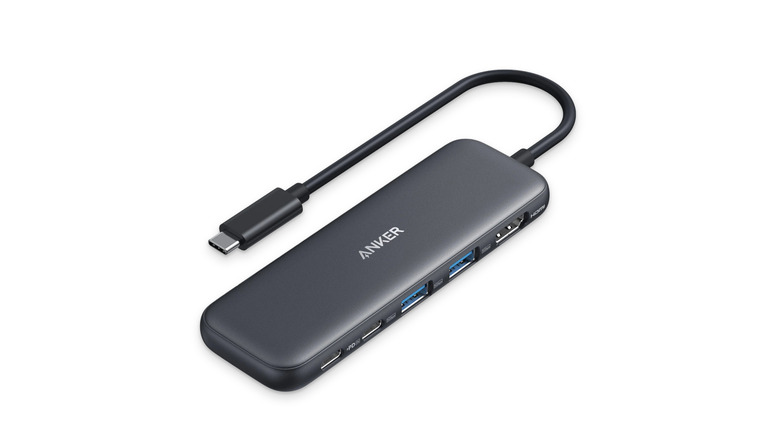
Since you can't exactly bring your full USB docking station with you, grab a small portable USB hub. Anker makes one of the best and most affordable options on the market. The Anker 5-in-1 USB-C hub supports 4K HDMI, USB-C Power Delivery, USB 4, and up to Thunderbolt 5. You can use this hub and charge your device at the same time.
Anker has several different variations of its USB hub for different needs. If you prefer an extra USB-C port, this 5-in-1 hub does that, plus PD for charging. Belkin has an option with four fast, high-powered USB-C ports.
When you're buying a USB hub, don't just go for the cheapest, highest-rated option available. Carefully consider your own needs. Do you have external drives and high-capacity thumbsticks for transferring large files? Then make sure your hub can support those transfer speeds. Do you not need an HDMI port for an external monitor? Find a hub that sacrifices it for another USB plug-in. Try to stick with a USB-C hub if your laptop supports it, since this is how you get the fastest transfer speeds, charging speeds, and throughput.
Anker 25,000mAh 165W Battery
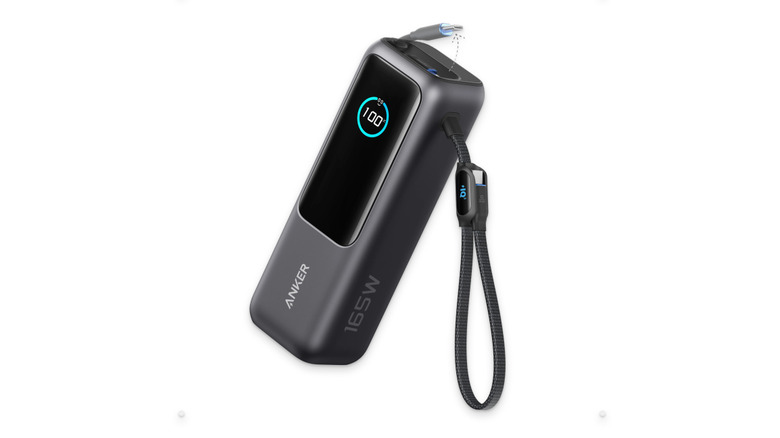
If your mobile office needs to be the sort that you can set up at a moment's notice anywhere, at any time, then you can't rely on available power sources. Get yourself a big power bank that stores a lot of juice and charges all of your devices — very fast — so you never have to worry about where the closest plug is again. Our recommendation if you have the budget is the Anker 25,000mAh 165W power bank.
Aside from storing a stupid amount of power that can literally charge all of your devices (laptop included) at the same time, it has two cables built in so you never have to bring your own, plus a separate USB-C and USB-A port. The built-in screen tells you how much charge you have left, how fast connected devices are charging, and how long they'll take to finish charging. Extremely convenient. The 165W adapter also ensures you get fast-charging speeds on most devices. Anker boasts that it can charge a MacBook Pro to 50% in just half an hour, for reference.
Admittedly, this is an expensive power bank that some might find unconscionable. There are other power banks with the same capacity and close to the same high-speed charging. We recommend the Ugreen Nexode 145W or the INIU Laptop Power Bank. Make sure that when you're shopping, you don't focus on capacity alone. Charging speeds matter unless you want your heavy brick to take forever to charge things.
Anker Prime 160W 3-Port GaN Charger
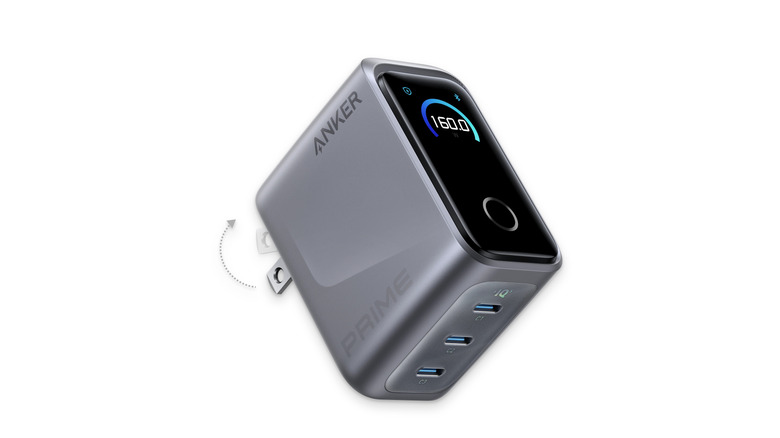
If you can find a place to plug in, one plug simply will not do for a laptop, phone, and whatever else you need to charge. Don't use cheap charging bricks. Invest in one that has more ports and a higher charging capacity, and thank us later. On the higher end, the Anker Prime 160W 3-port GaN charger is excellent. Its three USB-C ports can easily charge a laptop and a phone at the same time, plus an extra port for any other accessories you need to top up with. Similar to Anker's batteries, there's a display to show charging metrics.
We admit it's quite pricey, so Anker has much more affordable options on the lower end that can still charge a laptop, like its 65W charger. Brands like Ugreen also make powerful budget alternatives to Anker's 160W charger. Try the 100W charger on for size. Trust us, a good brick like one of these will blow any other stock charging brick out of the water.
SanDisk Extreme Portable SSD
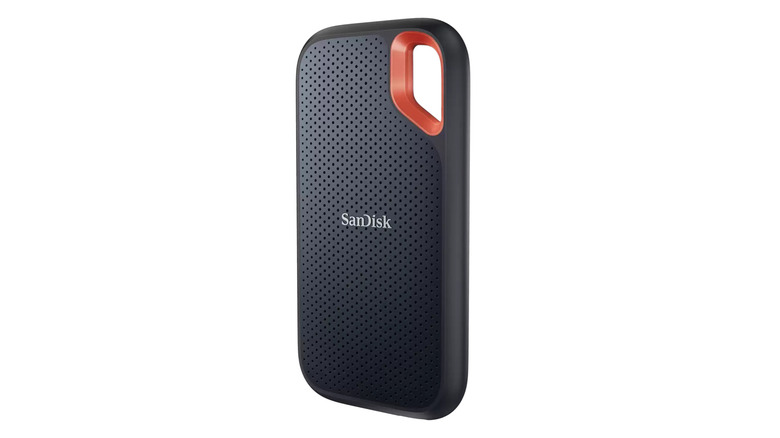
If you work on the go with large file sizes and you can't afford to sit around waiting for long transfer times, then investing in a portable SSD will quickly become a must. Thanks to modern USB-C transfer speeds, a portable SSD can be fast enough to do serious work compared with using a spinning-disk HDD. If the idea of a multi-gigabyte file transfer taking only seconds appeals to you, then listen up. SanDisk's Extreme Portable SSD is a top-notch external SSD.
Unfortunately, this is probably the worst time in consumer electronics history to be buying storage. Prices on NAND are insanely high due to the rabid demand from the AI industry. As such, the 2TB option I once purchased years ago for $100 now runs you almost $300. The 8TB model will cost you as much as a flagship phone. Even the 500GB model is a tough pill to swallow at $152.
Having said that, if you need extra storage and you need it to be fast, that might be a bullet worth biting. If you don't need it to be fast, then stick with HDDs. You can grab the Seagate 8TB external HDD for the same price as the 2TB SSD version. Just know what you're getting yourself into. Overall, HDDs are inferior to SSDs in almost every way that matters.
Samsung BAR Plus USB 3.1 Flash Drive
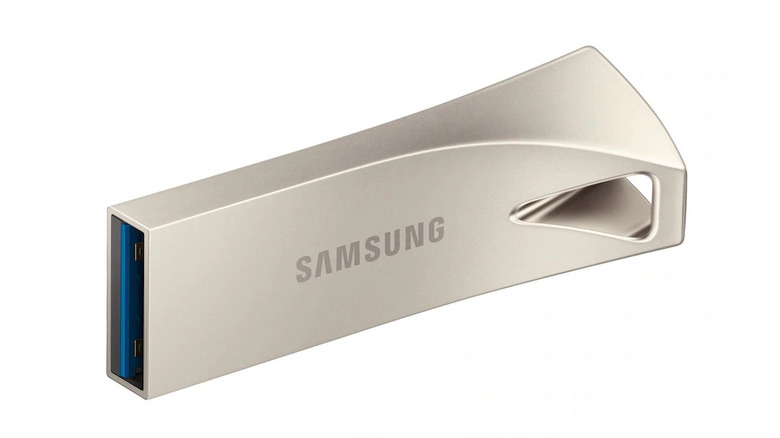
A trusty old thumbstick is still a great way to store data. Not the best way for all use cases, but if you need to access and physically transfer fewer or smaller files in a relatively quick and easy succession — and in an incredibly small form factor — it'll serve you well. Samsung's BAR USB 3.1 flash drive is a great choice. We've chosen this one because it looks great and has good transfer speeds. It boasts a maximum 300MB/s transfer speed, which Samsung claims results in a 3GB file taking only 10 seconds to copy over; unless you're working with big 4K video files, that's going to be plenty.
We only recommend this flash drive in particular if your laptop has a USB 3.1 port. Otherwise, an older USB port won't be able to maximize transfer speeds. If your laptop has a USB-C 3.2 port, then upgrade to a USB-C 3.2 flash drive. Transfer speeds can reach up to 400MB/s. This Samsung 3.2 Gen 1 256GB USB drive is a good example. The only reason you shouldn't get a USB-C drive is if you plan to share that drive with other people who might not have USB-C ports on their computers.
Tonmom Laptop Stand
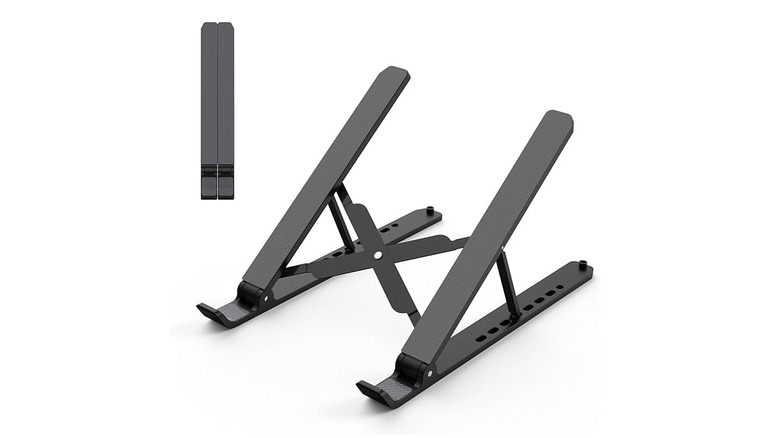
Just because you've left your home office behind doesn't mean ergonomics and posture no longer matter. On the contrary, setting up a mobile office away from your comfy desk chair at a place that might not have proper back support can quickly become a painful nightmare. One of the keys to good ergonomics is having your screen at the correct height so you're not tempted to stoop your neck. For that, we recommend the highly portable Tonmom laptop stand.
There are few laptop stands on the market, we find, that successfully cram this much stand into a collapsible, ultra-thin form factor. It supports large laptops and offers seven angle adjustments. Unfortunately, it has no height adjustment, but we really can't expect more from something that you could slip into your laptop case's pocket.
TeraBiter Halo
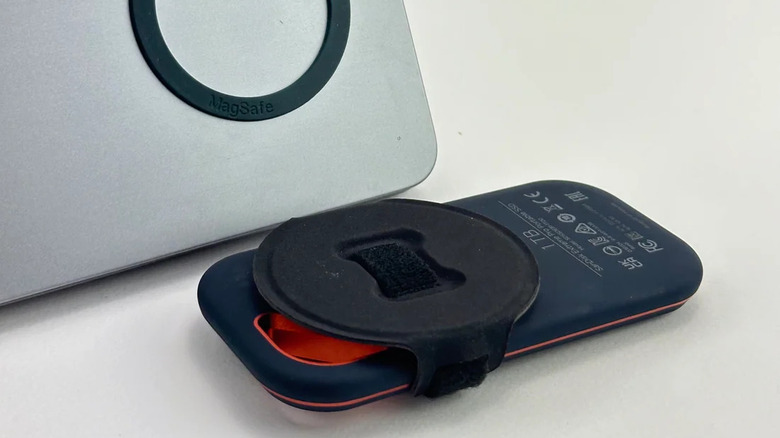
So you've purchased an SSD to store your files on your laptop. But now you have a problem: This very expensive storage device is connected by a flimsy USB-C cable. So if you need to pick up and move your laptop for any reason, you risk that expensive SSD hanging from your expensive laptop and potentially damaging either one. Enter the TeraBiter Halo. This accessory was made expressly for people who keep an SSD attached to their laptop most of the time.
All you do is attach the MagSafe ring to the back of your laptop and then wrap your SSD in the ring's Velcro counterpart, and voilà, a snap-on attachment interface. Now you can slap your SSD onto the back of your laptop screen, close it, pick it up, carry it around, whatever you want. That SSD ain't going anywhere. Just bear in mind that the promotional images advertise this thing for MacBooks, primarily, so it may not work on your laptop if the ports aren't in the same place.
Brick

Having a smartphone nearby is instant death for your productivity. The problem is, you can't exactly put your phone in the other room like you would if you were in your home office. How do you stop it from interrupting your work? Brick might be the answer.
Brick is a little NFC-enabled device that you tap your iPhone or Android phone on to thoroughly block distracting apps. Any apps you've chosen will be inaccessible until you tap Brick again. In theory, you put the Brick somewhere else in your house, tap it, and then go to your home office. However, a mobile office setup where everything is in reach and you couldn't put the Brick or your phone in another place works differently, right?
Still, we think it could be an excellent anti-distraction tool. You could tap the Brick and then toss it into the bottom of your backpack where it would take some effort — just enough friction to dissuade you — from getting it.
MNN 15.6 FHD 60Hz Portable Monitor
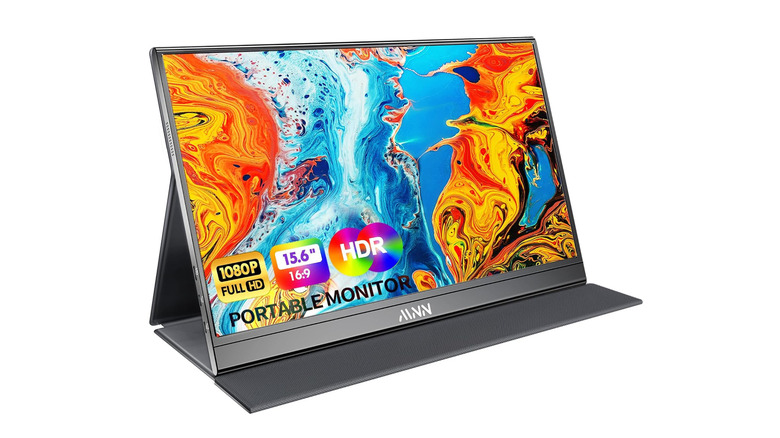
Once you get used to working with two monitors, going back can really hamstring your productivity. So how do you get a second screen with a mobile office? Luckily, there are affordable, portable external monitors that do just the trick.
MNN makes a 15.6" 1080p 60Hz monitor for only $50. It's thin, lightweight — only 2 pounds — and supports a wide variety of devices, not just laptops. You will need a power supply, but it connects over USB-C so you don't need to bring a dongle to give your laptop an HDMI port. Just make sure your laptop supports at least USB-C 3.1 or Thunderbolt 3.
You may already have a device that works as a second monitor without realizing it: your iPad. Provided you have a Mac, you can use your iPad as a secondary display — wirelessly — via the Sidecar feature. Having used this feature myself a fair few times, it's wonderful, seamless, and the latency is so low you'll barely notice it.
How we chose these gadgets

I'm a frequent traveler, so I'm no stranger to working in hotel lobbies, airport terminals, or wherever there's a chair and Wi-Fi. So, I compiled this list based on gadgets I've actually used or owned, plus others that friends own or which I'm confident would work well in a mobile office setup. Everything here, naturally, should fit into a backpack.
Although I definitely tried my best to make this list as budget-friendly as possible, I believe it's totally worth it to invest a few extra dollars in some of the more expensive items on this list. Some of them — like the peripherals and charging bricks — are devices that will last you your entire life if you treat them well. We also made sure to stick with highly rated products that have received ample reviews.