

I Love The iPad, But These Android Features Are Tempting Me To Convert
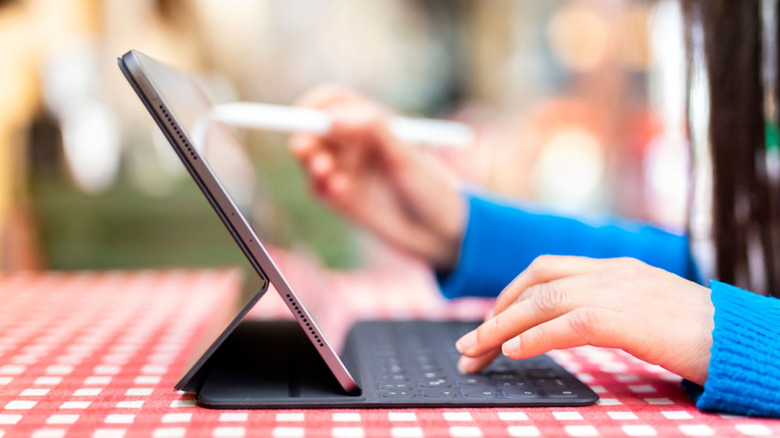
iPads are easy to recommend if you can stomach the cost. There's one at every price point, ranging from budget 11th-gen iPad to the hilariously overpowered and overpriced iPad Pro M5. They make excellent media consumption devices for TV-less bedrooms and travel, and thanks to iPadOS 26, they're an OK-ish MacBook alternative whenever your main computer's on sick leave. iPadOS is a polished, refined experience, and I love how all its accessories attach magnetically and effortlessly. I could keep gushing, but you saw the title, you know where this is going. Some days I take a peek over Apple's walled garden, and the grass of Android's wild open pastures looks so green.
I've been using an iPad on a daily basis for years now, so I'm well familiar with its limitations, especially when Android users are frolicking around merrily, doing things Apple has yet to catch up with — if it even intends to. To be clear, this isn't a re-run of the typical "iPad is restrictive and expensive" and "Android is cheaper and more open-ended" argument. I want to look at specific things that are available on Android tablets right now but are unlikely to make it into the iPad spec sheet. These five features on Android tablets are tempting enough that I might just convert back.
Android desktop mode and Samsung DeX
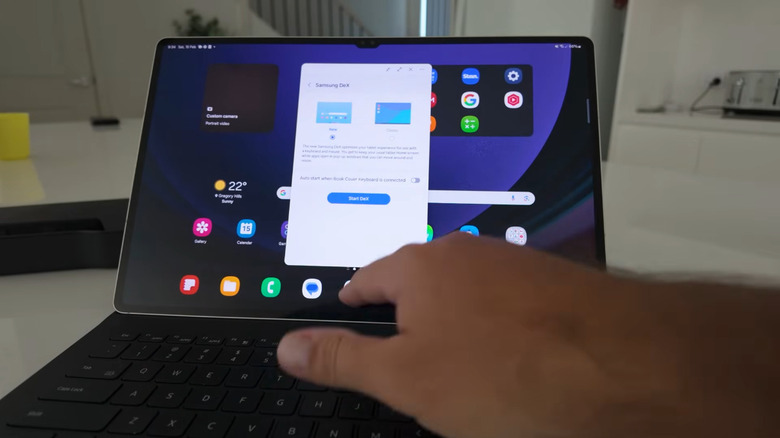
It's been a never-ending question for years whether the iPad can replace your MacBook, to which I (an iPad fan) would say, "eh ... kinda. But actually? No." Android's answer? Yes, two thumbs up. First came Samsung DeX. Plug a compatible Samsung phone or tablet into HDMI over USB-C, and it becomes a full-blown desktop PC — proper mouse and keyboard support, a taskbar, windowed apps, it's all there. Our own Max Miller ran Samsung DeX in place of a laptop for a month and found that, rough edges aside, his Android tablet would be a viable PC replacement for many.
DeX is specific to Samsung's One UI, so what about the rest of the Android kingdom? Google Pixel tablets get Android Desktop Mode. It's more or less identical, allowing you to transform your phone/tablet into a Chromebook of sorts just by plugging it in. The implications are massive. Assuming you don't need some specific desktop PC-only software, you could probably get away with using a phone/tablet as your on-the-go device and your desktop PC. That means you'd save money, have the most portable laptop ever, and maintain a trim desktop setup.
Credit where credit is due, iPadOS 26 was a considerable leap forward for the iPad's laptop capabilities, adding a proper windowing system, a menu bar, and better file browsing support. And iPads do work with an external screen. But I've tried using my iPad as a laptop on an external screen to do the computer's homework, and it's still, well, iPadOS. A touch-oriented, tablet-y operating system that I'd only resort to as a desktop if my main MacBook exploded. On Android, I could genuinely see myself daily-driving a tablet at the desk or away from it.
App sideloading
One of Apple's favorite pastimes is dying on stupid hills. Remember the Lightning cable? Another stupid hill it's currently dying on is preventing users from installing apps outside the App Store. You can do it in the EU and Japan — and only if you reside there — but thanks to governments that have so far refused to regulate tech giants in this area, the rest of us are stuck with iPads that have an incredible amount of power and a galling inability to download any non-sanctioned software. Meanwhile, Android has been sideloading apps for ages — though, to be fair, Google is tightening the screws on this one by limiting it to "verified" devs.
You've probably noticed that there are few free apps on the App Store that are really good, and I think this is in large part due to how controlling Apple is. It takes its 30% cut and requires a $99 developer license subscription, and even after all that, it expects devs to jump through extensive app review guidelines and still stick the landing. Devs are disincentivized from creating iPad apps outside the pall of the App Store in the first place, so I imagine a great deal of brilliant iPadOS software never comes into existence because if no one can use it, then why make it?
Android tablets, though? Cloud nine. There's a whole bunch of third-party app stores, many of which support apps you might not find otherwise on the Google Play Store. Even if the app you want isn't on a third-party app store, all you need is the .apk file to install it. I don't see Apple allowing sideloading in the U.S. anytime soon, barring a political strong-arm, especially when considering the cash cow that is Apple's App Store.
PC gaming
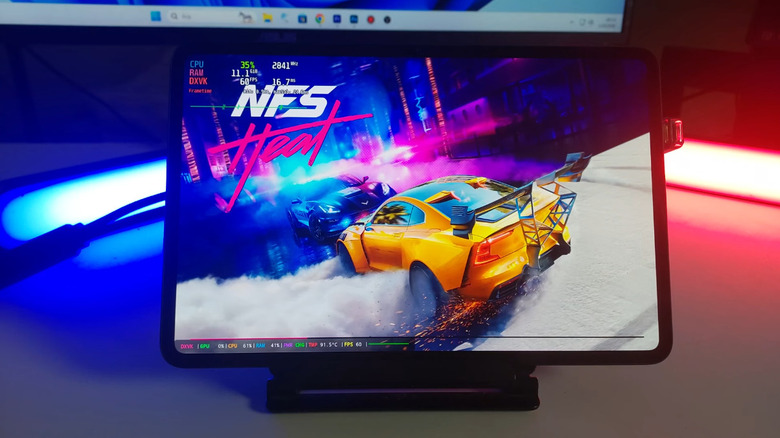
You can now play PC games on an Android device, words I never thought I'd say. In that article, I admitted that PC gaming on Android is in its infancy and has a boatload of caveats. But since then, progress has been fast. Third-party Turnip drivers for top-end Snapdragon 8 Elite chips are already here, making many games playable that previously were not. We're rapidly approaching the future where that Android tablet you have will be a Steam Deck Mini. iPads are shipping with laptop-grade M4 and M5 chips these days, so you'd think gaming would easily be something in their wheelhouse — but of course, it's not.
Apple did take a shot at gaming, but Apple is as Apple does, and it thought releasing a small handful of AAA games on iPad so it could get its 30% cut would somehow magically entice people to drop hundreds of dollars on overpriced silicon and then re-buy games they already owned on Steam. Did it work? Cue dramatic narrator voice: It did not. iPad gaming, in my view, was dead on arrival. As a cruel reminder of this, I get to watch people like this Redditor playing "Cyberpunk 2077" at 60 fps on their Snapdragon 8 Elite Redmagic Astra.
It's not a question of whether or not the iPad could run these games. Benchmarks prove that the iPad's highest-end chips can easily hold their own with the ones on Android. And there's a GameHub app (the same one that Android users can use to play PC games) on iOS and iPadOS, but it doesn't yet play PC games. Yet. GameSir (the company behind GameHub) teased a macOS GameHub client recently, so perhaps soon the iPad will be gaming alongside the best of them. But Android already can.
microSD support
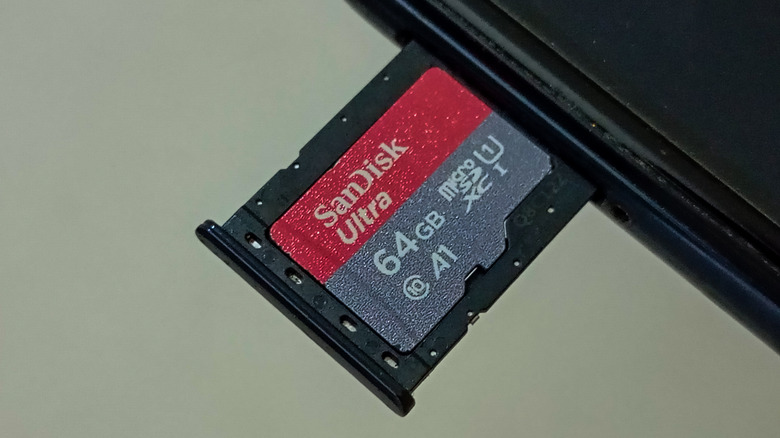
Apple's perhaps most infamous move was nixing the headphone jack, inspiring the rest of the tech industry to leap lemming-like off the same cliff. But you can still find Android devices with headphone jacks and, more to the point, microSD card slots. Both cheap and premium tablets like the Samsung Galaxy Tab S10 and Samsung Galaxy Tab S10 Plus have them. Now, if we briefly cover our eyes and pretend that the RAM crisis doesn't affect microSD cards, the ability to upgrade your tablet's storage with a cheap SD card is a forbidden fruit iPad users have never, nor likely will ever, taste.
At risk of beating a dead horse that's probably a bleached skeleton by now, iPad storage upgrades are borderline extortion. The current iPad Pro starts out at $1,000 — as much as a premium Windows laptop — and offers you a paltry 256GB of storage, and then puts you over a barrel for another $200 should you dare to want 512GB. One terabyte of storage adds $500 to the base price. Two terabytes? Wring out your wallet and re-mortgage the house, that'll be another $1,000. Bear in mind, those prices include an extra CPU core and another 4GB of memory once you reach the 1TB tier, but no additional benefit. Insanity.
Granted, it's not like I need all that extra storage. The issue is that the processing power of the iPad Pro is overkill, and I'd happily buy the lowest tier, then pop in an SD card later as required — if I could. I don't even want to think about how the RAM crisis is going to affect Apple's storage add-on pricing. So who knows, maybe this will be the hay that breaks the camel's back come upgrade time.
E-Ink screens
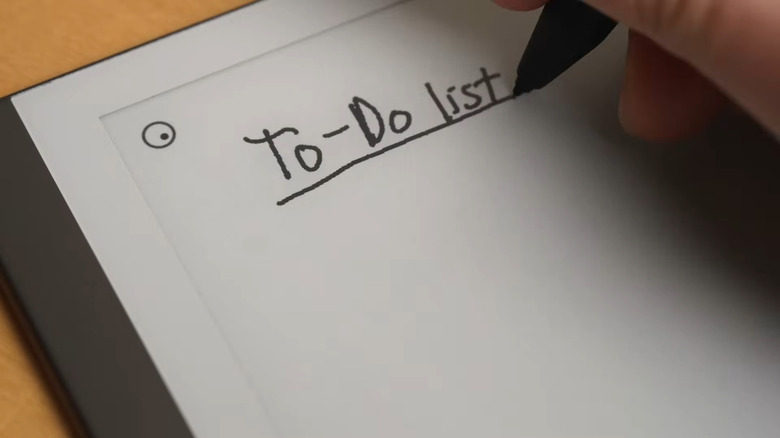
E-Ink displays have gotten better in recent years, making them an excellent productivity hack on Android-based devices that have them. But an e-ink iPad? We'll get the heat death of the universe before that. I admit, I have nothing to go on other than a complete paucity of rumors and my own knowledge of the company, but I really cannot see a company defined by big, beautiful, bright screens even thinking about an e-ink-screened device without gagging.
Of course, an e-ink screen would make a tablet terrible for any sort of content consumption, like YouTube, Netflix, or TikTok, but I'm of the opinion that would actually be a benefit, not a downside. Rather than waste my time on social media, I'd be incentivized to use the tablet for productivity, and my eyes would thank me all the while. It would be wonderful to read not just books, but news articles directly on the site, and maybe do a bit of journaling and note-taking as if I'm writing or typewriting on real paper. If that wasn't enough, the battery life would probably be so good I'd forget about charging.
If you haven't been keeping up with the e-ink space, you might be imagining e-ink tablets akin to the Kindle: grainy, slow, with a terrible refresh rate, black-and-white-only content. That's no longer the case. There are some excellent color e-ink tablets with refresh rates fast enough to write on them in real time, color displays not far off from a printed storybook, all at a high enough resolution that you could forget it's not actually paper. They're pricey, sure, but it's a price I'd pay — money Apple evidently doesn't want, so maybe I'll fork it over for a reMarkable Paper Pro.