

5 Features The iPad Pro Has That An iPad Air Doesn't
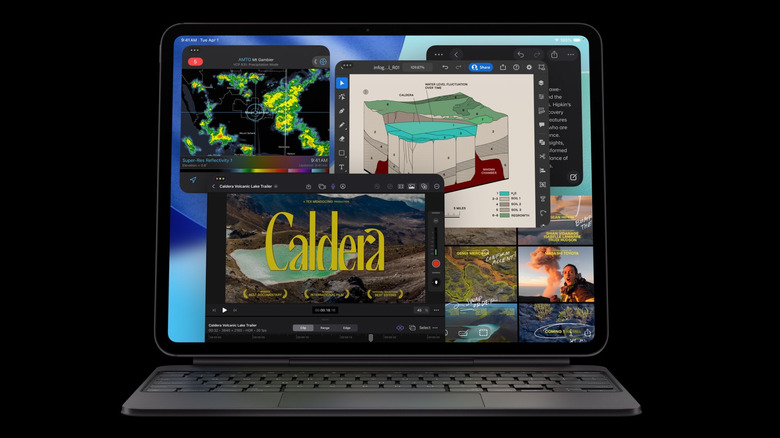
The iPad Air and iPad Pro are Apple's higher-end, premium, full-sized tablets, devices intended for anyone who finds the base iPad lacking. It's very much like the difference between the iPhone and iPhone Pro; the iPad Air is a solid contender at an attractive price that will be plenty for most users. But for anyone whose budget can accommodate, the Pro treats you to the best a modern tablet has to offer. So if we get down to brass tacks and cut through Apple's marketing jargon, what specific, exclusive features does the iPad Pro actually have that the iPad Air does not?
Basing things on the price, you'd be pleasantly (or perhaps unpleasantly) surprised at how little these two products actually diverge from one another. Everything on this list is a concrete item that the iPad Air lacks completely, so we're intentionally avoiding any differences that amount to "the Air can do this, but the iPad Pro does it better." Use this as a reference or buying guide for the latest iPad Air and iPad Pro.
The latest M5 chip
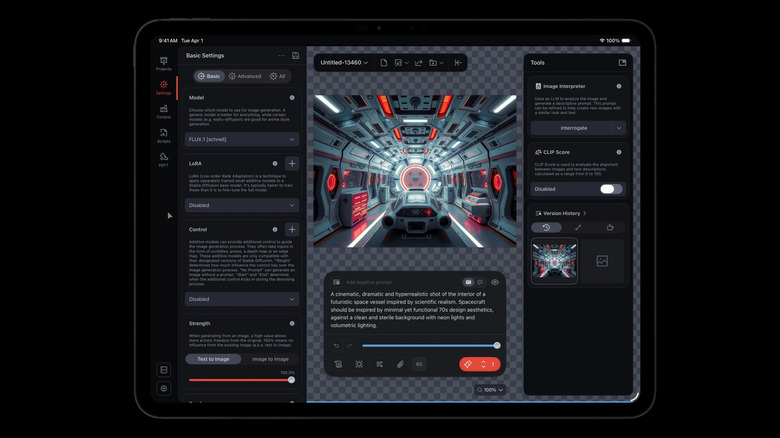
At the time of writing, the current iPad Pro released in 2025 packs Apple's bleeding-edge M5 Apple Silicon chip. Compare that to the current iPad Air released in 2026, which has the M4. The M4 released on the iPad Pro in 2024 was a powerhouse then (and still is now), and even a couple of years later, the iPad Air is getting the M4 at a steal of a price point. So how do they compare?
Specs-wise, the M5 is nuts. The iPad Pro can effortlessly play AAA titles available on the App Store at high resolutions, high graphic settings, and stable frame rates. There are added benefits to the M5 generation specifically, such as improved ray tracing in the games that support it. Those doing AI workloads will also notice an uplift when throwing the GPU at them. 4K videos export in minutes. Importantly, the Pro does all of this without a fan and while staying surprisingly cool.
That sounds nice, but in most cases there's only a 10% difference between the M5 and the M4 for demanding workloads. For everything else, the difference is likely going to be imperceptible when testing the iPad Air and iPad Pro side by side. Typical iPad activities — streaming content, checking emails, web browsing — won't improve meaningfully with the M5. It's the same issue the iPad Pro has had for years: too much power, wasted because it's imprisoned behind iPadOS's restrictive operating system. It goes without saying that if you don't have a professional workflow, you don't need the iPad Pro M5 — and even if you do, the Air is probably still overkill anyway.
Tandem OLED display

Perhaps the most meaningful difference between the iPad Air and the iPad Pro is not the chip — it's the display technology. The M5 uses Apple's OLED Ultra Retina XDR display running at 120Hz with ProMotion, while the iPad Air uses the tried-and-true Liquid Retina display. It seems this is the true reason to pay the extra to upgrade into the M5, at least when listening to reviewers. They all praise the beautiful screen to the high heavens.
This is one of those categories where you have to see it to believe it. It's impossible to show you through the screen how much better the iPad Pro M5's screen (subjectively) is compared to the iPad Air, but think of the difference between, say, the OLED screen on your smartphone and the LCD of your desktop monitor. OLED colors are more vibrant and blacks are deeper, without that ugly gray-ish backlight that ruins dark scenes in movies. Add on the fact that OLED screens are generally more power-efficient than LCDs, and it's clear their only disadvantage is price. OLED screen burn-in is much less of an issue than it was before, and Apple's Tandem OLED technology actually mitigates the risk even further.
Again though, does this actually matter? A lot of people claim they can't even tell the difference between 60Hz and 120Hz, and those same people probably don't notice (or don't care) that a Liquid Retina display looks "worse." If you're the sort of person who doesn't find yourself caring how your screens look — your smartphone, TV, desktop monitor — then the M5 Pro's OLED display probably won't wow you enough to justify its price.
Face ID

Apple likely knows that the iPad Pro is a hard sell for the average person who has no "Pro" intentions, and it seems to reserve the dealbreaker features for the Pro models in the hope of upselling you. One area where it does this, in our view, is the M5 Pro's full Face ID support. The iPad Air only supports Touch ID via the power button's fingerprint sensor. This is a bigger deal than it might seem.
For one, the Touch ID sensor on the iPad Air is not very good, anecdotally speaking. It rarely works, often failing and forcing you to fall back on the passcode. Just setting it up with a fingerprint in the first place is a nightmare; even that fails and may take several attempts to register a single digit. I know I'm not alone, since online forums are filled with people saying their Touch ID is unreliable to the point of uselessness. Apple seems to also tacitly admit this, since there's an entire support page dedicated to all the ways a non-responsive Touch ID sensor can be troubleshot.
For another thing, Face ID is plainly better for convenience, speed, and security. There's no having to fumble around awkwardly for the Touch ID button when you temporarily forget where it is in your current orientation. Face ID is near-instant, works even when it's pitch-black in your room, and is considered more secure. Even so, it's a huge shame that Apple reserves this feature only for the Pro models.
Thunderbolt and USB 4
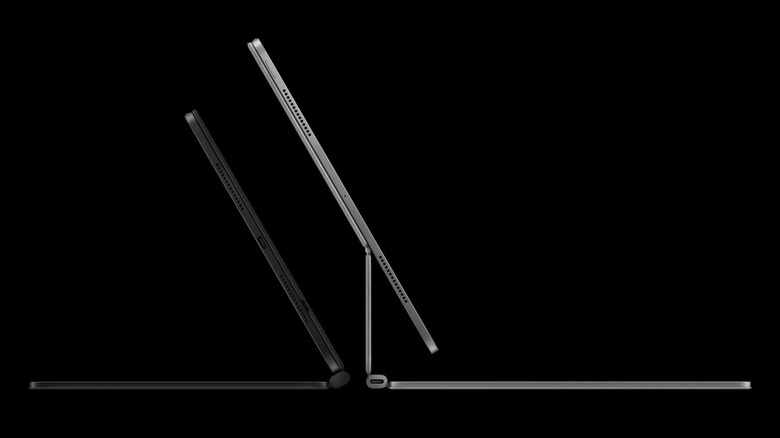
Another decidedly Pro feature that the iPad Pro has over the Air is support for Thunderbolt and USB 4. In the simplest terms possible, these are high-speed standards for data transfer. You likely have a Thunderbolt port on your laptop masquerading as USB-C, especially if it's a MacBook, and that's what lets your external SSD move files very, very quickly or supply a USB hub with enough power and bandwidth for all your accessories and peripherals. The iPad Air has no Thunderbolt, supporting only the older USB 3 standard.
Again, the important question: Does it matter? This is going to be the one feature that the fewest people probably use, even among professionals. Since the iPad Pro only has a single USB-C port, you're pretty heavily limited in what you can connect to it. The USB-C port is not in the ideal position for connecting things either, particularly if your iPad is propped up on a stand or smart connector keyboard like the Magic Keyboard; accessories hang off of it very precariously and make thoughts of using those accessories outside the house less enticing.
We'd wager the vast majority of people who own an iPad have never once connected a high-speed USB device to it, much less thought about doing so. Only Pros using high-speed external storage would count this a loss. iPad Air M4 users (or potential buyers), this is the weakest reason to upgrade to the M5.
Fast charging
iPads have had pretty good battery life since the very beginning. The original iPad announced in 2010 boasted 10 hours, and both the iPad Air M4 and iPad Pro M5 maintain the same battery life a decade and a half later; perhaps if the M4 Pro redesign had focused less on being razor thin, we'd be living in an alternative timeline where iPads reach 20 hours of battery life. Point is, upgrading your iPad won't give you more battery life. Just faster charging.
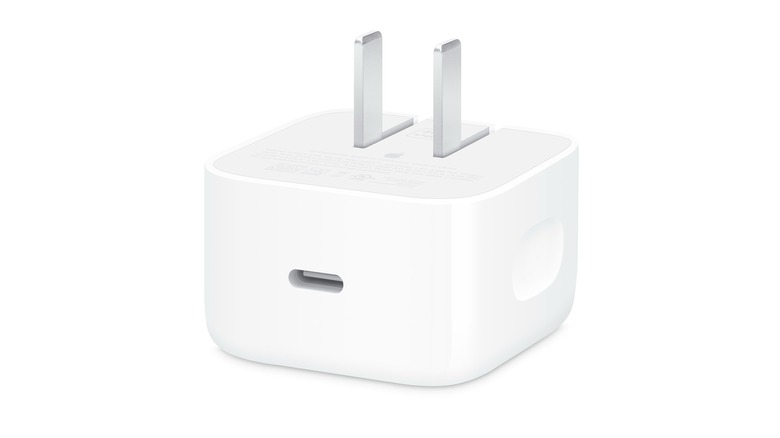
Apple is a bit cagey on its spec sheets, but it appears the Air M4 supports up to 30W charging, getting a full charge in roughly 2 hours. The Pro M5 can charge to full in about an hour and a half thanks to fast charging, and perhaps even faster with a supported 60W charger. Unfortunately, only a 20W charger is included in the box (same as the Air M4), so you'd need to buy Apple's 40W Dynamic Power Adapter with 60W Max output (pictured above) or a third-party charging adapter to realize the M5's full charging speeds.
Having said all that, shaving 30 minutes off the charging time probably won't change much in the grand scheme of things. Calling a full charge in an hour and a half "fast charging" is kind of a misnomer anyway; you notice it more with an iPhone, where the latest iPhone 17 Pro can get two-thirds to full in 30 minutes. Ask yourself how often you would really fast-charge an iPad. Chances are, you mostly use it in bed next to a wall anyway, so the iPad Air M4's inferior charging speed won't be a dealbreaker for most.