

12 TV Upgrades Under $50 That Will Change Your Viewing Experience
We may receive a commission on purchases made from links.
Television viewing has evolved quite a bit over the last few decades. Early TVs were boxy, filled with vacuum tubes, and expensive. They broadcast only in black and white, and you were lucky to have a few channels to choose from. In recent years, TVs have gotten slimmer, smarter, and more affordable. They broadcast in stunning full color, and there are more channels and streaming apps than you can possibly watch in a lifetime.
TVs have undoubtedly improved in 2025, but that doesn't mean they come perfect right out of the box. Whether you're working with an older television you've had for years or you've just picked up a new set, a few simple accessories or upgrades can make the difference between a pretty good viewing experience and a great one.
We've combed through dozens of TV upgrades and accessories to find the best ones that won't break the bank. These affordable upgrades, all under $50 apiece, can make your TV viewing experience just a little bit better.
Wired internet connection
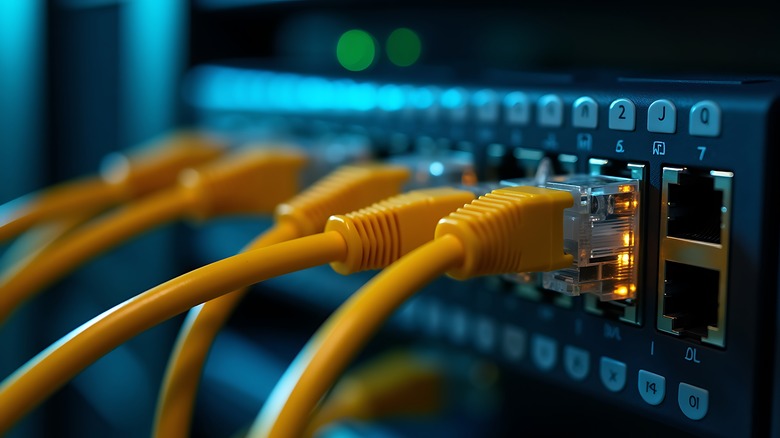
These days, much of our television viewing happens over streaming. We rely on streaming platform subscriptions or free streaming content, along with a stable internet connection, to watch our favorite television programs and movies. The easiest way to connect your TV to the internet is over Wi-Fi, but it's not necessarily the best way.
A wired connection via an Ethernet cable offers a more stable, reliable, and faster connection. Fortunately, Ethernet cables are relatively affordable, and you can get them in pretty much whatever length you need. The downside, of course, is that you'll have to keep your modem close to your television, string ethernet cables throughout your home, or shell out to have ethernet wired in your walls.
The hassle can be worth it. Speeds are significantly faster and fluctuate less often than over Wi-Fi. That can mean that streaming and downloading content is faster. If you use your TV for gaming, an Ethernet connection can reduce lag and dropouts when playing online multiplayer games.
HDMI switcher
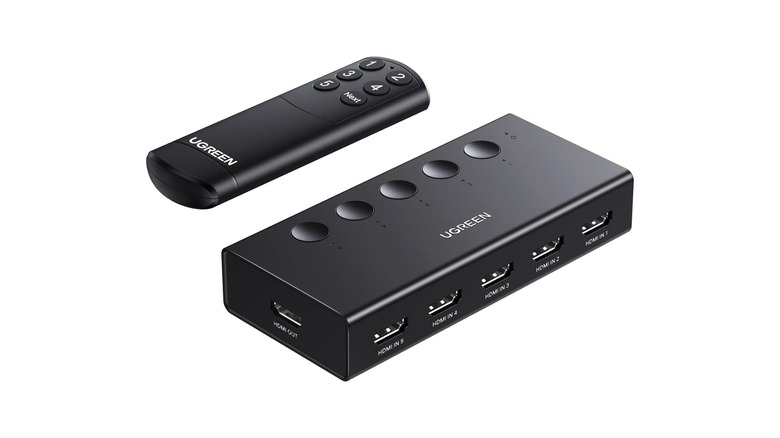
TVs aren't just for watching television. Modern TV users often have a streaming device or cable box, DVD players, Blu-ray players, video game consoles, and more all connected through the ports on the back. Some televisions come with a limited number of HDMI ports, requiring you to pick and choose what you want to have connected at any given time. It can be a pain in the neck to reach behind a flat screen TV to get to the ports.
An HDMI switcher lets you hook up all of your devices to a single HDMI port and flip between them using a switch you can place in a more convenient location. A single button press flips from one device to the next and some HDMI switches come with remote controls or automatically switch to whichever device was just powered on.
While there are high-priced versions with lots of bells and whistles, there are simpler budget-friendly options. If you only need one additional port, you can find simple HDMI switches that will let you switch between two devices. For a few dollars more you can find more advanced options with five or more HDMI ports. Just plug the male end into one of your TVs HDMI ports and then plug your desired devices into the other end.
Streaming device
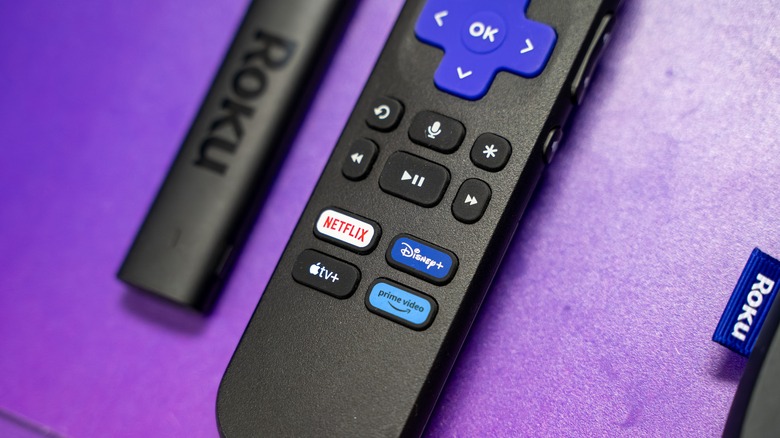
Most modern TVs have at least some smart capabilities built in, but they are often limited or have a user interface you may not like. The operating system built into most smart TVs leaves a little something to be desired, and an external streaming device works like a brain transplant, swapping out your TV's native OS for a better one, or at least for one you're more familiar with.
Most of the major brands like Roku, Fire TV, and Google TV have streaming sticks or boxes for under $50. With a streaming device, you usually get a more streamlined experience and access to a greater selection of apps. Most smart TVs come with the big streaming apps (Netflix, Hulu, HBO Max, etc.) built in. However, if you're looking for something a little more obscure, you might run into a wall. External streaming devices, by contrast, typically provide access to whichever streaming apps you're looking for. That's just the tip of the iceberg. Check out our list of five reasons you might consider a streaming device even if you already have a smart TV.
Backlight
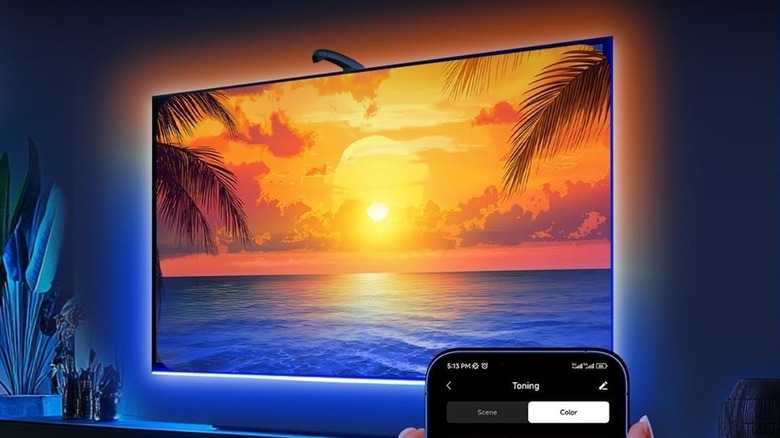
Modern TVs boast a sharper picture and brighter colors, and a backlight system makes viewing more immersive by expanding color and light beyond your TV screen. This backlight kit from FFJ uses a smart sensor to detect the colors on the screen and match an array of LED backlights in real time. It's not just a backlight, it's a backlight that matches the vibes of whatever you're watching.
The LED string runs 11.5 feet, and you can trim it to fit the diameter of your screen. It's compatible with screens up to 50 inches, but there are longer options if you're trying to backlight a larger TV set. To set up the system, you just clip the sensor to the top of your TV, attach the lights to the back edges of your television, and plug everything in.
In addition to color-matching whatever you're watching, you can also control the lights with the uLamp app to manually adjust color and brightness on demand. There's also a music sync mode, which changes the lights to the beat of your music and ambiance modes, so you can add light and color to your environment even when the TV is off.
Bluetooth dongle
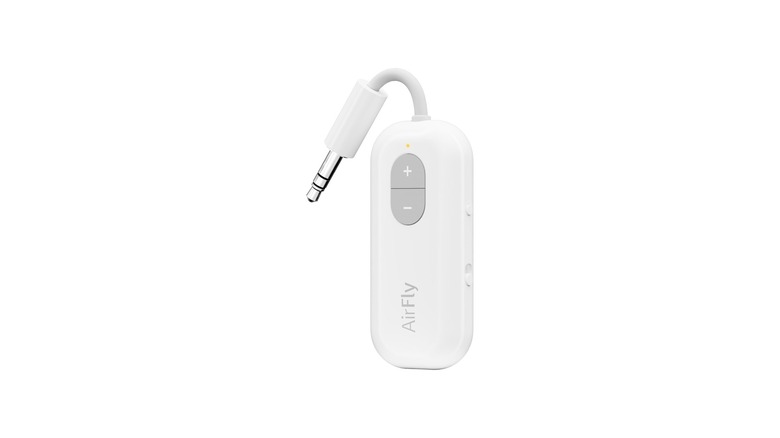
I have trouble sleeping without some background noise, so I like to listen to a movie or TV show as I fall asleep, but I don't want to disturb my family. A Bluetooth dongle solves that problem by letting me put audio in my ear without forcing everyone else to listen. I use this Bluetooth transmitter from AirFly to connect my TV to a pair of wireless headphones so I can listen to my stories without keeping everyone else awake.
It's a simple design with only a few buttons. There's a switch on the side that turns the dongle on and off, and a button on the side to put it into pairing mode. When the light is flashing orange, the dongle's in pairing mode, and when it's solid white, you're connected. You can adjust the volume using the plus and minus buttons on the dongle's face, and a USB-C port on the bottom accepts a charging cable. It runs for about 20 hours on a single charge, and you can leave a charging cable connected to keep it powered up all the time.
Sound bar
Once upon a time, visual entertainment was all silent. Movies played without sound or else were accompanied by piano or organ music played in real time. Then the talkies happened and suddenly dialogue, music, and sound effects made their way into our entertainment. These days, sound is almost as important to your television viewing experience as the picture.
You can absolutely watch TV with the built-in speakers your TV comes with, but you can get a better audio experience with an external sound system. You can find sound bars for every budget, and it's totally possible to break the bank if you want to. But you can also get a reasonable audio boost at a more affordable price.
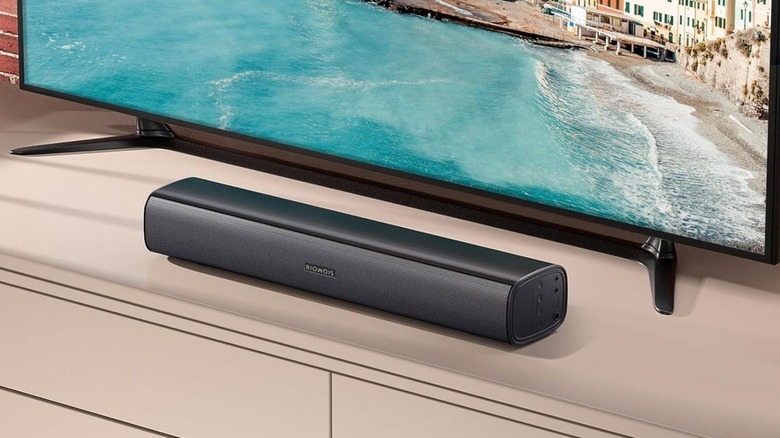
This soundbar from Riowois is mountable, so you can stick it to the wall just beneath your TV or let it sit on a TV stand or shelf. It's Bluetooth compatible or you can connect your TV directly using an aux or optical cable.
Adjustable mount
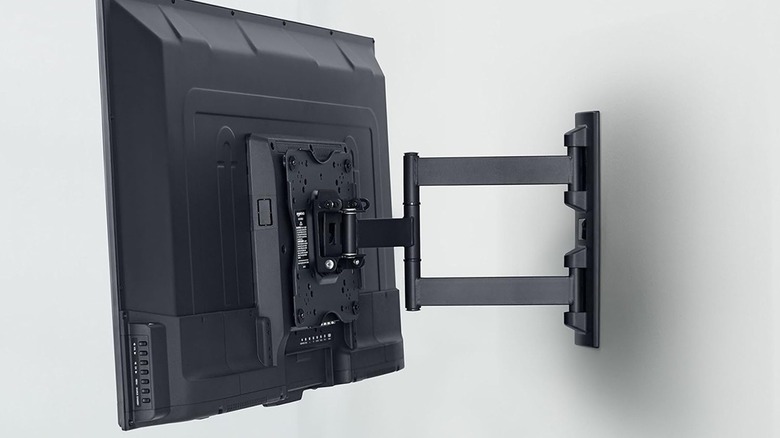
A TV mount screws into a solid wall or wooden stud, then fixes your TV securely to the wall, but not all mounts are created equal. The most basic form keeps your TV pressed to the wall, which is great for saving space but makes it difficult to get behind the TV if you need to adjust cables. An adjustable TV mount, by contrast, lets you pull your TV out from the wall and change the viewing angle to avoid glare or distortion.
This TV mount from Amazon Basics is compatible with TVs up to 55 inches and 80 pounds. It extends up to 16.3 inches from the wall and can be adjusted in several directions. It tilts 15 degrees (5 degrees backward and 10 degrees forward) and you can adjust the sides up and down to level the TV. So even if the mount isn't level when attached to the wall, you can still level your display. It also swivels up to 180 degrees, though your mileage may vary, depending on the size of your screen and its proximity to the wall.
Magnetic remote holder
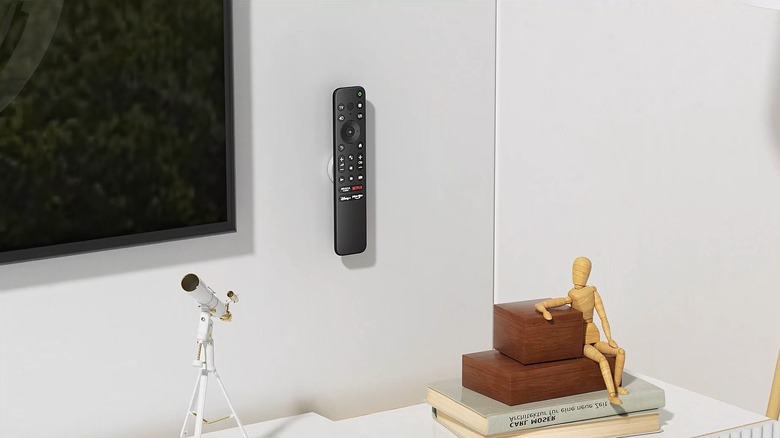
Remote controls are one of the most convenient features of a television, but if they get lost, they can quickly become one of the most frustrating. Depending on your setup, you might have one remote for your television, another for a DVD or Blu-ray player, another for a streaming device, and more. Losing any one of them can put a damper on your viewing experience.
This kit of magnetic remote control holders from Yyilis attaches to your remote controls and lets you stick them to the wall next to your television, on a side table, a nightstand, or wherever makes sense for you. The kit comes with four magnetic holders and mounts, and there's also a six-pack available if four isn't enough for your purposes. Because remotes are so lightweight, you don't need to drill any holes. Just peel away the adhesive backing and stick it wherever you prefer.
TV antenna
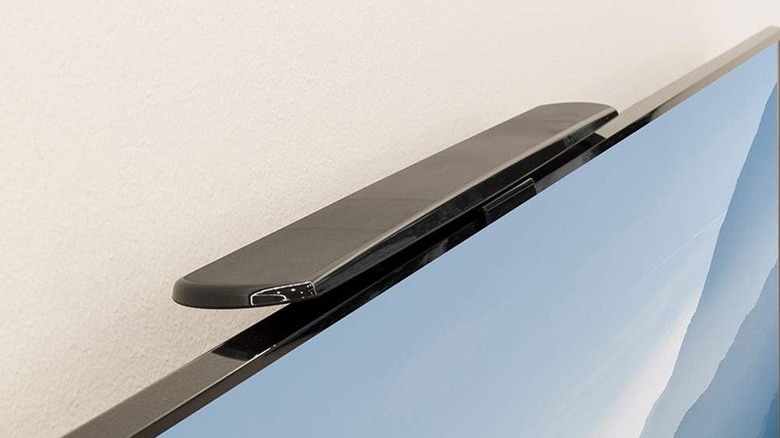
While much of our TV viewing is via streaming, you can still watch broadcast television with a TV antenna. Since the changeover from analog to digital, you'll need a new antenna to pick up the updated signal.
Some modern TVs come with built-in antennas, but that's not a universal feature. Fortunately, TV antennas are pretty affordable and let you pick up broadcast TV from local news stations, sports, major networks, and more. Whether you're cord-cutting, ditching streaming services, or just looking to add a little extra content to your current offerings, a TV antenna is a useful option.
The right antenna for you depends on your use. Outdoor antennas typically work a little better because they have improved line of sight to broadcast towers, and they're useful if you have multiple TVs. If you're looking to upgrade just a single TV, this affordable TV antenna from Philips fits snuggly atop your television without taking up shelf or counter space.
High-quality HDMI cable
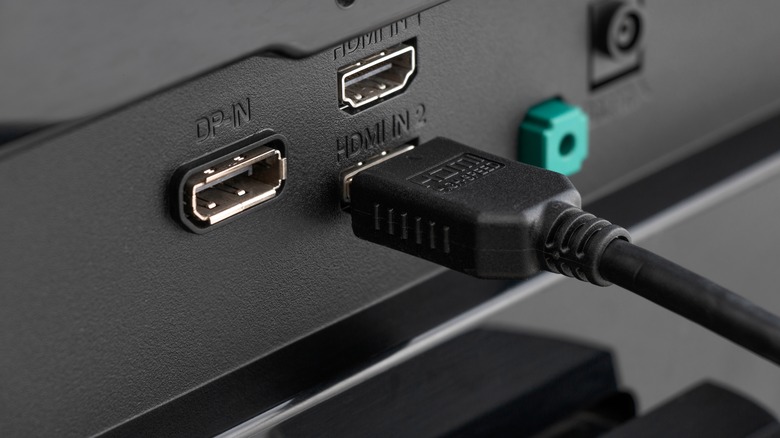
As a format, HDMI (short for High-Definition Multimedia Interface) has been around for more than 20 years. While HDMI cables and ports look pretty much the same, they've changed quite a bit since the format was introduced. There are many different kinds of HDMI cables, each with its own associated number between 1.0 and 2.2. Generally speaking, the higher the number, the faster it can transmit data.
If you haven't upgraded your HDMI cables in a while, you might not be getting the most out of your viewing experience, especially if you're playing HD content or high-powered video games on your TV set. The wrong HDMI cable could be limiting the amount of data coming through, impacting your picture and sound quality.
If you're getting any static or sparkles in your picture, it might be because your aging HDMI cables can't handle the bandwidth you're pushing through them. A certified 4K HDMI cable ensures all of your data gets from the source to your TV.
DVR
Once upon a time, TiVo was the cutting edge of TV technology. You could use it to find out what shows were scheduled and record your favorite programming. You could even set up wish lists to record every episode of a show as it aired.
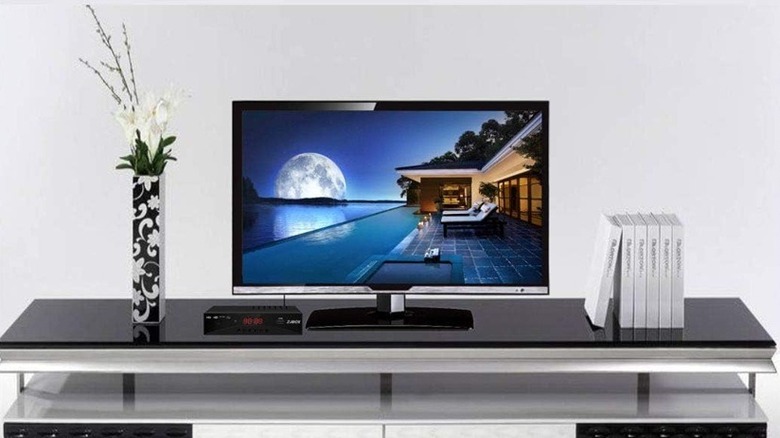
Now that we're living in the age of streaming, you can pull up your favorite content on demand, provided it's streaming somewhere, and watch it as many times as you like. As a result, the notion of recording and rewatching content largely fell by the wayside. Still, you can add an affordable digital video recorder (DVR) to your TV setup to record broadcast television.
This DVR from ZJBOX doubles as a digital converter box, so it will work with old school CRT TVs as well as modern sets. It also has RCA, HDMI, and RF cable ports on the back and comes with a remote control, HDMI cable, and composite cable so you can connect your other devices. You can connect up to a 4TB hard drive to record and play your favorite shows, store and view photos, and listen to MP3 music files.
Cable management
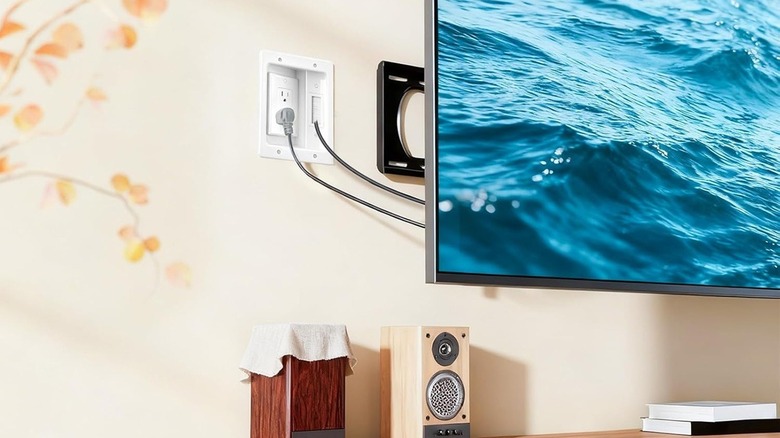
TV technology is becoming sleeker. Televisions are flatter and slimmer, streaming boxes are smaller, and most of our content gets streamed over the internet, so you don't have to keep a big collection of physical media. Everything is designed to make television viewing a seamless part of your home environment, but it can get muddied by cables dangling from your TV to an outlet below.
The world is awash with cables, and there are many different cable management solutions on the market, some better than others. From cord clips and ties to cable tubes, most cable management solutions focus on camouflaging your cables by running them along corners or furniture or hiding them inside tubes or slots that match the color of your wall.
This cable management solution from Naerza levels up your setup by hiding everything behind your TV or inside your walls. It creates a recessed opening in your wall to run cables and power cords to give your TV a wireless look.
Methodology, how we made our selections
There are countless TV accessories on the market, but not all of them are worth buying, especially if they don't make sense for your entertainment setup. In our home, we have a handful of modern flat-screen TVs, which we use for most of our day-to-day viewing, alongside a collection of older CRT TVs.
Those TVs are used for watching streaming content and live broadcast television, for playing my collection of DVDs and VHS tapes, and for playing retro video games the way they were meant to be played. You may not need everything or even most of the things on this list, but there's sure to be something you can add to your television to level up movie night.
Each upgrade or accessory on this list is something I have used and enjoyed. These upgrades let you maximize the functionality of your television set and improve convenience and viewing experience while watching or using your TVs. Best of all, they all come in under $50, so you can upgrade your setup without emptying your bank account.