

12 Useful iPad Apps You Might Not Know Exist

iPads are awesome, even if some Android features make it tempting to convert. You don't need to buy the cutting-edge iPad Pro M5 to enjoy the best it has to offer, either. The baseline iPad 11th generation (2025) will certainly get the job done. Apple's curated, restrictive App Store is where a lot of the magic happens — if you can find good apps to use. The problem is that when you're browsing for a new app, you often run across the typical culprits, like the overrated paid or subscription-based apps that hog the front page and get the most mention in lists.
So, today we'll cover a broad range of use cases, including apps that do just about anything imaginable. This list is for apps you (hopefully) haven't heard of that deserve more attention than they get and are useful for what they do. If you own an iPad, try one of these 12.
KDE Connect
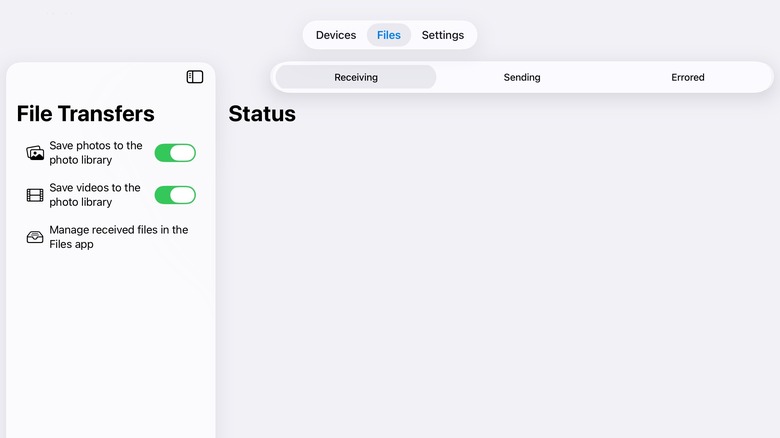
Do you have a Windows 10 PC that you're reticent to upgrade to Windows 11? There are a lot of good reasons you should move to Linux instead. Anyone who has used Linux, though, knows that you often end up sacrificing a lot of the convenience you were used to, especially apps like Phone Link and iPhone Mirroring that let your phone and computer interface more seamlessly. But in this case, Linux does have a fairly decent solution in the form of KDE Connect.
You'd be surprised how many features KDE Connect incorporates. We're talking easy file transfers, a shared clipboard, the ability to remote control your Linux PC from your iPad, access to battery status, and more. Be warned: The iPad app does not have the full scope of features that the rest of the KDE Connect project does. Some may never come unless there is a fundamental change to iOS, such as notification syncing. However, we'd argue KDE Connect covers the most common use cases, i.e., transferring snippets of text and files between devices. Development is ongoing, so we imagine more features will continue to come, provided iOS can facilitate them.
One final note: You do not need to be using KDE Plasma as your desktop environment on Linux for this to work. KDE Connect specifies that it works on all desktop environments of any supported distributions. The only exception is GNOME, which has its own GSConnect app that may be preferable.
Readest
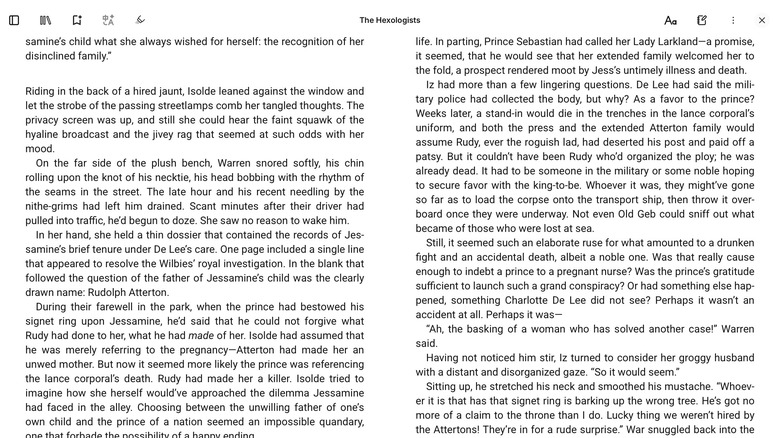
Apple Books is pretty great as far as e-reader apps go. I find it to be incredibly smooth, with sufficient customization settings and a lot of nice little features, like how it changes automatically between light and dark mode depending on your lighting situation. Just one little problem: It's an Apple exclusive. You won't find it on Windows or Android. So if you've got an iPad and a Windows PC, you can't sync your library and reading progress between devices. Readest fills the gaps here.
Readest is a fully featured e-reader app that functions effectively the same as Apple Books, minus a storefront for books. Enjoy your books not just on your iPad but on any other platforms you might have, including iOS, macOS, and non-Apple platforms like Windows, Linux, Android, plus a convenient web app. In addition to getting that progress and library sync that's vital to cross-platform reading, you can keep track of notes and highlights you take as you read. Perhaps best of all, you can sync up to 500 MB of books for free without subscribing to paid plans.
As great as this app is, anecdotally, I've had some syncing issues. I struggled to get this app to sync books and progress between devices and to transfer progress to KOReader. That may just be me, though, so your mileage may vary.
Hyperduck
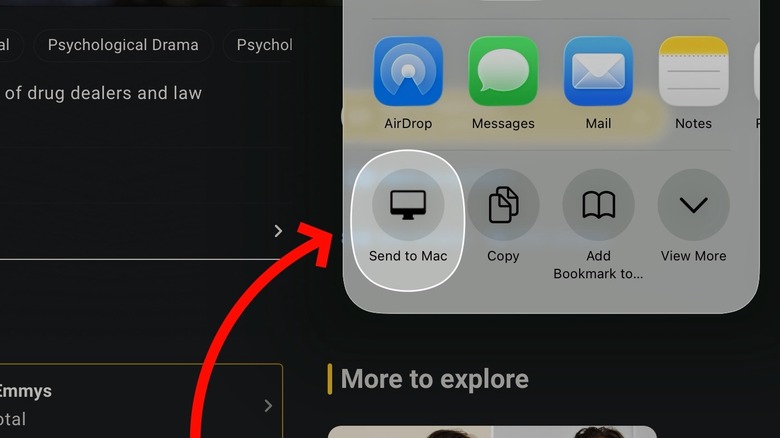
Often I'll stumble upon a link on my iPad that I want to table for another time when I'm on my computer, like news articles, software, interesting links, all sorts of things. There's a million ways I could do this, of course, like adding it as a bookmark or saving it to a note. But even easier than that is to install Hyperduck and fling it to my Mac.
Hyperduck is an iPad app that creates an entry in your iPad's share menu that says "Send to Mac." And that's all it does. Regardless of whether or not your recipient Mac is turned on or even connected to the Internet, the link will get there eventually, come hell or high water. So after using Hyperduck, check your default browser on your Mac, and the link should be waiting there; I can't remember a time a sent link wasn't sent.
I find Hyperduck excels when you're busy with something else but would like to give a link proper consideration later when you're mentally ready for it. It's so nice being able to tap the "Send to Mac" option, forget about it, and know you won't lose it. However, there are much better options out there if you want a central place to collect a bunch of links that you're currently working on.
Procreate

In the interest of fairness, Procreate is a pretty well-known app that you may well have seen on the App Store front page. However, we put this one here because some people may have skipped past it, mentally filtering it out as one tends to do with App Store adverts. We want to single this one out because, one, it's amazing. It's an incredibly powerful digital art suite for basically anyone, regardless of whether you just want to do some basic sketching or are looking to create rich digital illustrations. Paired with the Apple Pencil on an iPad, you could probably do some seriously professional work here.
The second reason is the price. Procreate feels like something in the realm of Photoshop that should cost you a couple hundred dollars at least. Amazingly, though, it only runs you a paltry $12.99 on the App Store. That's a one-time payment, by the way. No subscriptions. It comes with tons of free brushes and features that in another app might cost you extra. There's no need to have the overpriced iPad Pro to use it, either, with the only requirement being iPadOS 16.3 or later. The Procreate team pushes out regular updates, too.
It's one of those rare apps that is incredibly well made from top to bottom, gets excellent support, and has a reasonable cost. Hopefully it stays that way. If Procreate joins Apple's Creator Studio and starts locking some of its features behind a subscription even if you bought it, we may just cry.
Speedtest
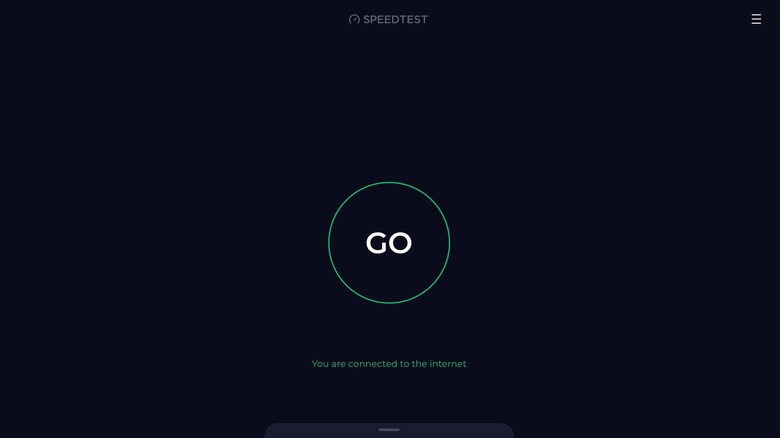
Diagnosing the cause of slow Wi-Fi can be tricky sometimes. It could be that the website you're visiting is simply down, or it could just be that something in your home is interrupting the Wi-Fi connection. A handy app for those situations is Speedtest. This is the app version of the well-known Speedtest by Ookla utility at speedtest.net.
If you know Speedtest, then you know what to expect. One click checks your download and upload speeds, shows you your IP address and your provider. Just like the web app, it's a clean, nonintrusive interface with a big, pulsing "Go" button that requires no extra interaction. We'd argue the app version is superior to the web version, since the web version obviously may struggle to load on a slow connection — though that in itself may indicate the problem. There's not much else to say here. Download this one now so you're ready to go when internet outages strike.
Planner 5D

Planning the layout of your home, apartment, or any other space seems easy when you deploy the measuring tape and your imagination. Then the furniture arrives, and you find out it's bigger than you anticipated. Don't get caught off guard again by using Planner 5D to design the layout of your home. The app is available on iPhone too, but we'd argue that the big touch interface of the iPad makes it superior for proper home planning.
Planner 5D does exactly what you expect it to do, allowing you to create a 2D and 3D layout of your home and then drop in pieces of furniture and decor with accurate measurements for an accurate visualization. More helpful than that, you can use your iPad's camera to let the app do the work for you and then get photorealistic renders to understand how things like lighting will affect the space.
Luckily, there's a free version that lets you create as many layouts as you like (plus cross-device syncing) with a limited number of drop-in items. The premium version, though, is quite pricey. It costs $120 a year, and Planner 5D is way too heavy-handed in encouraging you to subscribe; when you first download the app, it feels like you have no option but to pay. However, you can start a 7-day free trial to see if it's worth it.
ToonSquid
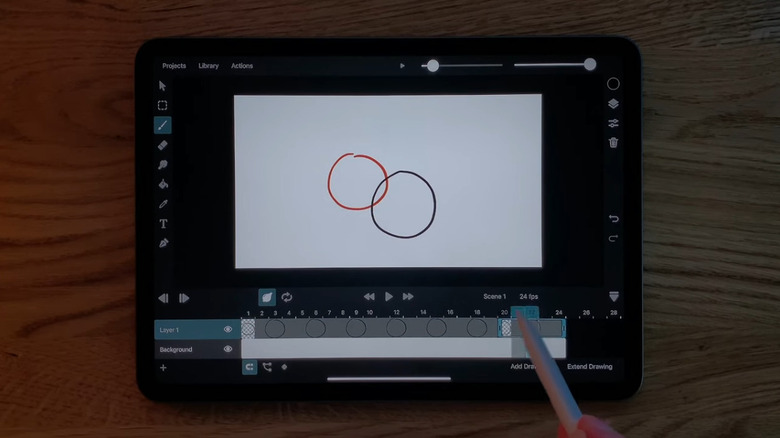
As we've mentioned, the iPad and Apple Pencil combination makes for an incredible art creation toolkit, and that extends beyond just static images. Old-fashioned 2D animation is an example. Using ToonSquid, you have a complete animation studio at your fingertips. That includes classic onion-skinned hand-drawn frames, plus a whole palette of brush options and tools like a bone rigging system. You could legitimately create an entire animated short without leaving the app, since it allows for audio layers, video insertion, camera control, and more.
Just check the list of features for yourself and be amazed at just how much ToonSquid is capable of. There's something here for traditional-style animators as much as those looking for more flash-like animations using vector shapes. The 4.6-star average confirms that this is one of the best ways to animate on the iPad. The only thing it can't do is 3D animation.
As an added bonus, this is also a fairly priced option. ToonSquid costs only $9.99 despite the depth and breadth of its feature set. Consider that some of the best professional animation software, like Moho Debut, starts at $59.99 and goes up to hundreds of dollars.
forScore
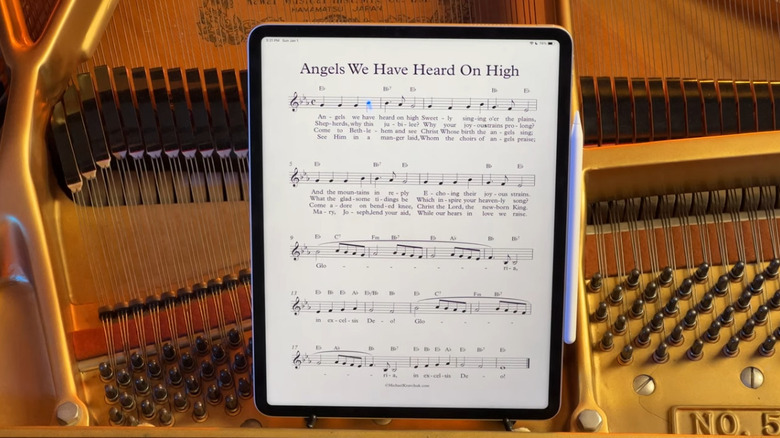
Apple devices have often prided themselves on how thin they are. Steve Jobs famously showed up on stage with a manila envelope from which he produced a fully functional laptop. In the same vein, the iPad is an impossibly thin device, with the M4 Pro onward being 5.3 mm thick. It's not the paper-thin computer of science fiction yet, sure, but certainly thin enough to sit on a music stand. forScore makes it the one and only repository for your sheet music.
forScore really does try to be the only app you'd want or need. It aims to do everything you'd expect, like being quick and responsive, customizable, and looking good at the same time. It supports all sorts of ways to add your sheet music, annotate it, and get the right pitch. It also supports the Apple Pencil very well, if you have one. We'd argue this is the superior way to access your sheet music while playing; anyone who's played an instrument before knows how annoying it is to flip pages mid-song, only for them to sometimes flip back.
The only downside we can think of is the pricing. The app costs $24.99 — a universal purchase on all devices — but there's still an optional yearly subscription after that for some of the pro features. Some of those features include really cool, really useful stuff, like the ability to turn pages with a facial gesture. It is, again, totally optional and is more for power users who want to support the development. Hopefully some of those features do eventually trickle down to everyone else, though, since changing pages with a facial expression sounds really cool.
Merlin Bird ID
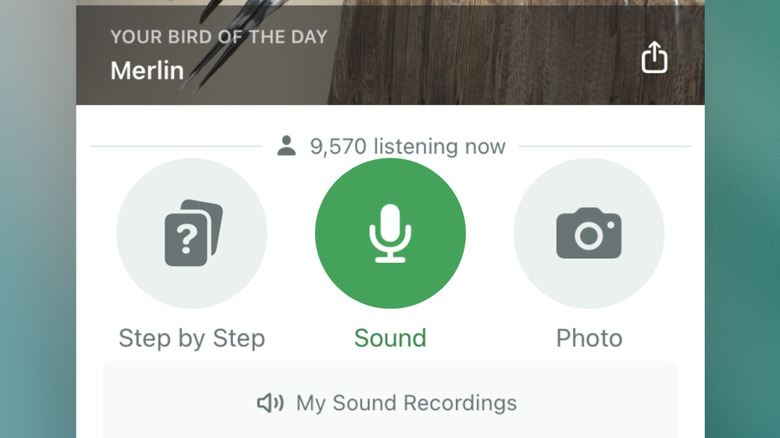
Ever wonder what species of bird is outside your window, making the birdsong you enjoy every morning? Wonder no more. Cornell Lab's Merlin Bird ID can probably tell you. The app leverages eBird, a massive database that includes birdsong for recognition, as well as photos and info on where to find birds. Aside from all the expert information the app contains, it can tell you which birds to look for in your corner of the world. That corner could be anywhere. eBird has info on species across North and South America, Eurasia, and Africa.
Most importantly, you can use your microphone and some machine learning to listen to, analyze, and identify the bird that's singing. When you first open the app, it offers to listen in the background for bird species and send you a notification once it identifies them. So it's the perfect app for enthusiasts as much as casual users. Oh, and best of all, it's 100% free to use, with no obligatory payments for any of its features.
One last thing: This is technically an iPhone app, but as anyone who's used an iPad for a while knows, iPhone apps almost always work on iPad — they just lack proper iPad UI and scaling. The app is functionally identical. We recommend using your iPad in vertical orientation so it fills most of the screen. Now go make your own smart bird feeder with a Raspberry Pi and use Merlin Bird ID to identify the visitors.
LocalSend
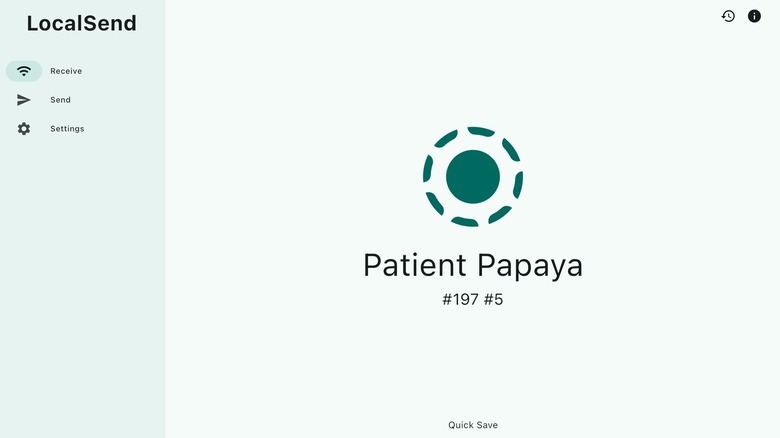
AirDrop finally works with Android, so soon it'll probably cease to be an Apple exclusive like blue-bubbled texts. But as convenient as AirDrop can be, it's not always the best option, particularly for large transfers, large files, and folders. Instead, consider using LocalSend.
LocalSend is available on basically any platform and facilitates sending files over a local network rather than uploading them or using a relay service like Blip. It's free, open-source, super secure — files are locked down with E2EE from device to device — and limited only by your Wi-Fi router's maximum supported speed. This could be a godsend for someone who has a data cap on their home network and wants to transfer large files wirelessly.
What's amazing about this app, though, is how easy it makes sending files. Give it the necessary permissions, select your files, choose a device on the local network you want to send them to, and let it do its thing. I've never had any issues with transfers being slow or failing prematurely. Once you start to use it, plugging in a device via USB to transfer files becomes incredibly tedious.
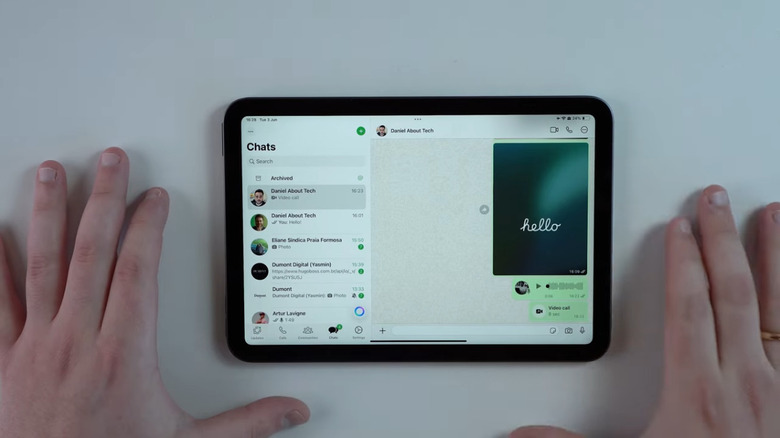
"WhatsApp?" you say. "That's one of the most popular apps in the world!" It is. Frustratingly, though, it did not have an iPad version for a long, long time. You were forced to use the (not amazing) web interface or trust one of those sketchy WhatsApp alternatives to get messages on an iPad. Now you don't. As of May 2025, WhatsApp has its own native iPad version that just works. So if you somehow missed the announcement, now you can end the suffering and get all of your messages, notifications, and calls directly on your device without any workarounds.
The app is functionally identical to the iPhone one, albeit now properly sized for the iPad's bigger screen. There's just one little wrinkle: The WhatsApp iPad version cannot be your primary WhatsApp device. It's a lot like the WhatsApp app on desktop, where it syncs everything from your phone and does not work otherwise.
Anecdotally, I've seen some hiccups here and there with message syncing. For example, it seems to randomly decide when to cut off older messages; I might scroll just a few lines back into my chat history to find all older messages missing, requiring me to get them on my phone instead. Aside from that, it works great.
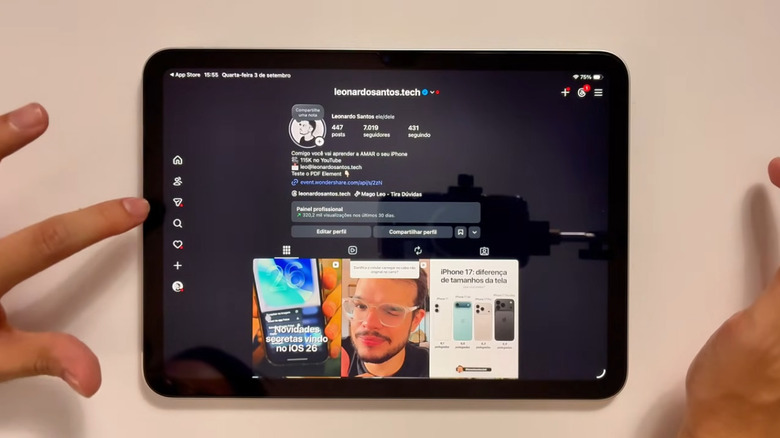
Another incredibly frustrating omission from Meta was a native Instagram iPad app. Unlike WhatsApp, you could use Instagram on the iPad — i.e., by downloading the iPhone version — but it was not ideal. Turning your screen to vertical orientation made it feel like doomscrolling on a huge iPhone, but even then, the result was an unwieldy, pixelated mess. Now Instagram is officially, finally on iPad as of September 2025, so if you missed it, go download it now.
While we're glad to finally have it, the experience does leave a bit to be desired. Meta has chosen a somewhat confusing layout: Your toolbar is on the left side, and you get a candy bar-shaped feed browser in the middle with huge black margins. It feels like Meta could have stretched some of the content, filled the screen with more of it (like when viewing a profile or searching), or relocated information to the sidelines. It seems like Meta just slapped the iPhone app onto the iPad and called it a day. However, you can make use of that extra space when watching Reels by opening the comments section. The black space also responds to touch, so swiping up in the void will advance you through the feed browser or to the next reel.
Though it's years late, we're not complaining. Better late than never, as they say. But our hats go off in mourning to Meta's Messenger users, who can no longer use the app on Mac, Windows, and soon the Messenger-only website. The iPad's new WhatsApp and Instagram apps only just got here, so hopefully they're not sucked into some Meta superapp just for ad revenue.