

11 Useful iPad Accessories For Kids That Should Last A Long Time

We may receive a commission on purchases made from links.
Handing a new or refurbished iPad (yep, there are iPad reseller websites) to a child can be nerve-wracking. No matter how much you spend, it can be a headache to keep it clean, charged, and in good repair. As robust as most iPads are these days, they're still susceptible to breakage. While replacing an iPad screen is possible, it's not something most of us look forward to. Fortunately, when it comes to keeping an iPad safe in your kids' hands, there are plenty of solutions to try.
Before you crack the box open, check out this list of accessories. They should not only last a long time but also help the iPad survive longer. Still, it might be worth waiting until the cheapest time of year to buy an iPad.
Then, don't skip the built-in features your new iPad offers. Protecting kids and teens is simpler with Apple's privacy protections and kid-friendly settings. As far as protecting the iPad itself, you may want to start adding these accessories to your cart. Stay tuned after the list, too, for our methodology explaining how we chose each item.
Durable case
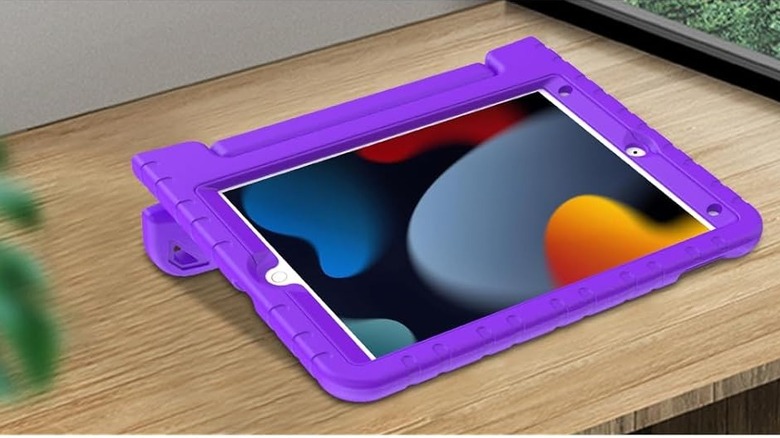
Possibly the first hazard your iPad will be exposed to is physical damage. Even the most responsible child (or adult!) can drop an iPad. The first line of defense is a sturdy case, but it's not just padding that matters. For little hands, a handle is a must-have, even better if it can function as a stand on flat surfaces.
Which case works best for your child will depend on their age and maturity level, but I have two favorites I've found to be super durable. First, the Ltrop iPad case from Amazon has survived for more than four years on one of the iPads our kids use. It has a handle that folds so you can stand the iPad up, and the bumper edges have saved us quite a few times. It's pretty difficult to get on, as it fits snugly, but that's a plus if your child is the type who likes to disassemble things.
Another durable case that I like because it has a handle and stand is a generically named one from the Miesherk store on Amazon. The case has a plastic frame with silicone over the top, and it has a strap to hold it, plus a kickstand and stylus holder. I use this case a lot in a classroom of curious kids, and it's held up well.
Screen protector
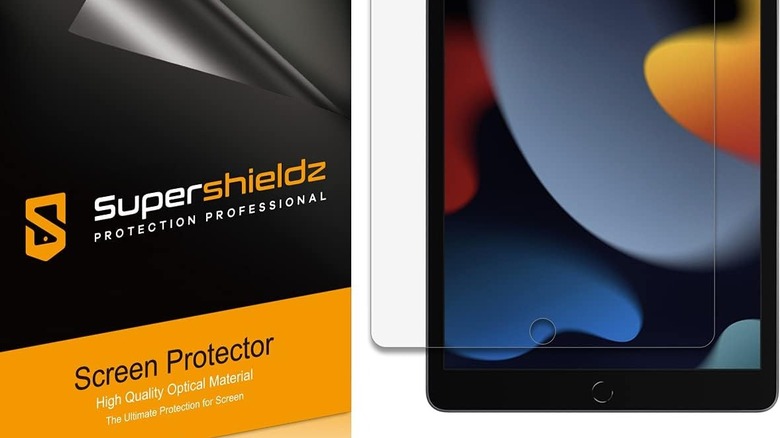
While some iPad cases come with built-in screen protectors, not all do. If yours doesn't, make sure to grab a package of heavy-duty screen protectors for your kids to use. Purchasing a multi-pack of an ostensibly indestructible screen protector might seem silly, but if you run into problems applying one, you'll be glad to have a backup. Apart from that, many of the heavy-duty screen protectors are so thick that they'll defend an iPad screen against damage by sustaining that damage themselves.
To date, only one Supershieldz screen protector has been damaged in my household, and that was because an iPad went on an adventure underneath the couch. In short, they seem to last forever, and you can get them on Amazon in various sizes to fit your generation of iPad.
Of course, since kids are typically known for being messy and hard on their belongings, it may also help to learn how to safely clean an iPad. Screen protectors can get gross, too, so be prepared to clean them regularly between uses.
Blue light protection
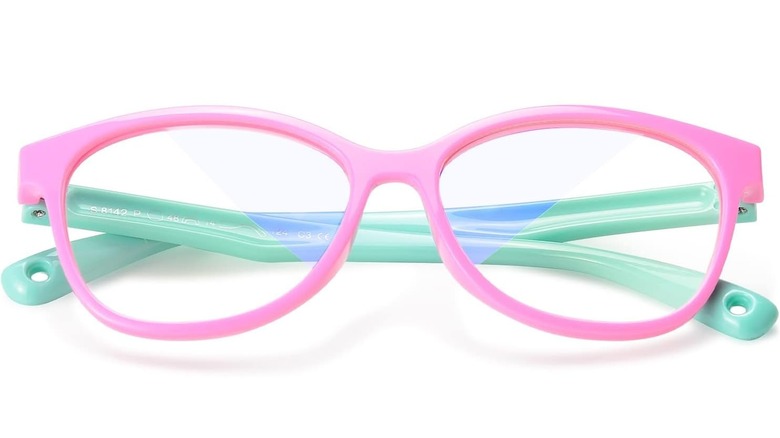
There might be controversy over how much screen time is harmful, benign, or beneficial to kids, but there are some facts that seem straightforward. For one thing, Harvard Health Publishing notes that nighttime exposure to blue light can suppress the body's melatonin production, which can lead to sleep disruption. One way that Harvard suggests reducing the potential impacts of blue light is by wearing blue-blocking glasses.
Reducing kids' exposure to blue light screens at night (two to three hours before bed) is a good policy, according to Harvard, but blue light-blocking glasses could be a handy solution for many families. Seeafun on Amazon has blue light-blocking glasses for kids that also offer UV400 protection.
The glasses are flexible, so they can stand up to being bent and dropped. Consumers who have bought Seeafun glasses note that they are practical for small kids, withstand a lot of use, and seem to ward off scratches well. Each pair also comes with a cute car-shaped case, which makes it easier to keep track of the glasses.
Light-up charging cable
To be fair, charging cables are something that kids and adults alike are relatively hard on. It's also easy to lose your charging cable, especially if you're out and about and charge devices on the go. iPads generally come with chargers, but good luck hanging onto the one that comes out of the box. After years of using various charging cables for all my household's devices, I have a favorite that hasn't gotten lost yet.
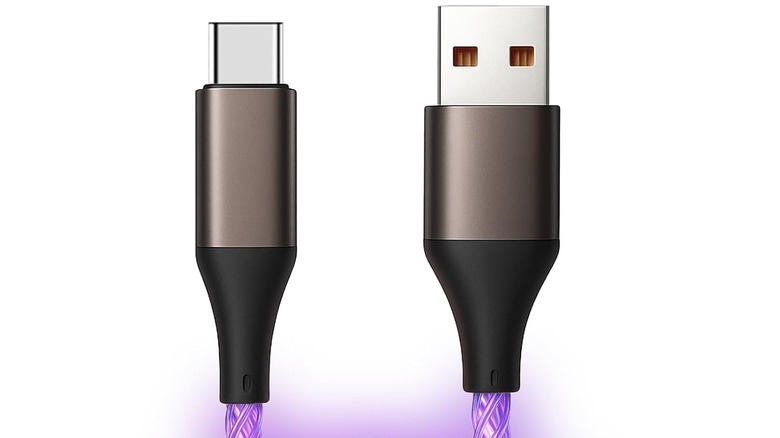
While your mileage may vary, in my experience, kids are more likely to charge their devices when needed if it's kind of fun. On the same note, they're also more likely to remember to bring their charger along if it's memorable — or flashing constantly. Enter an LED USB cord that flashes or lights up the entire time it's charging, and even when it's not.
The hard-to-misplace favorite in our household is an LED USB-C cable, which you can find on Amazon. Some parents may dislike the constant glow, and it can be a bit disconcerting at first. However, it's never been left behind during our travels, and no one forgets to unplug it, either.
Headphones
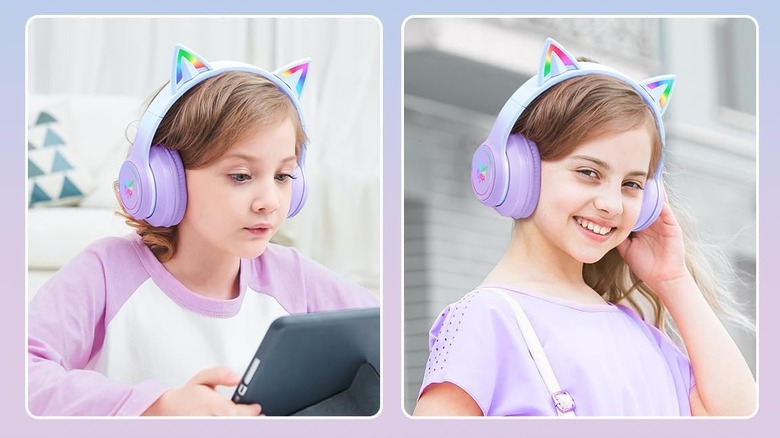
Personally speaking, headphones are a tough purchase for kids. For one thing, my kids have always been higher on the growth curve, so toddler headphones never fit right in the first place. I've heard complaints about comfort, and we've had headphones that simply fell apart after only a few months of use. So far, a major win for us has been finding headphones that are not only fun but also durable and sized large enough for adult-size noggins.
Currently, we're running on a pair of light-up cat-ear headphones that my kid adores. They are, of course, rechargeable, and in our experience, they last for hours of playback between charges. However, a 3.5mm audio cable is also included, which is handy for older devices or plain-old radio listening. Onitoon's cat-ear headphones on Amazon were the best-rated I could find, and I'd give them a solid 5 stars, too.
The band is size-adjustable, and the padding has ensured my tween has never once complained about comfort. They even fold up for storage, although they don't come with a storage bag. One note about shopping for kids versus adults: The adult version (which we own) goes up to 105dB, while the kids' version has a limit of 85dB. For younger children, the kids' version is probably the safest bet.
Stylus
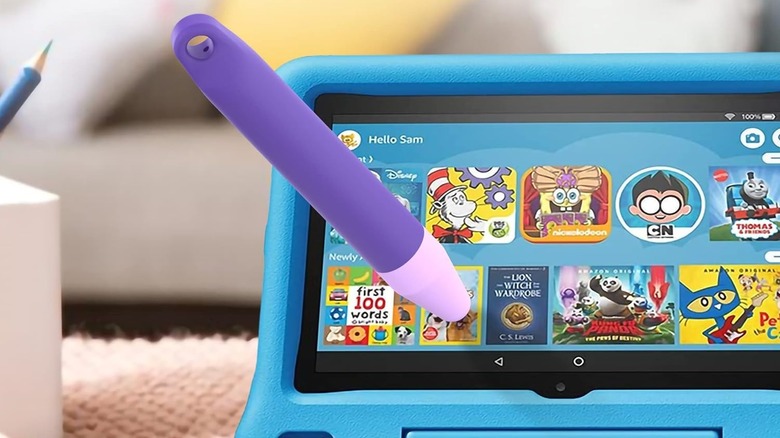
One of the things that children I work with are absolutely fascinated by is using a stylus on my classroom iPad. The only problem is that young children are pretty rough on styluses with small tips (the same way they tend to be with dry erase markers or colored pencils). To avoid your stylus wearing out quickly, you might want to try a chunkier stylus that's made for small hands.
One highly rated option on Amazon is a low-cost brand called Awinner. Their two-pack of styluses was $10 when I browsed, and their crayon-like shape is ideal for smaller hands. The nubs on the ends are larger, too, to withstand high pressure from toddlers on up. I also like that there's a hole in the end that you can loop a strap through, because one key to longevity in kids' iPad accessories is not losing the item.
If your kids are older, an Apple Pencil might be the best way to go, especially if they're interested in digital art or other precise stylus activities. Figuring out which Apple Pencil is compatible is likely the only hurdle, besides price.
Portable charger
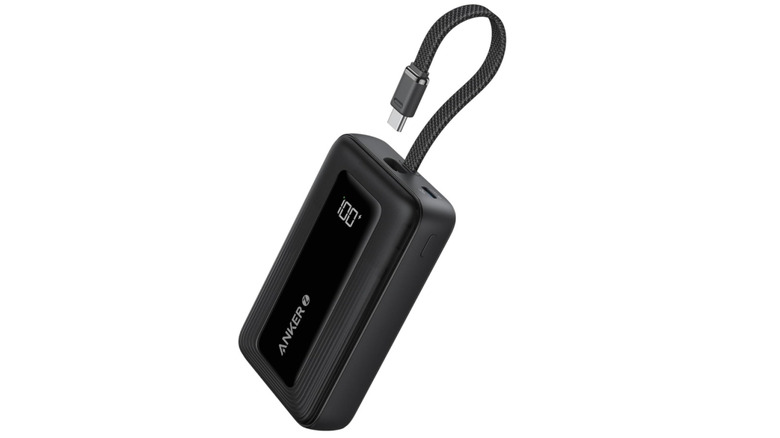
Whether you have a brand-new iPad or a refurbished (or hand-me-down) model, charging can be an issue. Charging issues are unfortunately common problems with iPads, and as ours have aged, it only gets worse. Either way, with kids, it's pretty likely you'll need more recharging capabilities than you might expect. That's where portable chargers can come in extremely handy.
Anker battery packs have survived the longest in my household, making the brand my top recommendation. Anker products are some of my favorite tech gadgets on Amazon, and that includes surge protector power strips, magnetic phone chargers, and portable battery packs. You'll find plenty of options, but a top-rated Anker device on Amazon is the Anker Portable Charger.
On a final energy-saving note, there are some settings you can change to extend battery life, like turning down the screen brightness, making sure the device has the latest updates, and turning off background app refresh. Teaching kids to conserve energy can be tough, but establishing a routine where devices get charged up at night could help avoid meltdowns during the day.
Keyboard
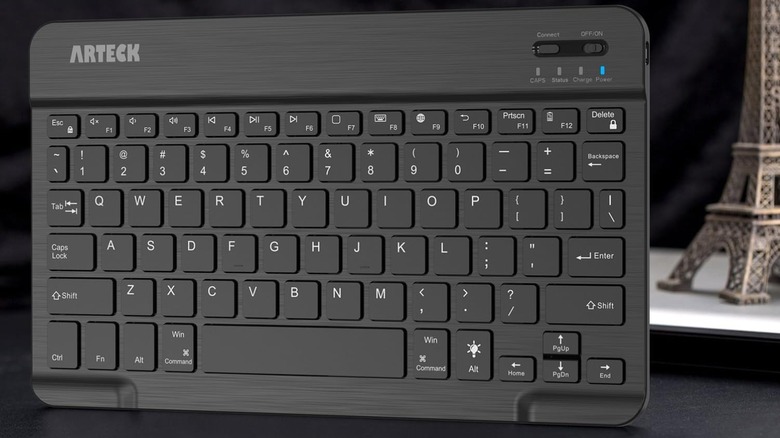
Because an iPad can be a serious investment (hence the reason why you want durable accessories to go with it), you probably want it to do as many jobs as possible. Although there's nothing inherently wrong with having an iPad, a phone, and a laptop or computer, it's not really necessary if the iPad is robust and new enough. Using an iPad as a laptop replacement might make sense and could save you money that you won't have to spend on other devices.
To make the most of an iPad in terms of the tasks it can do, a keyboard is a must-have gadget. Arteck has a highly rated one on Amazon that has LED backlight options, an auto-sleep function to save energy, and a battery that can last for as long as six months. Over 27,800 ratings on Amazon suggest that the Arteck keyboard is durable, connects to various devices easily, and is lightweight and portable.
Tablet stand
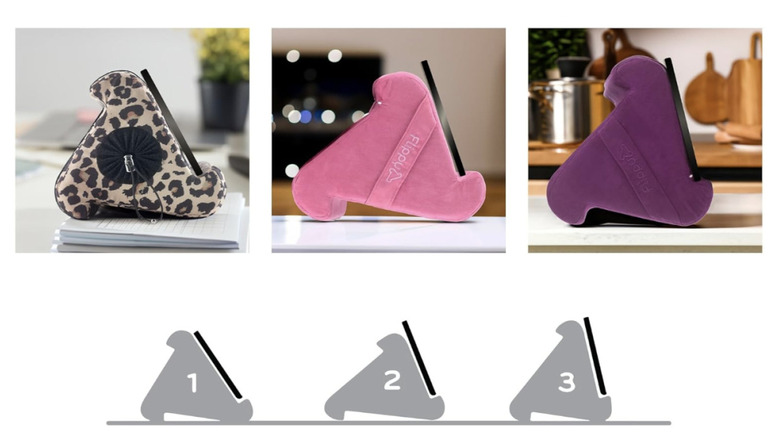
If you're concerned about your kids' posture while using their devices, you're probably not alone. The Mayo Clinic confirms that "tech neck" leads to discomfort and posture problems, and the cause is simple. If you stop hunching over while using devices — or prevent your children from starting the bad habit — you can avoid problems like chronic neck or shoulder pain.
A simple way to encourage kids to maintain better posture while using an iPad is by using a special cushion stand designed for that purpose. While a plain pillow may work okay at home, the Flippy on Amazon is easy to bring with you and offers better positioning for iPad viewing. Each of the three sides props the iPad up at a different angle, so it's not lying in your child's lap and forcing them to lean over it.
Over 21,200 ratings suggest that the Flippy is a comfortable and durable solution for all ages. Reviewers say it's good quality, makes it easier to read on devices, and helps ease neck and shoulder strain.
Car headrest mount
Plenty of parents rely on technology to get through long car trips with kids. Back in the day, I used a DVD player in the car to entertain my kids during long trips. These days, you can put on plenty of streaming shows, either downloaded to your iPad or streamed via a data plan, while on the road.
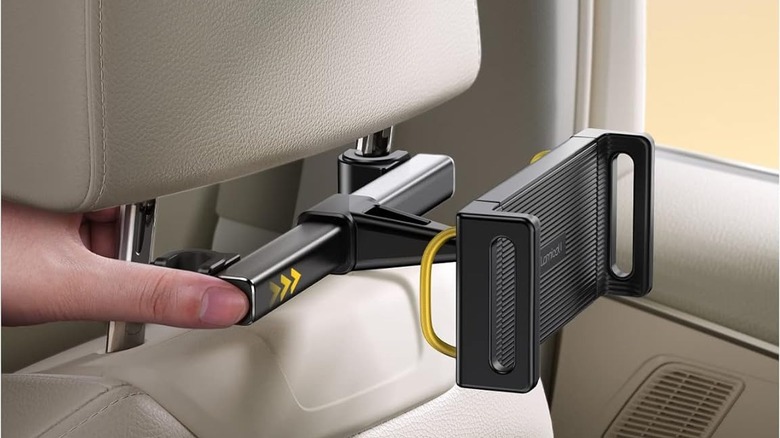
Although positioning pillows like the Flippy could be great for a single child on a road trip, a headrest holder allows multiple kids to watch the same show. It also means the iPad won't slide onto the floor if the viewer gets sleepy. Amazon has a variety of options to choose from, but the best-rated one we found is the Lamicall version.
The Lamicall car tablet headrest holder fits devices from under five inches all the way to 13 inches, and it snaps onto the headrest bars of any vehicle seat. Once you snap it on, a swivel arm lets you adjust the angle and positioning. Reviewers on Amazon tend to agree that the tablet mount is easy to install and is durable for travel and long-term use.
Osmo learning kits
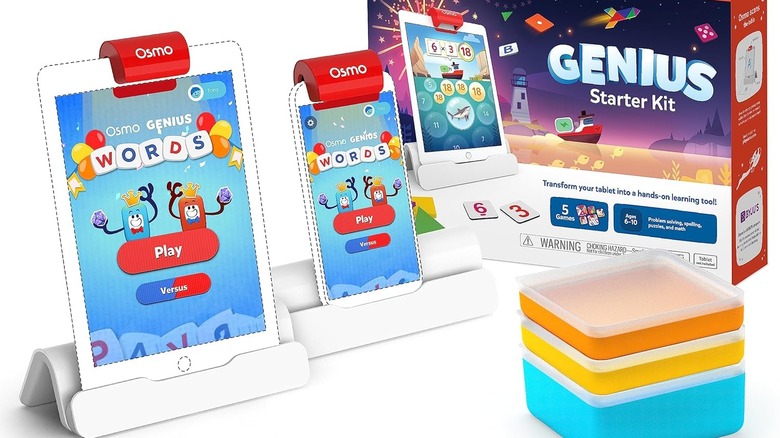
One of our longest-running iPad accessories is a set of educational materials that has outlasted any other app in the Apple Store. My household has been fortunate enough to receive multiple iPads as hand-me-downs, which sometimes means they're a bit out of date by the time we use them.
One such iPad was gifted to us with an Osmo kit from Amazon, and years later, the setup still works. In fact, it still works even though it's an older-generation iPad that can no longer be updated. The iPad won't even run any other apps, but for some reason, the Osmo equipment has held up.
If you've never heard of Osmo before, Osmo kits rely on iPad apps but also include physical pieces with an educational purpose. My kids enjoyed math and language arts games on our iPad with Osmo. That helped create a sense of balance between educational and entertainment activities, something that's especially helpful for parents of younger children who are interested in devices.
Methodology

The majority of iPad accessories on our list are recommendations the SlashGear team has tested out at home. In the event the author has no personal experience with an item, the methodology behind our picks includes analyzing products on Amazon that are highly reviewed, receive great ratings, and have consumer feedback that indicates the products are durable and useful. Where relevant, the author has included personal experiences with the recommended products.