

12 Of The Best CarPlay Apps I've Tried And Can't Live Without
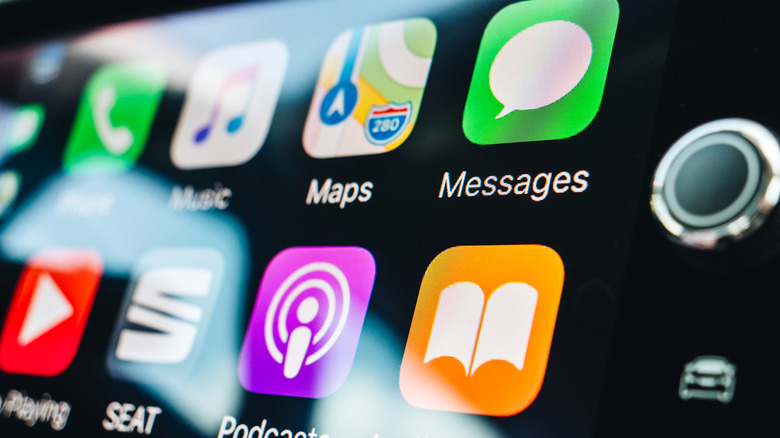
Modern driving can be a test of patience. Roads are filled with cars, which creates problems such as unpredictable traffic and an endless search for parking. Many people, including myself, love driving. But sometimes, long highway stretches can also bore us, and that's why in-car entertainment is of utmost importance. Apple CarPlay isn't just a feature on a car's spec sheet; It has entirely changed my relationship with my car. It's much more than a little tool that connects to your car via Bluetooth and lets you change songs or attend calls without touching your phone.
The screen on your dashboard, combined with Apple CarPlay, can help make long waits in traffic and long trips a treat, but only if you know which apps to load onto it. Like Android Auto, Apple CarPlay supports a wide array of apps. From useful navigation aids to music players to weather forecasters to games, the App Store is filled with gems. I have spent years using Apple CarPlay and Android Auto in my car. In the process, I have installed and uninstalled countless apps, only to winnow down to the ones that make life easier on the road.
I have finally narrowed down a list of the best CarPlay apps that have earned a permanent spot on my dashboard. While we'll rely on absolute no-brainers like Google Maps and Spotify, I have also found some nifty apps that help me get the most out of my infotainment system and help with gasoline and parking. Here are 12 of the best CarPlay apps that I can't live without.
Google Maps
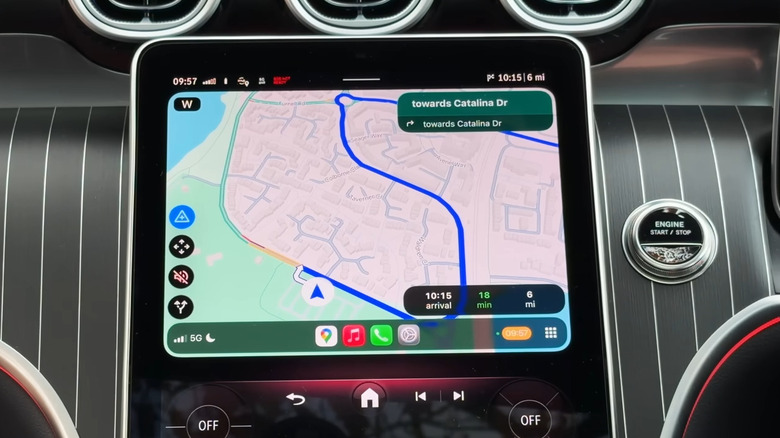
When talking about navigation, the first app that pops up in our heads is Google Maps. The navigation app has evolved over the years. It is used by over 1 billion users every month. Google Maps covers more than 220 countries and territories, which is the reason why almost everyone relies on it to get them wherever they want to go. While Google Maps still misses out on some features, such as not showing car speed when you don't have a destination pinned, there are plenty of powerful features available.
On CarPlay, Google Maps acts as the ultimate co-pilot. While Apple has its own Apple Maps, Google Maps is just superior in many ways. In fact, in SlashGear's survey to find out which GPS app people use, Google Maps came out on top. The real-time traffic intelligence stands out. It not only shows you where the traffic is but also reroutes you to a different and better path to your destination. The color coding for different city elements and traffic flow is excellent and easy to understand.
You can also seamlessly search for points of interest, such as restaurants or gas stations, along your current route. The offline maps feature is a blessing, especially when you have just landed in a new country and don't have an internet connection. You can view your travel timeline, plan your route, save trips for one-touch navigation, and get information about local businesses.
Spotify
If Google Maps is the navigator, then Spotify is the DJ. Yes, there are other music streaming apps, and some may be better than Spotify at certain things. But Spotify's familiarity and bazillion-song library are unmatched. Integration with CarPlay creates a seamless in-car audio environment and gives it an edge over Apple Music. Another area where Spotify beats Apple CarPlay is its superior discovery algorithm. It is rarely wrong and enhances the overall listening experience.
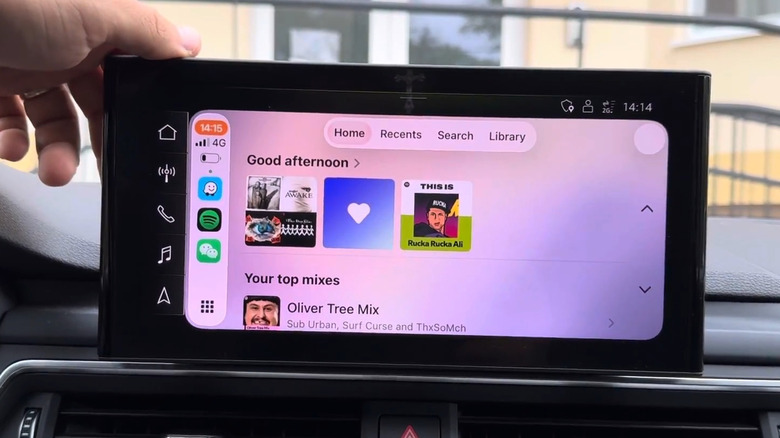
You can enjoy the same podcast you were listening to in your kitchen a while back as soon as you enter the car. Spotify on CarPlay has an interface that prioritizes safety without sacrificing utility. The Home tab provides access to your daily drive playlist or the album you have been listening to on repeat. Then you get the Recents tab that shows your recently played tracks. The Search tab lets you search for your favorite song, and the Library stores personalized playlists along with the artists that you have liked.
If you have a premium subscription, you can skip the ads and download songs for offline listening. This prevents the awkward silence you can have in no-cellular-network zones, making it a must-have CarPlay app for those long trips when it's just miles of highway and your tunes.
Waze
You might wonder why I have included Waze if I already have Google Maps. The answer is Waze's community. Google Maps shows you more information about the destination, such as phone numbers, reviews, operating hours, and photos, but Waze is quicker at rerouting to a faster route. Personally, having tested both Google Maps and Waze for a road trip across Eastern Europe, I found Waze to be a better navigator than Google Maps. The interesting thing is that Waze is also owned by Google.
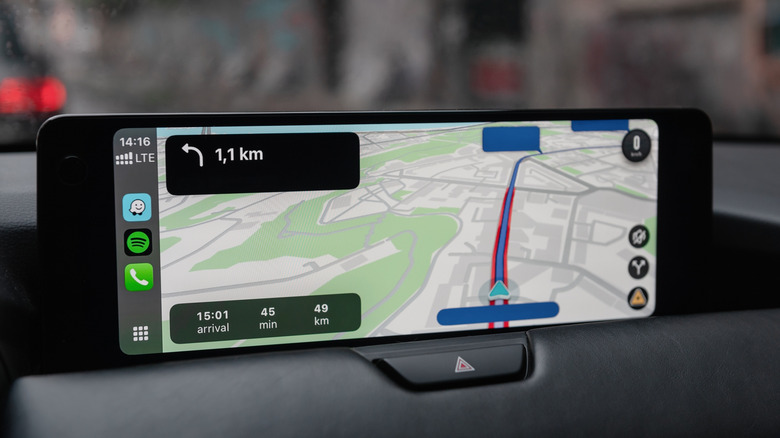
Waze's superpower lies in its community that shares real-time alerts about accidents, police presence, red-light cameras, vehicles on the shoulder, and potholes. These data may not seem significant, but they matter when you are on the road. Waze doesn't just ask you to turn left or right; It warns you about hazards along the way that you can easily avoid, helping you have a safer ride.
The interface may appear a bit cartoony, but that is a fresh take compared to the bland UI of Google Maps and Apple Maps. Also, Waze overcomes a shortcoming I had with Google Maps. That is, Waze shows you the current speed along with the speed limit, and the speed limit turns red if you exceed it.
Audible
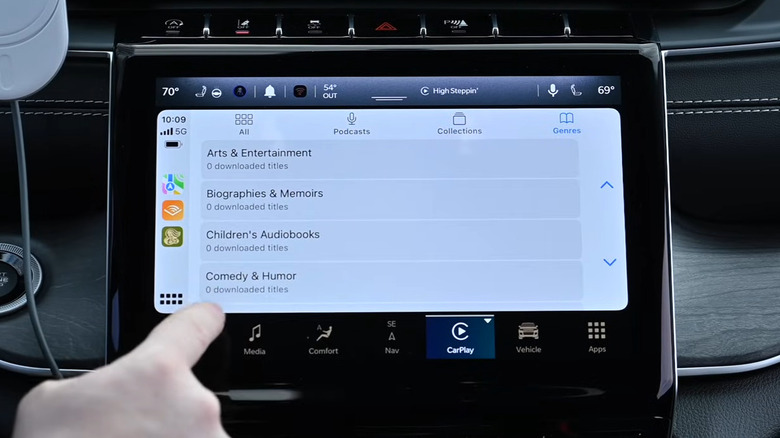
Listening to the same songs on a playlist on every road trip can get boring. While high-energy songs are a good starting point, there comes a time on the road trip when you would want to listen to something substantial. This is where I switch to audiobooks, and what better platform than Audible? Audible transforms your journey into a learning experience and is a suitable option for those who love to read.
You can turn that dead time spent stuck in traffic or on long stretches of the highway into an opportunity to learn something meaningful or simply enjoy a riveting story to help pass the miles. You can access a wide range of audiobooks and podcasts or listen to the collection that you have created while you are on the move. Audible offers access to bestsellers, new releases, and exclusive titles, or you can search for a niche audiobook.
Audible's CarPlay interface is clean, and you get easy access to the Library and Downloads section as a scrollable list. The controls are also big, and you get the rewind 30 seconds button to get you back on track in case you missed something crucial because of that sudden horn.
PocketFM
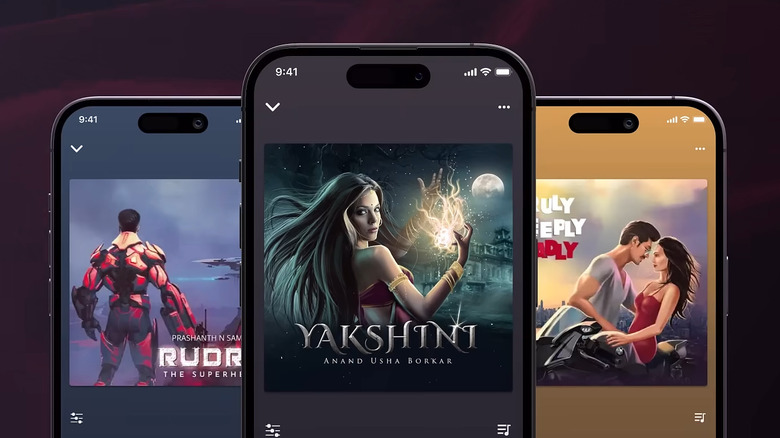
Don't be fooled by the FM term attached to the app name. PocketFM, an Indian audio series platform, has gained widespread popularity for its extensive collection of audio stories. I started listening to PocketFM to get out of social media doom scrolling, and in the process, I have completed a good number of audio series. Note that there is a good selection of binge-worthy audio series you will want to keep listening to.
According to PocketFM, there are over 100,000 hours of content to listen to, with over 75,000 audio series. Some series also have celebrity voiceovers, adding a unique twist to your listening experience. The audio series are spread across various genres, from fiction to thrillers to action to romance. PocketFM has it all, which is why it is one of the best CarPlay apps.
The best part is that each episode's runtime is between 15 and 20 minutes, perfect for quick trips across town. The interface is straightforward, and you can continue listening to the episode you were listening to at night. If you don't like intros or recaps and want to jump straight to the action, use the Skip button. The premium version lets you download episodes for offline listening.
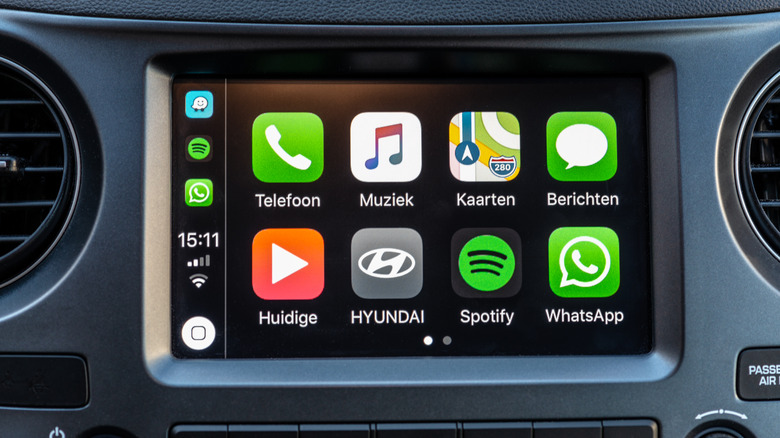
Communication shouldn't stop only because you are behind the wheel, but you have to be extra careful while driving. WhatsApp's integration with Apple CarPlay is what you need. It lets you communicate with your loved ones without putting your safety at risk. WhatsApp's voice-first interaction transforms the way you communicate.
Whenever you receive a message, it doesn't display a wall of text; Instead, it pops up a notification. With a single tap, you can ask Siri to read the message and also reply to it using your voice. The accuracy is excellent, even with those slang terms that you use with friends. This way, you can respond to urgent family questions and stay in the loop even when you are driving.
WhatsApp calls are often superior in quality, and with the CarPlay interface, you can easily access the recent calls list and communicate with anyone with just a tap. If WhatsApp is your primary communication app, then the interface on CarPlay ensures that you aren't cut off when you are on the road.
Simple Radio
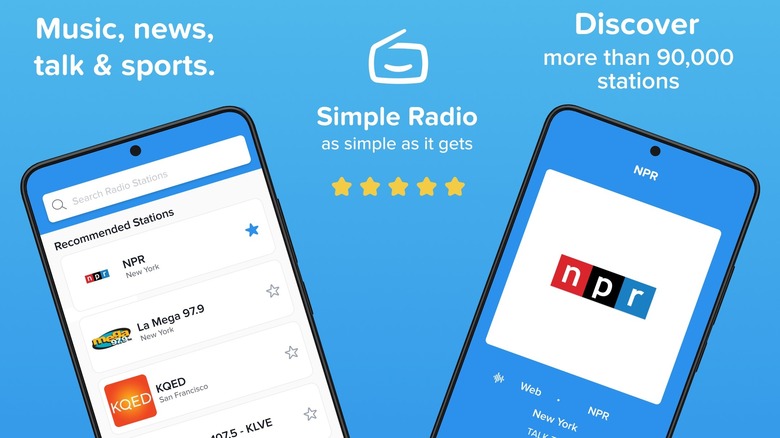
You have your car, it has a built-in AM/FM tuner, and you have Spotify to listen to music, so why would you need a third-party radio app? The short answer is quality and access to worldwide radio stations. Often, I switch to the radio to let the stations take control and be the DJ for my ride. This is sometimes out of curiosity and sometimes out of boredom. Although the built-in terrestrial radio is good, and it has many channels to switch to, it is limited.
Simple Radio resolves this issue and provides me with access to nearly every radio station worldwide. It doesn't depend on your car's antenna for reception. All you need to have is a strong internet connection, and you are good. This provides crystal-clear audio, even if you are located in a different country altogether.
The interface is also clean, and all your favorite stations are available under the Favorites tab. With Simple Radio, your CarPlay dashboard becomes a global receiver. Apart from music, you can also listen to news, sports radio, history channels, and more.
GasBuddy
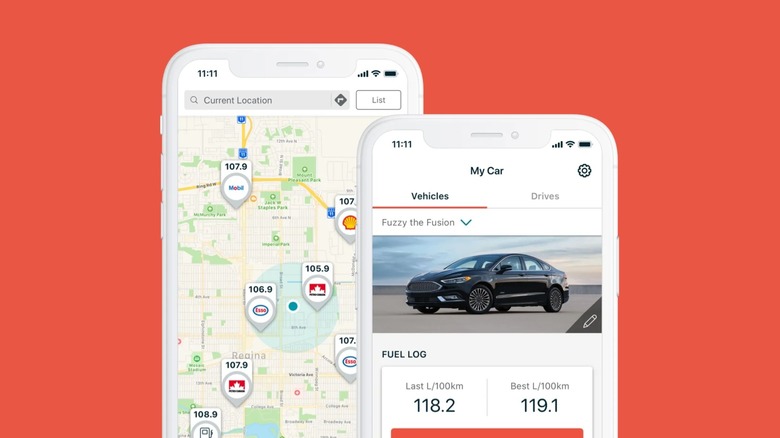
While most apps in this list are catered towards providing you with the best in-car entertainment, GasBuddy serves a different purpose. It aims to save some of your money. Fuel costs are volatile, especially in the current world scenario. We have all been in a situation where we filled up at a nearby station, only to learn that just a few miles down the road, another station was selling gas for much less.
The GasBuddy app eliminates that regret. It provides fuel price information across all gas stations so you can choose where to refuel and save money. It uses crowdsourced data to show you which gas stations are selling the cheapest fuel in your area. You can filter fuel types by regular, mid-range, or premium. It also shows you diesel prices.
Another interesting thing is that you can earn free fuel and money by playing games, finding deals, and snapping receipts. The earned points can be redeemed at gas stations. And don't forget to check the Deal Alert banner to unlock additional savings.
SpotHero
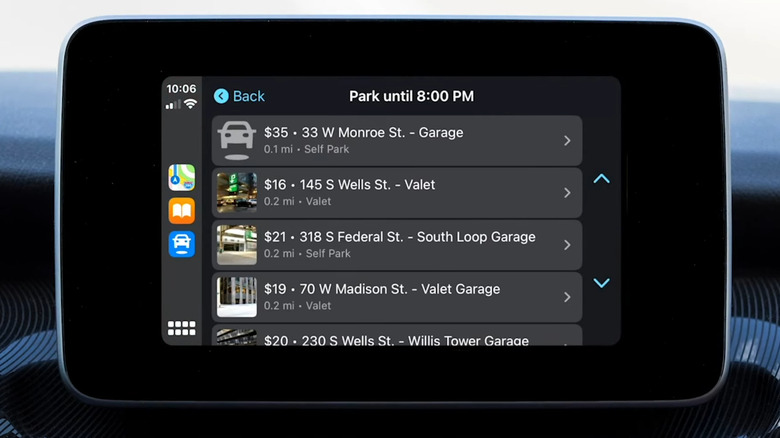
Driving is a fun activity for many, but ultimately, you have to find a place to put that car. But what if you could not find a parking spot? The overall mood can be spoiled and shift into parking panic. Finding parking at a hotspot, such as a newly opened restaurant or a concert, or even just in an unfamiliar city, can be challenging. This is where SpotHero comes into the picture. This app ensures that when you reach your destination, you don't have to circle the block for hours just to park.
SpotHero's integration with Apple CarPlay is a massive convenience for city driving. On the dashboard, you will be shown nearby garages and parking lots available for booking. Their prices are also shown alongside the parking spots. You can also enter the location to search for parking in that area and use filters — valet, self-park, covered, or uncovered — based on your parking needs.
Not only that, but you can book a spot on the mobile app and see the reservation under the Upcoming Reservations tab. I have used this app and found most parking space prices to be slightly cheaper than on-the-spot prices. You also don't need to switch to a different navigation app to reach the parking location, as it will guide you there itself.
Weather On The Way
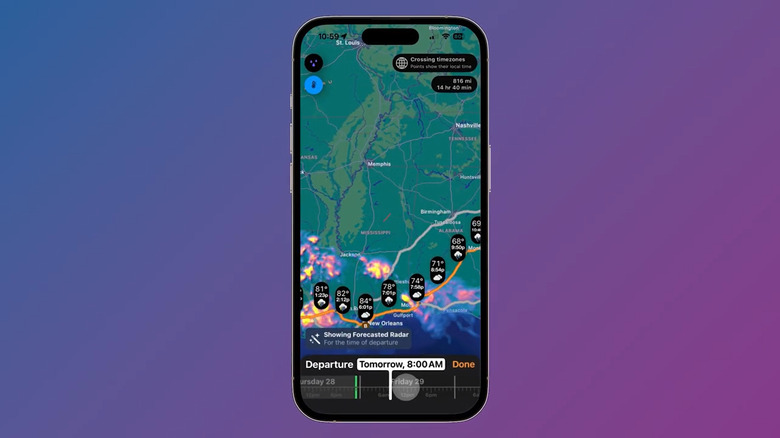
You check the weather forecast on your phone and find it perfect for a road trip. You get behind the wheel only to discover that it is raining like cats and dogs throughout your trip. Weather On The Way is an app that provides weather information at every point along your route, unlike standard weather apps that show weather for a specific location. Especially in America, where you will encounter frequent changes in the weather, from the hot and sunny south to the frozen climate in the north.
It goes without saying that you should keep your car ready for such drastic changes, and you can prepare your vehicle (and yourself) for the weather throughout your entire trip with Weather On The Way. Simply enter the location and check the real-time forecast for your planned route. This way, you can pack the items needed for the route if you plan to make stops.
The free version of the app is good enough, offering information such as temperature along the route, weather alerts, road closures, sunset and sunrise times, and some more features. To unlock its full potential, including alternate routes, live snow and rain radar, and levels of precipitation, you need to go for the pro version.
YouTube

Although YouTube is a video streaming app, you shouldn't be surprised to see it on the list of the best CarPlay apps for one simple reason: Its vast library of content. I am a '90s kid, and there are so many jingles and songs from back in the day that I have a hard time finding on apps like Spotify and Apple Music. However, it is easily available on YouTube, thanks to like-minded people around the world.
There are also many songs that aren't available on many music streaming apps, but you can find them on YouTube. Also, there are podcasts and audio series I love listening to that are available on YouTube but not on other platforms. Also, YouTube is a gem when it comes to finding live concert recordings, rare B-sides, remixes, and cover versions.
Though you won't be able to see the YouTube app on the CarPlay dashboard, you can use your iPhone to search and play the video on the YouTube mobile app and enjoy its audio through your car's speakers. Not a CarPlay app, but a must-have. If you want a CarPlay app, then you can use YouTube Music though.
Calendar
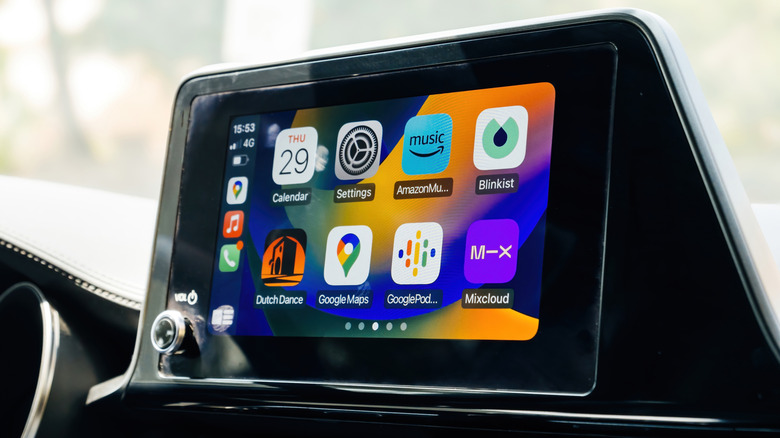
It might seem mundane to end a list of the best CarPlay apps with a Calendar app. But for those who work on the go, the Calendar app is the command center of the dashboard. In terms of CarPlay, the Calendar isn't about planning your day; It is about executing it. It shows all upcoming events and the navigation to reach the location listed in the appointment.
The Calendar app on CarPlay makes sure that you don't miss out on an appointment. As soon as you enter your car, open the Calendar app, and it will show you the upcoming events. Simply tap on one of those to take action, and if there is a location attached to it, then it will instantly open your preferred navigation app to take you there.
You don't need to type anything or search for anything to see what tasks you have up for the day. One tap, and you are connected via the attached application, even when driving.