

Dell XPS 13 Review: A Powerful, Light, Budget Laptop That's Ideal For Students
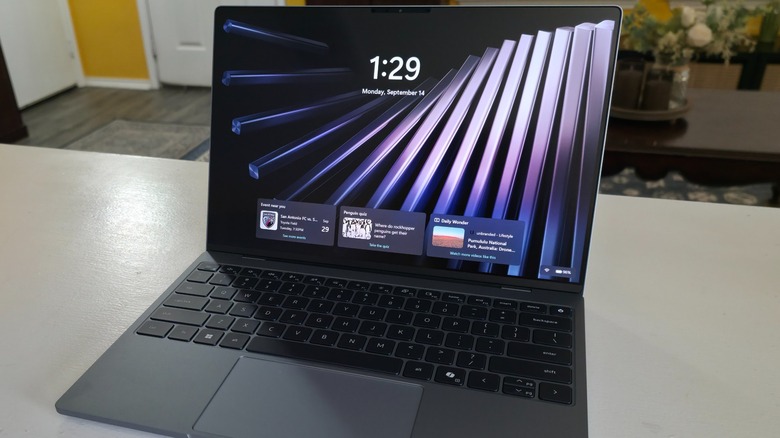
I've used a lot of computers over the years, and one of the companies that has gotten the most of my business is Dell. This extends far back in time, before the whole "Dude, you're getting a Dell" campaign made the company a household name, and I've purchased and used desktops and laptops. This includes numerous Alienware gaming laptops, all-in-one desktop systems, and much more, so when I got my hands on the latest Dell XPS 13 to review, I was already familiar with the company's tech.
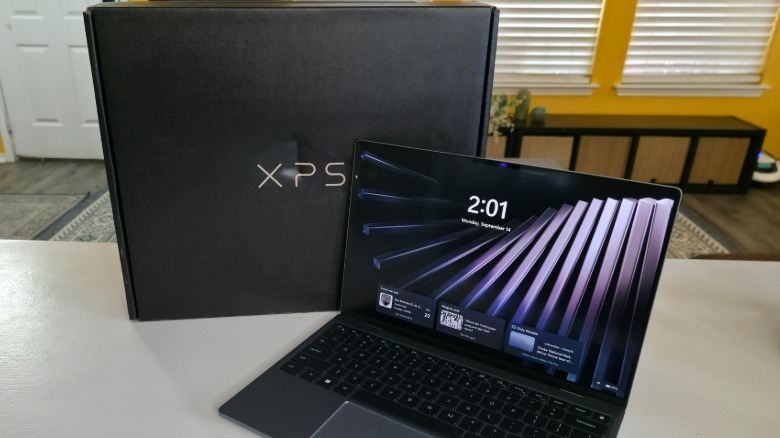
What I didn't expect was the lightest laptop I've ever had the pleasure of using, and this is coming from someone who typically uses gaming laptops that weigh in excess of nine pounds. This laptop is significantly lighter, and while you'd think that its incredibly thin form factor would have limited what Dell could pack into it, you'd be as wrong as I was in making that assumption. Fortunately, the Dell XPS 13 is far from weak in terms of its processing and graphics capabilities, ensuring that it's ideal for students and anyone else who needs a laptop on the go.
 Jonathan H. Kantor
Dell has been hard at work reinvigorating the XPS brand, and its latest entry offers a lot for a little, as the starting price is lower than what you might expect. Coming at a time when memory costs have skyrocketed, the Dell XPS 13 hasn't embraced a significant price hike, and when compared to other XPS laptops and similar PCs from other brands, there's a lot to get excited about with the Dell XPS 13. Here's what I learned after using it for a week for all kinds of tasks.
A solid build exceeds expectations from its low cost
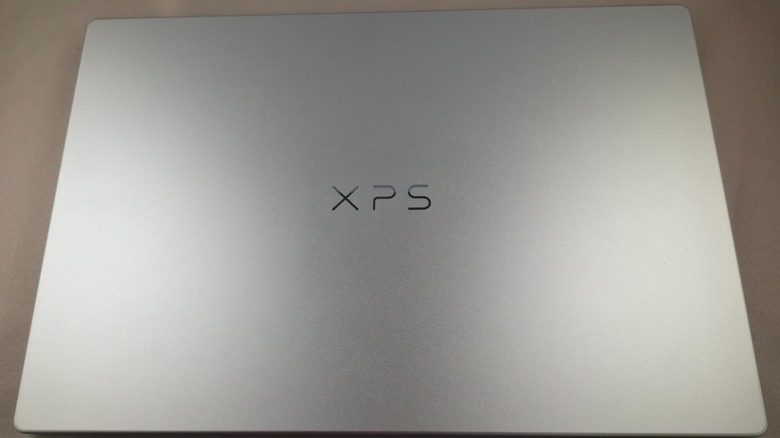
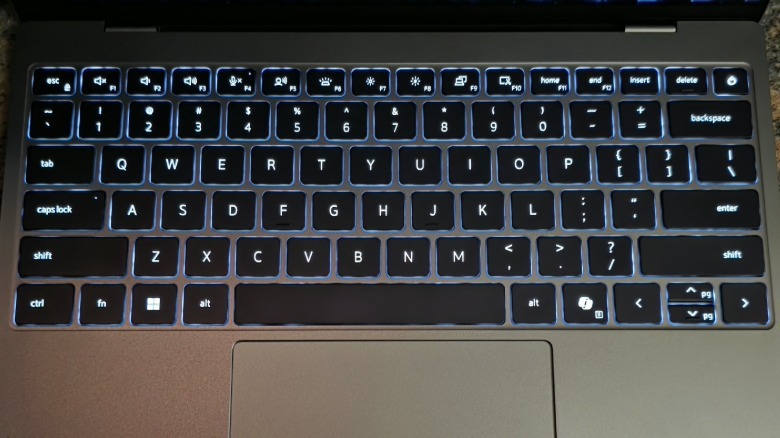
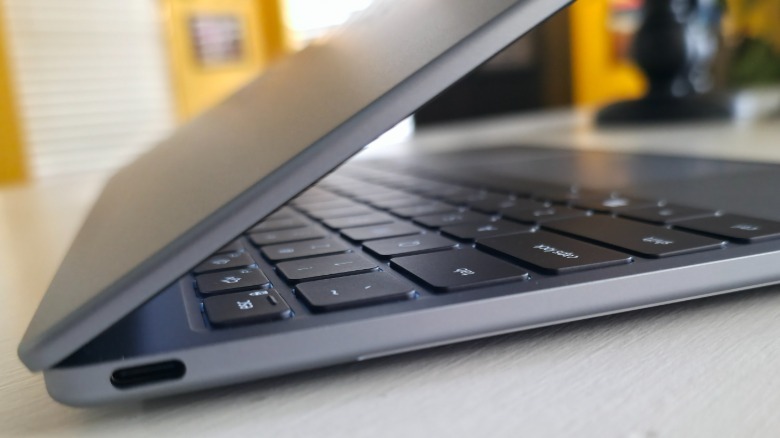
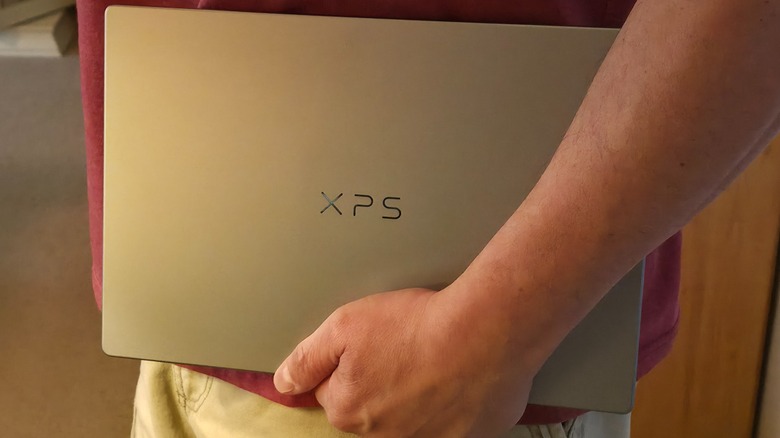
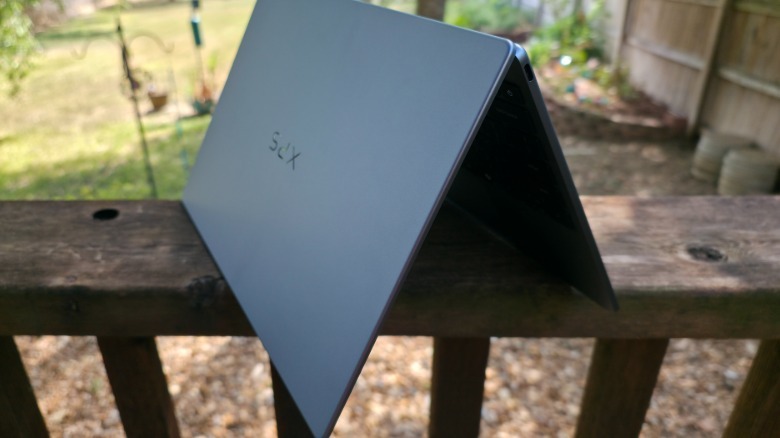
While you might think that Dell would skimp on the overall design of the XPS 13 given its affordable price tag, the company did no such thing. Instead, it features a durable, lit keyboard in an ergonomic design that's easy to open and close thanks to its wide front opening. For a budget laptop, the system feels sturdy, and while I didn't drop it, I got the impression that doing so wouldn't require a call to technical support, as it's a well-made laptop that weighs only 2.2 lbs. in its base configuration.
 Jonathan H. Kantor/SlashGear
It's also incredibly thin, measuring only 0.5 inches thick, with its other measurements being 11.69 inches high and a depth of 7.9 inches. It's not a huge laptop by any measure, but the newly designed XPS 13 is ideally suited for transport and people who need laptops with a full keyboard while on the go. The system comes in several configurations, and I received the upgraded model, which features 16GB of LPDDR5x single-channel RAM at 7476 RAM.
 Jonathan H. Kantor/SlashGear
The base model comes with 8GB of RAM, a 256GB M.2 PCIe NVMe SSD, which is suitable for any office worker or student. For processing power, the XPS 13 comes with a Series 3 Intel Core 5 Processor 320 boasting 6 cores, 6MB Cache, up to 4.6GHz. For its camera, Dell installed a 1080p, 30 FPS 2MP FHD camera and dual-array microphones that are Windows Hello compliant. Additionally, the sound is fantastic, thanks to the system's quad-speaker design with 2 watt main x 2 channel + 2 watt tweeter x 2 channel; 8 watt total peak output.
Wait... it has a touchscreen?!
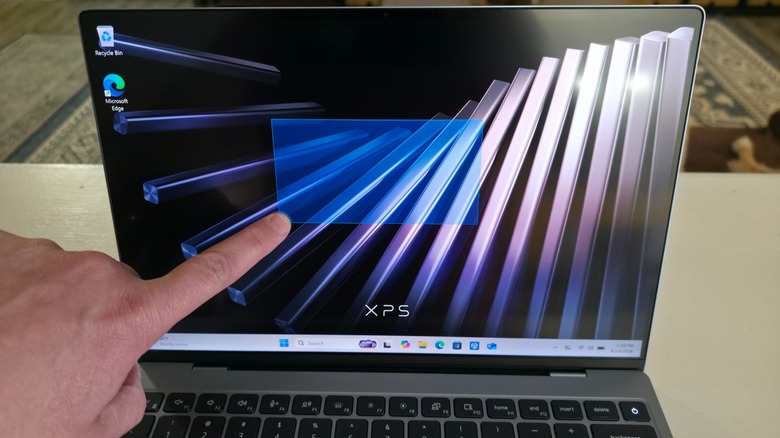
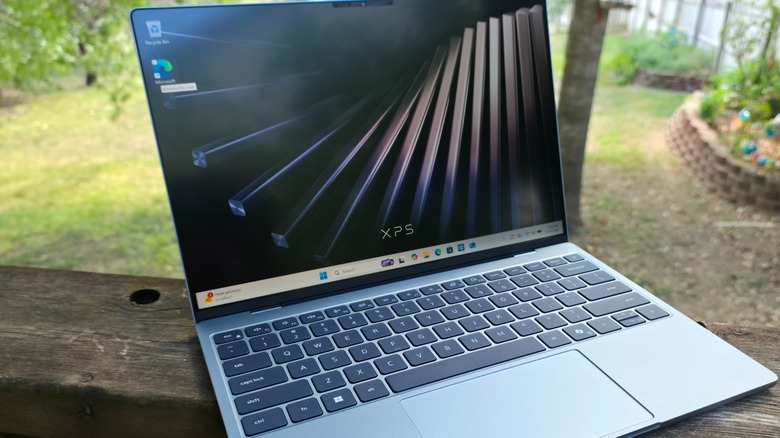
Budget laptops like the Dell XPS 13 often feature nice displays, but one thing you might not expect when shopping for one is a touchscreen. Dell has released a plethora of PCs over the years with touchscreens, so the technology isn't new, but while it's expected in something like a tablet, a 13-inch budget laptop isn't typically outfitted with one. The pricier Dell 14S has a touchscreen, but that's a tier or two above this laptop. Fortunately, Dell opted to include one, and it makes using the system much easier.
Personally, I don't like touchpads, and while the one installed in the XPS 13 is perfectly suitable, I always disable it on my laptops. I don't do that for reviews, so I leaned heavily into the touchscreen, which I found easier to use than the touchpad. This is certainly a subjective take on the touchscreen's inclusion, but for me, it's probably the system's best feature. It enables pinching and zooming without the touchpad, keyboard, or mouse in exactly the same way you'd use a smartphone, which isn't accidental. Dell is marketing this laptop towards students who grew up using touchscreen devices, so its inclusion is no accident.
 Jonathan H. Kantor/SlashGear
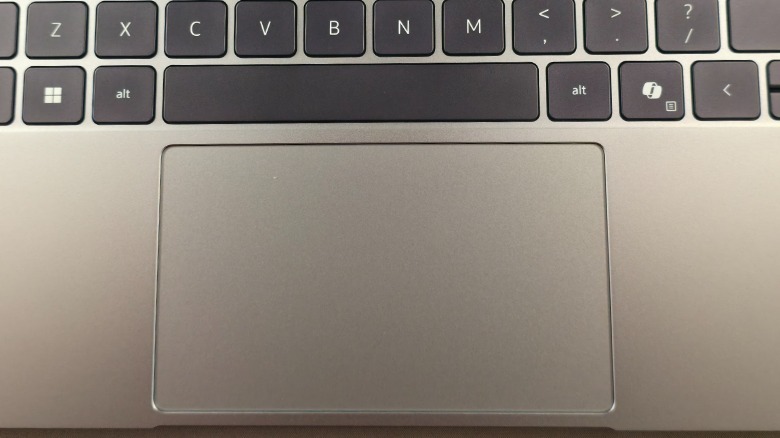
Speaking of the touchpad, while I'm not a fan, I can recognize a good touchpad when I see one. Dell installed a multi-touch, gesture-enabled glass touchpad with an anti-smudge coating, making it an ideal interface for most users. Outside of its touchscreen, the display measures 13.4 inches with 2.5K, 30 to 120Hz, 500 nits, and Infinity Edge. Its power-saving design offers an immersive, rich view of whatever you're looking at, whether it's note-taking in class, watching a movie, or playing a game, and best of all, it features a flawless touchscreen to boot.
Plenty of customization options with limited ports
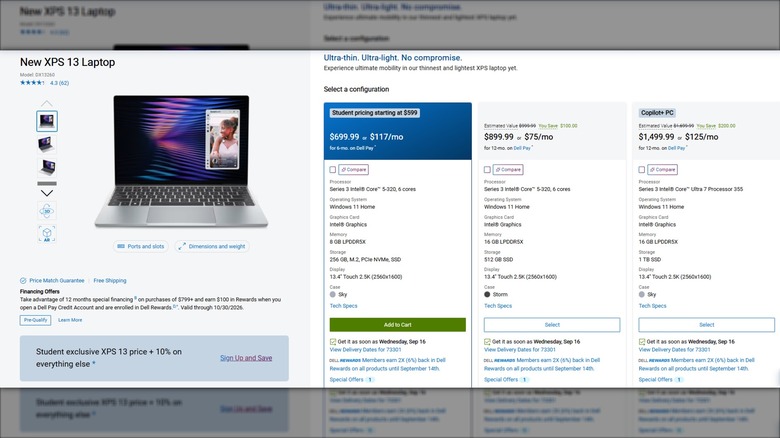
While the base model of the XPS 13 is suitable for most consumers, Dell offers several upgrades and enhancements through its customization tool. This includes options to upgrade the processor to an Ultra 7 355, 8-core, up to 4.7 GHz. Selecting any of these options forces upgrades to the laptop's RAM and SSD. Speaking of RAM, there's a 32 GB option available for the top-tier CPU and SSD, the latter of which begins at 256 GB, but this can be upgraded to 512 GB and 1 TB as well.
Outside of those spec upgrades, you can choose between Sky and Storm for the laptop's coloration. The base model starts at $699, while the fully upgraded model costs $1,799, with a lower mid-tier option for $1,499. You can play around with the components and choose whichever is best suited for you. That said, since this review is about the base 8 GB model, which costs $699, I'll focus on that. One area where I would have appreciated some expansion is the port selection.
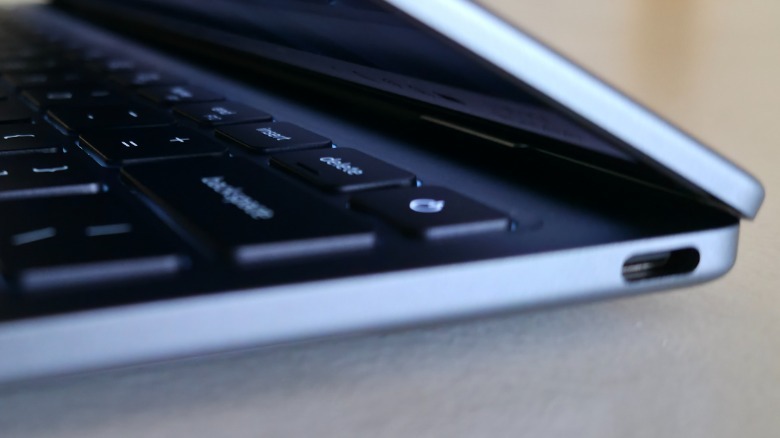 Jonathan H. Kantor
There are only two USB-C ports on either side of the laptop, and one is required for charging. I would have appreciated at least one USB-A port, a headphone jack, and a Mini HDMI port as well. That's something I would use, and I imagine others would appreciate having them included as well. Since the ultimate goal of this laptop is its lightweight portability, it makes sense that Dell eschewed the common practice of including the aforementioned ports, which could turn away some consumers. That said, the ports are more than meets the eye, as they're both USB Type-C with DisplayPort 2.1 and Power Delivery.
Student pricing
Dell has long been a supporter of teachers and students, offering reduced costs for its systems, which also extend to members of the United States military. The Dell XPS 13 is ideally suited for students, and Dell understands this, as the system features two standard prices: one for students and another for everyone else. Dell's exclusive student offer is valid until November 2, 2026, at 8 a.m. EST, so there's a time limit on the discount. The offer is open to high school students, 16 and older, including college students at degree-granting schools.
To qualify, students must join Dell Rewards (or already be a member) and have their student status verified. Once this is done, students qualify for a reduced price when buying the Dell XPS 13. Normally, the base model costs $699, but for qualified students, that cost is reduced by just over 14% down to $599. That's an incredible savings, and it shows just how strongly Dell considers this laptop to be suitable for students in high school and college.
 Jonathan H. Kantor/SlashGear
The savings make the XPS 13 an excellent laptop for students of all types, but don't forget that you'll have to pay taxes, so the final price will be a bit more. Regardless, the low-cost, pre-built base model features an excellent battery life that comes out of the box with more features than comparable laptops like the Apple MacBook Neo, which lacks a touchscreen but and costs the same amount for the base model. This makes the Dell XPS 13 a better candidate for budget-conscious students looking for affordable power with more upgrade choices and a touchscreen.
How it compares to the competition
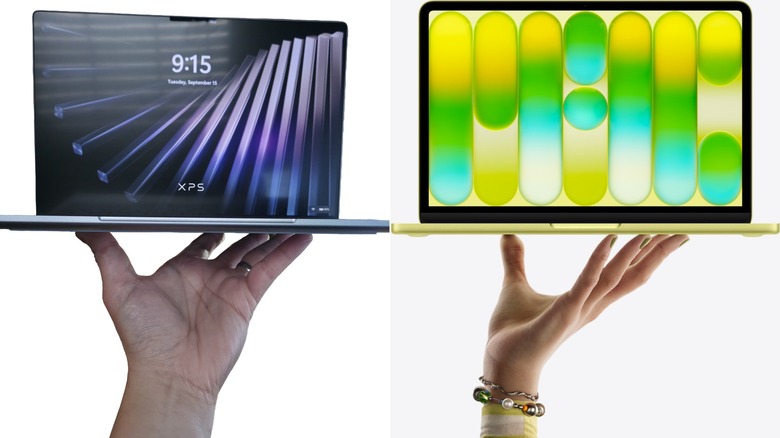
While there are plenty of 13-inch laptops available, only a handful are direct competitors of the Dell XPS 13. The most obvious one is the Apple MacBook Neo, which features many of the same characteristics. It also features a similar discount for students, lowering the cost from $699 to $599, so on that front, the two devices are the same. They begin to differ in several key areas, but most notable is the operating system. If you're a fan of MacOS, you're likely looking at Mac products.
On the other hand, for those more familiar with Windows 11, the XPS 13 is the obvious choice. The next factor is components and upgrade potential, and this is where the XPS 13 overtakes the MacBook Neo. Apple charges $100 to upgrade the MacBook Neo's 256GB SSD to 512GB, but there's no option to increase the system's RAM from 8GB to 16GB. The MacBook Neo also lacks a touchscreen, and there's no option to upgrade to one. That said, there are more color options available for the MacBook Neo, which could sway some consumers.
In benchmark testing the graphics capabilities alongside battery life, each system has its strengths, though the MacBook Neo has a slight advantage in both areas. Despite this, anyone looking to purchase either laptop, or one of the many produced by other companies, is not looking for a gaming laptop. Instead, the XPS 13 and the MacBook Neo are meant for browsing, typing, and other general computing needs. For most, the choice will come down to the operating system, but for anyone looking for better customization options, Dell has you covered.
My verdict on the Dell XPS 13
When buying a laptop, there's a lot to consider. With everything from performance and power to price and portability, there's no shortage of options available. Dell engineered the XPS 13 to stand out above the competition. The aforementioned MacBook Neo is comparable and has a faster processor, but it's more expensive in higher-tier components and lacks budget-friendly RAM and SSD upgrades. Other options include comparably priced Chromebooks and PC laptops, each of which has its strengths and weaknesses.
Because budget is one of the biggest factors in determining which laptop to buy a student, Dell priced its XPS 13 to beat the competition. With the student-friendly discount bringing the cost down to only $599, you're getting a high-performing budget PC that beats the competition in a number of performance metrics at a comparatively low cost. That's often enough for many consumers to make a purchase, but there's more to it than the Dell XPS 13's low cost.
 Jonathan H. Kantor/SlashGear
While this laptop would have been perfectly fine without a touchscreen, there's no denying that it's the XPS 13's best feature. That alone is likely to convince people to make a purchase. I played with the XPS 13 for a solid week, using it for note-taking, article prep, and more. I tested various communication platforms like Slack and saw no performance delays or system slowdowns. While I wouldn't recommend this laptop to a hardcore gamer, as there are more powerful gaming laptops to consider, I do recommend it to parents looking to score a low-cost laptop for their kids.
You can find the Dell XPS 13 in Dell's online store with plenty of customization options to choose from.