

Dell 14S Review: A Solid, Adaptable, Reasonable Laptop
We may receive a commission on purchases made from links.
Budget budget budget. This is the mantra that more of us live by in this day and age due to the madness of the world affecting our wallets. And that's no more apparent than shopping for a PC of any sort. The prices of RAM and SSDs are still through the roof (of the tallest building you know), which means the prices of laptops and pre-built desktops are up there, too. Oh, and it's nearly time for new and returning college students to head off to campus. They're going to need something decent to handle most of their coursework, plus all of the fun, entertaining things when they're on a study break.
Now, you could be like me and opt for an old ThinkPad that spent a couple of years in the business world until it was dumped for the next latest and greatest, but that might not be the right path for you and yours to take. Perhaps you and yours do want the latest and greatest, so long as no piggy banks are brutally broken.
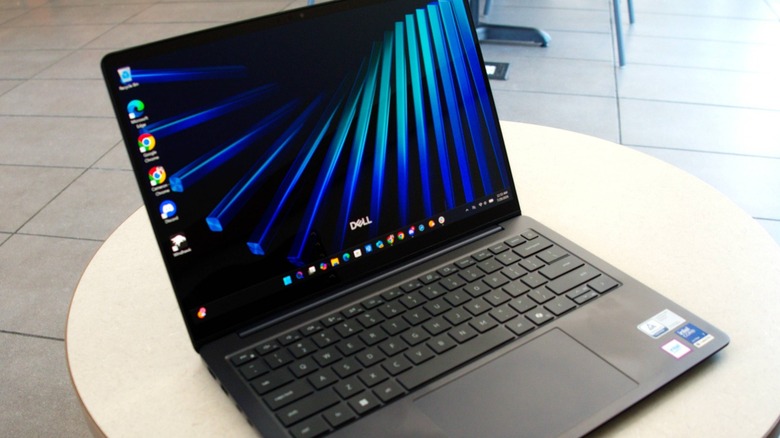
If you're a fan of Dell's XPS line, the Texas-based computing giant has something with the same vibe, but at a lower price point: the 14S. To take this device for a test-drive, Dell sent us this computer complete with an optional OLED touchscreen in the mix. It's not an ultra-premium ultraportable, but it's also not a machine that will have you feeling like you bought the next best thing, either.
Budget heritage, premium aspirations
The Dell 14S is one of two laptops in its small family, the other being the larger 16S. Both reside between the aforementioned XPS ultra-premium laptops and the budget-conscious Inspiron. Speaking of the Inspiron, the two S laptops are the successors to the Dell 14/16 Plus laptops, which, in turn, originated from the budget line. Pricing for the 14S/16S varies based on what you add or subtract from your build, of course, but here's what you can expect to pay if you just want one in your life:
- 14S: $1,249 – $1,799 starting price, $1,469 total price as-tested
- 16S: $1,309 – $1,699 starting price
The new duo are similarly priced with the previous generation Dell 14 Plus and 16 Plus laptops, ranging from $1,349 to $1,699 for the 14 Plus, $1,159 to $1,899 for the 16 Plus. Both must also contend with the likes of the standard-bearing Apple MacBook Air ($1,299 for the 13-inch model, $1,499 for the 15-inch unit), though you won't be running Windows in a dual-boot configuration; Linux dual-boot can happen, but it'll take some doing. On the PC side, the HP OmniBook Ultra 14 ($1,299 – $1,899) (a great laptop for a minimalist) and Lenovo Yoga Slim 7i Ultra Aura Edition ($2,049 starting MSRP) have their own appeals, but the HP's the only one that can beat the new Dells on price before options pile on.
You can, of course, go crazy inside Dell's configurator to build your 14S or 16S to your heart's content (and your wallet's allowable capacity), but the pre-built configurations Dell offers are more than enough for most consumers.
Blue is the warmest color
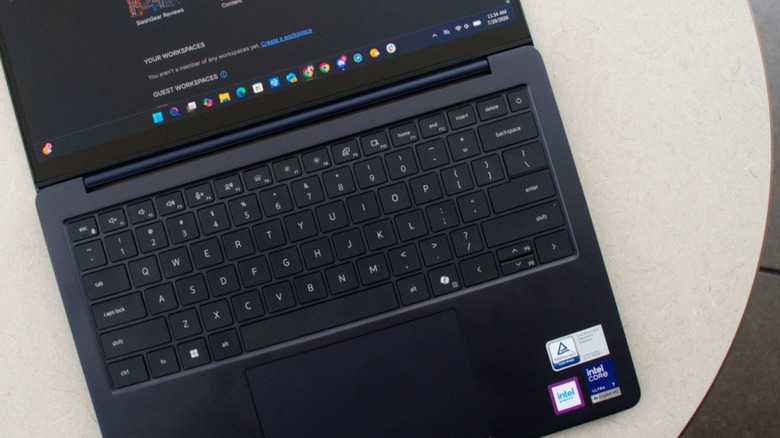
No matter how you build or buy your Dell 14S, it all starts with the premium three-piece all-aluminum body infused in two shades of blue: Frost Blue or the as-tested Celestial Blue. All that metal in a 14-inch form factor comes in at 3.4 pounds, which is a touch heavier than competitors like the Apple MacBook Air, Asus ZenBook A14, and HP OmniBook Ultra 14, all hovering around 3 pounds or less. Still, it has quite the thin profile at just 0.61 inches; combined with the overall footprint, the 14S is easy to carry around with you from office meeting to coffee shop, or from class to coffee shop.
Base amenities include a pair of USB-C Thunderbolt 4 ports with DisplayPort 2.1 and power delivery, LED charging indicator, an HDMI 2.1 port, and a USB 3.2 Gen 1 Type-A port, all on the left side. On the right side is another USB 3.2 Gen 1 Type-A port and a 3.5mm headphone jack. Alas, no SD card slot for transferring media from the card onto the 14S, so you'll have to bring your own USB adapter for such tasks.
Under the blue metal, processor options for the 14S range from a six-core Intel Series 3 Core Ultra 5 332 to an Ultra 9 386H with 16 cores. There are two Intel Wi-Fi 7 cards available, along with either 16 or 32 GB of LPDDR5x RAM, and either a 512 GB, 1 TB, or 2 TB NVMe SSD holding Windows 11 Pro or Home with Copilot+ PC. To view everything, there are five 14-inch FHD+ and QHD+ screens, two of which are touchscreens. All of this is powered by an integrated 70-Whr three-cell battery, which is charged by a 65-watt AC adapter.
All this and a touchscreen, too
The Dell 14S sent my way came in the darker Celestial Blue, and was equipped with an Intel Series 3 Core Ultra 7 355 2.3 GHz processor with eight cores, backed by 16 GB of LDDR5 RAM and 512 GB of RAM. Dell says this processor boasts 18% more overall performance when it comes to office work compared to the Ultra 7 256V, though no office work would occur during my time with this 14S.
The new processor did receive a pair of scores from the latest (as of this writing) version of Geekbench, Geekbench 7: 2428 single-core, 11142 multi-core. On paper, the single-core score nearly matches up with Geekbench 7's baseline, the AMD Ryzen 7 7700, which has a single-core score of 2524. The Ryzen's multi-core score of 15441 blows away the Intel, though. In the real world, though, the 14S is really good at the tasks most users will put this laptop through on the daily, from streaming videos online to (very light) video editing.
 Cameron Aubernon/SlashGear
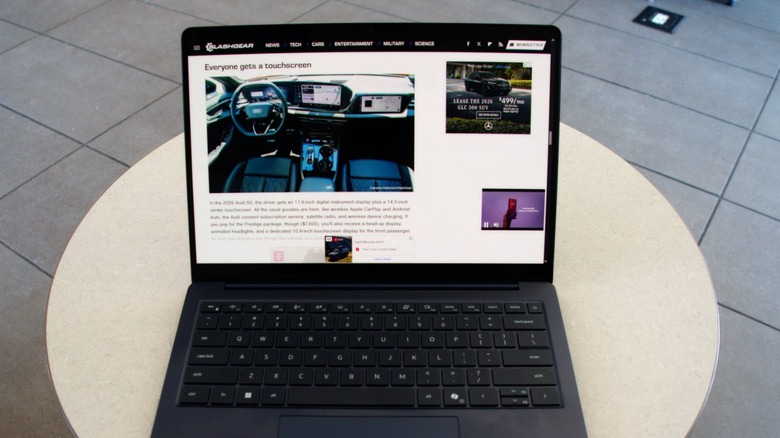
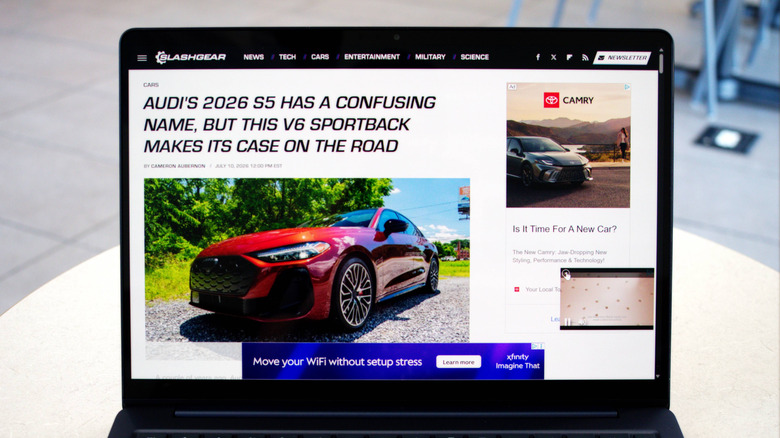
My Dell 14S also came equipped with a 1920x1200 60-Hz OLED, 300-nit touchscreen with Dolby Vision and ComfortView Plus. The screen itself looked really nice, especially with the blacks appearing very black, though I didn't use the touchscreen much (more on this in a moment, though).
Sound is handled by a pair of 2-watt speakers augmented by Dolby Atmos Core with Smart Amplifier, and there's an FHD+IR webcam with a dual digital microphone array and AI-powered noise reduction, all of which is great for those online classes and meetings. On the software end, Dell includes its suite of maintenance apps, while Microsoft only added its Xbox app suite, a welcome change from the usual bloatware pile-on (especially if you opt to only have the 512 GB SSD under the backlit keyboard).
A curious, yet otherwise normal, everyday laptop
My biggest test for the Dell 14S wasn't photo editing (that's my gaming PC's job) or content creation (also my gaming PC's job), but battery life. After all, everyone wants to watch more than a few episodes on their favorite subscription streaming service, and a short battery life will kill that momentum faster than the Insurance Institute for Traffic Safety smashing a new Tesla into its wall.
So, I watched my favorite VTubers and other creators without once plugging in the laptop after a full charge. It took nine hours to go from 100% to 0% (which you really shouldn't do, of course, but this is a test). After hitting empty, it only took around two hours to fill the battery back up to 100% (though the ideal is 80% to 20% and back again). The sound from the speakers was really good, too, presenting a full audio experience you won't need your headphones for (unless you're studying, of course).
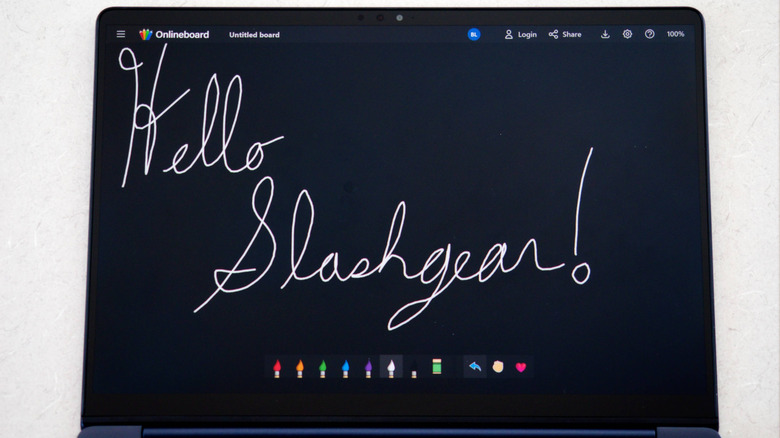
As for the touchscreen, the visuals looked great, and it was neat using the touch capabilities of this screen (as seen above), but as this isn't a 2-in-1, where you can fold the screen all the way back (it can only be laid flat), I was a bit confused as to why it had one in the first place. Further research explained to me that this feature was for those who are already used to using smartphones and tablets, giving those users an immediate connection to the digital world. I suppose so, but I have my phone for such interactions; I'll stick to my keyboard for laptops.
Dell 14S verdict
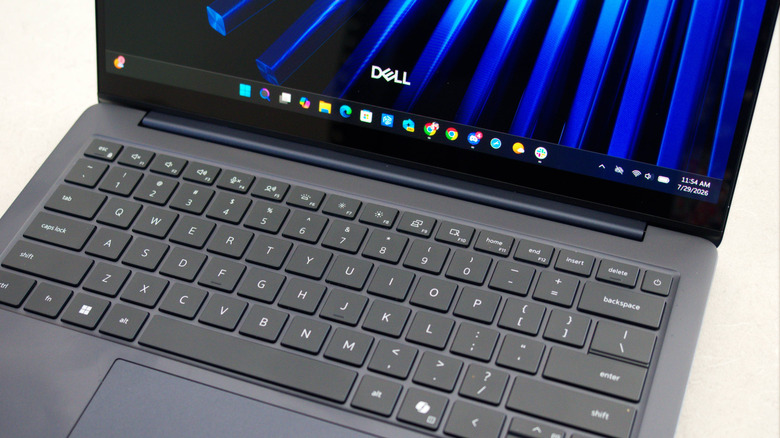
The Dell 14S (available from Dell for $1,469 in this configuration, starting price $1,249) positions itself as the bridge between the budget-conscious and the more bougie laptops in the Austin tech company's lineup, as well as those of the company's competitors. For a fairly low cost of admission, you get a great laptop for the everyday. You can opt for one of the two touchscreens if building one out, but I'd recommend bulking up on RAM and storage (though, as you can guess, that will increase that price). It feels like a quality piece with its all-metal construction, while the backlit keyboard, glass trackpad, and matte colors all contribute to the overall appeal of this Dell.
Sure, building this one out instead of buying of a low-cost pre-built example will definitely put this towards the shallow end of the ultra-premium laptop pool, at which point you might find better options to consider. But there's at least one thing this Dell has going for itself: that long battery life. In a market where batteries are permanent residents in a given laptop, making sure you can get the most of that battery is optimal. The 14S shines in this regard. Combined with those good looks and its solid capabilities for work, school and play, the Dell 14S is definitely a step-up, one to consider when shopping for your next everyday laptop.