

MSI Cyborg 15 C13WX Review (2026): Powerful Gaming In A Lightweight Build
We may receive a commission on purchases made from links.
Over the years, I've owned and operated a lot of gaming PCs, whether they're desktops I've built and upgraded over time or powerful laptops I've purchased from a handful of companies. Typically, when it comes to laptops, I'm of the "bigger is always better" camp, preferring a full keyboard, a 17-inch screen, more RAM than I'll ever need, and a GPU that makes the laptop so hot that putting it on your lap isn't a comfortable option.
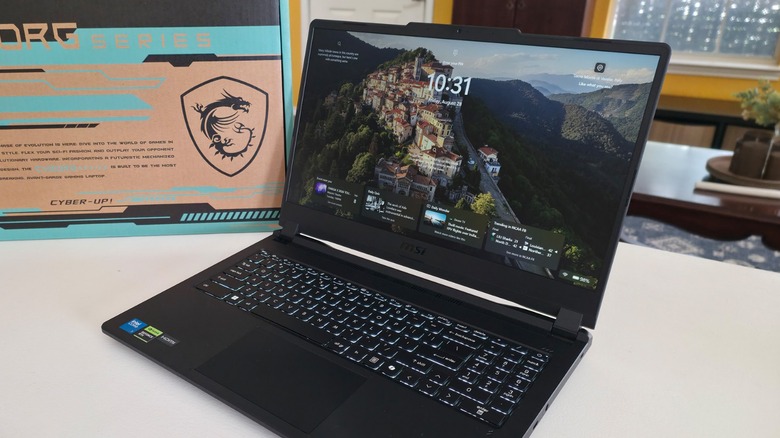
My experience with smaller systems, like the MSI Cyborg 15 C13WX, is somewhat limited, but I doubt it will be for much longer. If there's one thing that the MSI Cyborg 15 isn't, it's heavy, loud, and hot. That's a serious plus for any gamer looking to enjoy their favorite titles on the go, as the laptop is quiet, cool, and lighter than I imagined. This was surprising to me because the system's specs aren't light on powerful, high-performance components, and the result is a robust gaming laptop suitable for any PC gamer.
 Jonathan H. Kantor/SlashGear
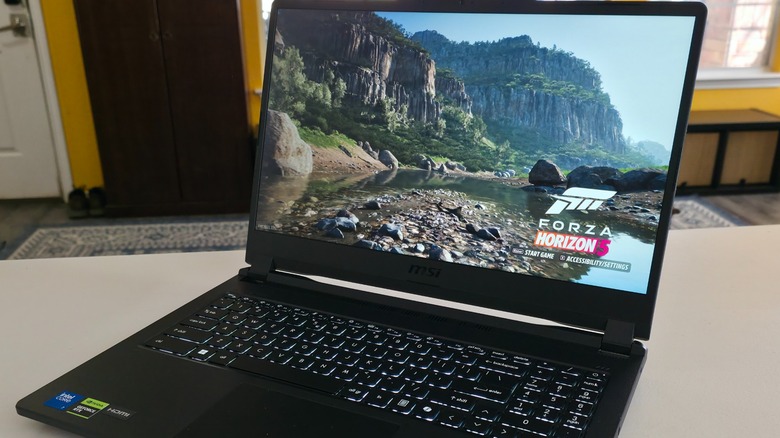
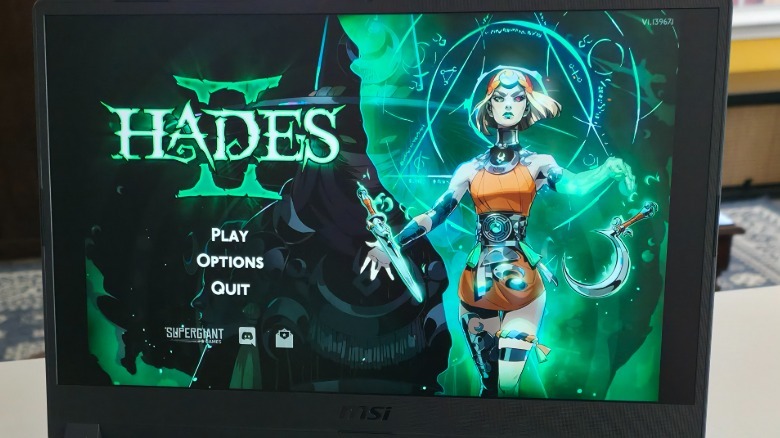
Like any gamer, I want my gaming laptop to play whatever I want, so to test the Cyborg 15, I delved deep into my Steam library and Microsoft Game Pass to put it through its paces. What I found was that whatever I threw at the system, whether it was "Forza Horizon 5," "Cyberpunk 2099," "Hades 2," or "Minecraft," the computer played it at optimal levels. I tweaked the settings and set the graphics options to the max, and at no point did this laptop let me down. Here's what I learned while testing and reviewing this machine.
Size matters, as does the design and display
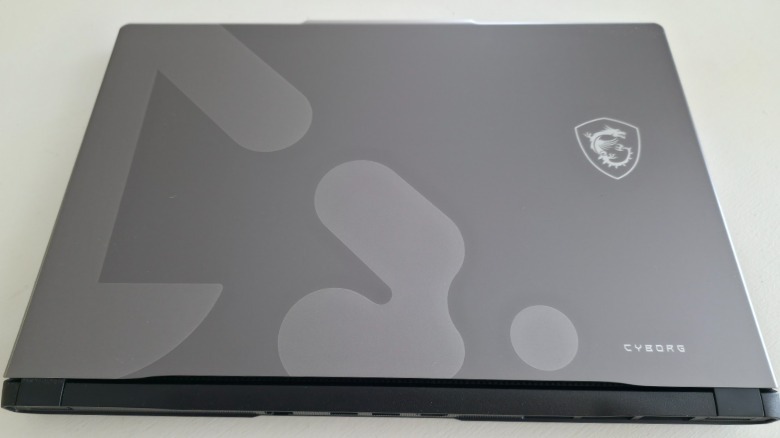
The first thing you'll notice about the MSI Cyborg 15 C13WX is how incredibly light it is. The system weighs 4.41 lbs., which is excellent for on-the-go gaming. It's also thin, measuring just 0.83 inches, so already, this MSI machine is one of the thinnest and lightest laptops I've used. In terms of overall look, the laptop boasts a sleek Cyberpunk-inspired design with a textured, friction surface. The computer features a 15.6-inch 144Hz IPS-level display that boasts 100% sRGB coverage.
The refresh rate works well with the installed Nvidia RTX 5070 Laptop GPU that has 8GB of GDDR7 memory. The computer has 16GB of DDR4 3200MHz RAM, and for storage, it comes with a 1TB NVMe SSD. Like many laptops, you can upgrade the storage and RAM if you'd like, but you can also throw in an extra NVMe SSD into the system's open slot. One thing about the display that I appreciate as a graphic artist is how well it handles colors.
 Jonathan H. Kantor/SlashGear
I was able to use Adobe Photoshop for some image editing, and it offered exceptional performance, so this laptop isn't just for gaming, as it's suitable for everyday tasks as well. It all comes together via the Intel Core 7 240H 5.2GHz 10-core processor, which works well with the RTX 5070. These aren't low-power components, and one of the ways that MSI kept the system's temperature low was with a completely redesigned thermal system. The CPU and GPU can pull 140W combined, offering streamlined performance without the risk of cooking your legs as you get into a particularly graphics-intensive gaming session.
This is a cool laptop
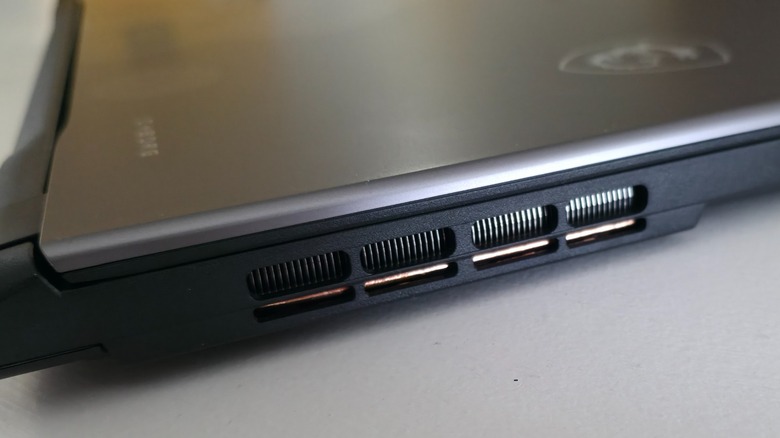
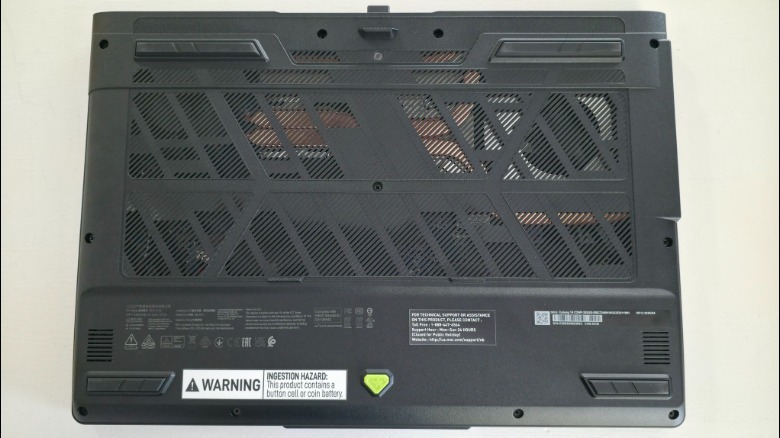
One of the best features of the MSI Cyborg 15 is its updated thermal system. MSI changed everything from previous laptop generations to ensure that the power hidden inside of the system doesn't overheat it. The laptop now features two cooling fans that MSI touts as being 27% larger than in prior generations. It also features three heat pipes, which come together to enable up to 140W of CPU and GPU power without getting too hot. Additionally, the system features four vents to channel hot air out of the laptop.
While the product's website details how cool the system is, I didn't take it at face value and made sure to keep an eye on the laptop's temperature. While playing "Cyberpunk 2077" with High graphics settings, the GPU's temperature sat at around 167 degrees Fahrenheit. That may sound hot, and it is for an ambient temperature, but for a gaming laptop that's actively pushing itself to its limits, it's remarkably cool. The same was true of the CPU, which hovered around 152 degrees Fahrenheit under the same operating conditions.
 Jonathan H. Kantor/SlashGear
With all of this power, the next thing you're probably wondering about is battery life. Running a system to the max drains its power quickly, so in that respect, the Cyborg 15 is like most gaming laptops. The system features a 3-Cell 60Wh battery and a 180W power adapter, and if you use it for gaming and productivity, you can stretch it to a few hours of use. Unfortunately, battery life is the trade-off for powerful systems like this, so while it's not great, it's certainly not surprising.
Overall gaming performance
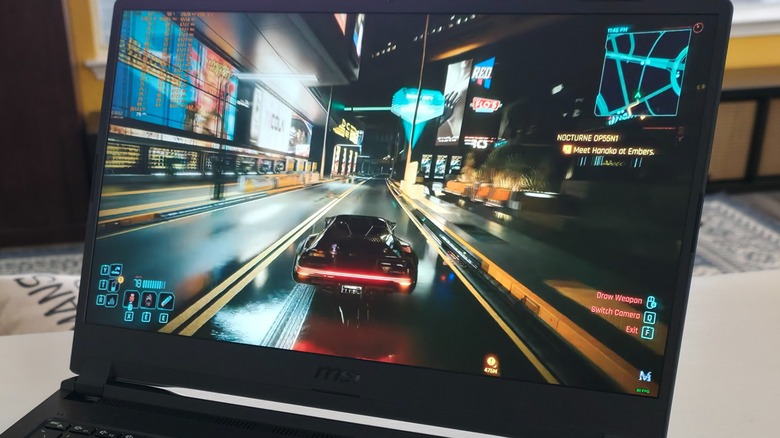
To test the system's ability to play games, I spent several hours playing graphics-intensive titles. "Cyberpunk 2077" was particularly useful for this task, as its settings allowed for numerous display options and benchmarking. While playing the game at 1080p, I turned on Ray Tracing and cranked the graphics up to High. This resulted in an average of around 82 FPS. When more elements were displayed on the screen, the FPS dipped into the low 70s. In large areas with fewer assets, the FPS jumped to around 100, so it has a wide range.
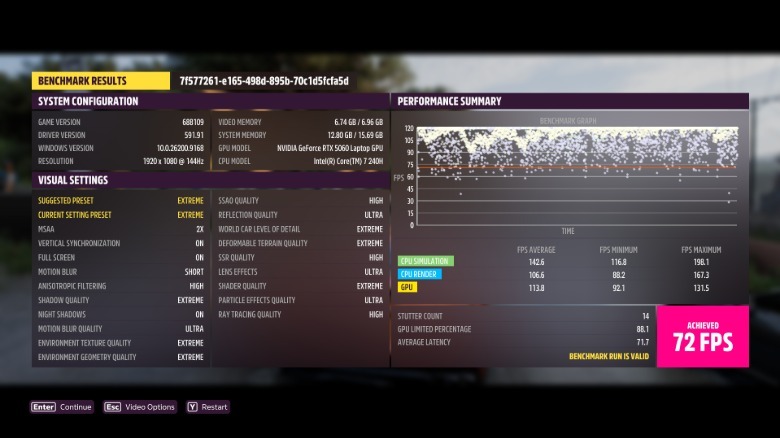
I had similar results while playing "Forza Horizon 5" with the graphics set to Extreme. When I benchmarked the system with the game, the results were similar to those of "Cyberpunk 2077." As you can see from the image below, the average FPS was 72, though, depending on how much was being shown, the range shifted to a maximum average of 165 FPS. After tweaking the settings for a while, I did notice some latency, but it was minimal and didn't affect my gameplay.
 Xbox Game Studios
It was a bit more noticeable in "Cyberpunk 2077" than in "Forza 5," but not by much. I tested several other games, and I cranked the graphics up to 11 on every one of them. This helped me get a good idea of how it handles rendering, especially at distance in games like "Minecraft." With everything I've seen, there's absolutely no reason that you can't play any current and future PC games on the Cyborg 15 that you couldn't play on a powerful, bespoke desktop gaming PC.
Everything else the MSI Cyber 15 has to offer
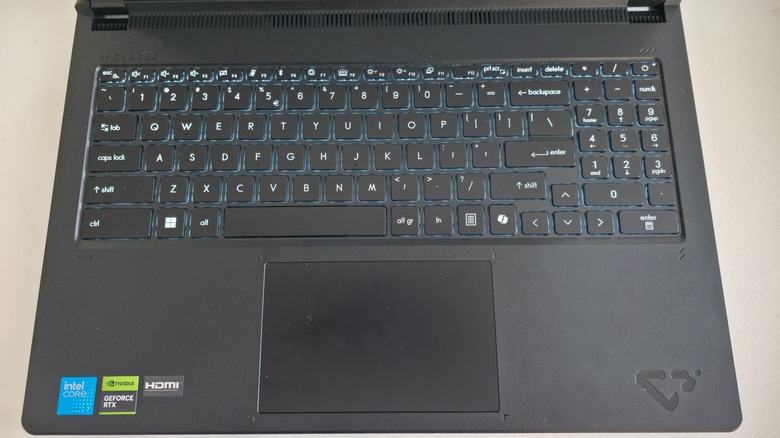
One thing I've yet to cover is the general information about the laptop, and while anyone who'd purchase the MSI Cyborg 15 likely focuses on the details mentioned above, it's more than a gaming PC. To test it, I used the computer for my daily work, and I also watched videos, doom-scrolled, and did the normal things anyone might do with a Windows laptop. The system comes with Windows 11 Pro or Home and handles connectivity via Wi-Fi 6E.
To handle multitasking, the Cyborg 15 comes with Copilot and MSI AI Engine. These are advanced AI tools that adapt to how you use your computer, optimizing performance while simultaneously streamlining your workflow. MSI's AI Engine automatically adjusts hardware settings to maximize performance, which it does based on how you use the computer. This makes gaming much easier, as you don't have to constantly tweak the settings, as I did for this review.
 Jonathan H. Kantor/SlashGear
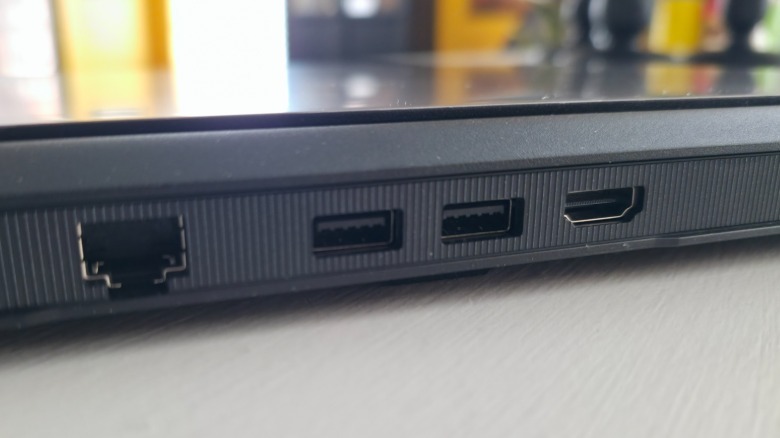
For sound, the Cyborg 15 features DTS Audio Euphoria, enhancing your audio experience in gaming. Finally, the system features a standard Kensington lock, a power DC-in on the side, a USB 3.2 Gen2 Type-C, an audio combo jack, two USB 3.2 Gen1 Type A ports, an HDMI 2.1 (4K@60Hz), and an RJ45 port for direct Ethernet connection.
Much of this is standard, and it's neatly located along the right side and back of the laptop. As a result, it's not just a powerful gaming computer; it's also an excellent laptop for students and professionals who can take full advantage of all its features.
My verdict
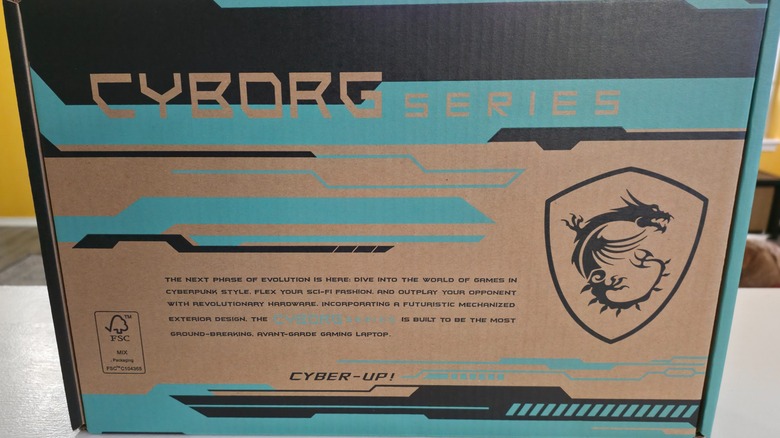
When it comes to buying a gaming laptop, there are a lot of things to consider. You want something that's powerful, easy to manage, and won't break the bank. Gaming laptops can cost as low as $750, while higher-end machines run upwards of $3,000 to $5,000. Fortunately, the MSI Cyborg 15 isn't on the extreme high end as far as cost is concerned, but it's not inexpensive either. The system's price starts at around $1000, though, depending on which configuration you purchase, it can cost more.
That's not entirely inexpensive, so the real question is, "Is it worth the money for gamers?" After using the Cyborg 15 for two weeks, I can say that it's worth the cost, but only for serious hardcore gamers. When looking at similar laptops from other companies, it's difficult to find one that packs as much power into a small frame as MSI did with the Cyborg 15. The CPU and GPU combination alone is reason enough to purchase this laptop, but only if you're looking for a really good portable gaming system.
 Jonathan H. Kantor/SlashGear
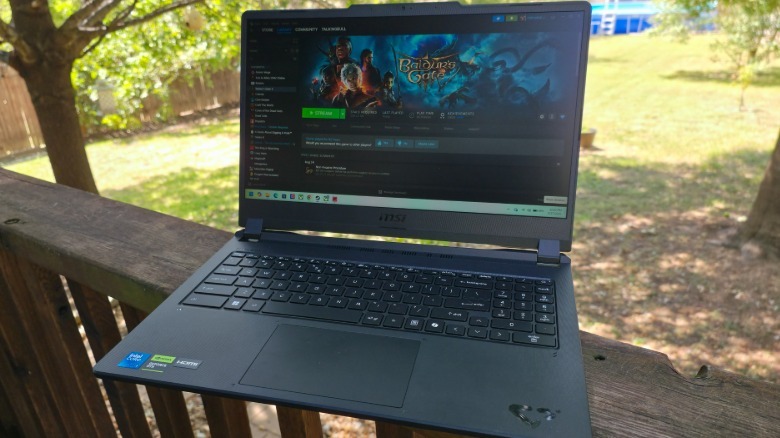
The size, weight, and thermal management make the MSI Cyborg 15 C13WX an ideal laptop for gamers. If you're looking for a laptop you can use regularly and play games on sparingly, you should look elsewhere, as the Cyborg 15 is marketed to serious gamers for a reason. It's more than capable of keeping up with modern titles, and from what I experienced using it, I definitely recommend it to gamers who want high-performance gaming on the go.