

10 Best Student Laptops In 2026, Ranked By Price

We may receive a commission on purchases made from links.
College is one of life's most exciting chapters, but it can also be incredibly challenging. The never-ending classes and assignments require constant effort not just from you, but also from your laptop, which makes buying a laptop as a student different. Ideally, your machine should last a full day of classes without being plugged in, have enough performance for fifteen Chrome tabs while you write an assignment, and be light enough that you don't feel like you're carrying a brick every day.
Not to mention, it also needs to be good value for money. Sadly, this last point has been 2026's biggest problem. RAM prices are out of control, thanks to AI companies buying up all available production. It's also just confusing to navigate AMD and Intel's weird naming scheme. Still, there is some good news: Previous year models can be bought at a decent discount.
But which one should you get? To answer that question, we've ranked 10 of the best student laptops across every budget, from just a few hundred dollars to more than $2,000.
Asus Chromebook CX34
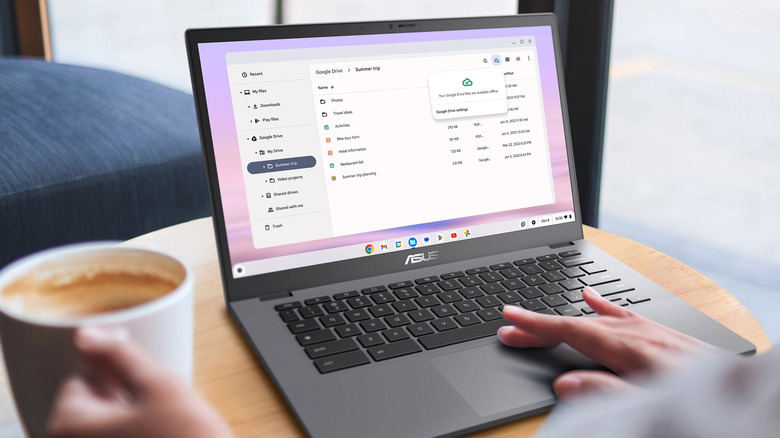
Since many budget Windows laptops are, frankly, incapable of doing the most basic tasks, Google's Chromebooks have swept up the market of affordable laptops. Every school has them, and why shouldn't they? ChromeOS is light, and if your work is mostly inside a browser, it's surprisingly capable. The Asus Chromebook CX34 is one of the better options, launched first as part of the Chromebook Plus program. At $420, it packs an Intel Core i3-1315U, 8GB of DDR5 RAM, and 128GB of UFS storage.
According to TechRadar, the CX34 feels snappy when browsing the web with multiple tabs open, watching YouTube lessons, and switching between applications. You won't be gaming here except for Android titles. The port situation is decent, with a couple of USB-C ports with charging support, an HDMI out, a headphone/microphone combo jack, and a few USB-A ports for accessories. Beyond that, the chiclet-style keyboard should be comfortable for everyday classes, and our Chromebook CX34 testing found the battery lasted about six hours in mixed usage.
No $350 machine will be without compromises. With the CX34, the main one is the display. Resolution isn't a problem — it's a native 1080p LCD panel — but the 250-nit peak brightness will make the screen difficult to see in a bright classroom or café. It's also not particularly colorful, and the plastic construction means you'll need to treat it with care. We also can't recommend a Chromebook for students who need access to specific software, due to its lack of support for Windows apps.
Acer Aspire 3 (A315-24P)
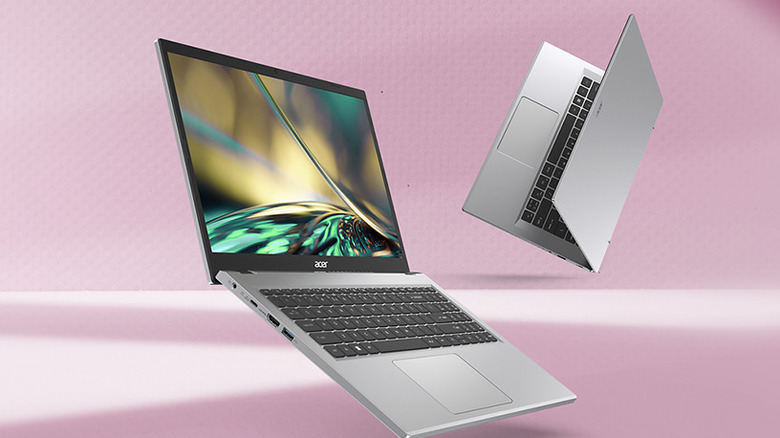
Chromebooks are a decent option for web-related work, but the lack of Windows support will be a deal-breaker for many students. If you're one of those, then the Acer Aspire 3 is the best alternative. Launched back in 2022, it runs the full Windows 11 experience and comes with an AMD Ryzen 3 7320U processor. Despite the processor's age, it's hard to fault the Aspire 3, especially at its current $374 price tag. With 128GB NVMe storage, it scored over 4,000 points in PCMark 10's productivity score, according to PCMag tests. You can use it for researching and writing essays, and maybe a little programming as well. Just don't expect to play games, and you'll be perfectly happy.
Like any other budget Windows laptop, the Aspire 3 is made from plastic, though there are hints of metal in the keyboard deck and the top, and the chassis flexes a bit. The non-backlit keyboard is fine for regular typing, but at 3.77 pounds, this laptop isn't exactly light. Content on its native 1080p display looks crisp, but like other cheap screens, the 250-nit brightness is limiting. The panel also covers less than 70%, according to PCMag tests. Where things turn in favor of the Aspire 3 is battery life. It can easily last a full college day of work, with over eight hours of screen-on time.
Acer Aspire 16
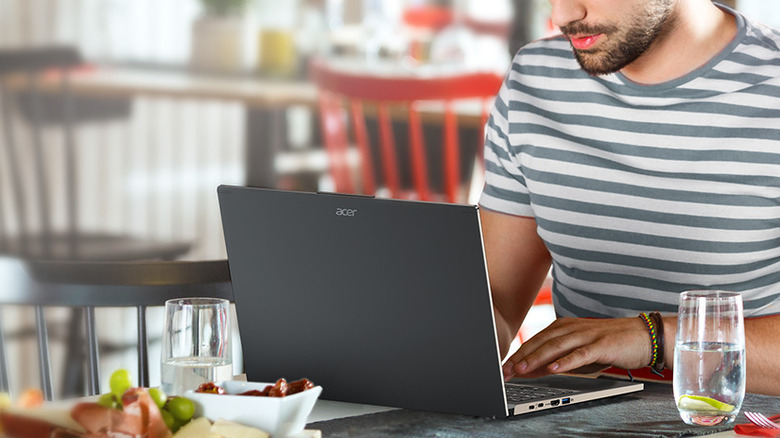
Sub-$400 laptops can be great, as long as you don't push them with heavy multitasking or gaming. Then, you'll hit the performance ceiling pretty quickly. If you need more power and can stretch your budget to $599, the Aspire 16 is a great option. According to Wirecutter, it's the best cheap Windows laptop, and for good reasons. First, it's powered by the Intel Core Ultra 5 115U processor. For context, the 115U scores roughly twice as high in Geekbench's multi-core test as the aging but still common Ryzen 3 7320U. Pair that with 16GB of LPDDR5X RAM and a 512GB PCIe Gen 4 SSD, and you can comfortably shuffle lots of browser tabs, multitask, and even do light video editing.
Another highlight of the Aspire 16 is its 16-inch 1920x1200 display. At this resolution and size, text is sharp enough, and the 16:10 panel is great news for Excel nerds who can fit more columns. The keyboard does have backlighting, and the trackpad is generously sized. While the battery life is decent, lasting roughly 7 hours on a charge, USB-C charging with Thunderbolt 4 support more than makes up for it because you don't have to carry a big charger. You also get Copilot support. The only real problem with the Aspire 16 is portability. A 16-inch laptop that weighs 3.65 pounds isn't very convenient to carry around campus every day.
MacBook Neo
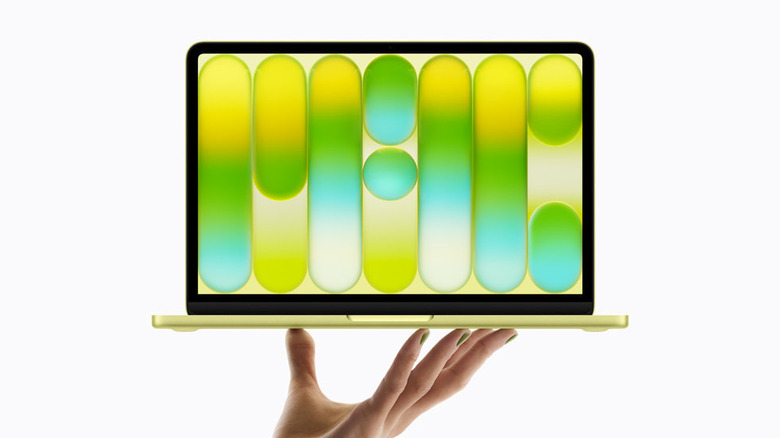
Starting at $699, the MacBook Neo is the cheapest gateway into the Mac world. And frankly, the Neo is the best-value student laptop. Compared to the similarly-priced Aspire 16, the MacBook Neo looks like it's from a different price bracket altogether, complete with a full aluminum chassis that should prove more durable than any plastic alternative. You can open the laptop with one hand, and the hinge doesn't make the screen wobble every single time. The keyboard is the standard MacBook type (not backlit), with limited travel but decent tactility. Even though Apple replaced the haptic trackpad with a physical one, the clicking mechanism still feels satisfying.
Our MacBook Neo review called its display the biggest surprise. That's thanks to its 2408 x 1506 resolution and vibrant colors, with 98% sRGB coverage. Peak brightness sits around 500 nits, which is plenty for work in a bright café. Inside the Neo is Apple's A18 Pro processor, the same one in the iPhone 16 Pro. With 8GB of RAM, we found the Neo great for things like researching scientific papers and watching videos. It can even run games like "Valheim" at low graphics settings.
The battery lasts roughly 13 hours of mixed use, and the two speakers produce clear audio, albeit without much bass. Like everything in life, the MacBook Neo is not perfect. The base config comes with only 256GB of storage, and there's no Touch ID. We'd recommend spending the extra $100 on the 512GB variant with Touch ID.
Lenovo Yoga 7i 2-in-1
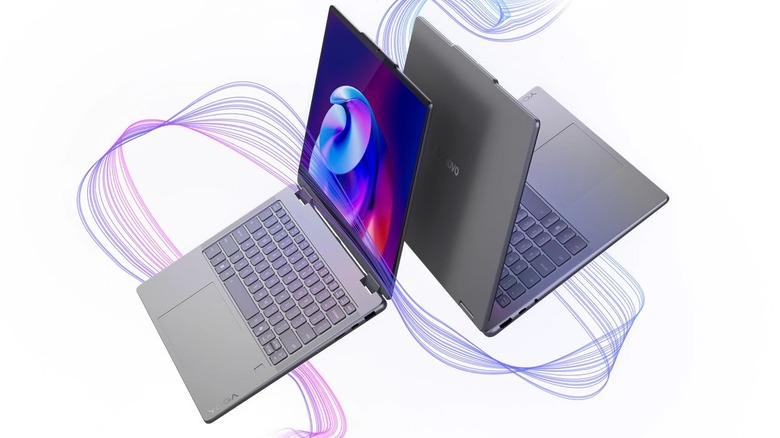
There are things you simply can't do on a MacBook, like flipping the screen over to take handwritten notes with a stylus or using it as a tablet. If that's a non-negotiable for you, then consider the Lenovo Yoga 7i 2-in-1. You can buy it for $1,299. Inside is Intel's current-generation Core Ultra 5 322 processor, paired with 16GB of LPDDR5X RAM and a 512GB SSD. You can also get an AMD version with the Ryzen AI 5 430 processor if you're team red. No matter which model you choose, the 7i's performance is stellar.
The real highlight of the Yoga 7i, though, is the display. It's a 14-inch 2K OLED panel with touch support. An OLED panel means that the screen can display better contrasts and that the blacks are really dark. While the refresh rate is just 60Hz, it hits 400 nits of peak brightness. Beyond the screen, the keyboard and trackpad are good quality and the design looks premium, without that overly plastic feeling. The 16 hours of battery life is excellent for college students, too.
ASUS Zenbook A14
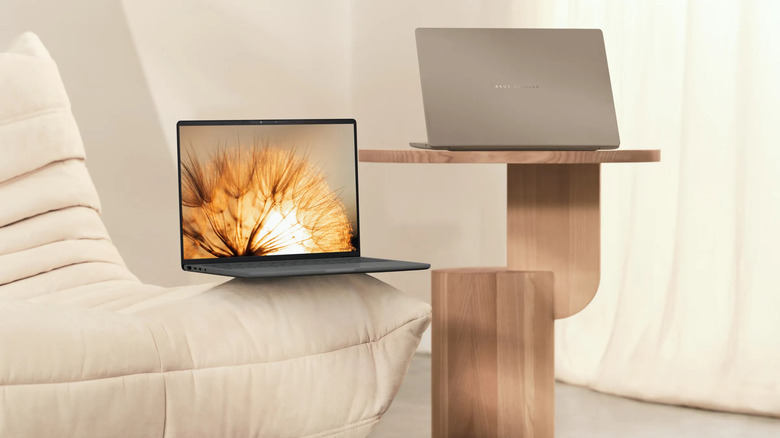
Given that a student carries their laptop every day, weight matters a lot. And the Asus Zenbook A14 is made with this exact idea in mind, weighing just 2.4 pounds. For context, the MacBook Neo weighs 2.7 pounds. This is possible thanks to a magnesium-alloy chassis, finished in Asus' "Ceraluminum" coating, which feels like polished stone and doesn't hold fingerprints.
Despite the weight, or lack thereof, the laptop doesn't feel cheap, and the chassis can survive the occasional knock inside a backpack. You open the A14 with one hand, and inside you'll find a spacious keyboard and trackpad. As our Zenbook A14 review notes, the keys have 1.3mm of travel and include backlighting, while the mechanical trackpad's glass-topped surface tracks accurately. It also supports gestures to adjust the volume and brightness.
The Qualcomm Snapdragon X Plus processor, with 16GB of RAM and 512GB of SSD storage, powers the Zenbook A14. We know a 2026 version is out, but at $1,699.99, it's a tough sell. That's why the 2025 Zenbook 14 at $939 is our pick. Coming back to X Plus, its performance is comparable to Apple's M3 and the Core Ultra 258V. You can throw any college-related task at it, and the A14 will carry that out smoothly, except for demanding gaming and heavy creative work. The display is a 14-inch Wuxga OLED panel with a 60Hz refresh rate and a 16:10 aspect ratio. Watching movies and shows on it will be fantastic. That said, you don't get touch functionality, which would have made the A14 even better.
MacBook Air M5
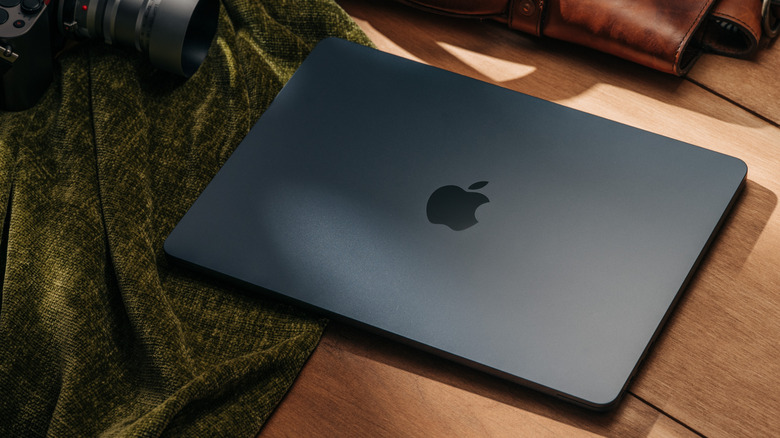
Before the Neo arrived, the MacBook Air was the student laptop to buy. And for many, it still is. Apple Silicon really transformed it from an everyday machine into something even professionals can use. The newest iteration, the M5 Air, follows the same tradition. In tests, the new M5 chip is about 15% faster than its predecessor and trades blows with Intel's Core Ultra 7 358H found in more expensive Windows laptops. TechRadar found it surprisingly capable of editing 4K video streams, touching up RAW photos in Lightroom, and juggling dozens of Chrome tabs at once. MacOS lacks native support for many games, but many titles run well even without that support. You don't get active cooling, so we'd recommend avoiding sustained heavy workloads like 3D rendering.
The aluminum design is premium and handles everyday wear decently. The backlit keyboard is great, compared to its competitors, and Apple's ForceTouch trackpad is the best in the business. Since it's haptic, the activation force stays the same irrespective of where you click. The four-speaker system delivers clear audio with support for spatial audio and Dolby Atmos.
While it isn't OLED, Apple's 2560 × 1664 Liquid Retina display with 500 nits peak brightness will serve you quite well. Contrast is excellent, and the panel covers all the sRGB color space. The 15-hour battery will last through a full day of classes. The only problem with the M5 Air is the ports. With only two USB-C (Thunderbolt-compatible) ports, you will need to buy a dock to connect accessories.
HP Omnibook Ultra

The HP Omnibook Ultra is the best Windows alternative to the MacBook Air. But choosing which Omnibook Ultra variant to buy is difficult because of the various display and processor configurations, ranging from a Snapdragon X Elite to the Intel Core Ultra X9 388H. For bigger budgets, we recommend the $1,899 Omnibook Ultra, which runs on Intel's Ultra 7 356H processor, paired with 16GB of RAM and a 1TB NVMe SSD. As no surprise, the Omnibook Ultra chews through demanding workloads without missing a beat. Since this configuration has no Arc GPU, we wouldn't recommend pushing it beyond casual games like Rocket League or medium video-editing projects.
The Omnibook Ultra's 14-inch 3K OLED, 120Hz display is miles ahead of the competition. With 100% DCI-P3 coverage, colors in movies will be super vibrant. There's also multi-touch support, which can be very handy for annotating PDFs. While the 500-nit peak brightness is enough to help you work outdoors, the glossy panel reflects everything, so keep that in mind. The keyboard, like the MacBook, has 1mm of travel, and south of the keyboard is a smooth haptic trackpad. While exact battery life depends on your configuration, you can expect around nine to 10 hours of screen-on time during typical office and college workloads.
Lenovo Legion 5i Gen 10
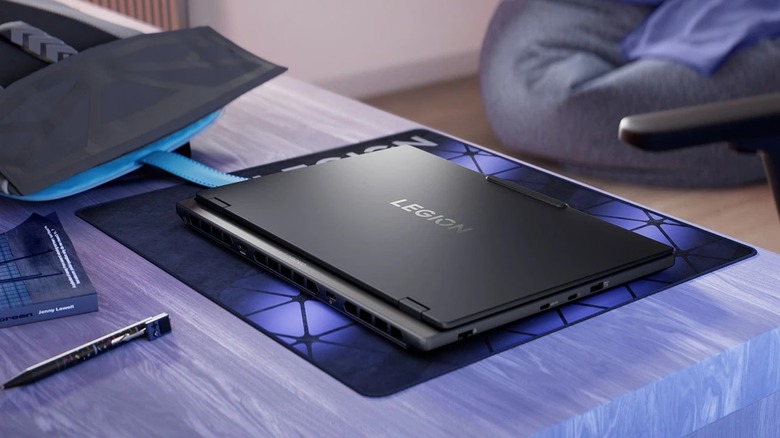
Enough with thin-and-light laptops that don't have a dedicated GPU. Majors like engineering require the extra horsepower needed for CAD and 3D modeling. If that's on your bingo list, then the Lenovo Legion 5i Gen 10 could be it. It costs $2,199, and for that you get Intel's Core i7-14700HX paired with an 8GB RTX 5060 GPU running at 115W. According to CNET, the 5i can run the Assassin's Creed: Shadows benchmark at over 60 FPS on high settings in 1080p. The fans kept temperatures under control without getting loud, and the benchmark results were on par with the Nitro V 16S and the MSI Katana 15 HX.
Unlike other gaming laptops, however, Lenovo hasn't left productivity out of the equation. That's thanks to the 15.1-inch 2.5K 16:10 OLED display. The 165Hz refresh rate keeps everything from scrolling to gaming feeling buttery smooth, and the over-500-nit peak brightness helps when working outdoors. With 99% AdobeRGB, you can even edit and color grade videos with accuracy.
The keyboard is snappy, and there's a keypad on the right side. Sure, the trackpad isn't MacBook quality, but it's still quite good. Portability is compromised because of the 4.3-pound weight. It's still lighter than many gaming laptops, but not once you add the 1.5-pound power brick, which you'll need to bring along because of the five-hour battery life.
Asus ROG Zephyrus G16
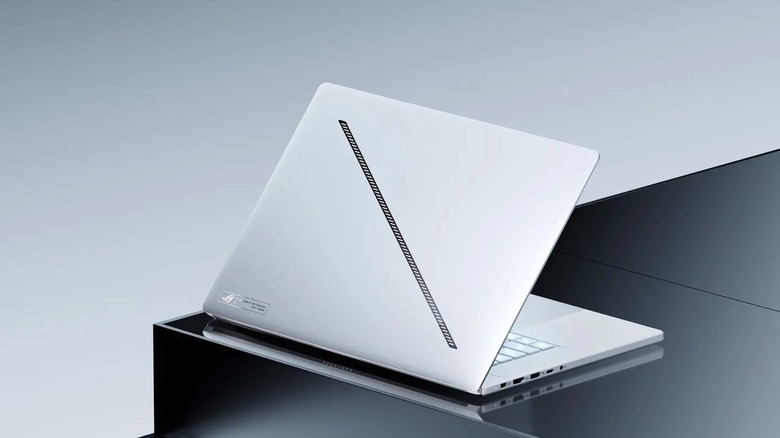
The perfect laptop combines the portability of an ultrabook with the performance of a gaming laptop, while also not having completely trash battery life. For many, the Asus ROG Zephyrus G16 is as close as you can get to the dream machine. The G16 looks nothing like a gaming laptop. In fact, it looks more like the MacBook Pro. At just 0.66 inches thick, you can fit it in a backpack without losing much space, and at four pounds it's heavy, but manageable.
Despite the slim build, the G16 packs an Intel Core Ultra 9 285H processor and an Nvidia RTX 5070 GPU (115W). As expected, it flies through any everyday college workload, be it researching in Chrome, coding, or watching lectures. While the raw performance in demanding workloads and across benchmarks falls short of similarly configured gaming laptops (with bigger chassis), it's still very capable. You can expect around 100 FPS in Cyberpunk 2077 on 1080p Ultra settings, and around 140 FPS in Shadow of the Tomb Raider, according to tests performed by PCWorld. Where things turn in favor of the G16 is battery life. Switch to the Quiet preset, which turns off the dedicated GPU, and you'll get about eight hours of light use.
Beyond performance, the G16 packs a beautiful 16-inch 2560×1600 OLED panel with a 240Hz refresh rate. It's big, bright at over 400 nits, and surprisingly color-accurate, covering 100% of the DCI-P3 and sRGB color spaces. Even the four-woofer, two-tweeter speaker system produces clear audio with decent bass. The only problem with the G16 is that it costs $2,149.
Methodology

As a student, things like portability and battery life matter more than raw performance when choosing a laptop. For this list, we combined our testing of many laptops with expert opinions from reputable media outlets like PCMag, CNET, TechRadar, as well as major YouTube tech reviewers. We picked the laptops based on how well they'd work in a school/college environment, balancing performance, battery life, display quality, and value for money across budgets ranging from $200 to $2,000.