

4 Office Gadgets And Accessories Your Android Phone Can Replace For Free
Android phones are able to provide some pretty fantastic functionality. Thanks to the sheer amount of apps available on the Play Store (and off it, until Google restricts this important feature), you can perform nearly any task you could think of. As you might expect, this allows them to take the place of other basic items and devices, including those found in your office. There are four gadgets in particular that you can use your phone for, either as a complete replacement or as a backup option.
Of course, Android phones have plenty of basic features that can negate the need for office equipment. Built-in flashlights and calculators are standard, and a simple notes app can easily take the place of pen and paper. But you might not expect your phone to replace a few office gadgets in particular. It might not be a perfect stand-in for those gadgets, but you could still conceivably use an Android device to mimic their functionality.
Scanner
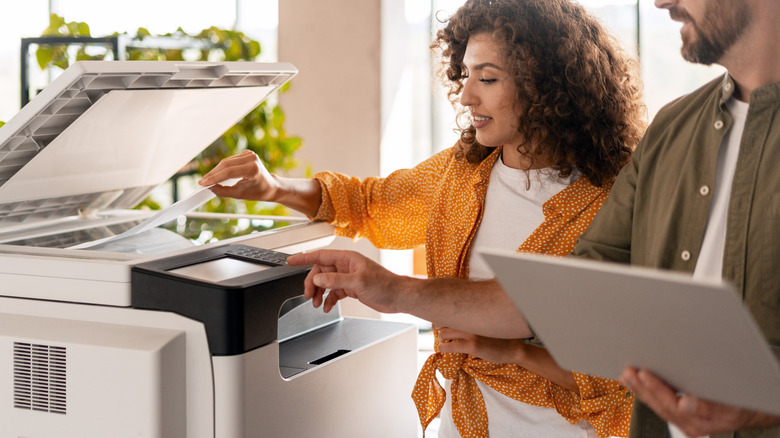
When you have an important physical document, you might need to put it through a scanner to access it as a PDF on your computer. But you don't need another piece of equipment for that when you have a phone around — especially if its camera is high-quality. Even if you might not find many phones with a built-in program for this functionality, there are plenty of free document scanner apps out there. These can allow you to convert physical documents into digital files without relying on a completely separate piece of technology.
There are also quite a few QR scanner apps for Android. While their purpose isn't quite the same, they're still able to read QR codes and even barcodes, which can help replace specialized equipment for the latter. Of course, QR codes and phones go hand-in-hand, with the basic camera app often allowing you to open them without any additional downloads. Still, some of the scanners on the Play Store add extra functionality and quality-of-life features, so they might be worth checking out regardless.
IR remote
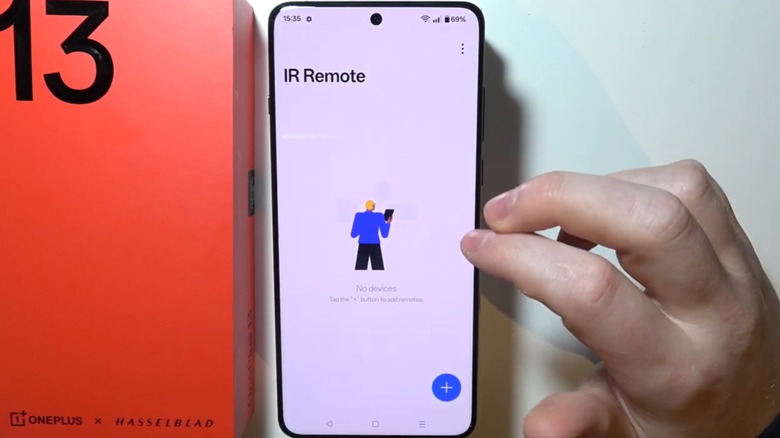
Infrared (IR) remotes can be handy when you need to control other devices around the office. Smartphones can handle this on their own thanks to a dedicated IR blaster, which sends universal signals to compatible devices. Unfortunately, Samsung removed the IR blaster from its phones back in 2015, so a modern Galaxy S26 won't give you that functionality. But companies like OnePlus still include it, even offering it as a widget alongside other essential functions like Wi-Fi and Bluetooth.
Even without having the feature built-in, you can turn your Android phone into a universal remote with the help of an adapter. Plug in a small IR blaster and download an app from the Play Store, and you'll have everything you need. Just keep in mind that these apps won't actually do anything if you don't have one of these adapters plugged in. The additional software can't mimic the hardware on its own, so without a phone that already supports infrared, you'll have to make a separate purchase.
Computer microphone

Mobile microphones aren't exactly the most stellar options out there, but they're serviceable when you simply need to communicate. However, despite the whole purpose of a "phone," you won't have much success if you just plug it into your PC and start speaking into it. Luckily, you can use apps like Micstream or AudioRelay to turn your phone into a mic, letting you talk with others through desktop apps like Discord or Zoom. AudioRelay in particular can even be used on Mac and Linux computers, so you aren't restricted by your operating system.
These apps both have computer and mobile versions that work in tandem to connect your devices. Both your phone and your PC will need to download them in order to connect properly. Once everything's set up, your phone can be used as a mic in almost any application that supports microphone input. If your phone's microphone is high-end enough, it can even sound comparable to professional recording equipment — to an extent. It might not be the best choice for full-on music production, but it'll definitely be enough for remote meetings.
The computer itself
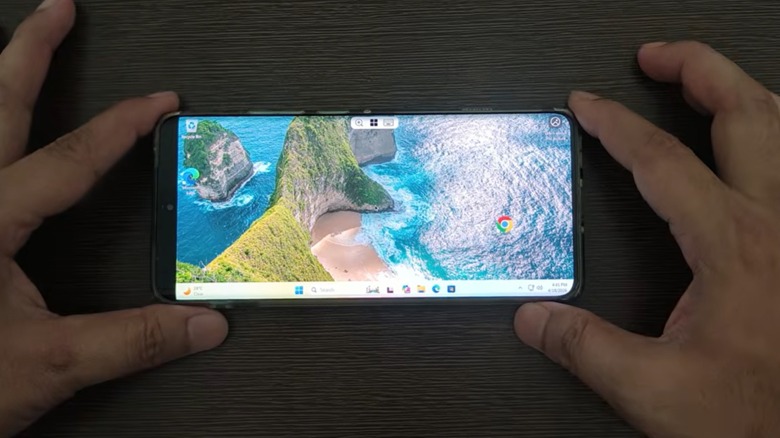
Depending on the apps you need for work, you don't need a dedicated computer to do your job. There are plenty of ways to turn your Android phone into a desktop PC, with many of them — like Samsung DeX — changing the UI to resemble what you'd find on a regular computer. If there are specific apps or programs you need installed on an existing computer, you can also use Remote Desktop functionality. Your phone will connect directly to the computer, allowing you to control its features without even needing to be there.
But what if you want to replace the computer entirely? For that, you can take advantage of virtual machines like Vectras VM. These can emulate Windows, Mac, and Linux environments on your phone, letting you use apps designed for those platforms as though you had the computer yourself. Just keep in mind that these emulated environments won't be able to handle more intensive applications. If you're a 3D modeler, you probably won't have much luck replacing your whole computer here.
Alternatively, through a great deal of effort and a complicated process, you could attempt to install Windows onto the phone itself. This is possible, but you'll risk your data and the phone's overall functionality if something goes wrong. Still, if you're a tech expert on a relatively low budget, it might be worth looking into. An Android phone absolutely can serve as a replacement for a desktop PC — even if that's not necessarily the best option.