

I'll Never Use Chrome Again: These 5 Browsers Are Worth The Switch
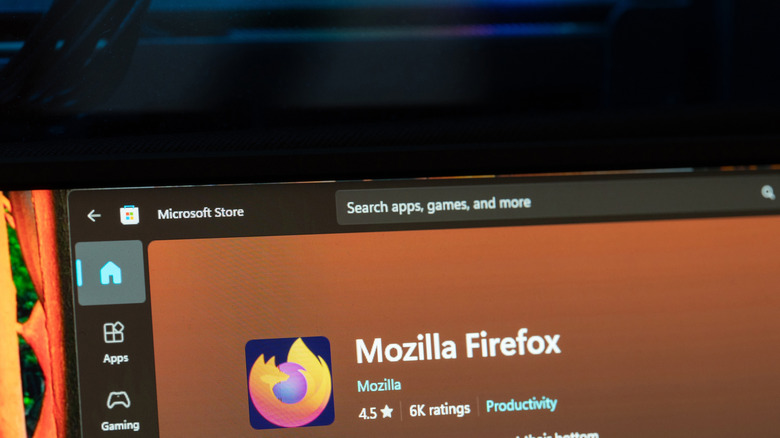
Chrome didn't just win the browser war, it went on to build an empire. Based on statistics gathered by StatCounter, it's hands down the de facto browser choice at 66.7% worldwide, with the next in line being Safari at a mere 17.9%. The only other major browser engine — Firefox, with the Gecko engine — holds about 2.33%. It's to the point where sometimes you'll find websites and extensions that only work with a Chromium browser. Having said all that, there are plenty of reasons not to use Chrome. It's famous for using too much RAM and, well, being made by the final boss of user privacy. But lucky you, you're spoiled for alternatives if you're done with Chrome.
This is a very, very brief list of just a few of the browser options available to you. Browsers with more focus on privacy, more features, and that are just as capable — if not more capable — than Chrome. While some of these are the typical recommended alternatives (Opera and Firefox), we tried to explore some lesser-known ones that you might not have heard of (Vivaldi, Orion, and SigmaOS). All of them are worth a shot.
Vivaldi
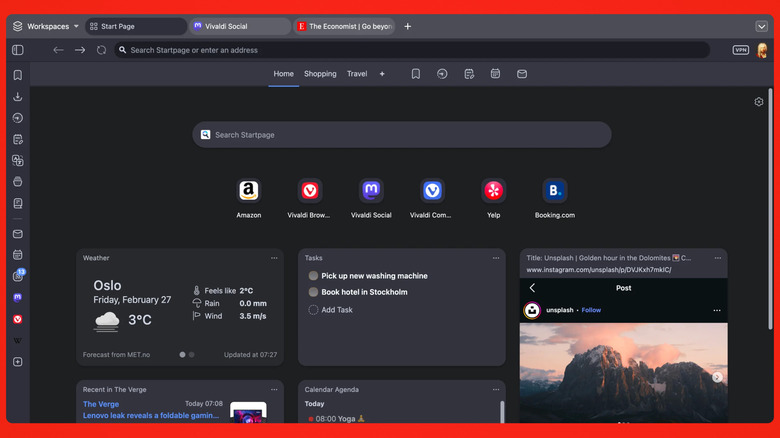
I have suggested ditching Chrome for Vivaldi for years now, and in the current year, that recommendation has only gotten stronger. Describing Vivaldi in one sentence, I'd say it's one of the few browsers that continues pushing the envelope when most browsers have settled into the same rut. For example, rather than just give you tabs, Vivaldi lets you stack them like a double-decker bus, view them split-screen without opening a second window, condense them into grouped accordions, rename them, scroll through them, save them for later, and the list goes on. And that's just the tabs! It keeps trying to reimagine established aspects of the browser we already thought we knew, like its new Auto-hide mode that shutters away UI elements when not needed for a "fullscreen" experience in a windowed browser. We could go on.
Customization and innovation aside, another strong selling point is Vivaldi's privacy policy. Synced browser data (like history and bookmarks) is locked down with end-to-end encryption. It also takes some more "radical" stances that set it apart from the crowd, like refusing to engage with crypto, and staying apart from the shoehorn-AI-into-everything frenzy. Its included ad blocker works pretty great, its browser-based Mail client is convenient, and if you need a VPN, your Vivaldi account entitles you to free usage of Proton VPN directly through the browser.
Really, the only major downside of Vivaldi, in my estimation, is that all those features do come at a resource cost. Vivaldi's free because you pay in RAM. That said, the app is available on virtually every platform, including mobile, so if you do decide to go all in, it's an excellent cross-platform contender. We'd recommend this Chromium alternative to those who want a setting toggle for everything and cutting-edge features.
Opera
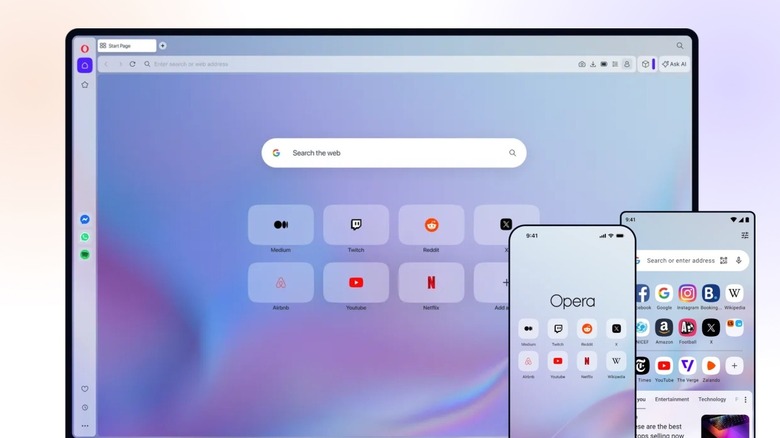
Opera is like Vivaldi's twin sister, a Chromium-based browser focused on being private, feature-rich, and innovative. Where Vivaldi appeals more to the nerds, though, Opera feels a lot more mainstream. And man, there are a lot of features. We're not even sure where to start. From the get-go, Opera has multiple browser options to choose from: You can always just download the main Opera Browser, but there's also Opera Air (a minimalist, meditation-and-productivity browser), Opera Neon (a paid agentic AI browser), and Opera GX (a "gaming" browser).
It has the typical ad blocker and free Opera VPN that are becoming commonplace in browsers, but goes a step above with a music player, snapshot tool, integrated messaging, video upscaler, newsfeed, and a whole lot more. If you're more interested in AI-based features, something Vivaldi lacks, then Opera is for you, since it embraces AI wholeheartedly. Use the free AI image generator that comes with Opera or chat with its in-house Opera AI, similar to ChatGPT in its ability to generate media and analyze files.
Opera throws a lot of weight behind its privacy basis — it's headquartered in privacy-centric Norway — and its security. It supports features like automatic built-in DNS encryption and crypto-miner blocking, and it has a dedicated security team that reviews browser extensions and runs a bug bounty program. Third-party audits (such as the one of its VPN by Deloitte in 2024) provide assurance that it doesn't collect user data, such as VPN usage logs. Opera is our recommendation for most people who are migrating away from Chrome and want a no-nonsense, easy-to-use browser.
Firefox
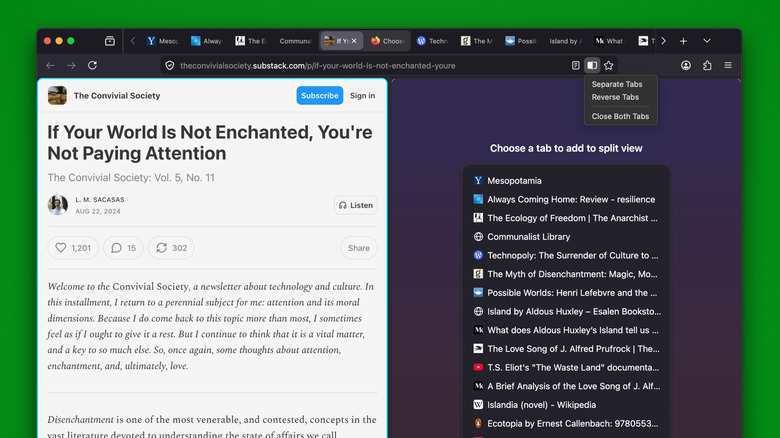
Firefox is one of the oldest browsers still in use today, arriving on the scene in the early 2000s when Netscape was still a thing. As we established earlier, it's nowhere near as popular as Chrome, but we think it's a worthy Chrome replacement for a couple of reasons. One, the Gecko engine may be more resource-efficient. An informal browser benchmark comparison focused on browser energy usage showed Firefox using less power than every major browser except Safari. Our own testing against three other browsers showed that it used half as much RAM as Chrome. Two tests are by no means conclusive, but they suggest that Firefox is not to be slept on.
Feature-wise, Firefox is no slouch compared to Chrome. It blocks trackers and fingerprinting out of the box, syncs your passwords, and supports popular new tab management features like pinning, grouping, and vertical stacking. Firefox is even joining the trend of free, browser-based VPNs. Perhaps one of the biggest upsides to Firefox, however, is that it supports ad blockers that are now no longer available on Chrome. uBlock Origin got the French Revolution treatment back in 2025, but since Firefox isn't a Chromium browser, uBlock Origin is still 100% functional. Other Chromium browsers like Vivaldi and Opera have to build their own separate ad blockers on top of Chromium.
Firefox still maintains a strong privacy policy, at least on paper. In recent years, Mozilla has gotten itself in the hot seat with the introduction of a less user-friendly privacy policy. However, compared to Chrome — the browser that keeps tabs even if you open an incognito window — Firefox is arguably the superior choice on the privacy front. There are also some excellent Firefox-based browser alternatives like Zen.
Orion
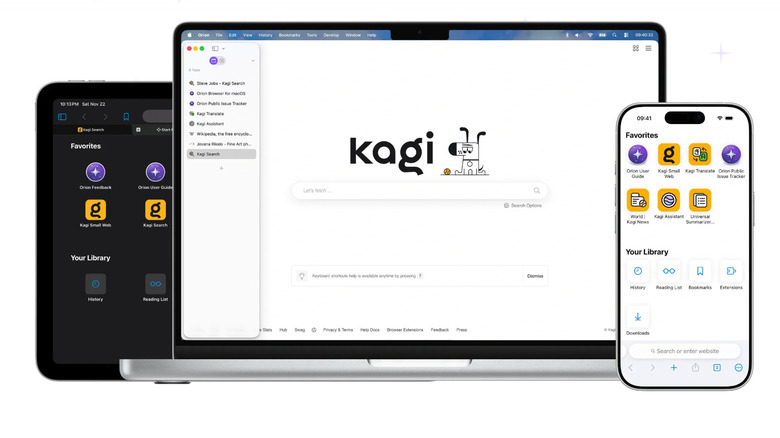
Safari is macOS's default browser, and in the browser benchmark for energy usage, it used about half as much energy as even Firefox. It's a decent browser that can hold its own against Chrome, especially with the excellent macOS integration for things like Apple Passwords. However, it's arguably the most feature-poor of the lot, forcing macOS users to trade Safari's unparalleled battery life for functionality. Orion is a browser that doesn't force you to make that choice.
Right out of the box, Orion feels remarkably similar to Safari, except with a couple of features you wish Safari had. Block ads and trackers without having to install a third-party blocker, open broken links automatically in the Internet Archive, use vertical tree tabs, and a whole lot more. Since it's WebKit-based, like Safari, it inherits some of Safari's best aspects like Link Preview and minimalist Reader Mode. Additionally, it claims to be more resource-efficient, using half the memory of Safari without skimping on speed — though we can't confirm that. Also similar to Safari, it has a strong user privacy emphasis.
Above all else, though, what really will sell Orion to you is the fact that it supports extensions from other browsers. If there's an extension you want that's not available in the App Store, there's a good chance you can use it in Orion. So if the reason you haven't committed to Safari is because its limited features make it tough to use, then Orion will close the gap. Orion is not yet available for Windows and Linux, unfortunately, though versions for each are currently in development.
SigmaOS
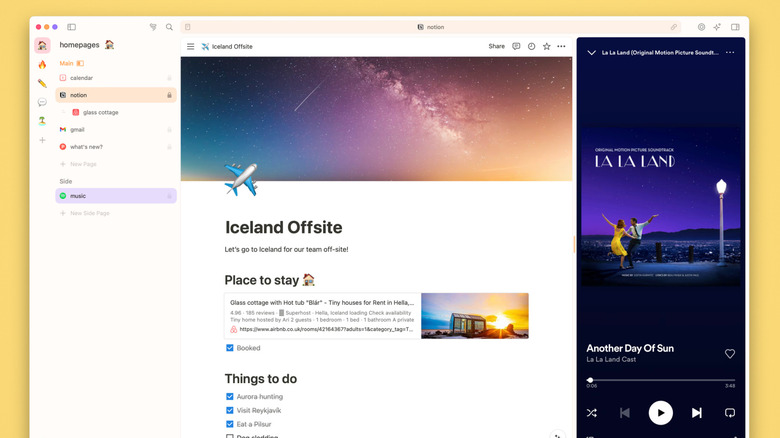
SigmaOS has to be one of the most beautiful and inventive browsers we've seen to date. In the vein of browsers like Arc, Dia, and Zen, it tries to reshape what you think a browser is and does. To give you an example of what we mean, tabs are not exited out of; they are "marked as complete." Rather than use the URL bar to put in URLs or do searches, a Spotlight-like search pops up upon pressing the space bar to both search Google and run in-browser commands. A pinch gesture can "simplify" websites, sort of like a reader mode that works on any website, not just text-only articles. A highly adjustable split-screen mode lets you put a music streaming site (like Spotify) into a sort of sidebar so you can access it while normally browsing. We could go on, but you get the idea.
Aside from all that, SigmaOS is beautiful. Just look at it! It's like Notion and Safari had a baby, a WebKit-based browser like Safari and Orion aimed at efficiency and speed on macOS. Also like Orion, it can run non-native Chromium extensions. A Windows version is currently in the works for those non-Mac users who find it appealing. Having used it myself quite a bit, it's very much UI eye-candy, while having great shortcut support for those who like to keep their hands on the keyboard.
One caveat worth mentioning: It's completely free to use, but it does have two subscription-based paid tiers ($20 a month for Personal Pro, $30 a month for Personal Max) to expand access to its own Airis LLM model and AI-powered features like Interactive Summaries. In any case, this is the alternative we recommend if Chrome feels stagnant and unimaginative to you.