

4 Cool iOS 26.5 Features Coming To Your iPhone This Spring
We're now at the tail end of iOS 26. That means all the best features we've seen for this year's iPhone operating system have been released, and we're a couple of months away from WWDC when Apple will reveal what it has been cooking for iOS 27. From now on, we're most likely to see optimizations and fixes for iOS 26's common problems. Still, Apple is known to surprise us with a few bonus features here and there during an OS's waning life cycle. iOS 26.5 will be one of the last major updates and does include some cool items worth mentioning.
Based on past releases, we can expect iOS 26.5 in the middle of May. Sadly, despite all the hopium we took, let's rip off the Band-Aid right now: Siri does not appear to be on the books for iOS 26, or 26.5 at the very least. The redesign of Apple's chatbot seems to be an iOS 27 mainstay — unless it's late again. Provided your iPhone supports iOS 26, you can try out the features we'll mention yourself by joining the iOS 26.5 beta. But if you'd rather wait until May, here is what your iPhone will be able to do.
RCS end-to-end encryption
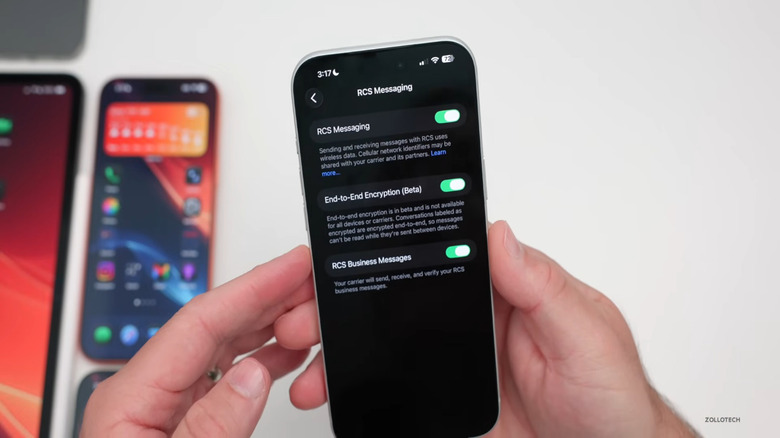
Everyone remembers back when having a blue versus green bubble was a whole thing. That ended somewhat in iOS 18 when Apple finally stopped dragging its feet and incorporated RCS, a modern texting standard that gives us modern conveniences like read receipts, typing indicators, Tapback reactions, and better media support. What it lacked, though, was end-to-end encryption, to the point where in one instance the FBI warned people against using it for sensitive communication. That's a big deal. End-to-end encryption means your messages are jumbled nonsense for anyone but you, including hackers and the service delivering the messages.
Now, RCS may finally be 100% secure, with end-to-end encrypted support for iPhone-to-Android conversations. Apple seems to have been struggling with the implementation, though. There was briefly E2EE support in iOS 26.4, only to be disabled shortly after. It's back again in iOS 26.5.
Note that this is not enabled by default. You'll need to go into Settings under Messages and make sure the green toggle for "End-to-End Encryption" is enabled. You'll know E2EE is working if there's a lock icon in chats with Android users. Also, support for RCS E2EE will depend on your mobile carrier; if it doesn't support RCS Universal Profile 3.0, then you'll have to wait. We cannot recommend enabling this enough. If your carrier supports it when iOS 26.5 releases, do it ASAP.
Apple Maps suggested places
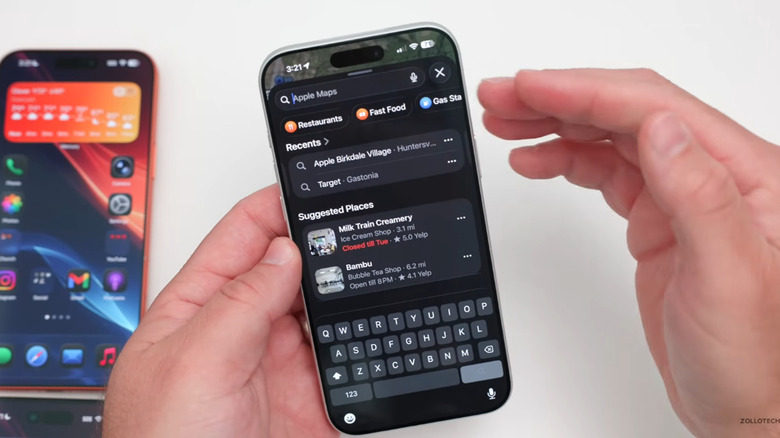
Google Maps used to be the preferred map app, because, well, Apple Maps was pretty terrible for years. Then recent iOS versions made Apple Maps surprisingly usable, bringing it closer and closer to feature parity with the competition. Now you can speak to Apple Maps naturally to get locations and directions, among other things, making it viable for some as a complete Google Maps replacement. Alas, Google Maps still has the upper hand in a lot of ways. iOS 26.5 may close the gap just a bit more with Suggested Places.
Suggested Places works exactly the way it sounds: when you're about to search for something, you'll see local recommendations apart from your search results. In theory, these are the top results based on what the algorithm has seen people showing interest in, although this Apple Maps update could leave a lot of users frustrated because Suggested Places can be paid ad spots.
One of Apple's big selling points has been that, unlike Windows, it doesn't put any ads in its operating systems. But that has been changing. As a recent example, you'll now see ads for the Creator Studio subscription in apps like Pages. Unfortunately, it seems like Apple Maps is just the latest casualty. We hope this isn't a trend towards even more ads as time goes by, since Apple is one of the few sanctuaries from advertising in the tech industry.
Apple ecosystem features for third-party Bluetooth devices (EU only)
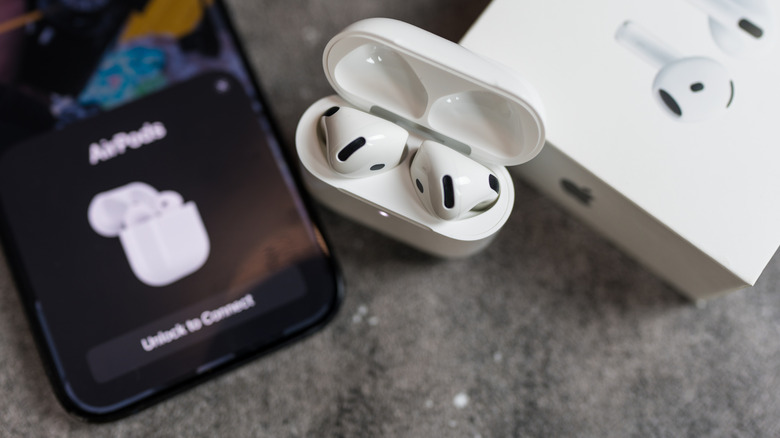
iPhone users in the EU have been living large in recent years. In the EU, you can use browsers with their native engines and download apps outside the App Store — but not in the US. iOS 26.5 for European residents will bring the ability to use some formerly ecosystem-limited features with third-party devices. What we mean by that is, if you live in the EU, you could, for example, pair third-party Bluetooth earbuds with the same one-tap process as a pair of AirPods. Post-release, your expensive pair of Sony XM6 earbuds may no longer force you to trudge through Bluetooth settings to manually select the device. Perhaps someday soon we'll also see instant device switching for third-party earbuds.
iPhone users will also finally be able to use their own third-party smartwatch — not just the Apple Watch — to get smartphone notifications. Limited reaction options (replying to messages on-watch, for example) may be a possibility, as well as Live Activities. Note that it appears the message-forwarding aspect of this feature was expanded globally, not just limited to the EU.
Even if most of these features are limited to the EU, there's precedent that they could reach the whole world someday soon. That was the case with NFC, an Apple Pay exclusive until 2024. For now, though, understand that EU-specific features are hard to access unless you currently reside there. Some users have figured out how to spoof an EU location to trick the iPhone into giving them those features, but doing so requires a lot of technical knowledge and extra hardware.
Automatic Magic Accessory pairing
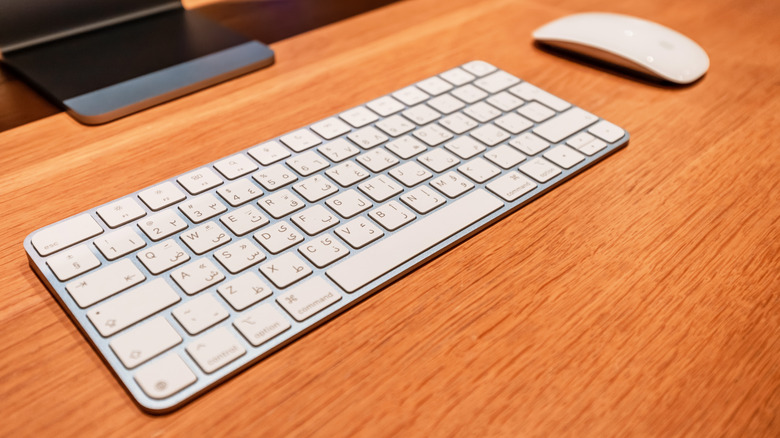
If you have a Magic Keyboard or Magic Mouse, you know that they're good devices, but they're expensive and lack basic features, like backlights. In most cases, you're better off finding an Apple Magic Keyboard alternative. Another frustrating limitation the Magic Keyboard had was that it didn't connect automatically to the iPhone when plugged in. You had to pair it just like any other Bluetooth accessory. iOS 26.5 removes a bit of friction by making the Magic Keyboard function with the iPhone the way it does with macOS.
So how do you connect it in iOS 26.5? Just plug it in and let Apple do the work. Like with a Mac, the keyboard will add itself to the Bluetooth list so you can use it without a cable in the future. You should be fine if you have one of the older Apple Magic keyboards with a Lightning cable, since the cable terminates in USB-C on one end.
Admittedly, there aren't many reasons to connect a keyboard to the iPhone since you have such a small screen to work with — but perhaps that will change. Android got a desktop PC mode that lets you plug your phone into a monitor and use it as if it were a near fully functional laptop. The rumors are sparse concerning iOS 27, so the seemingly random addition of Magic Keyboard support makes us wonder if that's a hint at an iPhone-to-USB-C desktop mode to come.