

5 Things You Didn't Know Ethernet Ports Can Do
Even if you're not an IT specialist, an Ethernet cable is pretty straightforward. Plug one end into the wall, the other end into your router (and then another into your computer) and you get internet. Voilà. Of course, that's a vastly oversimplified look at how Ethernet is engineered and how it works, but the point is, Ethernet provides internet in an almost magical way — which seems to be the inspiration behind its "ether" moniker, inspired by the old physics concept of the luminiferous ether, once thought to be a universal medium carrying waves. As long as you use the right Ethernet cable color, and make sure your Ethernet cable isn't too long, your devices get Ethernet. End of story. Ethernet ports don't do anything except facilitate that process, right? Believe it or not, Ethernet ports can do a lot more if you let them.
This article is a very brief dive into just some of the things Ethernet ports are capable of. In most cases, what you see below is limited to professional and/or industrial applications, so you likely won't be using any of them in your own home. Nonetheless, it's proof that Ethernet is an incredibly useful and versatile standard. To call it just an internet standard is to do it a disservice, because in reality, Ethernet is a super-standard that puts on different hats depending on the situation. Here are five.
Send Power over Ethernet (PoE)
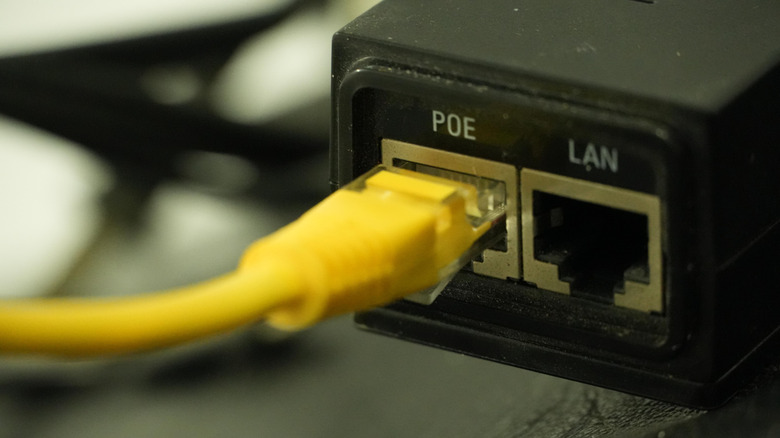
At a very basic level, an Ethernet cable is just a group of unshielded or shielded twisted pairs of wires. Wires carry electricity, not just signals. So in theory, a wire should be able to carry enough current to power something, and thus so can an Ethernet cable. Power over Ethernet, or PoE, lets an Ethernet cable carry enough power to support low-voltage devices and still provide data. Minor note: this is not to be confused with Powerline Ethernet, which utilizes a similar idea by making the power lines already in place support a network connection. You couldn't power a whole house with Ethernet, but you could, say, power things like lights and alarms.
Already you can probably see why this would be useful. Why have multiple cables that drive up cost and require more professional installation expertise (and time) to get both internet and power, when you could just have one? Plus, it could prevent the need for an expensive and onerous installation (i.e., ripping open walls and floors) just to make one new device work, since the existing cables can do the job. In addition to this, it can be more power efficient and safer (fewer potential fire hazards).
PoE is a staple in industrial applications. Entire buildings can in theory hook their sensors, CCTV, point-of-sale systems, digital displays, and more into this one, comprehensive, scalable system. To be clear, this is not a comprehensive look at PoE; there are a whole raft of specifications and standards for which cables support what outputs. Choosing between Cat5 and Cat6 is only part of the equation. At home, you could use it to, say, power your security cameras with a PoE injector.
Wake devices with Wake-on-LAN
Being able to wake a device over the wire rather than walking over and physically pressing the button is an understated convenience. Take, for example, HDMI-CEC on your TV, which lets you simultaneously wake up smart TVs and game consoles as soon as you turn the TV on. In a similar vein, there's Wake-on-LAN for Ethernet ports. The standard uses so-called magic packets to tell the recipient device to resume operation from an inactive state, like a computer that's in sleep mode. Normally, you'd have to do this by going over to that computer and pressing the power button or jiggling the mouse, but Wake-on-LAN means you could be anywhere in the house or even anywhere in the world. The LAN part (LAN stands for local area network) can be a bit misleading since Wake-on-LAN can be configured to work from virtually anywhere with the right network setup.
You can set this up for yourself on a Windows or Mac device. On Windows, you have to make sure it's enabled in your BIOS and then configure it on the software side with a utility. On Mac, as long as "Wake for network access" is enabled in the macOS settings, compatible apps or devices can send the wake signal; you can also use a third-party app that'll send those magic packets.
So what can you do with this? The obvious option is remotely controlling a PC when you're not nearby, whether you're downstairs or a plane ride away. Some apps handle this whole process for you, like TeamViewer. If you've converted that old PC of yours into a home media streaming server, now you don't have to leave it on 24/7. You can use Wake-on-LAN to start it up only when you're going to be watching.
Monitor devices with SNMP
When it comes to network devices — particularly in enterprise settings — it's important to understand that many of them are controlled remotely rather than directly. Think of something like a security camera, which lacks a screen, keyboard, and mouse, instead relying on a computer to tell it when to record, where to send the footage, etc. In the tech industry, this is sometimes referred to as running something "headless," especially when it comes to things like servers. One thing routers (and therefore Ethernet ports) facilitate is SNMP, an acronym that stands for Simple Network Management Protocol.
Without getting too deep in the weeds, basically you have a Network Management Station that controls a whole bunch of SNMP agents or devices. If the office where you work uses, say, a printer, then the IT team may be monitoring it over SNMP. And that's the keyword: monitoring. SNMP isn't a tool for remote control; it's for making sure everything's running normally, especially on a network with a lot of different devices that would otherwise struggle to share information. Even setting aside professional contexts like offices, it can still be a helpful diagnostic tool for home network issues.
Support audio networking
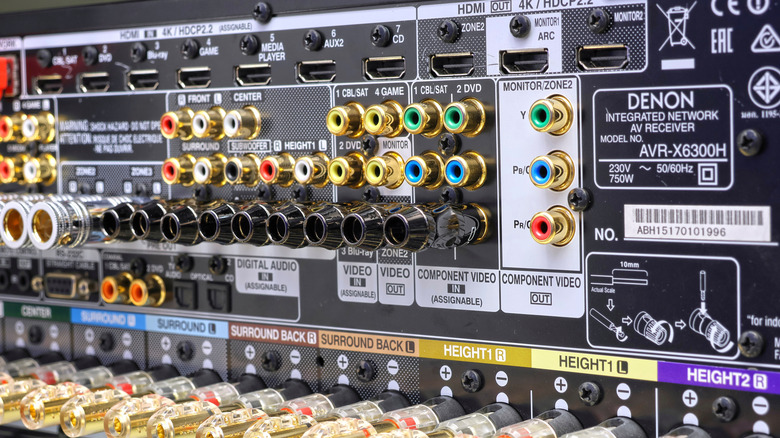
You may have noticed a theme by now: Ethernet cables are able to do a lot more than just "the internet" in a vague sense. Since a lot of buildings already have them — or can install them more easily — the more shoes Ethernet can fill, the better. Another area where Ethernet comes in handy is audio/video (AV) networking; think concerts or churches where live music and video need to be sent to speakers and screens reliably. Normally these things go through specialized AV cabling. But if Ethernet can handle it all in one, why not?
How you go about this depends on which standard you want to use. There are competing collections of standards like AES and IEEE's Audio Video Bridging (AVB); then you have commercialized options like Dante and RAVENNA, which serve businesses that want to get an AV system up and running and which can use open standards like AES.
We're intentionally keeping things simple here because an Ethernet AV network can be very complex, with multiple intermediary devices and a lot of routing that only professionals will understand. It's mostly a commercial thing, but in some cases you might use Audio over IP if you are going to, say, build your own home theater. Regardless, the point isn't to give you the lowdown on how the tech works, but rather to demonstrate that Ethernet can support these things in place of a traditional AV setup — and may even be preferable.
Run separate virtual networks (VLANs)

You've heard of LANs. Ever heard of a VLAN? Virtual Local Area Networks are kind of like virtual machines or Docker Engine containers, where there's a separate, virtual, logical network that behaves as if it's distinct from its physical network. So on one network, you could have multiple VLANs that are technically sharing the same pool of resources but function as if the others don't exist, and therefore only interact with other devices confined to their specific VLAN. Ethernet facilitates this by tagging the traffic.
So what's the point of all this virtualization? One of the biggest benefits is compartmentalization. A virtual machine is a great way, for example, to safely test a USB drive without risking the security of your actual machine. In a similar vein, a VLAN can be mighty helpful for putting up protective digital walls on home networks. Suppose, for example, you get a lot of guests and you want to allow them to connect to the Wi-Fi without being able to see or touch other network devices. You could isolate them in a VLAN and rest easy knowing they won't mess anything up. Without a VLAN, you'd have to buy more hardware. Like a virtual machine, as long as you have the resources to divide up, it's very doable — and may even improve performance.
That's for a home setup. The uses are many and varied in professional applications; VLANs can be helpful for Voice over IP (VoIP), IoT networks, and secure remote access. Imagine how important it would be to make sure that strangers connecting to free Wi-Fi can't touch other sensitive parts of the network. There are other ways to divvy up a network, like having separate guest networks or subnets, but VLANs are one great option.