

5 Useful New Features Your Android Phone Got For Free In 2025
Smartphones, like crabs, have evolved into their "perfect" form, so the biggest improvements from this point forward are mostly on the software side of things. In 2025, Android 16 arrived, an exceptionally well-polished addition to an already great operating system. We got new security features like Android 16's ability to detect fake cell towers to prevent man-in-the-middle (MITM) attacks, and updates to Samsung DeX that allow your Android phone to be a viable desktop replacement — among others. These updates were all free. We'd like to share a few of the best ones we saw in 2025.
Spoiler warning: These features were not released universally to all Android phones. Yours might not get them yet, or might not get them at all. It's up to you to check which Android features your manufacturer supports. Google Pixel users, as is typical, are the ones who see the best features before anyone else, though some of these features have trickled down to older Android releases. If you have an Android phone already, then check out the following.
Android Emergency Live Video
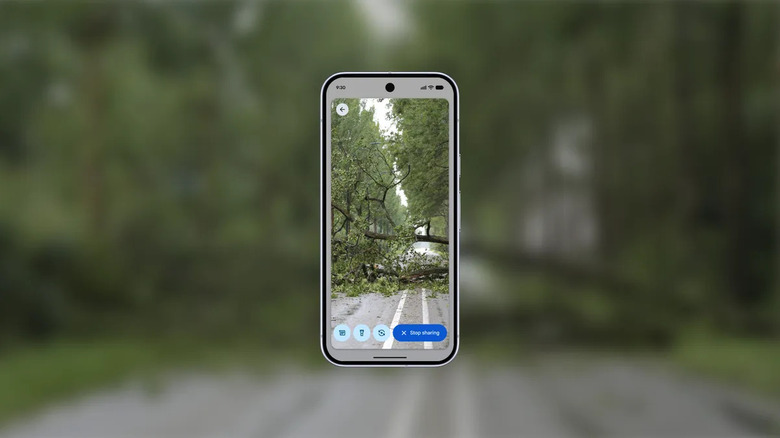
Android already has emergency features like crash detection, but a crash is a pretty vague descriptor. How many cars are involved? Have any of the cars gone off the road or flipped? Is anyone trapped? If you're scared and possibly injured, explaining how dire a situation is could be quite difficult, car crash or otherwise. Emergency live video helps first responders serve you and your loved ones by streaming video from your Android camera directly to them. They can request that you share the video rather than relying on you to remember to do so while under pressure, and importantly, the feature works without prior setup.
The potential for this feature could change emergency response forever. Aside from allowing professionals to assess the situation from a distance, they can also instruct victims on what to do, where to go, and help calm them as well. In introducing this feature, Google gives the example of a paramedic walking you through CPR remotely. We imagine many lives could be saved if help is too far away and people in the immediate vicinity are capable of giving basic life-saving aid — administering tourniquets, elevating someone who's in shock, putting out fires, etc.
So who gets this feature? Google says phones on Android 8 or above support it, although it doesn't yet work worldwide. Currently, only parts of the U.S., Germany, and Mexico can use it. Hopefully, the coverage expands to as many countries as are able to support the feature.
Call Reason
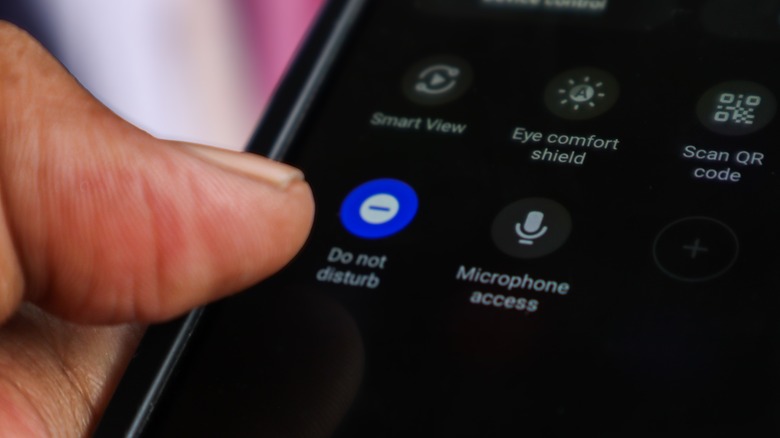
These days, we'd say it's pretty common for people not to answer phone calls — from anyone — that come out of the blue, and instead wait for a voicemail and/or text explaining what the call's about. We all know that one person whom you tell to ask if they can call you, but they still do anyway just to say "hi." Call Reason, a component of Google's Phone app, helps callers indicate what a call is about and, importantly, if it's urgent. You'll see a siren icon labeling these calls to distinguish them. The idea is that so-called urgent calls can also slip through Do Not Disturb, since a good chunk of people these days leave their phones on silent and/or Do Not Disturb for long stretches.
Naturally, everyone's first thought when hearing about this feature is that spam callers will be leaping for joy, now able to be more annoying than they already were. The feature does allow random callers to use it even if they're not one of your contacts; however, there's a good chance it won't be able to bypass existing anti-spam measures. If you have Call Screening enabled on your Google Pixel, then spammers can hit you with urgent call requests all the live long day, to little effect. Luckily, it appears this feature can be turned off entirely in Settings > General > Call Reason.
This feature is exclusive to the Android beta for now. It's not yet clear where the cutoff is for Android phones that are getting this feature. Such a feature is ripe for abuse, so hopefully Google is refining it before a full release. Perhaps it could copy what Apple has on iPhone, such as only allowing repeated calls to break through Do Not Disturb.
Notification Cooldown and Summarization
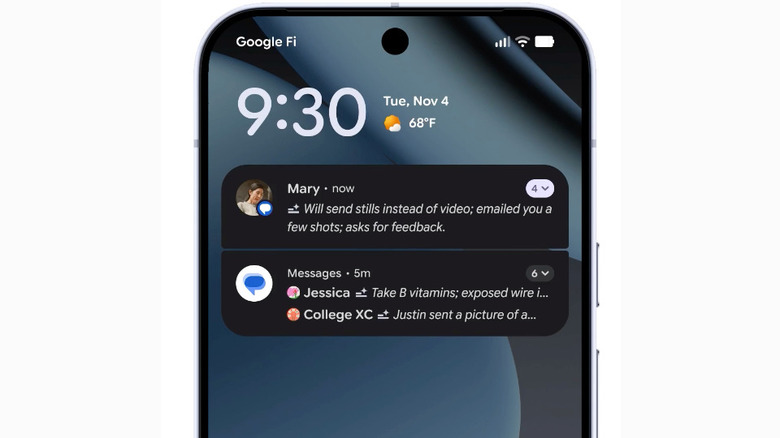
Sometimes, the group chat goes into overdrive with a topic you have no interest in, and you need a quick, non-permanent way to shut it up so you can focus. The addition of the Notification Cooldown feature is the antidote to repeat notifications like this, or any other kind. To enable it, go into Settings > Notifications > General > Notification Cooldown > Use Notification Cooldown. It works automatically; when it gauges that notifications have turned from a trickle to a flood, notification sounds get quieter, and you'll see fewer pop-ups. It's quite similar to the iPhone version of the feature, which asks if you want to temporarily mute notifications when that flood kicks off.
Bear in mind, this feature does have some limitations. Repeat phone calls, for example, won't be cooled down. It also only lasts for around two minutes; if there's another flash flood of notifications later, you may need to try other means of reducing notifications. It appears this feature should work on most Android phones running Android 10 or later.
The other cool feature is notification summarization. This was a somewhat controversial AI feature on iOS 26 and iOS 18, since the summaries it generated could be ... a bit problematic. X user @AndrewSchmidtFC shared a screenshot of a summary telling him his mother had attempted self-harm, when she'd only jokingly said that a hike almost killed her. So, here's to hoping Google's implementation doesn't produce similar embarrassments. Similar to the iPhone, you can choose which apps get summaries. Notification summaries are part of a larger notification management upgrade, with the so-called notification organizer that, similar to Apple Intelligence, tries to figure out which notifications are most important.
Live Scam Detection
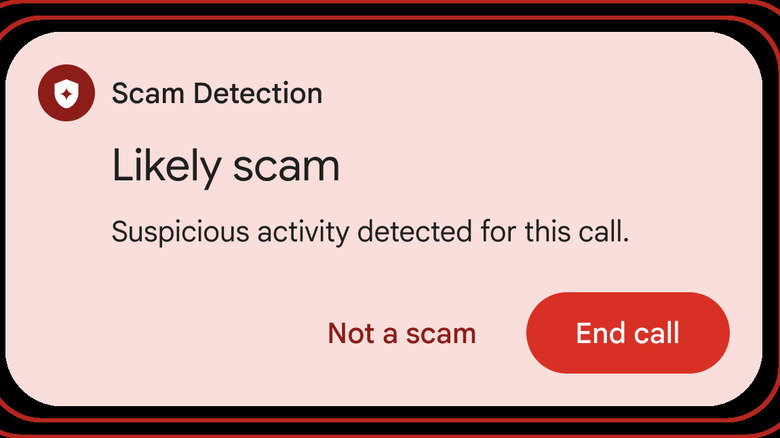
It feels sometimes like no matter how much you educate people about scams, no matter how many anti-scam tools you create, people still manage to fall for them. Especially as scams get more elaborate, like the now infamous pig butchering scam. Android may now finally have a way to combat scams as they're unfolding, live. We got a taste of this in early 2025 with scam detection that filtered Google Messages through AI, but this latest iteration extends to phone calls. Note that this is one of those features that is a Pixel exclusive at the time of writing. U.S. users will need at least a Pixel 6 to use it.
How does it work? If you have enabled it in Settings > Scam Detection, you'll get a sound or vibration paired with a notification telling you that you should hang up immediately because the AI suspects it's a scam. If you're convinced that the call is legitimate, you can easily dismiss it with the "Not a scam" button. If you're not sure whether or not it's working, listen for a beep that repeats periodically throughout the call.
Google puts the disclaimer front and center that this is not a bulletproof method for protecting people from scams, since all it is doing is using AI to look for patterns common in scam calls. Not all types of scams can therefore be detected, and there's always a chance of a false positive. However, this is one feature you should absolutely enable on an older relative's phone. The last thing you want is to find out someone bought hundreds of dollars' worth of gift cards to pay off some mystery debt from a mystery company representative.
Live Location Sharing
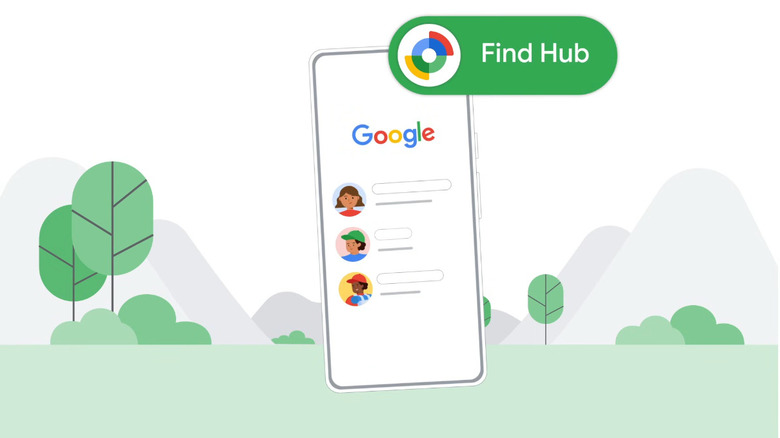
Recently, Google put itself neck and neck with Apple's Find My Network by introducing its own Android Find My Device network that works similarly. It was missing only one thing: the ability to track people. For years, the only real solutions on Android were roundabout. You had to have someone share their location with you via a messaging app, Google Maps, or use a third-party app like Life360. Now, Find My Device has acquired that final gem, making its Infinity Gauntlet feel complete, with people tracking baked into the Find My Device app.
Similar to Find My on iOS, this is its own dedicated People section featuring those who've consented to share their real-time location. Also, like Find My on iOS, you can check where multiple people are at the same time relative to one another on the map. The good news is that all Android users will be able to try this feature, not just Pixel owners. Supporting as many devices as possible is in Google's best interest, since the Find My Device network works as a constellation of devices to help you pin down people and things.
Based on personal experience, these sorts of first-party tracking solutions are preferable, since they don't require you to share your data with another company. Your Android-owning friends won't have to download an app either; you can just ask them directly to share their location. While privacy is always an open question with Google, the location tracking in its Find My Network uses encryption to keep location data out of the wrong hands.