

5 Hints That It's Probably Time To Upgrade Your Phone
How often do people replace their phone? It really depends on who you ask. Some surveys, like those of Reviews.org, say it's about every 2.5 years. Informal polls across the web show different results; almost as many wait at least four years to replace their phones as those that replace them in that 2.5-year average, while a fifth of people don't replace a phone until it croaks. When we polled people about their smartphone upgrade life cycles, 10% said they upgrade yearly. All of this information is quite conflicting, so when is the best time to update your phone?
It depends (yeah, lame answer). Since every person has a differing view on what constitutes an upgrade-worthy new model, we'll focus instead on determining when a phone has reached the end of its rope. The following aren't hard rules. In every case, a phone will continue to work. Combined, however, they paint an increasingly grim prognosis for your device. If your phone exhibits one or several of these signs, you should seriously consider an upgrade.
The battery is spent
Have a phone with a weak battery that takes too long to charge and/or drains quickly? A battery replacement can effectively make a phone perform almost like brand new, but a battery replacement may not be worth it for a couple of reasons. One, the cost. For example, imagine you've got an iPhone 14 Pro. Everyone knows it costs a lot to replace an iPhone battery unless you have AppleCare+. Best Buy, for example, charges $99 for a battery replacement on an out-of-warranty iPhone 14 Pro. Since you can trade in that phone for up to $300 with Apple, you're already almost halfway there to a new iPhone 17. You'd get a faster device with more years of software updates.
The other factor is risk. Phone manufacturers have long given up on making phones easy to repair. The iPhone 14 Pro battery replacement is moderately difficult and takes one to two hours, according to iFixit. That's assuming you don't accidentally break the back glass (or anything else) and unintentionally sign yourself up for more repair costs. It could be worse. The Google Pixel 9 Pro XL, for example, has a particularly difficult battery replacement process.
What we're saying is that it may make more sense (for some) to reinvest battery-replacement money into a new phone instead of keeping an old phone going longer when it's already several years closer to software obsolescence, especially if you've got a phone that's already more than three years old. Of course, some people will see a $99 battery replacement as the best decision, always. This is just one factor to consider alongside others down below.
The phone struggles with basic tasks
Does your phone seem to take longer than it used to to open apps and load websites? Does it feel like it freezes a lot, perhaps even crashes and shuts down at random? These are often signs it's time to replace an old smartphone. Your phone's processor and memory may no longer be enough for increasingly demanding modern apps. It was for these reasons and more that I upgraded my old iPhone 13, which was also running concerningly hot most of the time. Regular restarts, tweaks to the settings, and even factory resets did nothing to make the phone more usable. Replacing it became necessary for my sanity.
Doing a factory reset and/or removing a problem app may help, but these are typically only temporary fixes. Don't assume that because your phone is still supported by the latest OS and can still download apps that you're in the clear. It happens from time to time that new updates bring older phones to their knees. Your time is money, so toughing it out with an old phone that's painfully slow to use may not be worth the trouble.
Android users are in luck. You can often install LineageOS, a free, open-source Android operating system intended for older, unsupported devices. Based on personal experience, LineageOS is leaner and more minimalist, and as such seems to perform better even on dated hardware. You'd be shocked how long devices tend to get support on LineageOS, too. The OnePlus 5, a phone that initially shipped in 2017, is still getting updates to this very day. We dare you to find a major manufacturer that does this. There are other options, such as GrapheneOS, a more security- and privacy-oriented option that supports Pixel phones as old as the Pixel 6.
You've stopped getting security updates
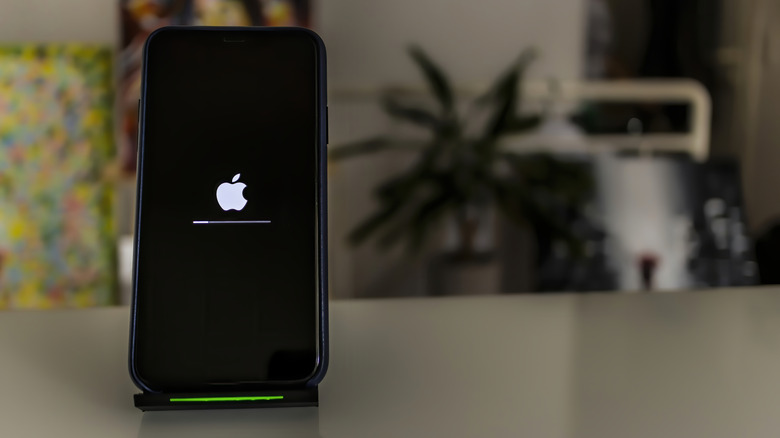
One of the easiest indicators that a phone needs an upgrade is whether or not it still gets security updates. Each manufacturer does things differently. Here's how long Samsung phones last, and if you're an iPhone user, here's the average lifespan of an iPhone. The differences between Android phones can vary wildly. Google's Pixels get updates for as long as Samsung, but they have some considerable hardware limitations that make the seven-year update promise less convincing. After a phone has stopped getting feature updates, the manufacturer may continue to push occasional security updates for the most serious issues. This is the case with some "vintage" iPhones. Another lesser-known downside to having an older phone is the challenge of finding repair parts for it. Vintage iPhones, for example, lose Apple's repair guarantee since parts for a specific phone stop being manufactured and become increasingly scarce.
Using a phone that isn't getting security updates is kinda like going into a quarantine zone without an updated vaccine record. Hackers quite literally wait for devices to hit that vintage phase, then suss out their security weaknesses and target the users that keep stubbornly using unsupported devices. It's like you're using a ticking time bomb. How long until it stops ticking and blows? You simply do not know. This makes buying an older phone quite tricky as well, since it may already be unsupported, or close to unsupported.
Android devices have the advantage here, again, thanks to LineageOS. That old device of yours will keep getting needed security updates long after the original manufacturer has left it out in the cold. An operating system like LineageOS is, unfortunately, the only situation where we can recommend using an old phone.
You can't download or use certain apps
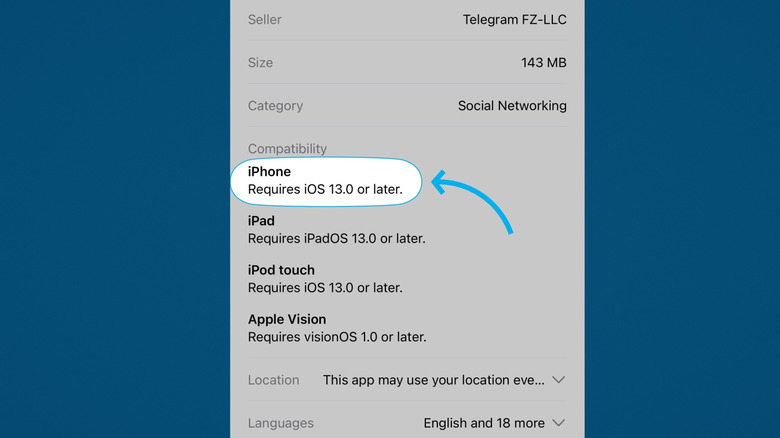
Even if your iPhone didn't make the cut for iOS 26, you can still download and use most apps — even if we would recommend replacing it sooner rather than later. To give one example, WhatsApp supports Android 5 and iOS 15 — Android 5 is no longer supported by Google, and Apple only provides occasional security updates for iOS 15. Case in point, you can usually continue to download apps on your phone, even if the latest feature and security updates have left it behind. Until the day comes that it can't.
Eventually, your phone will either not allow you to download certain apps that require later software versions, or those apps will simply stop working. So even if you tolerated a weak battery, a slow phone, and a device bereft of regular updates, the apps you need may call it quits on you. In some cases, this is the fault of the manufacturer; Apple intentionally sets a minimum iOS requirement threshold for apps, even if an older device could still reliably run the app. In others, it's the app's developers; WhatsApp may support iOS 15, but Telegram goes back even further, supporting iOS 13. You can see how, at some point, several apps on your phone might suddenly stop working following a major update.
There's not much you can do to work around this when it happens to you. Maybe you can find an alternative app, but how long until that alternative suffers the same fate? Not to beat a dead horse, but this is another issue LineageOS solves, since it upgrades older phones to newer Android versions that they didn't officially support. OnePlus ended support for the OnePlus 5 with Android 10, but LineageOS lets it use Android 15.
You're always low on storage
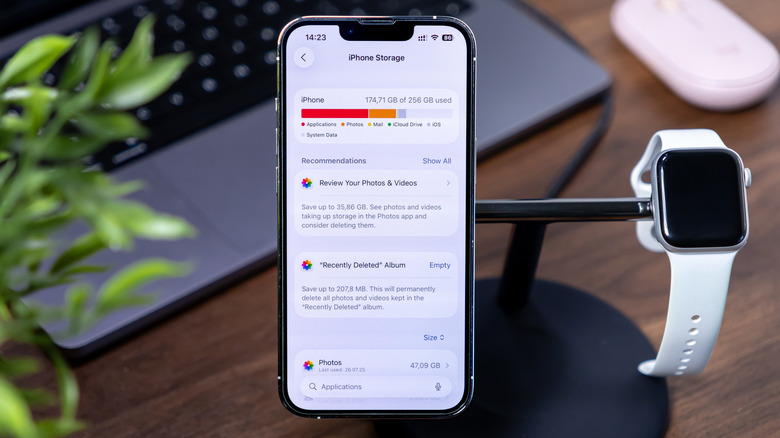
Getting a low storage notification quickly becomes annoying, and it's more annoying when you have to delete files to make room for new ones. There is, however, an additional downside to extremely low storage: poor performance. Keeping storage filled dangerously close to your phone's limit (as in, having a couple of gigabytes or less of free space) will hobble your device more drastically than you'd think. Literally, the most anodyne things you could do on a phone — like typing — will test your patience. A good rule of thumb is to keep about a tenth of your storage unused to avoid the slowdown.
The easiest fix is to back up as much as you can to the cloud. Backing up your Android phone using Google services or backing up your iPhone using iCloud is easy and affordable. You may have to simply part ways with big apps that take up a ton of storage space, like games, as well as local movie files. Going through things like messaging apps and browsers to clear their caches often yields a few extra gigabytes.
But all of that is tedious. Do you really want to hunt and peck through your phone every time you get a low storage notification, spend minutes figuring out what you can afford to part ways with, and what you must keep? If you can afford it, just upgrade your phone and double, triple, or quadruple the storage so low storage issues stop being an issue for the foreseeable future. For a lot of people, upgrading storage capacity is really the only choice; you're likely always adding to your storage, and that storage will fill up.