

Don't Buy A New Smart TV Without These 5 Features

From their earliest inception in the 19th century, there have been significant advancements in television technology. We have moved from buying box-shaped, chunky cathode ray tube (CRT) TVs to sleek and portable wall-mounted ones. Televisions gained color in the 1960s and became smart in the year 2008, when Samsung introduced the Pavv Bordeaux 750. It featured built-in internet, letting users stream videos from YouTube and other video and audio streaming services. However, with the world increasingly reliant on streaming services, "cord-cutting" became mainstream in 2015, leading to an even bigger uptick in the popularity of smart TVs. Amidst this, one thing that turned out to be beneficial for the end user was that TVs became cheaper, even as the tech inside them has gotten better.
The results? What once was a luxury is now an affordable staple. While smart TVs became cheap, it gave rise to a new problem -– confusion among buyers on which smart TV to pick. The market is flooded with smart TV acronyms such as OLED, QLED, and Mini-LED, making it more difficult than ever to pick the right one. Today, things like picture quality, operating system, processing power, and AI features are some of the important factors helpful in letting you decide which smart TV you should invest in.
Unlike a smartphone, a television isn't something that you might trade in every year for a newer model. A smart TV is a critical long-term investment, and picking the right one with the right set of features can make or break your experience. Which is why, in this guide, we have compiled a list of features that cuts through the noise and future-proofs your next TV purchase.
An easy-to-use smart TV OS
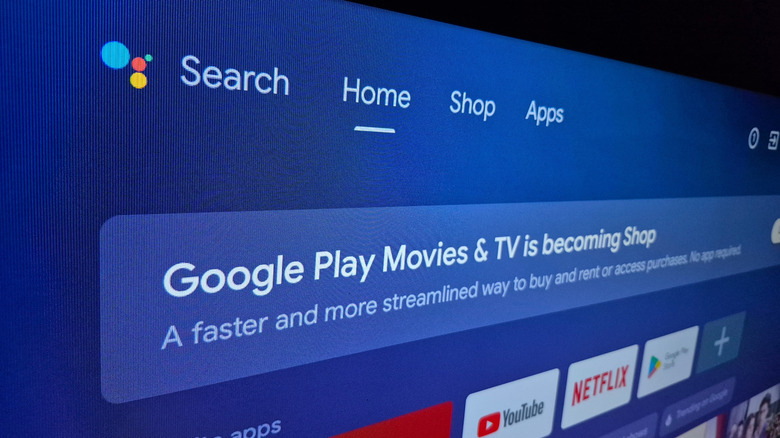
The first thing that you notice when you turn on a smart TV is its user interface. The UI is based on an operating system (OS) that is the backbone of your TV. Smart TV OS is of great importance when making a buying decision because it is what dictates how quickly and easily you can find content, how seamlessly apps load, and how settings are curated for easy navigation. There are about half a dozen major smart TV operating systems running things behind the scenes of your typical smart TV. Some prioritize ease of use, others are inclined towards being a streaming hub, while others still boast smart home integration. In 2025, having even an expensive TV with a sluggish or cluttered interface can ruin your experience.
Vizio, Amazon, Samsung, Roku, LG, Google, and Apple all have popular operating systems that power their branded smart TVs globally. Each one of them has their own strengths and weaknesses. Out of the lot, the choice we recommend would be a smart TV with Google TV OS (previously known as Android TV OS). It's a clear standout because of the wide array of free apps, content-first approach, and seamless integration with the Android ecosystem.
The Google TV OS interface is fluid, highly customizable, and offers convenient discovery of new shows and movies displayed right on the home screen. Additionally, Google's ecosystem, which includes YouTube, Chromecast capabilities, and Nest smart home devices, make it a preferred choice. Another advantage of Google TV is that it lets you create multiple user profiles. This lets each member of the house get personalized recommendations based on their watching habits.
Advanced picture quality beyond just a 4K resolution
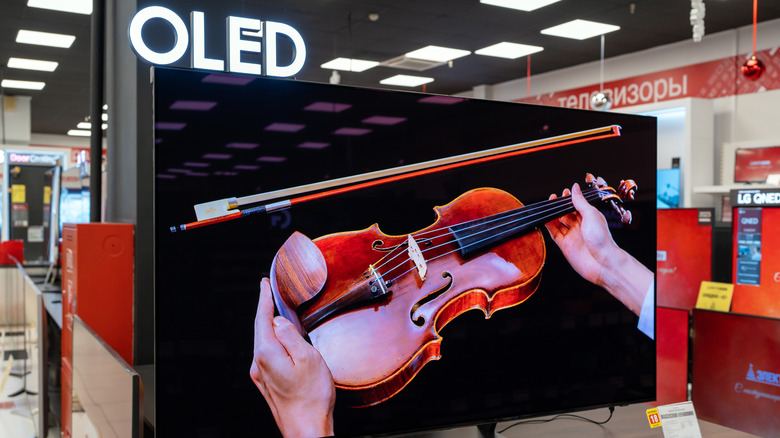
Just having a 4K TV isn't enough, though. In fact, a TV with a 4K resolution has become the bare minimum. There are several sub-$300 TVs that offer 4K picture quality, but that is simply the base — today's smart TVs offer advanced picture quality options that go above and beyond the number of pixels being displayed. This is where you should focus more on the panel type and the High Dynamic Range (HDR) format the TV supports.
You might have heard acronyms such as POLED, QLED, OLED, and Mini-LED. Out of the entirety of this alphabet soup, you can expect the best picture quality from OLED and Mini-LED. OLED is considered the current gold standard, and a 4K resolution panel + OLED combination is the absolute best. In OLED, each pixel emits its own light, which results in pitch-dark blacks, deep contrast, and vibrant colors. This is an advantage over older LCD monitors, which rely on a separate backlight to illuminate those pixels instead. However, if you are choosing a TV for a room in your house or shop where sunlight is quite heavy, then you should go for Mini-LED. A Mini-LED TV comes with thousands of tiny backlights that can enhance the peak brightness of the TV, making it easily visible in a well-lit room; OLED panels, by comparison, are great for deep blacks but aren't ideal for high levels of sustained illumination.
On top of this, you should ensure that the TV you are interested in supports Dynamic HDR formats like Dolby Vision or HDR10+. These formats adjust the brightness of the TV based on the metadata from the content that is being played. If you watch a lot of live sports or fast-moving content, then the TV should support Hybrid Log-Gamma (HLG), as this format is ideal for live TV broadcasts from sources like satellite and cable.
A fast processor with a high refresh rate

When selecting your next smart TV, choosing one with a solid operating system and the best combination of panel type and pixel resolution makes a major difference. However, it's just as critical to understand the processing capabilities of your new television as well. To ensure everything works seamlessly together, from how smoothly the OS responds to how fast motion is rendered to how quickly you can switch over to a different app, everything depends on your smart TV processor. An outdated or mediocre processor means you have to deal with a TV that can't keep up with displaying fast-paced content, outputs grainy or still pictures, or suffers from dull or underprocessed picture quality.
A capable processor means it can handle high refresh rates. Modern TVs are no longer stuck at 60Hz. Smart TVs with up to 120Hz or higher –- a refresh rate usually seen on gaming monitors –- are now more common. A high refresh rate TV, one that runs at 144Hz for example, requires its processor to render 144 images per second, a hefty task only possible with a powerful processor. On top of this, the processor of a smart TV is also responsible for tackling tasks such as AI upscaling and high-fidelity audio. While it may be unlikely you'll use certain smart TV features like videoconferencing or live TV recording, processing power is quite crucial if you do end up using these capabilities.
Support for advanced audio technologies

What's a TV without sound? Modern TVs come with built-in speakers that are far better quality than what we used to get a decade ago. Some smart TVs even come with built-in subwoofer and soundbar attached, elevating the audio experience. However, even an in-built subwoofer can only offer audio quality up to a certain level, which is why you might want to purchase a separate sound system to pair with your TV. If you want to take advantage of such systems, it's critical that your supports modern audio technologies.
The most common audio feature you should look for is Dolby Atmos support, a feature that treats sound as an individual object and can be placed anywhere in 3D space. This means you will hear a helicopter flying across the room, raindrops falling all around you, and other granular nuances of a movie in great detail. There are more advanced sound technologies, such as Samsung's Object Tracking Sound (OTS), with the company claiming "sound moves with the action whichever way it goes." Technologies like these can track the action in the scene and fire audio from specific speakers to create an illusion that you are actually hearing it live.
Similarly, LG has AI Sound Pro, a system that makes use of artificial intelligence to categorize content such as news, music, or movies and optimizes the audio profile, ensuring you get the best possible audio experience. Aside from these sound technologies, you should also ensure that your TV has sufficient HDMI ports and an HDMI eARC port for uncompressed audio signal transmission.
Smart home and AI integration
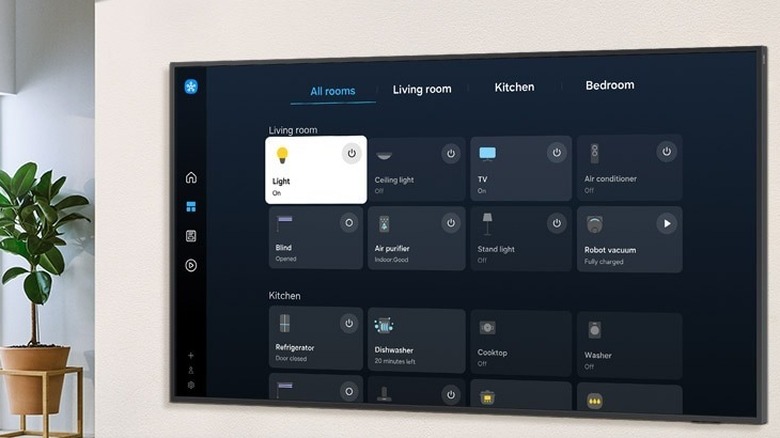
In today's time, a smart TV isn't just about providing the best possible picture and audio quality — that's just half the battle. TVs have also grown to become an intelligent command center that you can use for your entire home. From light bulbs and home appliances to security cameras and doorbells, there are countless smart integrations a typical household can use. As connectivity has become standard, many of these devices can now be controlled right from your TV screen.
A clear example of this is how Samsung SmartThings lets you check important metrics and control all of your connected smart home devices right from your TV, giving users the flexibility to do things like answering the doorbell without ever needing to leave the couch. As far as AI is concerned, according to Hisense, AI-powered TVs are offering additional, interactive capabilities beyond what we traditionally think of when experiencing content, adding that AI in TVs isn't just about suggesting movies anymore.
AI has evolved into learning your schedule and habits, almost like an assistant. AI can help upscale content to up to 8K, smoothen out high-speed content, optimize sound based on what you're watching, unlock energy savings based on your surrounding lights, and much more. Some Samsung TVs even come with an AI translation feature that provides subtitles for a movie or show in multiple languages. These features are a must-have, with the future seeming bright for artificial intelligence.