

4 USB-C Gadgets On Our Gift Wish Lists For 2026
We may receive a commission on purchases made from links.
The holiday season is nearing, and it's time to write our gift wishlists — you know, those lists where good intentions go to die. Every single year, without fail, they get chock-full with the same old tired suggestions. The novelty socks, e-gift cards, and scented candles; things that end up in the drawer before the tree comes down.
The four gadgets on this list are different. Aside from wanting someone to buy them for us, they also have all feature the humble USB-C port. This little port has become the joining connector of our everyday digital lives, as it is the one standard that lets a keyboard, mouse, desktop command center, and different accessories charge and talk through the same cable.
That little detail alone makes this list of presents a rare crop that won't leave the (admittedly lucky) recipient hunting around for a proprietary charge. Also, these gifts are a lot more than impulse-buy stocking-stuffers too. One is a must-have iPhone gadget that turns your phone into a BlackBerry. Another is a computer accessory designed for programmers, video editors, and gamers. In our opinion, they're the kind of thing that one doesn't know one wants until they've used it, and then find themselves using it quite often.
Elgato Stream Deck Plus XL
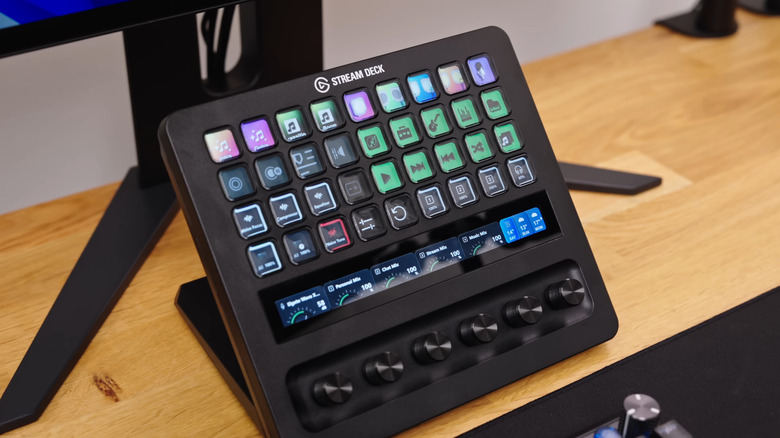
Everyone loves a good stream deck — the tool is actually a great PC accessory even if you're not a streamer, unlike some would have you believe. For those who don't know, a stream deck is an extremely useful macro controller, which is fancy speak for a customizable mini keyboard. What exactly you can customize depends on the brand you're buying and the software support-slash-integrations that it offers.
Elgato is a leader in the space and has been making these nifty devices since 2017, so it's an established name. An Elgato stream deck can be used as an overpowered audio mixer, a sound board, a control center for settings like brightness and volume, and even a home automation hub. You can also map to a button common actions like undo and redo, or features specific to software like video editors. The possibilities are nearly endless. You can also turn a single button push into a series of events. For example, one button could launch an app, turn off your lights, and switch the audio to your headphones, all at once.
Elgato makes different versions of the Stream Deck, and the latest is the Stream Deck + XL, released earlier in 2026. It costs $349.99 and has 36 customizable buttons and four dials, which should be plenty for even the most arduous power users — perfect for anyone who uses a computer regularly.
Logitech Mice
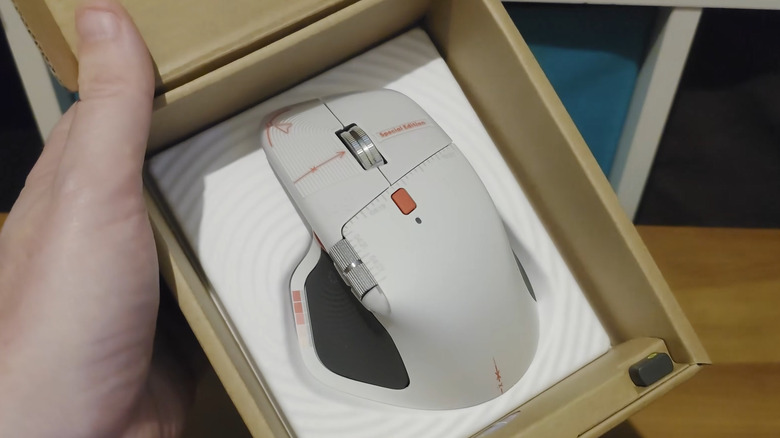
We have never wasted time in getting our hands on the latest Logi offerings, from the MX Master from 2015 and the MX Anywhere 2 to the MX Master 3. Now, Logitech has launched two new mice (or are you team "mouses"?) in late 2026, the first of which is the MX Master 4 Creator Edition. To be clear, the original MX Master 4 released back in September 2025. The new Creator Edition and Developer Edition features purely aesthetic changes. But we must say that the one downside of this range was the dull, boring, slate-gray look of the mouse.
With the Creator Edition, you get a light gray mouse with decals like on an editor app timeline and a cutting-slash-art board, while the developer edition gets a dual-tone gray and white finish. The dev edition mouse also hides several cool (textual) Easter eggs that really only programmers would get, which is cool. Both editions of the MX Master 4 cost $119.99, the same as the non-special edition mouse.
The other Logitech mouse we want to talk about is the G Pro X3 Superstrike — basically the brand's most overkill gaming mouse. The upgrades over the previous one are significant: the X3 is lighter and its new chip can poll at 8,000 Hz (wireless!). The X3 Superstrike will run you a cool $199.99, but any gamer would love it, even if it is overkill.
Insta360 Snap Selfie Screen
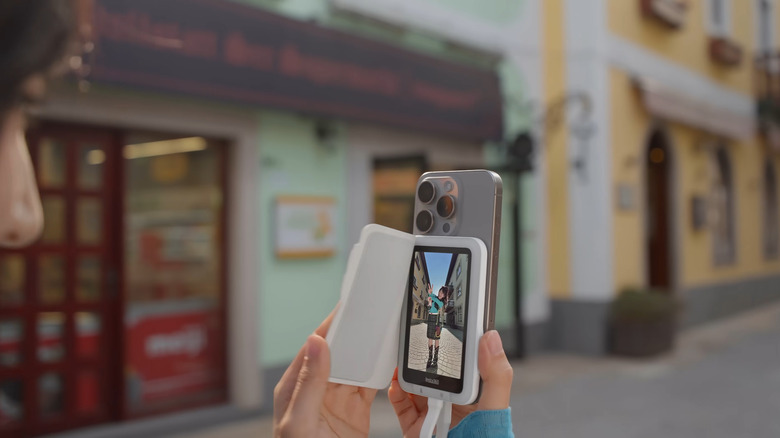
A lot of people have the habit of taking selfies with the rear cameras on their smartphones. And it's understandable — front selfie cameras have gotten way better in the past few years, but they're still not as good as the rear cams many times. If you've ever wanted to take a 0.6x or 0.5x zoomed-out photo on your phone, say to accommodate a large group, then you're pretty much restricted to the back camera even for flagships. Insta360, the company best known for its action and 360-degree cameras, thinks it solved this problem with is latest offering, the Insta360 Snap Selfie Screen.
As the name suggests, this is a module that magnetically attaches to the back of your phone to mirror the screen and help take selfies. It connects to the USB-C charging port on the bottom for data transfer and controlling the camera. There is a 60 Hz, 3.5-inch, touch-sensitive screen on the back that gets up to 550 nits of brightness. The screen-only unit costs $79.99, while it costs $89.99 with the light. Insta360 also has a history of coming out with cool accessories for filming your adventures with its cameras, but since the Snap Selfie Screen is arguably an accessory in and of itself, we don't think it'll get the same treatment. While it can also work with Android phones, you should check the compatibility on the Insta360 website, available in the product gallery.
Clicks Power Keyboard
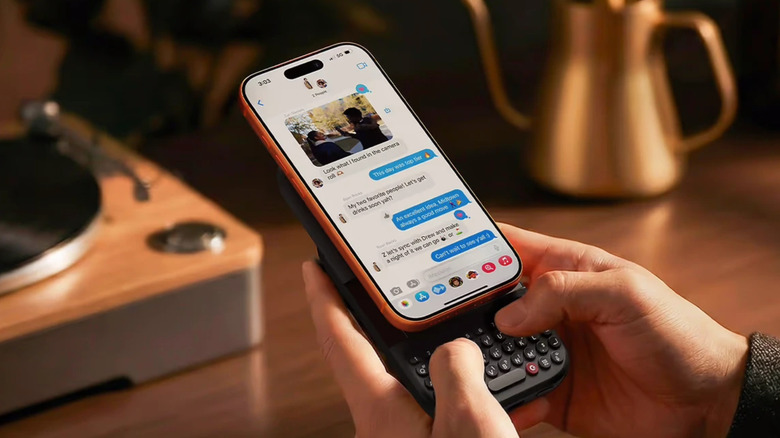
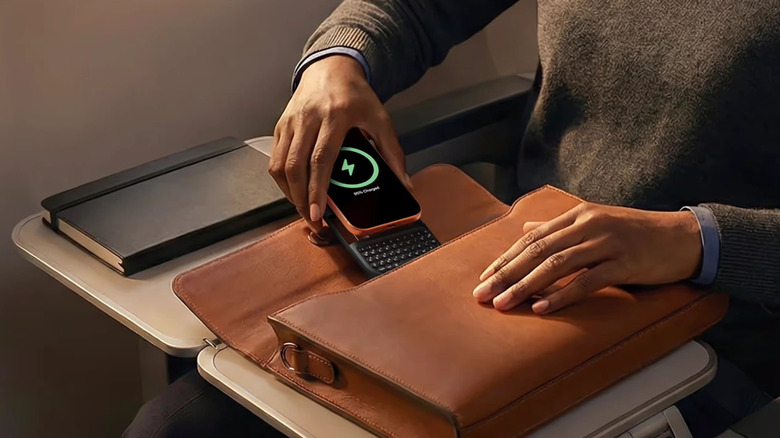
The Clicks Power Keyboard BlackBerry-fies your iPhone, there's no other way to put this. For those who don't know, the company Clicks was co-founded by YouTuber Michael Fisher, who goes by MrMobile on YouTube. The device feels very much like the old BlackBerry keyboards that everyone used to love — and it should, since many of the team at Clicks Power are supposedly formerly BlackBerry employees. The premise of the Clicks Power Keyboard is quite simple, really — it attaches to the back of your compatible Apple iPhone via a MagSafe connector, and, as and when you need it, you can slide out a keyboard.
This keyboard sits below the "chin" of the phone, so it should be fairly intuitive to use, albeit having a towering seven-ish inch screen above the keyboard might take some getting used to. And the keyboard has real buttons too, not that haptic feedback touch-sensitive nonsense that you might be expecting. It's not just for iPhone too, as the thing is compatible with any Qi2-capable device. And, eschewing a wired connector for a Bluetooth one means most modern phones will be compatible. Oh, and it's a 1,800 mAh wireless powerbank too. At $149 ($119 on sale) for the gizmo, it's not exactly cheap, but anyone with an iPhone who's been around during the BlackBerry era will appreciate it. Reviewers do say that it is quite bulky and chunky, so your mileage may vary.