

Asus ZenBook A14 (2026) Review: A True MacBook Air Rival With Impressive Performance
We may receive a commission on purchases made from links.
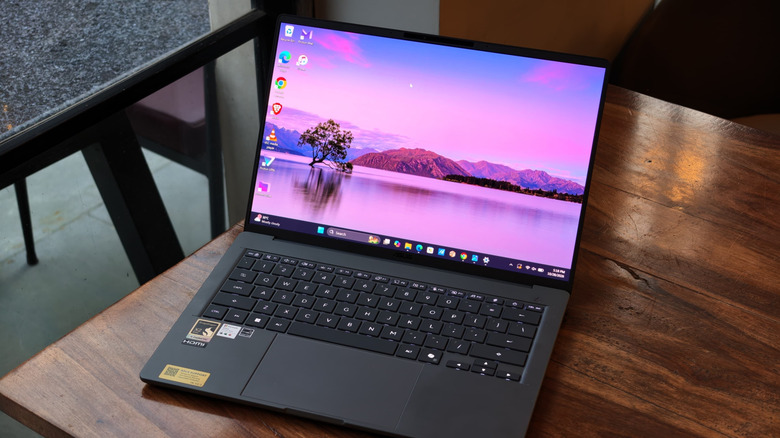
The race to build the best thin-and-light laptop has been going on for quite some time. Entries like the Dell XPS 13 and the MacBook Air have been fan favorites for a few years — I have been using the original MacBook Air M1 for about five years now, simply because it performs well and is portable enough to carry to gadget launch events every other week. What if I told you there's a Windows laptop, not a MacBook, that weighs just 2.1 pounds, has enough battery to last 2 full days of use, and scores higher in Geekbench than the MacBook Air M5? You'd probably think I'm crazy, but the ZenBook A14 might just change your mind.
We liked the 2025 ZenBook A14 enough to include it on our list of the best student laptops, despite a few quirks. The 2026 version fixes some of these problems and adds Qualcomm's latest ARM-based Snapdragon X2 Elite processor, paired with 16GB RAM and a 512GB PCIe 4.0 SSD (in the unit I tested). At launch, though, there was one small problem. The ZenBook A14 with the X2 Elite processor started at $1,599. That was a steep price, but it's already available at retailers like Best Buy sometimes for as little as $999.
For that, the ZenBook A14 makes a lot of sense, but is it worth it for your workflow? I've been using it for about a month, taking it to launch events, working from cafes, and using it as my main multimedia device. I'm writing this review on the same laptop. Here's what I learned.
Design & Hardware
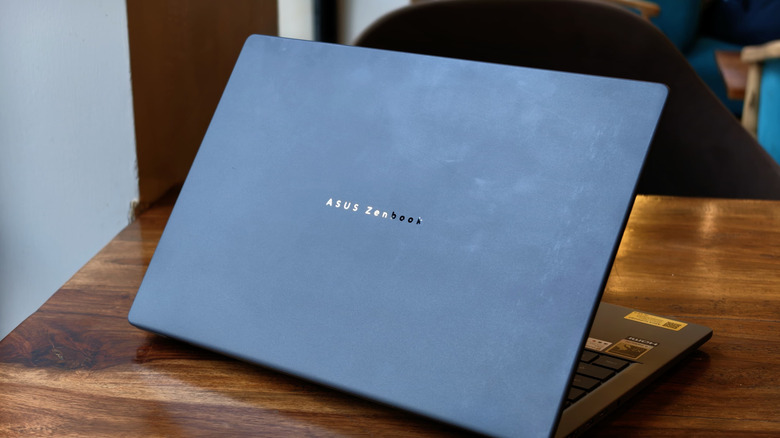
Design is very subjective, but when I took the ZenBook A14 out of the box, I genuinely thought Asus had sent me a demo unit without any internals. Nobody is prepared for how light this laptop is: 2.18 pounds, to be precise. For context, the latest MacBook Air weighs 2.7 pounds. The difference doesn't sound like much on paper, but when I traveled with the ZenBook A14, I could feel the lightness. Inside a backpack at the airport, it was barely noticeable. The weight also made it much easier to roam around with the laptop in hand, as you would in a typical office setting, without straining your wrist.
Usually, such lightweight laptops compromise on build quality. You might remember the LG Gram days. To me, those laptops always felt very flimsy in-hand. Asus has gotten around this problem by using a magnesium alloy chassis and coating it with something they call "Ceraluminum." It's a blend of aluminum and ceramic. I'd recommend trying the finish in an Asus store if you can. It has a smooth, stone-like texture.
You can get the laptop in either a subtle grey or beige, both of which shouldn't look out of place in an office or cafe. Just avoid handling the laptop with oily fingers. The finish picks up smudges easily, as you can see in my review photos, and they are definitely not easy to clean. As for durability, I did notice chassis flex when pressing the top panel. That said, the keyboard deck is very sturdy. Beyond that, the hinge is surprisingly light and doesn't wobble the screen much.
Asus hasn't skimped on ports, either. On the left, you get a couple of USB-C ports (USB4 compatible), a headphone jack, and an HDMI 2.1 to connect to monitors. The right side has a 10Gbps USB Type-A port.
Keyboard and Trackpad
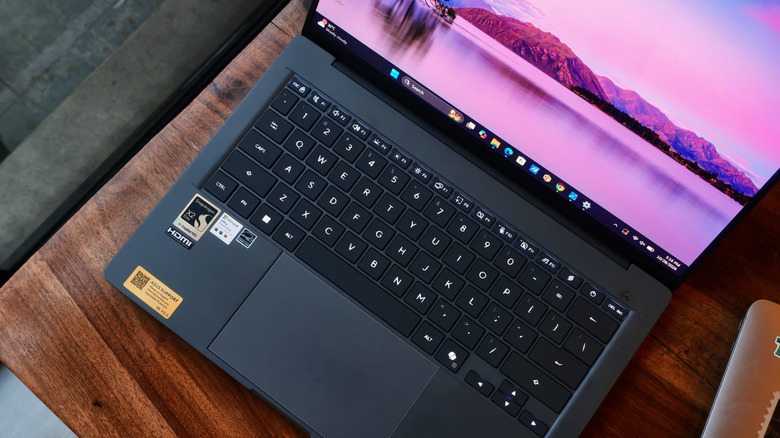
A good keyboard can make or break an ultrabook, and the ZenBook A14 gets most things right. It's a 65% layout, fairly common for this category, complete with a function row up top. Surprisingly, the keys have 1.3mm of travel, with a tactile feel that makes typing comfortable even during long writing sessions. The white backlight is bright, and the dark keys contrast well.
As for the trackpad, it's big and topped with glass. I had no trouble gliding my fingers across it, and the input was usually spot on. Do I wish the trackpad were haptic, like you'd find on a modern MacBook? Yes, but it's not a deal-breaker. The physical clicks don't require a lot of force, and it stays consistent, except when you're pressing at the very top. While all Windows gestures are supported, the back gesture sometimes didn't work for me, or registered slowly. It could be a software bug, but it was annoying nonetheless.
Display and Camera
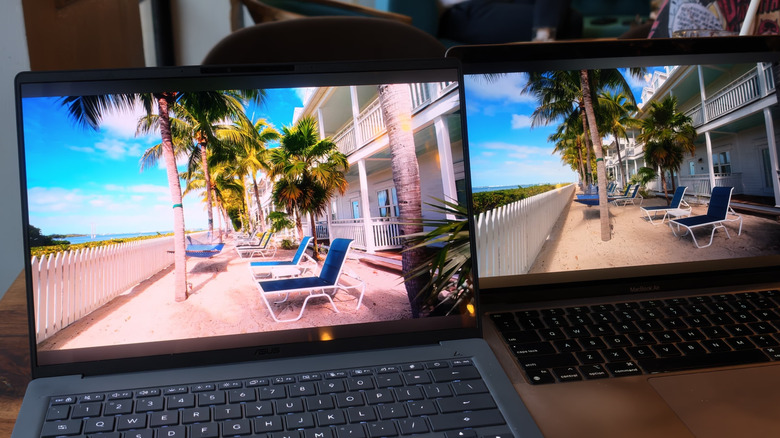
One area where the 2026 ZenBook A14 and the 2025 version are similar is the display. Both laptops feature a 1920x1200 OLED panel. Sure, the 60Hz refresh rate feels dated in 2026, but the OLED display makes up for it with fantastic colors. The panel covers 100% of the sRGB and DCI-P3 color spaces, along with around 95% of Adobe RGB. This means the colors are accurate and still very vibrant. The dark areas are truly black, not grey, and I had plenty of fun watching Marvel's "VisionQuest" series while waiting to board my flight.
Asus claims a peak brightness of 600 nits, and while I don't usually have a light meter, I took the A14 out in a bright cafe. Text and images were legible without me squinting or moving to a darker area. Given how portable the A14 is, I just wish Asus had added a touchscreen. This would have been perfect for moments working away from a desk.
Video calls from the 1080p webcam are solid. Faces retain detail, and colors aren't washed out. Even the mic audio quality was good enough.
Snappy performance
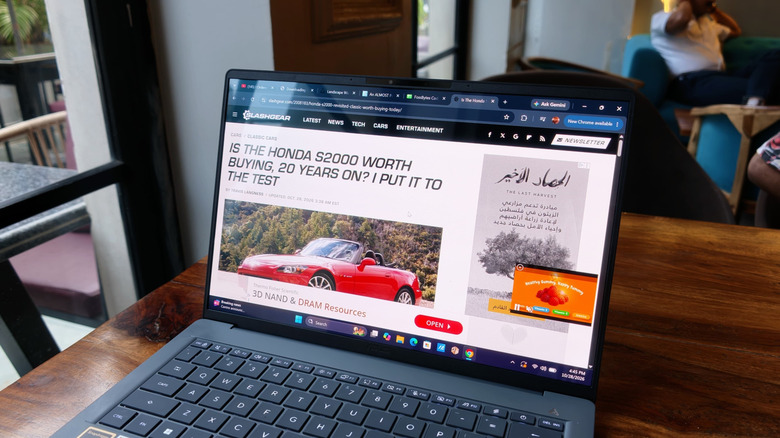
A few years back, getting a Windows on ARM laptop meant compromises. The software experience was buggy, and app support left a lot to be desired. Fast forward to 2026, and those problems are almost gone. Native ARM support now includes popular apps such as Lightroom, DaVinci Resolve, Blender, and plenty more. For apps that still aren't compatible, Windows' Prism emulation to run x86 apps does a good-enough job.
Consequently, using the ZenBook A14 works just like a regular x86 laptop, sometimes even better. The X2 Elite processor has 18 total cores and can boost to 4.7 GHz, which is a lot of performance. The A14 handled my workday tasks, like 20+ Chrome tabs, Slack running in the background, and a few YouTube videos on standby, like a charm. I had no slowdowns or hiccups when switching between tasks. The laptop also wakes from sleep almost instantly, which made it easy to pick up where I left off.
Since my typical workday isn't heavy, I pushed the laptop with video editing. I used DaVinci Resolve to edit 4K 60 FPS Log footage from the Insta360 Luna Ultra. Color grading, applying masks, and editing audio usually slow down an ultrabook, but that wasn't the case. The ZenBook A14 did not slow down, and even the render times were faster than I expected. That said, the laptop ran slightly warmer than I'd have liked. And since the exhaust vents are located at the bottom, I wouldn't recommend rendering videos with the laptop on your lap.
What about benchmarks and gaming?
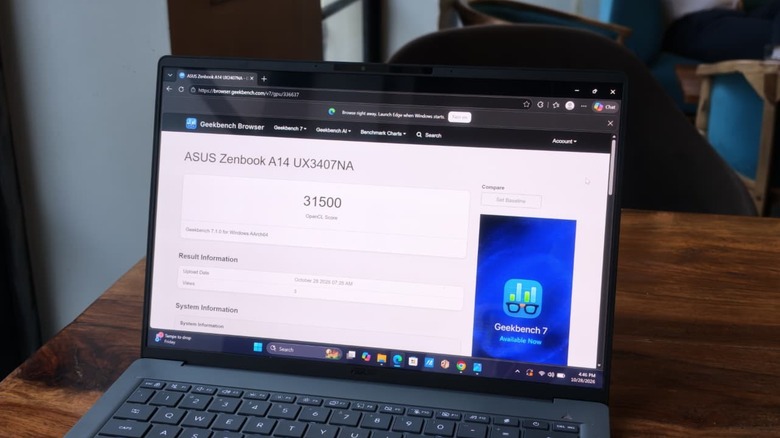
Since not everyone has content creation as their main workflow, I also ran a series of benchmarks. In Geekbench 7, the laptop scored 3,196 in the single-core test, and 21,818 in the multi-core test. That's higher than the MacBook Air M5's multi-core score of 17,048. The MacBook still leads in single-core performance, although I didn't notice a meaningful difference. The trend continued in tests like HandBrake, where the A14 and MacBook Air M5 outpaced similarly priced x86 competition like the Dell 14S. I expect the A14 to handle most heavy-duty productivity tasks easily. Just remember to check specific app compatibility before buying, and you're good to go.
The X2 Elite processor also carries a major update to the Adreno iGPU, which scored 1,039 points in the 3DMark Steel Nomad test. Once again, when comparing the A14 with the MacBook, the difference was well within the margin of error. This tussle for the top spot continued in various 3DMark tests, with no clear winner.
While Prism emulation makes most x86 games playable, gaming remains a weakness for Windows on ARM. With Cyberpunk 2077, I could barely get 30 FPS in 1080p on low settings without frame generation. That's not ideal, but keep in mind the A14 isn't a gaming laptop. Still, if you play lighter titles like Counter-Strike 2, the experience should be decent. I got over 100 FPS at low settings and native resolution.
Excellent battery life, but only okay speakers
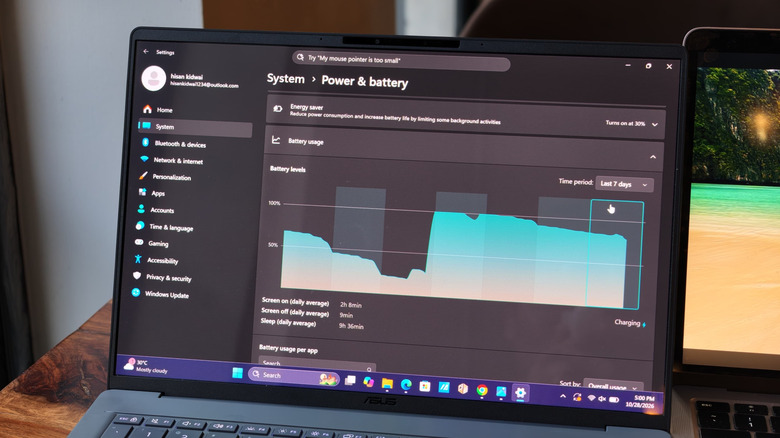
Battery life is one major reason why ARM laptops are so popular. Sure, Asus hasn't fitted a bigger battery than the last generation, but the X2 Elite does make a difference. Asus claims over 32 hours of battery life with the 70Wh cell. And while I didn't get those advertised hours, the real-world endurance is really good. In a video loop test, I got roughly 20 hours of screen-on time in Whisper mode at half brightness.
If watching videos for twenty hours isn't your jam, I did two full workdays before needing a charge. In real numbers, that's about 14 hours of Chrome, spreadsheet editing, YouTube, and some Slack. As for charging, Asus bundles a beefy 100W charger. It took the laptop from zero to full in just under an hour.
I'm not a fan of downward-firing speakers because the audio quality gets muffled on a soft surface. Sadly, that's the case with the A14. On a table, the speakers deliver a reasonably wide soundstage and clear dialogue, although the highs and bass lack depth. Keep the laptop on a bed, and the sound quality drops noticeably.
Verdict
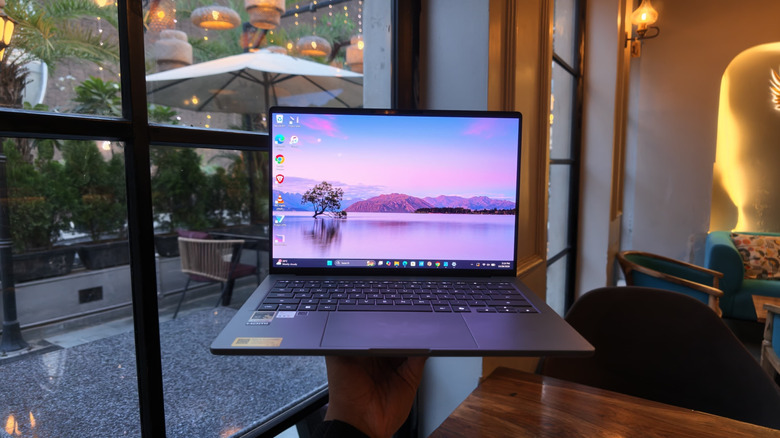
The Asus ZenBook A14 is one of those laptops that gets the basics right. And after using it for about a month, I can confidently say it's a fantastic Windows ultrabook. It looks great with that Ceraluminum finish, and its 2.1-pound weight makes it feel light to carry around work or university. I also love the OLED display, which is something you won't find on the MacBook. Snapdragon X2 Elite is an excellent performer for almost all workflows, including video editing. Not to mention the fantastic battery life, which comfortably lasts through two full workdays without you having to run to a charger.
Of course, there are some problems. The 60Hz display doesn't scream 2026. I'd have liked to see touch functionality, and the speakers are merely decent. Till more developers come on board, AAA gaming is also a distant dream. While Windows Prism is great, I do suggest checking ARM-specific versions of the apps you plan to use. At $1,599, these compromises make the ZenBook A14 difficult to justify, especially when the MacBook Air starts at $1,299. However, if you can find the ZenBook A14 on discount at Best Buy, it's much easier to recommend.