

5 Reasons To Switch To Waze On Android Auto
When it comes to top-rated navigation apps, Google Maps and Waze are usually among the first that come to mind. While Google Maps has a much larger user base, Waze has an active community that helps provide real-time information to users. There are areas where Google Maps has an edge over Waze, and similarly, aspects where Waze beats Google Maps. But lately, quite a few reviewers have found that Waze can offer a better experience on Android Auto than other navigation apps.
Waze can provide better route suggestions, the interface feels cleaner and more user-friendly, and there are more car-specific options. More importantly, Waze offers real-time insights about road closures, police sightings, traffic cameras, speed bumps, and more, which can directly improve the overall Android Auto experience. When you are behind the wheel, a good navigation app should take the guesswork out of driving, and that's something Waze excels at.
For those unfamiliar with it, both Google Maps and Waze are owned by Google, with the tech giant acquiring Waze in 2013. Despite being owned by the same company, Waze has a very different interface and is built around driving, unlike Google Maps, which is more of an all-in-one solution. And that's why Waze is a popular alternative to Google Maps.
More efficient at routing
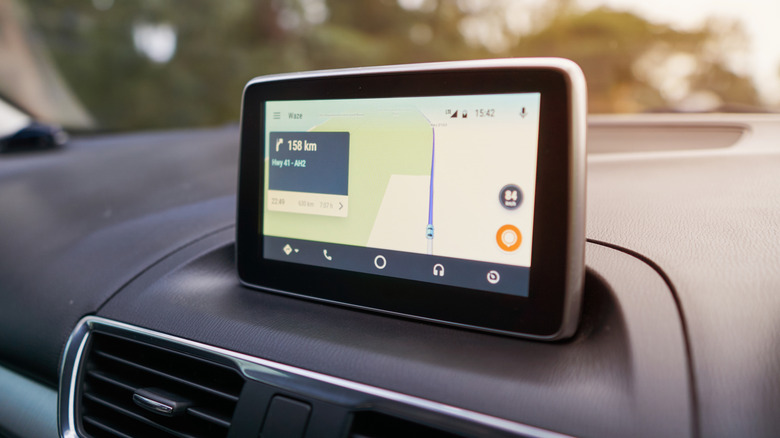
A navigation app's primary job is to suggest the most efficient routes. If it does other things, like provide information about places or reviews, that's all additional. It still has to find and suggest the best routes, especially during peak hours when the traffic situation is constantly changing. And Waze is exceptionally good at that because it relies on data submitted by real users. This includes road closures, accidents, flooding, and other things that can increase the travel time on a particular stretch. Waze then suggests a route based on existing conditions. The app even goes as far as recommending which lanes you should drive in.
Waze is also good at rerouting if you miss a turn or want to deliberately avoid a stretch. It may not always be as fast, but if you frequently drive in areas where the traffic changes significantly from one hour to another, Waze can save you a lot of time. Apart from that, Waze offers personalized navigation. This means that it suggests routes based on your driving history. Waze identifies your preferred routes from past drives, and then shows routes that align with them. If that's something you are looking for, it's worth considering switching to Waze, a popular Android Auto navigation app.
Waze offers real-time insights
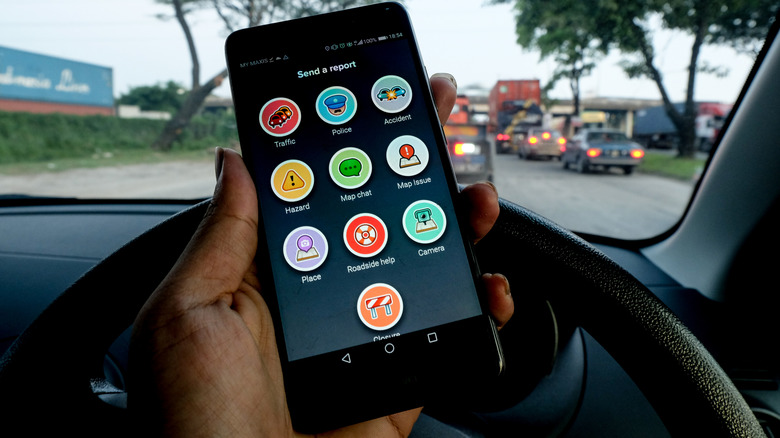
While routing is undoubtedly something that makes Waze a top-rated navigation app, it's not all that Waze has to offer. The other major advantage is the real-time information the app provides. Waze is so good at real-time insights that even Google Maps borrows some of that data. These real-time insights come from Waze's community of users. For every report that they submit, Waze users earn points. And while these Waze points offer no value outside the ecosystem, within it, they can help you climb the leaderboard.
The real-time data on Waze isn't limited to driving conditions. For instance, Waze can tell you if there's a speed camera ahead, potentially saving you from a fine. Similarly, it informs users of police sightings, road closures, and more, so that you can plan your route accordingly. When there's traffic ahead, other apps generally tell you about the extent of it and how much of a delay it will add, but Waze notifies you about what's causing the traffic in the first place, whether it's a road closure or an accident. It goes without saying that since Waze relies so extensively on its community for this real-time data, coverage may not be as extensive in areas or cities with fewer Waze users. Besides, you should treat these reports as useful information instead of a guarantee of the situation ahead, because conditions change over time.
Cleaner and more user-friendly interface
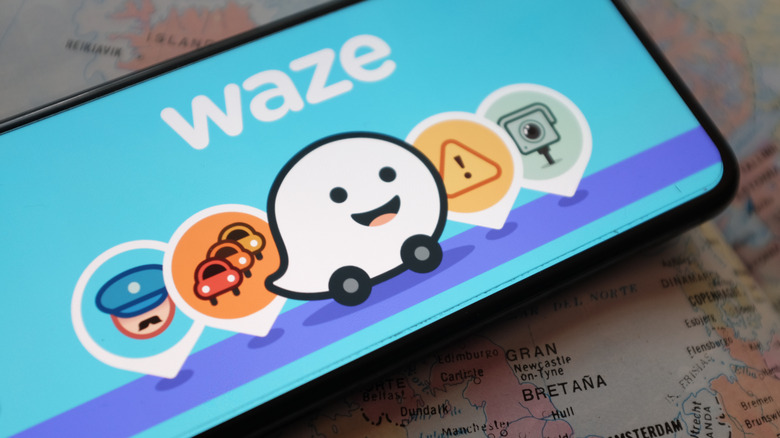
Whether you are using Waze on Android Auto or on your smartphone, the interface is something you can't ignore. Unlike other navigation apps that may seem a little too complicated, Waze offers a really straightforward, user-friendly interface. The icons for various reports are fairly easy to understand, and the app's interface is designed around the end user. In Android Auto, Waze effectively utilizes the available screen space, with important parts shown more prominently. The space doesn't look cluttered, which is often the case with other navigation apps. More importantly, Waze shows information that matters to you instead of filling up the screen with every piece of data.
Waze works best if you're familiar with the tips and tricks that help improve the driving experience. Waze can automatically switch to dark mode when lighting conditions change, another thing many navigation apps may fail at. While this may not be as big a problem for some of you, it does feel more comfortable when the app's theme aligns with the surrounding lighting conditions. If you want an app that prioritizes navigation over other non-critical information on Android Auto, Waze is certainly a good option. The app features a user-centric interface, improving the driving experience for most people.
More car-specific features

Since Waze is designed around driving, it also offers many car-specific features, like choosing your vehicle's fuel type. While Google Maps offers this too, Waze uses this data to help you find gas stations that match your fuel type. Additionally, it lets you quickly sort nearby gas stations by price, distance, or brand. So, Waze can help you save some money on fuel in the long run.
Similarly, if you're driving an EV and have set up your plug types and preferred charging networks in Waze, the app will show compatible charging stations. This helps save a lot of time, especially if you are new to the area. Instead of searching for charging stations that have a setup compatible with your car, you can go with Waze's recommendations. Other navigation apps, like Google Maps, may offer similar features, but some reviewers have found Waze more useful for finding compatible charging stations. That's because Waze has a large number of users who are actively updating this data. So you are more likely to get the latest information.
Waze is highly customizable
If you like a certain degree of personalization in an app, Waze excels at it too. It's not just about switching between light and dark themes. That's the standard at this point. Waze offers a lot more. From setting a mood and picking a custom voice for directions to choosing which alerts appear on the map, Waze lets you do it all. And it's all fairly simple.
Waze has icons that represent different moods, and when you pick one from the list, it will show up to other Waze users around you on the map. While the feature has no practical value, it's one of the cool customization options available on the app. Similarly, you can adjust the voice used for turn-by-turn directions. There are several voice packs available in different languages. You can also record your own voice, which is then used for directions. It's one of the overlooked features in Waze. Apart from that, you can manually add voice packs from the unofficial "pipeeeeees" GitHub repository. To set one, simply open the repository on the same phone that runs Waze, tap the link for the voice you want to set, and Waze will do the rest.
All that said, Waze may not be perfect for everyone. There are a few obvious downsides to using Waze. Despite that, Waze is positioning itself as a viable alternative to Google Maps and Apple Maps. Ultimately, the choice is yours, but if you want an app that's built around the user, suggests efficient routes, and is highly customizable, Waze certainly is an option worth considering.