

Google Maps Vs. Apple Maps: Which Is The Best Navigation App In 2026?
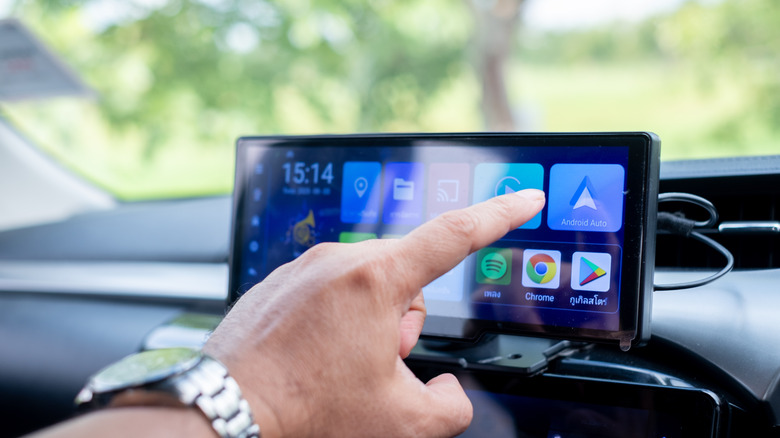
What else are cars for if not to get us from point A to point B? It's a principle that seems straightforward until you hit the road and realize just how sprawling it really is. Many journeys, ranging from simple grocery runs to cross-country road trips, involve a huge number of variables. Back in the day, you had a road atlas and talk radio stations to warn you of routes to avoid. We've moved on a bit since then.
Enter the Digital Age, where just about every modern car features some sort of GPS capability — unless you opt for a car without a touchscreen, but even those have methods of integrating navigation, among other modern conveniences. For everyone else, though, it's as easy as plugging in the destination and following directions. Several companies offer such services, and today I'll be taking a look at two of the most popular.
I have to defer credit here: I wrote this article with help from my other half. For the past five years, her career was split between rideshare services and DoorDash. I, myself, delivered goods across interstate lines for another seven years; we both used various navigation apps over the years, and intimately know what features we both want and wish we had. For our money, we prefer Apple Maps: In my girlfriend's words, "I want simplicity, readability, and usability. Apple Maps offers just that — a clean, easy-to-use interface with none of the distractions from the road or information overload offered by other applications."
But Google Maps offers a compelling alternative, thanks to its plethora of features and excellent datasets derived from user data worldwide. Let's dive in and explore both apps in depth, where I'll weigh in with our professional and personal experiences.
Apple Maps: Our favorite navigation app
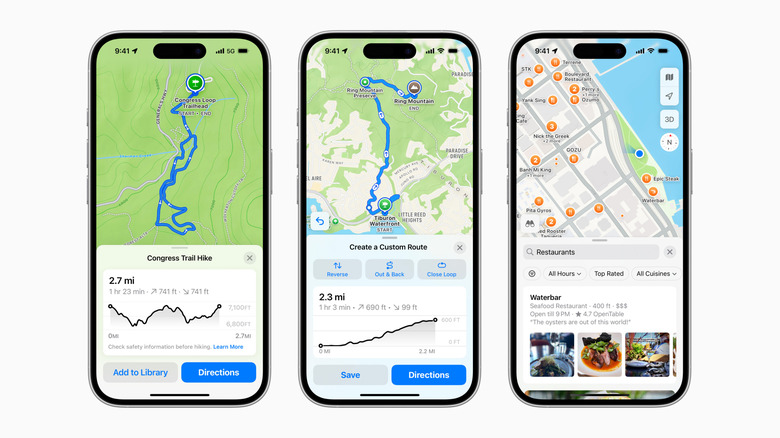
The main reason we use Apple Maps while commuting or working is clarity. Apple has taken the time to provide a simple, clean interface that minimizes distractions while driving, allowing drivers to keep their eyes on the road while navigating. Then there's the navigation style — while other applications may use prompts based on distance, the standard "turn right in 350 feet" we're familiar with, Apple Maps instead does directions in a more familiar manner. Apple's version may say something like, "Turn right at the next traffic light," which offers a more intuitive experience for many drivers.
The Apple ecosystem is another great reason to consider Apple Maps. Everything from CarPlay, Apple Watch, and iPhone works seamlessly and provides a consistent experience no matter where you display your navigation data. Privacy is also highly considered in Apple Maps, where the company actually minimizes data collection and "fuzzes" user location data after every use. This is when Apple Maps converts your precise location into a less specific, approximate area. The downside, as experts point out, is a lack of crucial functionality without Apple devices, and sometimes Apple rolls out frustrating updates, such as advertisements.
Moreover, while it has a relatively simple and intuitive layout, it's not without that signature Apple "flair" and even some surprise features. For instance, as someone who enjoys urban exploration, I appreciate the 3D Flyover mode, walking-based navigation where you scan buildings, and the extra information Apple Maps provides. As someone who gets her exercise on the streets of New York City, one of the most walkable cities in the world, I use the app's walking and biking features more than my girlfriend does, and find Apple Maps far cleaner for those use cases.
Where Google Maps leads, and why we still prefer Apple
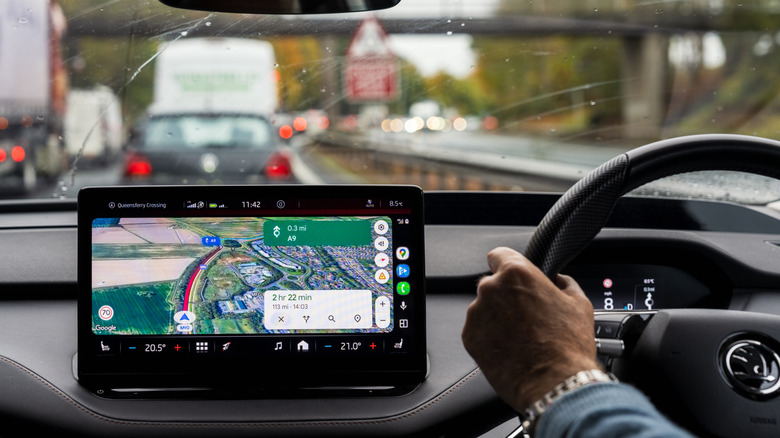
The main thing Google Maps has going for it is the sheer amount of data. Let's be real: Google is still the global giant here and stands head and shoulders above other apps with coverage and its famous Street View. All this comes thanks to the systems that utilize massive banks of user data, allowing it to provide real-time updates on traffic congestion, accidents, and road conditions.
Google Maps also integrates exploration and discovery in a way no other app does. For example, Google can add reviews, menus, and photos of restaurants you may be searching for — and that applies to any number of attractions: museums, monuments, historic sites, and so on. Coupled with its wide availability and non-exclusivity to Apple products, it offers much broader coverage and a larger user base than Apple Maps (and, therefore, more user data and images), making it the stronger option outside major urban areas, especially for Android users. It has a lot of hidden and underrated tricks you won't want to miss out on, too.
But based on our experience as professional and enthusiast drivers: More information doesn't always equal better navigation. As someone who has made a living from driving, you need fast, readable directions, clear lane positioning, minimal distractions, and consistent performance. Apple Maps delivers on the principles of what a navigation app should offer: a driver-focused experience where the instructions are clear and easy to follow at a glance. Ultimately, such an interface is better for driving overall, allowing drivers to keep their eyes on the road rather than being glued to a screen. Moreover, the app still retains adequate features for pedestrian and cycle travel, making it our personal favorite despite Google offering compelling details.