

8 Of The Best Drones For Beginners In 2026
We may receive a commission on purchases made from links.
Up until a few years ago, drones were professional filmmaking tools you'd see people like Christopher Nolan using to shoot a chase sequence. They were big, complicated, and required extensive training. Well, that's not the case anymore. Consumer drones have exploded in popularity because they offer a new perspective. You can document your journey with a phone, but the aerial view of a volcano or a beach is something else. Perhaps the biggest driver of this demand is DJI. Its drones have figured out what regular people actually need without any of the hassle.
The problem is that getting your first drone is intimidating. There are way too many choices, each with its own set of strengths. Some have 360-degree cameras, so you don't have to worry about framing, while others have extensive object avoidance systems to keep your shiny new tech from ending up in a tree. Whatever you're looking for, don't worry. We've looked at dozens of drones on the market today and picked eight of the best options for first-time buyers.
DJI Flip
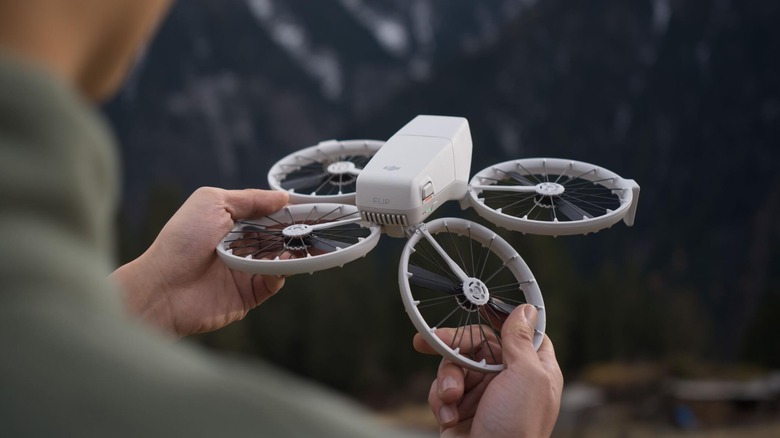
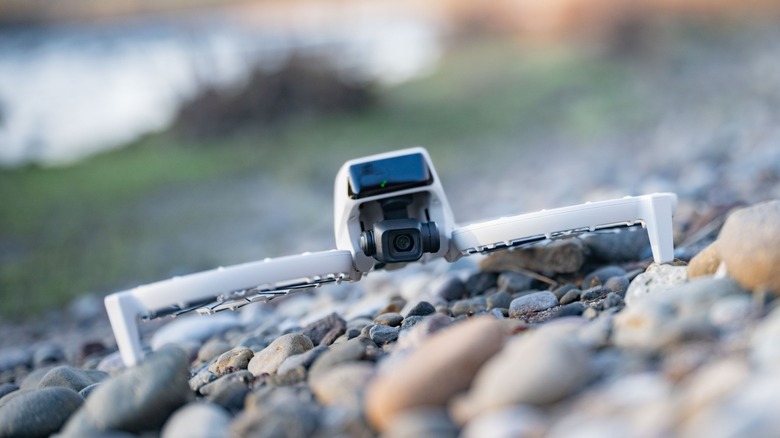
The DJI Flip has had the internet divided about its appeal. Flying purists may argue the automated flying takes away the joy. But if you're just looking for a machine to capture the hiking trail without messing about with a controller, then the DJI Flip could be a great option. It costs $399 with the controller, and for that, you get a sub-250-gram drone with a surprisingly compact design. All four propellers fold down, so you can just carry it inside a jacket pocket. DJI has installed propeller cages to keep the blades away from your fingers, and it automatically turns on when unfolded.
The best part about the DJI Flip is that you don't need a controller to fly it. Just the DJI app should be enough. You launch the drone by placing it on your hand, and it lands there as well. It also takes voice commands for specific automated modes and shots. As for modes, you can ask the drone to follow, circle around, make you the spotlight, or rocket up into the sky. Each mode can also be configured for specific distances, making it easier to get the exact shot you saw on Reels.
Imaging is handled by a 48MP 1/1.3-inch CMOS sensor. Our DJI Flip review found that, despite its small sensor, the photos punch way above their weight, delivering decent detail and natural colors. There's support for RAW images as well. You can shoot videos in up to 4K at 60 FPS in HDR, and they will come out stable with great object tracking. While mild winds do rumble the camera, there is D-Log support, giving you more room to work with the footage.
DJI Mini 4K
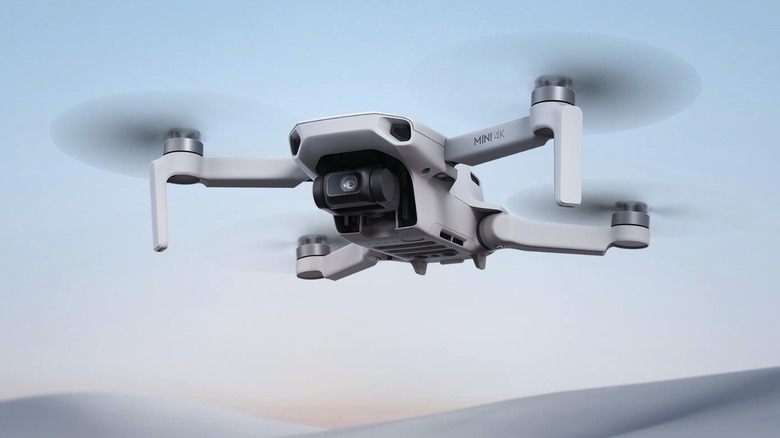
As good as the Flip is, much of its flying is automated, and the $399 price tag could be off-putting. If you're in the market to learn the basics of drone flying without spending the big bucks, DJI has the Mini 4K. It currently costs $269 on Amazon, so you won't feel as bad if you crash it, and it has a traditional drone design. There are no prop guards or object-avoidance systems, so we recommend practicing in open spaces before flying near objects. You steer the drone with the RC-N1C controller, which connects to your phone and displays the camera's live feed. On it, you'll find three modes: Normal, Sport, and Cine. The latter is the slowest of the three and is designed to give you smoother, more stable footage. Like the Flip, you also get access to several pre-programmed shooting modes, like Circle, Boomerang, Rocket, Helix, and Dronie.
The Mini 4K has a smaller 1/2.3-inch image sensor and can shoot up to 4K at 30 FPS or 2.7K at 60 FPS video. According to TechRadar, the images in daytime are sharp and handle HDR well unless you're shooting the sun directly. You can also crop in up to 2x without losing much detail. Comparing the Mini 4K with the Flip at night, however, is a different story. The Mini's smaller sensor lets in less light, which muddies the footage, and the colors are a bit washed out. Support for D-Log videos is also missing, but DJI's Pro Mode in the app lets you adjust exposure and ISO settings.
DJI Neo 2
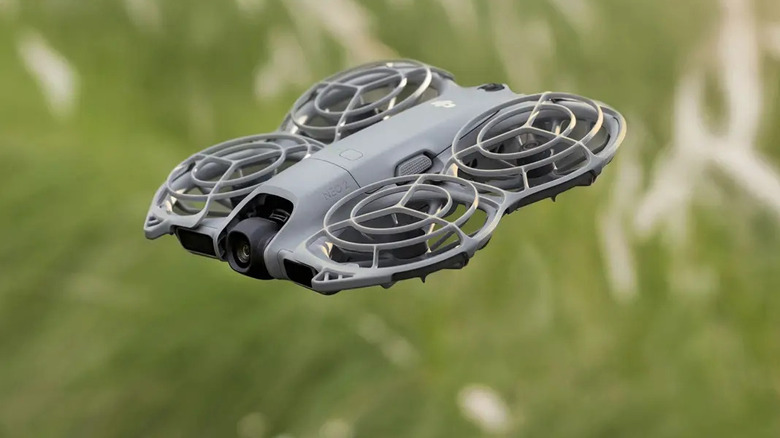
The first-gen Neo was one of DJI's first consumer drones aimed at content creators. Think people who'd document their journey road-tripping across rural Africa. The Neo 2 built on the same idea and introduced a few new upgrades. It's essentially a smaller version of the Flip, priced at just $259 without a controller. There's an app, but the main highlights are gesture controls and a small display on the drone. It lets you select a pre-programmed flight mode, like following your bike or circling around, and that's it. DJI also added a new Dolly Zoom preset, which you might have seen in movies.
If you'd like more creative freedom, though, you can launch the drone, put one or both hands in front of you, and control its direction and distance using a series of gestures. Or you can just buy a standard DJI controller and use that. The DJI Neo 2 is one of the few budget drones with omnidirectional obstacle detection, which keeps it from hitting poles and trees. That said, if you do manage to hit something, the full cage propeller protection should come in handy.
The 12MP 1/2-inch CMOS sensor is stabilized by a two-axis gimbal and shoots 4K videos at up to 100 FPS (limited to 4K 60 FPS in autonomous flights). YouTuber Mark McGee Photos' review showed that the videos from the Neo 2 are crisp and use DJI's standard color profile. Sadly, you don't get any RAW or Log video support, and there's no place to put an SD card. Instead, the Neo 2 has 49GB of built-in storage.
BetaFPV Cetus X Kit
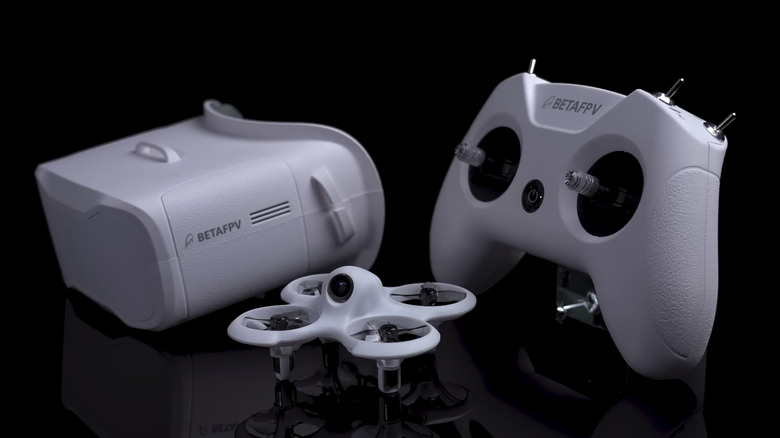
FPV, or first-person view, flying has always been about buying parts, building the drone yourself, and zipping it past old monuments and cliffs. While this sounds fun, building a drone with no FPV flying experience will be a challenge. That's exactly the problem the BetaFPV Cetus X Kit, priced at $255, solves. It gives you a platform to practice your FPV skills and includes everything you'll need. Inside the box, you get the drone, the controller, analog FPV goggles, four extra batteries, and replacement parts for when you inevitably hammer it into a building. Sturdy PA12 plastic construction helps take some of the worry out of that likelihood. The drone is also pretty small, measuring 135 x 135 x 60 mm, so tight spaces won't be a problem.
Inside the VR03 FPV goggles, you'll see the live analog video feed in 800 x 480 pixel resolution. BetaFPV says the feed should be good for 600 m, but thick walls and buildings can affect the range, and it will be most effective within 100 m. You can adjust the top-mounted C04 FPV camera between 0 and 40 degrees depending on the mode, of which there are three: Normal, Sports, and Manual. As expected, Sports gets you the fastest speed of 29 mph, while Normal is more for learning the basics. Manual has no safety features, so keep that in mind. Battery life is limited to around 3-4 minutes, so the extra batteries will come in handy. Replacement parts, including a full chassis, are also easy to find and don't cost a ton.
HoverAir X1 Pro
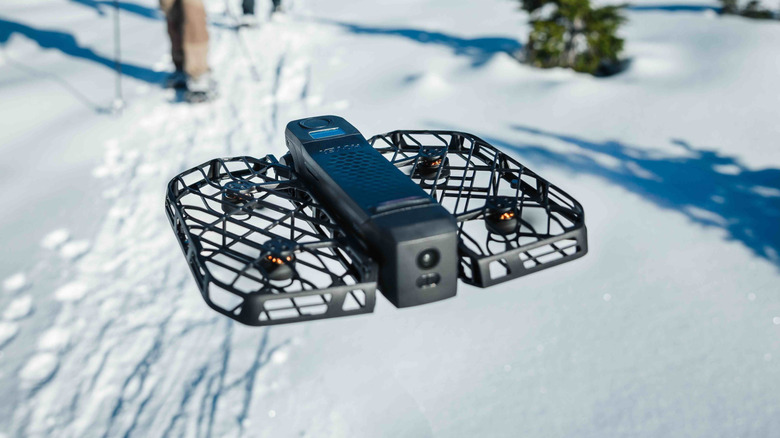
The HoverAir X1 Pro is a lot like the DJI Neo 2. It's made for content creators needing something to record their adventures. The X1 Pro also has a fully caged propeller design that helps it survive the occasional bump, and it can take off and land from your hands. There's a tiny display on top that lets you select a shooting mode without needing a controller. As for the modes themselves, you can have the drone follow you at speeds of up to 26 mph, circle around, zoom out, do a bird's-eye view, and even a dolly zoom. You can also pair the X1 Pro with a beacon. It's a small, TV remote-like device with a tiny display that shows the drone's live feed, physical controls to steer, and serves as a homing beacon.
The X1 Pro uses a 1/2-inch CMOS sensor mounted on a two-axis gimbal and can shoot smooth 4K at 60 FPS videos with excellent subject tracking, as per Space. There is support for 1080p 120 FPS videos for slow-motion aficionados. Photos, on the flip side, can only be taken in JPEG, which may be a drawback for creators. Things go south when you compare the X1 Pro's price to the DJI Neo 2. At $699, it costs more than double. Our X1 ProMax review, which is the bigger sibling of the X1 Pro, also found some small yet annoying issues. Sometimes the drone can't get back to its beacon location. Other times, it failed to connect to a smartphone for the live feed.
Potensic Atom 3
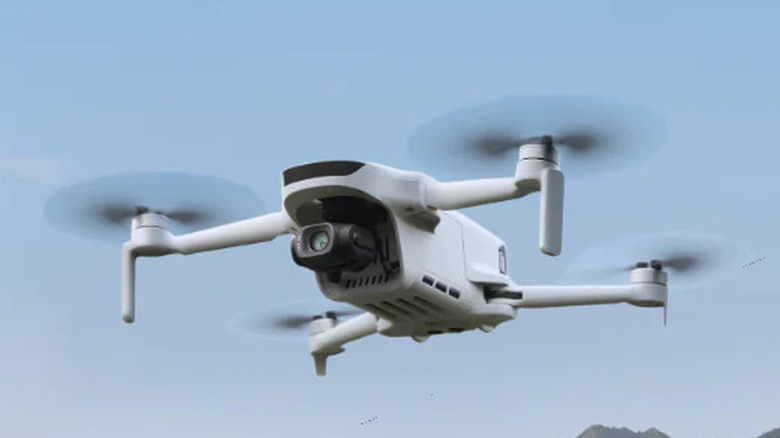
If DJI is the Samsung of the drone world, the benchmark, then Potensic is the OnePlus, trying to make flagship-like devices without the premium price. And there's no better drone that demonstrates that than the Potensic Atom 3. It's the latest iteration and brings a number of improvements, the chief among them being the image sensor. It's now a 1/1.3-inch CMOS sensor that captures 4K at 60 FPS videos and 50MP still photos. Tom's Guide found the footage clean, free of the usual drone jitters thanks to the three-axis gimbal, and capable of decent HDR performance. Potensic now lets you record P-Log videos, which better preserve dynamic range and let you play with colors later.
Like others, the Atom 3 uses AI-powered object detection to perform the usual set of shots, such as following a subject, circling around something, and shooting up into the sky. That said, the good news ends when flying at night. With an f/2.8 aperture, the Atom 3 struggles with sharpness and accurate color reproduction. It's made worse by the lack of object-avoidance systems. Another big problem is the FCC's ban on importing foreign drones, which means the Atom 3 isn't officially sold in the U.S. This won't be a problem if you live in the U.K. or the EU, though, where the Atom 3 is available officially.
DJI Avata 360
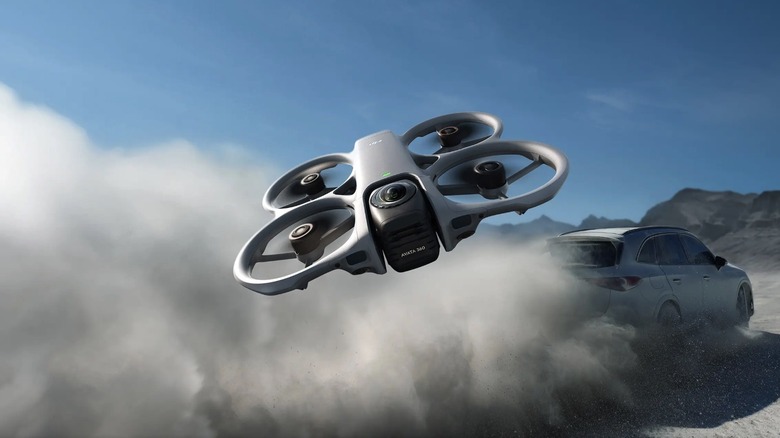
As a beginner, there are two things you'll learn about a drone: Flying without hitting trees, and capturing good-looking footage. Both are equally important. Otherwise, what would you share on your Instagram Story? The DJI Avata 360 changes one half of that equation. Yes, you do still need to master the flying skills, but shooting is no problem. That's thanks to the dual 64MP 1/1.1-inch square CMOS sensors that can see 360 degrees around you at 8K resolution. You'll crop into the 360 footage afterward, but TechRadar found no noticeable detail loss, good dynamic range, and even nice colors. The Avata 360 also shoots 10-bit video, while D-Log gives creators more room for color grading. There were some stitching discrepancies when shooting objects up close, but nothing major. You can edit the footage using both the DJI Fly mobile and the DJI Studio desktop app.
Unlike the Antigravity A1, though, the Avata 360 supports flying with a regular controller in addition to the FPV goggles. This could be a major buying factor, since you can bypass the need for a spotter when flying a drone with FPV goggles. Just remember to register it with the Federal Aviation Administration (FAA) because it weighs 455 grams. All that aside, the Avata 360 has prop guards to keep it safe; not that you'll need them much, thanks to the omnidirectional object detection systems with front-facing LiDAR and bottom-facing infrared sensors. Following cars around a track at speeds up to 40 mph should be no problem. The biggest drawback, though, is the price. At $719, it's a hefty investment for a first drone.
DJI Mini 5 Pro
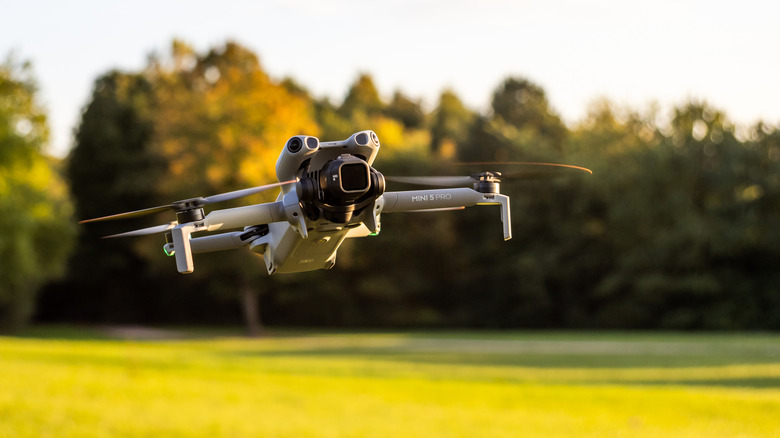
All the drones we've mentioned so far are pretty good. But the truth is, you'll have to compromise on something when buying a budget beginner drone, unless it's the Avata 360. Then you'll be dealing with the FAA. If you want none of those problems, yet still need the best image quality, then the DJI Mini 5 Pro is where your search should end. Yes, it does cost $799. But for the money, you get access to a 50MP 1-inch CMOS sensor capable of recording 4K videos at full 120 FPS. Those videos are in 10-bit color and offer 14 stops of dynamic range. According to YouTuber QuickAssTutorials, the footage retains detail without blowing out the sky. The same applies to nighttime videos, where the Mini 5 Pro managed to keep noise at bay much better than its predecessor, the Mini 4 Pro.
Not to mention, you can also shoot in D-Log M, capture RAW photos, and access DJI's extensive list of QuickShots, which are super helpful for beginners. The 3-axis gimbal also rotates 225 degrees to capture real 4K portrait videos. DJI's ActiveTrack system remains excellent at locking onto subjects, even through heavy foliage, at speeds of up to 40 mph. And the LiDAR-assisted object detection gives the drone a much better chance of avoiding obstacles after dark. DJI says the battery can last 36 minutes, but realistically, you'd be looking at around 20 minutes of flight time in mild winds.
Methodology
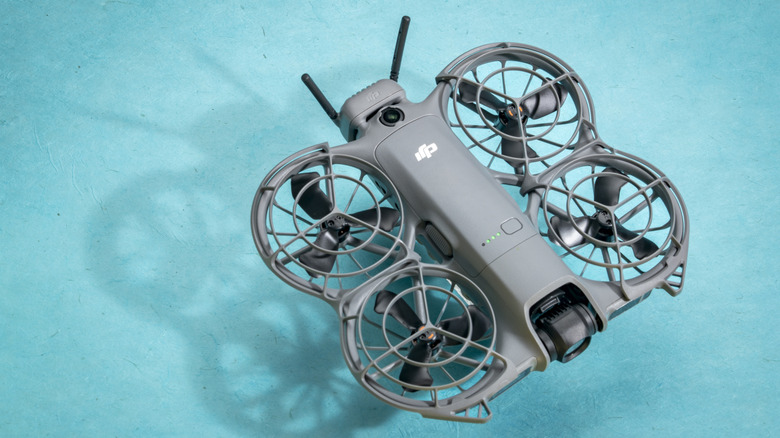
Picking the best drones in any price bracket isn't easy. There are several brands competing for market share, each offering a different set of capabilities. This is why we combined our own testing of many of the beginner drones mentioned with reviews from reputable media outlets like TechRadar, PCMag, Tom's Guide, and Digital Camera World. Since this list is aimed at first-time pilots, we prioritized drones that are easy to control and fly rather than simply being affordable. Other than that, features such as flight stability on gusty days, object avoidance systems, camera quality, battery life, and portability were also considered.