

Is This Vevor Vinyl Cutter Worth The Money?
We may receive a commission on purchases made from links.
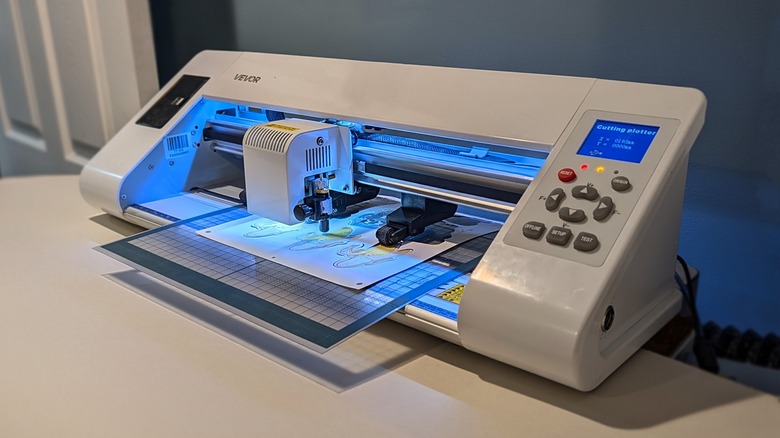
The Vevor TT-450 and its bundled SignMaster Craft software are not the most intuitive pieces of tech I've ever handled. Compared to the relatively simple systems delivered with some of the bigger (more expensive) names in DIY tech here in 2026, this vinyl cutter's software and hardware feel like they were designed in the distant past. It feels clear that Vevor's strength is not in start-to-finish "made for any skill level" user experience.
Instead, what we've got here is a piece of powerful hardware that does what it needs to do — so long as you can figure out how to tell it what needs to be done. If you've only ever used creative/DIY/maker devices from Glowforge, xTool, Silhouette, or Cricut, and you had trouble getting the hang of them, you're going to want to throw your computer through a window before you figure out what you're doing with Vevor's software of choice. You want simple solutions? Get a pair of scissors and a label printer.
But don't let that scare you! This device is not quite as simple to use as some of the other creative-aimed brands because of its lack of guardrails for the end user. This system allows plentiful granular control. This system's hardware capabilities create a value that far outweighs the price (once you've gotten past the software's not-insignificant learning curve).
Capabilities and basic considerations
The Vevor TT-450 is one of a collection of vinyl cutters available from the brand's own-named store. This model has 14 inches of cutting space (and 18 inches of paper feed space) — and a roller system with no max dimension for paper — assuming you've got an endless roll to work with. This cutting machine is made to cut paper-thin materials using a metal blade. You want to cut thicker materials, you might want to consider a tiny laser cutter.
 Chris Burns/SlashGear
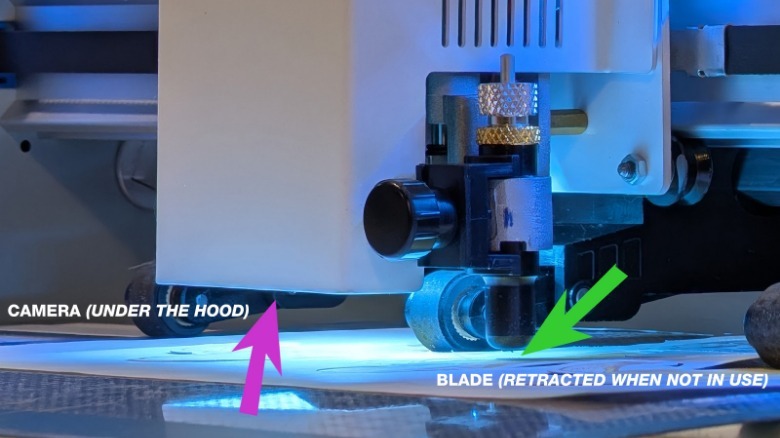
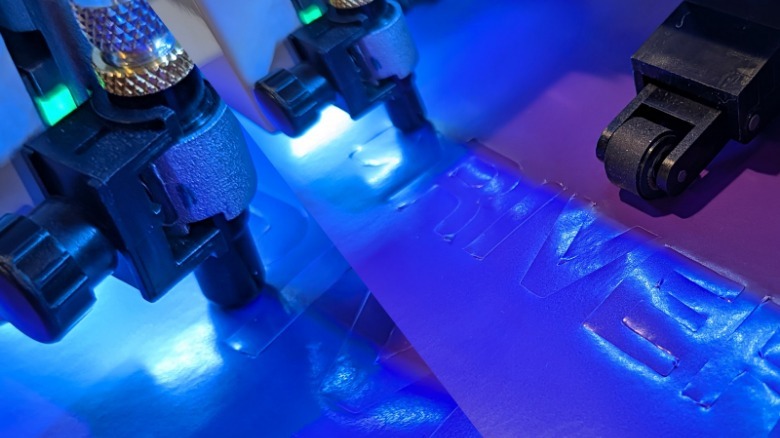
The machine has an alignment camera and a plug-and-play (or tighten-and-play) head system for replacing blades. The alignment camera is the key if you're looking at this machine as a way to cut around the edges of pre-printed papers and vinyl.
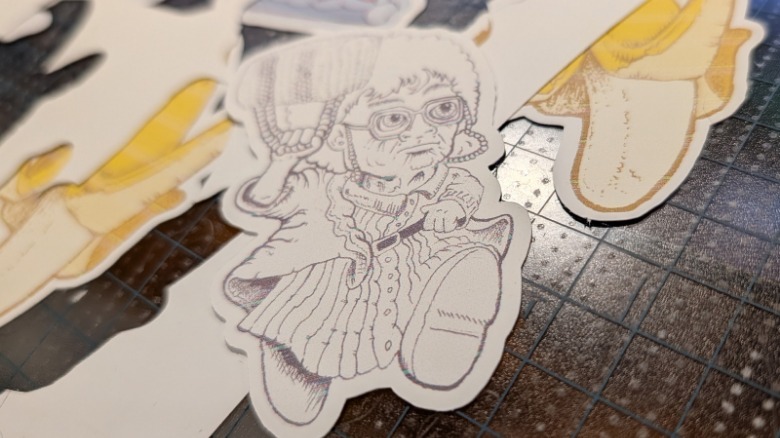
You'll need to calibrate the system before you start any of this, but once you do, it's just a matter of importing artwork, telling the software to create an outline, printing (on your laser printer, this one just cuts), then telling the Vevor machine where to start cutting.
 Chris Burns/SlashGear
This device also has a simple ball-point-pen piece for calibration, testing, and marking. You will absolutely want to keep track of this pen if you want to use this device's camera system for contour cutting.
 Chris Burns/SlashGear
Finding the right settings for cutting any design in any material requires a bit of trial and error. Once you find the settings you need, you'll be pleased at the consistency with which this machine cuts. Just remember: It does what you tell it to do, no more, no less.
Software and the simple stuff you take for granted
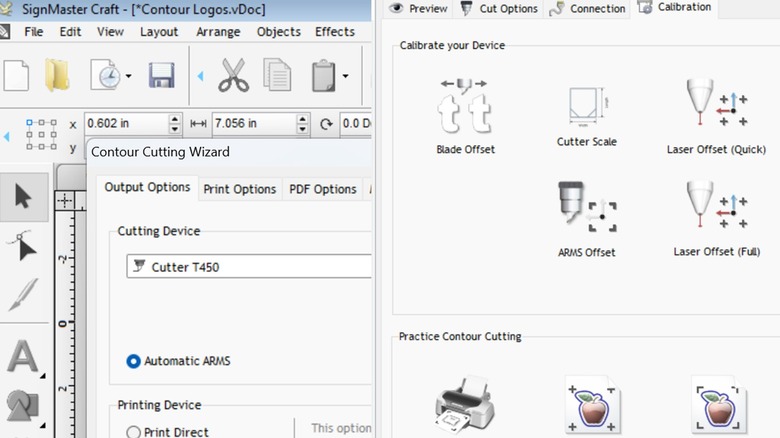
I've gotten used to software that gets in your way before you can use it. By that I mean it'll say, "hey, if you want to be able to use this feature properly, you need to take these simple steps first." This device does not include software that takes care of you in that way.
You could potentially jump from pressing the power button to cutting big important sheets of material before you realize you need to calibrate the machine for it to cut properly. This machine can cut before it knows the ins and outs of the machine it's controlling.
This isn't a "it just works" type of setup. Once you've calibrated (and told the software everything it needs to know about the machine), you'll be ready to move forward with accurate cuts — but not before.
You'll need a Windows PC to do any/all of this, along with one of Vevor's recommended pieces of software to control the machine. That includes Artcut, Graph-Cut, Signcut, Signmaster, Flexi, and/or Coreldraw. This device comes with a unique product serial number for you to activate a copy of the software SignMaster Craft Home Edition.
Value proposition
This Vevor vinyl cutter is inexpensive for its size (14-inch-wide cutting space) and capabilities. Right this minute you'll find a price of approximately $326 (or less if you register with the store and/or use a coupon) for the Vevor TT-450 listed in the brand's online shop.
The closest machine Cricut has at the moment is the Cricut Maker 4 (with 11.7-inch-wide cutting space) that's on sale for around $350 — and it normally costs around $400. From Silhouette the closest device is a Silhouette Cameo5α Plus (with a 14.5-inch-wide cutting space) for $400.
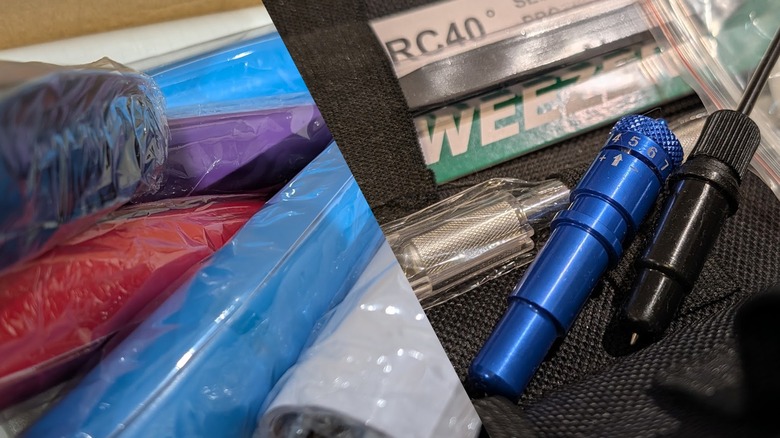
The Vevor TT-450 is well worth the money you'll pay to own it. The hardware is solid and the device comes pre-constructed (except for the blade, which you'll need to insert, but that's easy). You'll also get extra blades and a few rolls of basic-quality adhesive-backed color vinyl for practice. Just make sure you have a Windows computer to run the software you'll need to control this vinyl cutter from the get-go. And don't forget to have an inkjet printer ready so you can print the one-sheet calibration pages necessary for this cutter to work properly.
The hardware quality is good, and the software makes the hardware do what it's mean to do. If you're ready to trade simplicity for a very reasonable price, there's little reason to buy any other brand. If you're the sort of person that knows the software already, or you're not one to let a bit of a learning curve turn you away from an enticing bit of hardware value — Vevor's got what you're looking for.