

9 Apple Features That Are Gone Forever (And Why They Were Killed)
Apple loves loudly telling you where the future is headed. Every keynote follows the same script: something new is here, and you're probably going to want it, whether you asked for it or not. That works great when Apple is launching something. It gets a lot quieter when Apple's getting rid of something instead. Most of the time, there's no big announcement or section in a keynote, just a spec sheet that's missing a line it used to have.
Over the past 20 years, Apple has slowly phased out a bunch of features people once assumed were permanent, features that you don't think twice about until they're gone. Some were hardware, like the headphone jack, the Home button, and Touch ID. Others lived in software, like 3D Touch, landscape mode on certain devices, and iTunes back when it tried to do everything at once.
Conveniently enough, Apple always has some kind of explanation ready: a better design, better security, a push toward wireless, a new law out of Europe, or just "customers wanted this instead." Some of those reasons genuinely hold up. Others look a lot more like Apple was cutting costs or timing a business move and calling it progress. A few of these changes didn't age well at all. And at least one is still being argued about on forums by people who desperately miss the headphone jack more than they'd probably like to admit. That said, here are nine Apple features that are gone forever and why they were killed.
The headphone jack
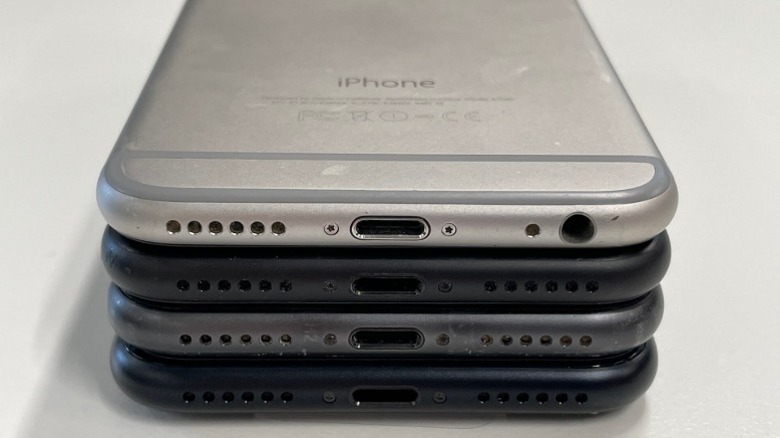
Apple killed the 3.5mm headphone jack with the iPhone 7 in September 2016. The official case Apple made was that the jack was an old analog holdover eating up internal space that could be used for other components. Plus, Lightning could carry digital audio better, so a dedicated port was redundant. And the company was steering everyone toward wireless, which, conveniently, is exactly where AirPods lived.
The company ushered in the AirPods era the same year, a product line that's since become one of Apple's quietest cash cows. What Apple called a courageous hardware decision also coincided with the rise of a multibillion-dollar revenue stream.
If you don't want AirPods, you can buy Apple's wired EarPods, which originally used the Lightning port but are now available with USB-C or a 3.5mm connector. In the box, the iPhone 7, 8, and X series also came with a Lightning-to-3.5mm headphone adapter, allowing users to plug regular earphones into their iPhone. With later iPhones, however, Apple stopped including the adapter in the box. Apple now sells the headphone jack adapter separately for $9.
3D Touch
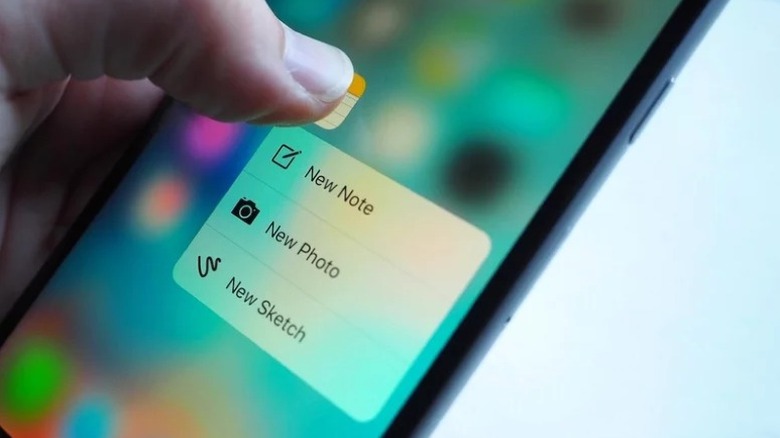
If you ever used 3D Touch, the functional loss is easy to describe. 3D Touch could sense how hard you pressed, not just that you pressed. That's what gave us Peek and Pop, the ability to lightly press to preview a link, and then press harder to fully open it. Then Apple replaced it with Haptic Touch.
Haptic Touch flattened how 3D Touch worked into a single gesture, which was a long press to preview a page. Since there's no second pressure level, you then have to tap the preview to open it. Some longtime users still mourn this loss, but many never even noticed it was gone.
Here's the strange part about 3D Touch: Apple didn't kill it with an announcement, it killed it with silence. When the iPhone 11 lineup launched in September 2019, there was no mention of 3D Touch's removal in the keynote. The most Apple gave users was praise for the replacement feature. Apple instead highlighted Haptic Touch's Quick Actions, demonstrating shortcuts like taking a selfie without first opening the Camera app.
Touch ID/Home button
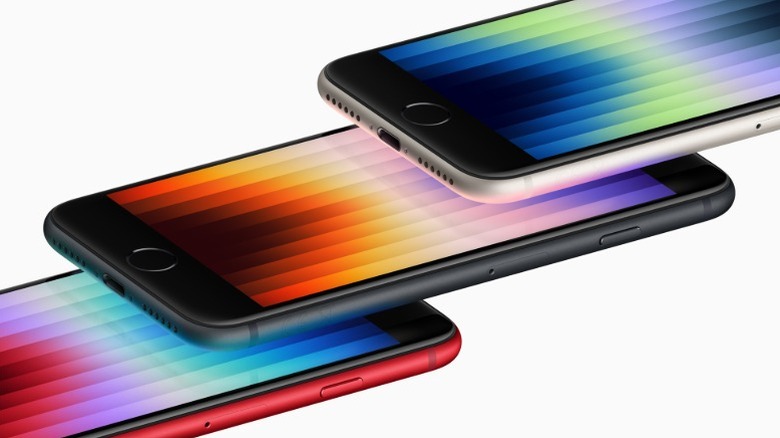
You may remember where you were when those first pictures of the iPhone X were released in 2017. The iPhones before it followed a certain formula when it came to their appearance, but this phone changed everything: an edge-to-edge display, a notch, and, most notably, no Touch ID sensor or Home button.
While Apple's engineers spent months trying to fit Touch ID under the edge-to-edge display, they gave up after it failed to work accurately. Built into the Home button, Touch ID has been a security feature of the iPhone since the 5S in 2013. The dual purpose is one of the reasons why the transition to Face ID felt so different. We lost years of muscle memory as the key presses we were used to were replaced with swipe gestures.
Apple's flagship line never looked back after the iPhone X, although the features got a second life in the budget SE series, which was eventually discontinued in 2025. Safety was a big reason for the switch. Apple says there's a one in a million chance a random person can unlock your device with Face ID, but there's a one in 50,000 chance it can be done with Touch ID. Based on these figures, Face ID is about 20 times less likely to be fooled than Touch ID. So, there's a slim chance Touch ID returns to high-end iPhones anytime soon.
The Mute switch
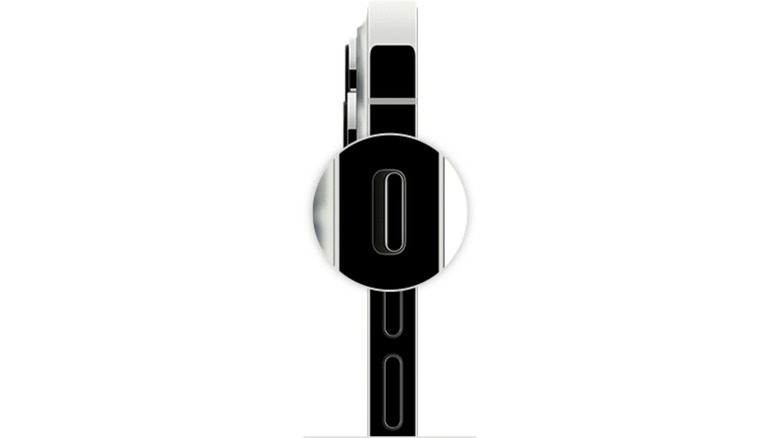
When Steve Jobs introduced the first iPhone in 2007, it came with a mute switch. During the keynote, Jobs called it "a little switch for ring and silent." This little switch survived 16 years of iPhone redesigns, but nothing stays the same forever. In 2023, on the iPhone 15 Pro and Pro Max only, Apple swapped it for the Action Button. The next year, the change was adopted by both the regular and Pro models.
While it's easy to tell the difference between the Action Button and the mute switch based on looks, the mute function remained with the change, although users did lose the physical silent-mode indicator. The Action Button still mutes your phone by default, since that's the setting out of the box, but it can be customized for creative and clever uses. You can hold it down to open the camera, launch a Shortcut, trigger a Focus mode, turn on the flashlight, or do whatever else you set it to do. Apple essentially traded a single dedicated job for a menu of optional ones.
But that trade is exactly what some users pushed back on. With the switch, a quick glance told you whether your phone was on Silent. With the Action Button, you have to check the prompt on the Dynamic Island instead, so if you can't look at your screen, there's no way to know if Silent mode is on.
Game Center
When the App Store launched in 2008, there was no way to natively track things like achievements, leaderboards, or even your friends, so dedicated mobile gamers had to rely on apps like OpenFeint and Scoreloop. But because those were third-party apps, it wasn't as seamless as it could be. Apple's answer, which it announced in April 2010 and released in September, was one app that housed it all and was tied to your Apple ID.
But for some reason, six years later, Apple decided that the app had run its course. On June 13, 2016, Game Center's standalone app disappeared from iOS 10. While the basic functionality was still available, if you wanted to manage your profile, you had to go searching through Settings instead. Plus, it was pretty limited compared to the dedicated app.
Friend requests and game invites were shifted to the Messages app, and everything was now handled one game at a time instead of through a single hub. This ended up making things worse. For example, you could no longer add or remove individual friends. If you wanted to do so, the only option was wiping your entire friends list, so cutting off one person meant losing everyone.
A decade later, Apple seems to have realized the standalone app wasn't such a bad idea. A new Games hub showed up with iOS 26, working a lot like the old Game Center. There's a single place to see your library, browse Arcade, check achievements, and manage friends again.
iTunes
By the time Apple killed it, iTunes wasn't really one app anymore. It was five apps wearing a trench coat. What launched in 2001 as a simple music player, over nearly two decades, absorbed the iTunes Store, video purchases, podcasts, audiobooks, e-books, app downloads, and iPhone syncing.
In June 2019, Apple announced that iTunes would no longer ship with future Macs. And with macOS Catalina that October, users now had standalone Music, Podcasts, and TV apps. Audiobooks went to Apple Books, and iPhone syncing moved to Finder.
Apple said iTunes had become responsible for too many different tasks and that having dedicated apps for each function would provide a simpler, more focused experience. When Apple Music launched in 2015, it was integrated into iTunes before eventually getting its own dedicated app. This way, Apple Music could actually look and feel like a worthy competitor to Spotify. This change was good for users too. It put all their music in one place, combining streamed and purchased music in a single app.
It's worth mentioning that iTunes didn't disappear everywhere at first. Windows users got to enjoy iTunes for years afterward, since there was no replacement at the time. Eventually, in 2023, Apple brought Apple Music and TV to Windows.
The Lightning cable
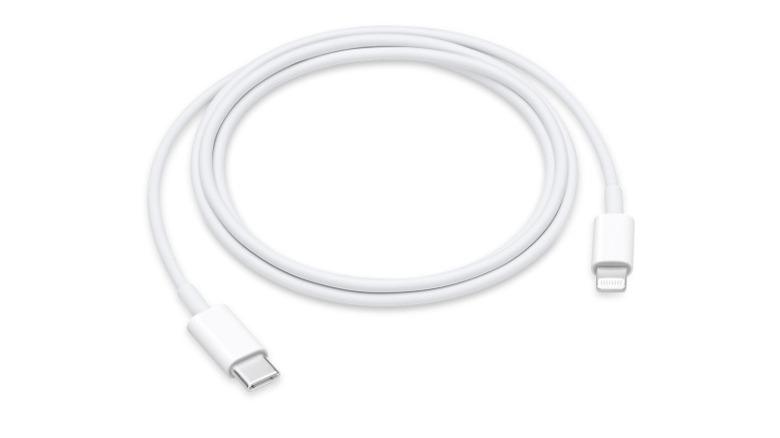
Lightning was Apple's proprietary connector for well over a decade. It replaced the 30-pin dock connector and arrived with the iPhone 5 in 2012. This connector stuck around for eleven years and a dozen iPhone generations. If Apple had its way, it might have stuck around even longer.
But in October 2022, the European Union passed regulations requiring phones, tablets, cameras, and other small electronics sold in the EU to adopt USB-C for wired charging. This change had to be made by the end of 2024. The reasoning behind this was to reduce e-waste, as people would be able to use one cable for all their devices instead of having to buy a new cable for each gadget.
Apple fought back on this one publicly, which is rare for the company. It argued that a single standard would be a huge blow to innovation in the tech space, and it would even create a whole new wave of e-waste from Lightning accessories that suddenly became useless. In a statement, Apple said, "We believe regulation that forces conformity across the type of connector built into all smartphones stifles innovation rather than encouraging it." The company added, "Legislation would have a direct negative impact by disrupting the hundreds of millions of active devices and accessories used by our European customers and even more Apple customers worldwide, creating an unprecedented volume of electronic waste." But this didn't work. The iPhone 15 lineup launched in 2023, with USB-C.
USB-A ports
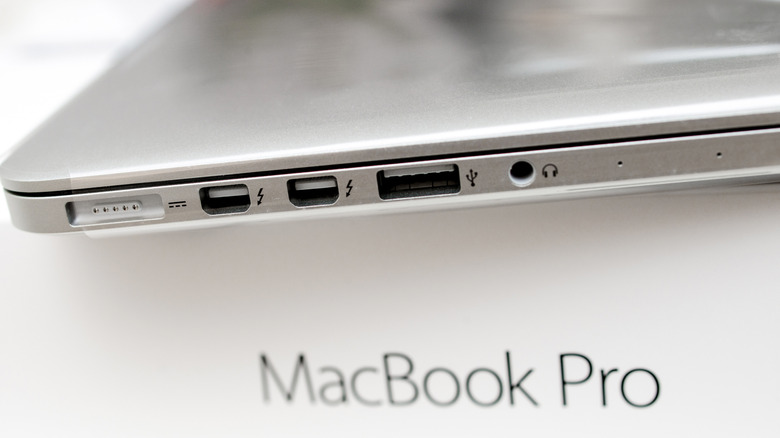
You've probably wondered why MacBooks only have USB-C ports. In 2016, Apple redesigned the MacBook Pro, making it lighter and thinner than the models before it. The redesign dropped traditional USB-A ports entirely, along with the SD card slot and HDMI, replacing everything with up to four identical USB-C ports. The idea was to have one port type capable of power, data, and video all at once, at full Thunderbolt 3 speed.
However, the problem was that at the time, USB-C wasn't as popular, so this made for a jarring transition. Photographers lost their beloved SD card slot, and everyone suddenly needed a dongle just to plug in a mouse or external drive. Even connecting an iPhone needed a new $25 cable since Lightning-to-USB-C wasn't something most people owned yet.
Contrary to what some may think, Apple didn't make the switch as a cash grab for adapter sales. Cheap third-party alternatives to Apple's adapters already existed, and in response to the backlash, Apple even discounted its own USB-C accessories. The real motive boiled down to Apple's vision for the future. Apple believed USB-C was where the entire industry was headed and decided to get there first, regardless of the consequences. It's safe to say that it paid off in the end, since USB-C has become the global standard across various brands. It's a win-win too, because Apple quietly brought back MagSafe and HDMI on the MacBook Pro with the 2021 redesign.
MacBook Pro Touch Bar
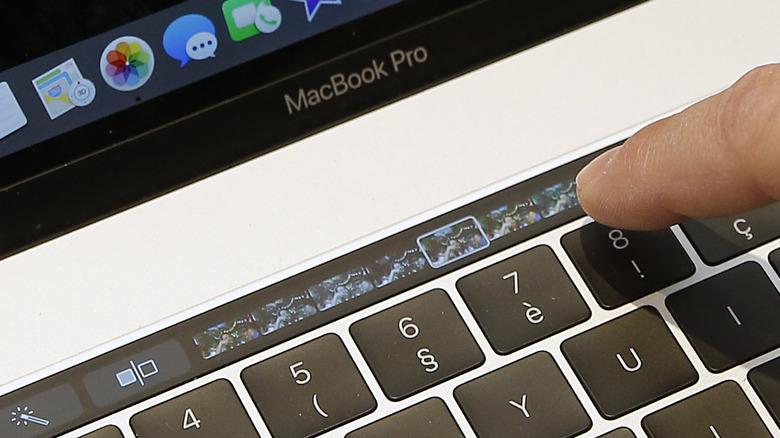
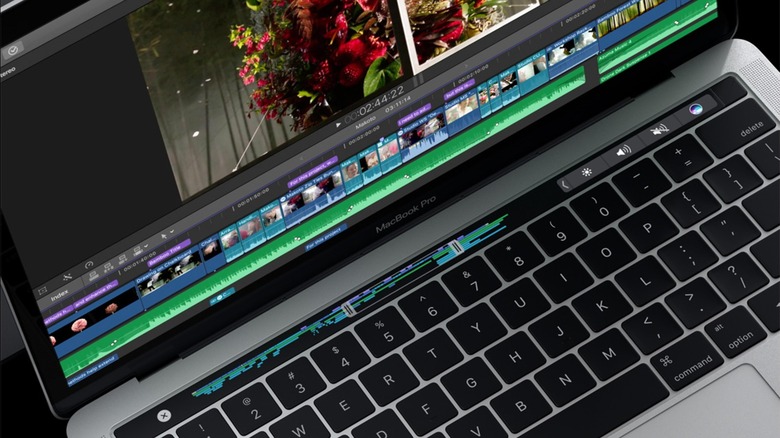
The Touch Bar arrived with the MacBook Pro in 2016, as a narrow OLED strip that physically replaced the function row and Escape key. Apple positioned it as a way to bring interactive, adaptive controls to the Mac, with different apps displaying different shortcuts and functions depending on what you were doing. For example, Safari got tab switching, while Final Cut Pro got timeline scrubbing.
Sadly, it never really caught on. The Touch Bar had a rough start and never really recovered from that. Removing the physical Escape key turned out to be a genuine problem, since a crashed or frozen app could take the Touch Bar's software controls down with it, leaving users with no way to hit Escape at all. To fix this, Apple partially reversed course in 2019, bringing back a physical Escape key while keeping the rest of the bar touch-based.
By 2021, the writing was on the wall. The 14-inch and 16-inch MacBook Pro redesigns dropped the Touch Bar entirely in favor of full-height physical function keys. Apple's SVP of Worldwide Marketing, Greg Joswiak, explained that its Pro customers simply preferred the tactile feel of real keys. "There's no doubt that our Pro customers love that full-size, tactile feel of those function keys, and so that's the decision we made. And we feel great about that," Joswiak said. Apple's own press didn't give much information on the decision past that.