

The Coolest New Features We Found In Android 17
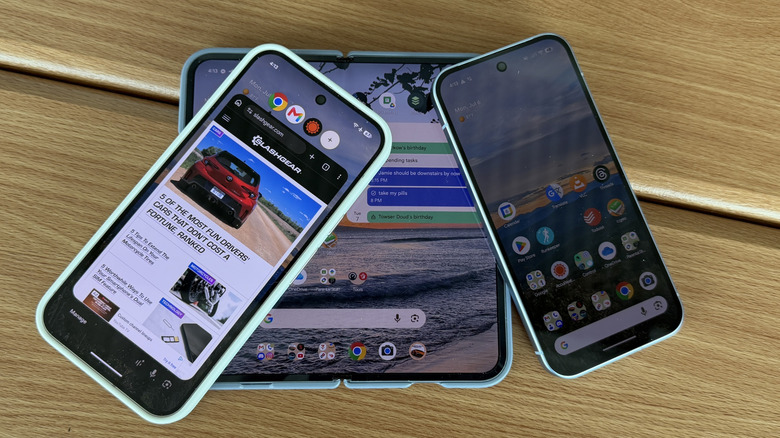
Android 17 is finally here, rolling out to Pixel devices now, with Samsung phones and other devices receiving it in the near future. Over the past few years, it would be fair to say that most upgrades to the Android operating system have been largely cosmetic, under the hood, or a little of both. But this year, Android is gaining some new features and abilities that haven't been around before — or at least not system-wide.
Indeed, there are a number of features that are new to the operating system. They might not be useful to everyone, to be sure. Some of these updates have been cooking for a while; others are coming out of nowhere. Plus, there are still some under-the-hood and cosmetic updates as well. We've already outlined some of the big changes that are coming to Android 17, but we wanted to take a moment to point out some of the more noticeable ones that may affect you on a day-to-day basis that we think are pretty cool.
Bubbles!
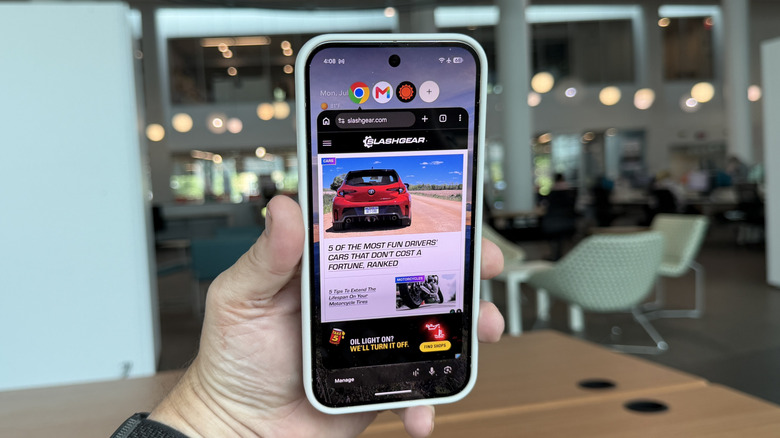
Bubbles are here, and they're a new multitasking feature that takes a page from Facebook, of all places. You may recall a concept called "chat heads" that Facebook introduced back in 2013. Chat heads surfaced Facebook messages as a round profile picture that appeared on your screen. Tapping on it opened the message. And you could drag the chat head around and ultimately dismiss it by dragging it to the X at the bottom of the screen.
Bubbles are basically that idea, but with every other app on your phone as well. You can open any app into a bubble. The app itself will open in a screen, slightly smaller than your phone screen along with a "bubble bar" interface at the top of the screen. You can have up to four apps open at once and just tap on each icon to switch between apps. It's really fast and seamless.
It won't be for everyone. Many people are accustomed to just using the app that's on the screen and that's it, but for those people who want to quickly switch between apps, bubbles might be a great way to do it.
Foldable fun
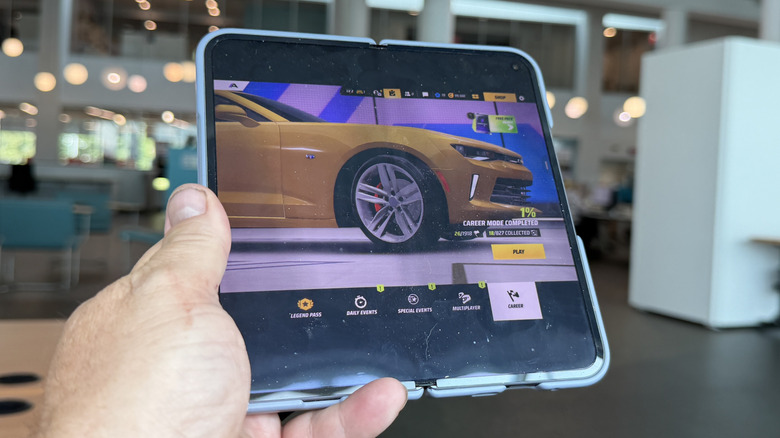
Another feature that isn't out yet but is coming in the near future pertains to foldables like the Google Pixel 10 Pro Fold or the Motorola Razr Fold. In this case, Android puts on its best Nintendo 3DS suit and morphs itself into a gaming screen and a controller. When you half-fold a book-style foldable, the bottom portion of the screen switches to become a virtual gaming controller while the top of the screen displays the game. Mishaal Rahman, staffer at Google, took to Reddit to show a preview of the feature.
This allows you to play games without having your fingers on the display, obscuring game elements for controls. It can be beneficial especially to heavy gamers. The posture is available for any game that supports external controllers. The controller itself can be switched and customized to your tastes as well. This is not available today, or at least it isn't on the Pixel 10 Pro Fold that we tested the feature on, but it will be rolled out in the coming weeks.
Selfie screen records
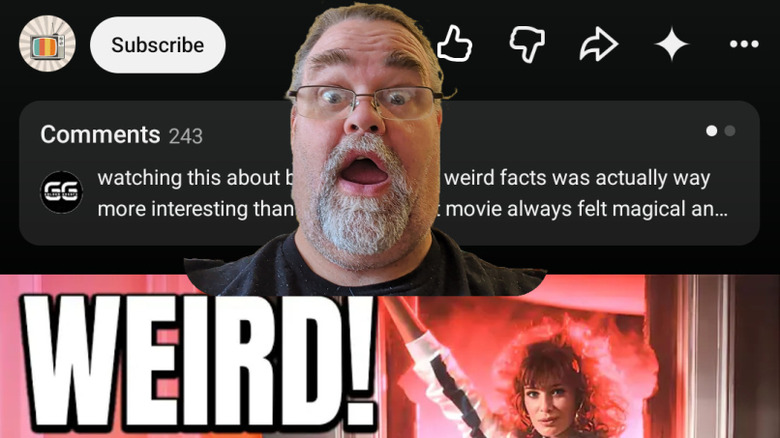
This next update feels like the most niche of the updates, but the screen recorder can now record you and your voice with tools built in. When you initiate a screen recording, you get four options — record device audio, record microphone, show selfie camera, and show touches. This is probably going to be the most useful for tutorials and things like that.
You'll be able to do that full-on, "Hey everyone. Today we're going to be learning how to turn on your selfie camera while screen recording," thing. It's pretty similar to the green screen feature that social media apps like TikTok and Instagram. This could also be useful if you want to show people how to do something on their phone complete with your disapproving glare. It's certainly not a feature everyone will use, so we'll file it under better to have it and not need it.
Some other cosmetic touches
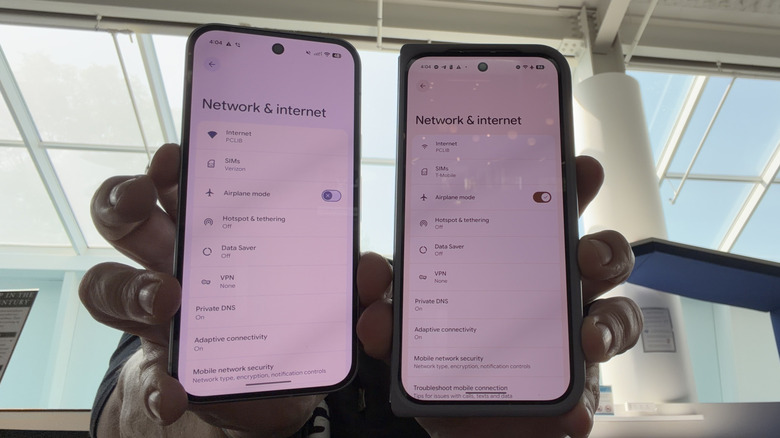
Finally, some of the more design-centric touches include smaller details that can help grow and mature the platform. You'll now be able to turn off app labels on the home screen if you want to, which is something that has been missing for quite a while. The widget picker will not have a bit of translucency to it, just the app launcher and the notification panel.
When you go into settings, you'll notice the labels for settings are a bit closer together — the photo above shows settings on the Pixel 10 Pro Fold on the left (with Android 17) and the Pixel 10 (Android 16) on the right, both of which have the same size screen. The change is very subtle, but you can definitely see it when placed side-by-side. Speaking of settings, Google combined Wi-Fi and mobile data into a single quick setting called "Internet" a few years back, and it has now re-separated them into their own toggles.
Finally, you can customize the perma-search bar at the bottom of the screen. You can adjust the level of transparency on it and even add a third icon. Previously you could do this, but only for a new Google search widget and not the one that is at the bottom of the home screen, so that's a welcome addition as well.