

5 Ways To Increase Your Nintendo Switch 2's Battery Life
We may receive a commission on purchases made from links.
The Nintendo Switch 2 is a handheld console capable of outputting high resolution and great refresh rates. But if you're using it as an undocked system more often than not, you'll have to deal with its limited battery life. The Switch 2's battery life lasts only four hours on average, but if you want to keep it alive for as long as possible, there are some things you can do. These methods can be as simple as changing software settings or altering your gaming habits, but some might require some extra purchases — or some extra risk.
To be clear, this article isn't focusing on increasing the Switch 2's long-term battery life. The console uses a lithium-ion battery, and there are ways to make sure it doesn't deteriorate as quickly over time, but we're only focusing on the short-term here. There's also some debate on whether keeping the controllers attached or detached might affect the battery life. The exact logistics of this aren't very well-known, but it's something to keep in mind if you aren't making use of the other methods mentioned here.
Use a battery pack
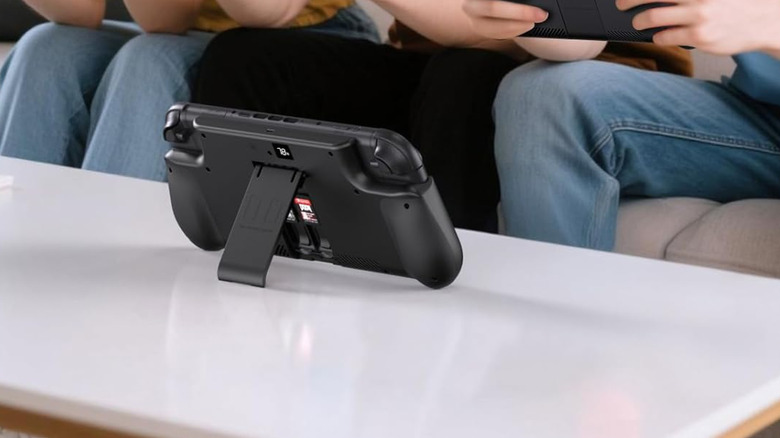
We've discussed using a portable power bank to extend your Switch 2's battery life previously. The benefits of this should go without saying, as it basically provides a whole extra battery to pair with your console. The form factor could be an issue in some cases, as it's not great to use a handheld console with a battery dangling from a short cable, but there are some power banks that can maintain or even improve the ergonomics of your console.
The Mavulo Battery Pack is a good example of what these external batteries can offer. This one in particular wraps around the whole console, giving you a better grip on the controllers and even providing a place to store some of your game cards. It even has its own battery indicator to show when it'll need to be charged. Just be aware that this particular pack received some negative reception for stability and could potentially damage your Switch. It should still give you an idea of the types of portable chargers you can find out in the wild.
Change power-draining settings
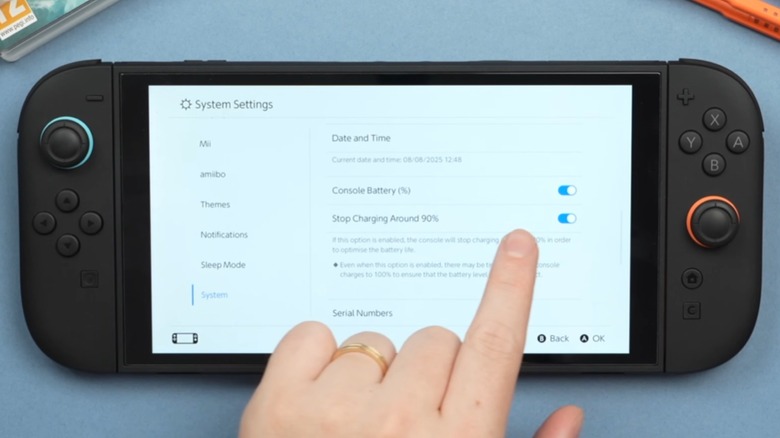
Although there are plenty of settings you can change to make the Switch 2 perform better, you might actually want to turn off those power-boosting options. If you use a higher resolution and refresh rate, or turn on extra connectivity options, you'll be straining the console and forcing it to drain more of its charge. This drain can even come from minor settings like rumble and sound. Basically, the more features you're using from your Switch 2, the faster its battery will drain.
New features can also affect the console's battery. If you've already figured out how to turn on boost mode on the Switch 2, you might not have kept an eye on how much it could be affecting your charge. There's also an option for the console to limit the charge of its battery entirely, keeping it only as high as 80% or 90%. This is good for the long-term lifespan mentioned earlier, but you'll want to turn it off if you need to squeeze out as much short-term battery as possible.
Play less demanding titles

Tying into the power-draining settings mentioned before, the Switch 2 is going to put out more impressive graphics than the original Switch by default. That also means its battery is going to drain more quickly, especially if you play exclusive titles or particularly demanding games. That's why you should focus on more lightweight offerings if you're going to be squeezing as much battery out of your handheld as possible. A 2D indie title isn't going to drain your console nearly as much as a flagship triple-A hit.
The exact amount of extra drain each game will place on your battery can be pretty variable. People online have made their own estimates, but if a game has a few specific areas that kneecap the console's performance, it'll probably be drawing more power during its struggle. If you hear its fan whirring or feel the Switch 2 itself getting hot, that's certainly not going to help matters, either. Overheating goes hand-in-hand with losing battery more quickly on rechargeable devices, so if you absolutely have to play a graphically-intense game, make sure you can keep the console cool.
Keep up with system updates
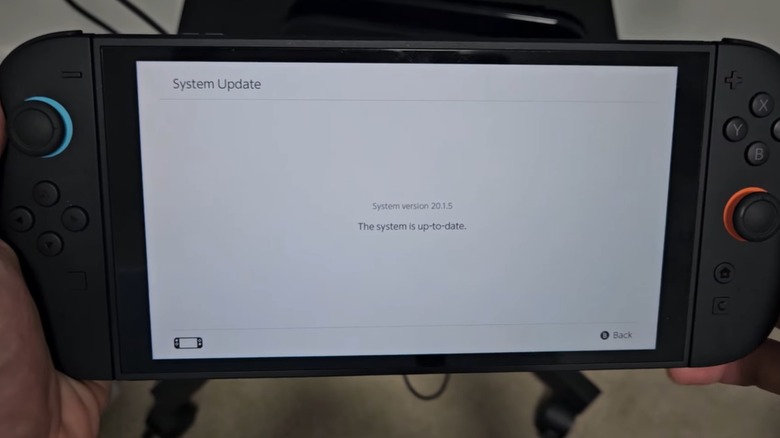
When we posted our Nintendo Switch 2 review, we had high praise to give its battery life. Discussions online didn't share quite as much positivity, but Nintendo itself has seemingly helped to address these concerns. As more updates arrived for the console, users noted that internal optimizations helped reduce the battery drain by a decent amount. In other words, if you haven't kept your Switch 2 up to date in a while, you might be missing out on some extra charge.
Of course, you'll probably have to do some extra tinkering depending on how much each update changes. The handheld boost was added in a new update, and that can drain your battery with incredible speed. Generally, it's worth checking out your system settings each time you download a new update — and it's still worth keeping your system to the latest version. Battery life aside, the extra stability will certainly be welcome in the long run.
Tinker with the system itself
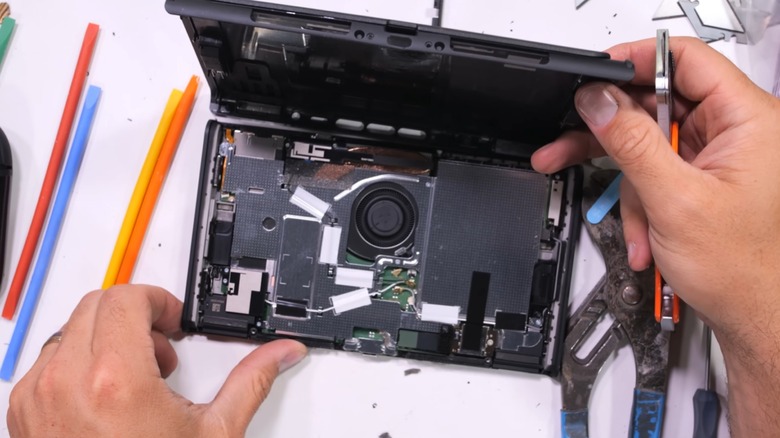
This final suggestion should only be followed if you're fine with potentially causing damage to your Switch 2 console — and it'll help if you're already familiar with opening up Nintendo's products, like you might've done to fix Joy-Con drift. By opening up your console, you can access to the battery itself, allowing you to replace it if it's draining too fast for you to bear. Again, this carries plenty of risks, and there are few reasons to do this instead of simply making a service request with Nintendo if something is actually wrong with your battery life.
Of course, there are other things you could do with your Switch 2 open like this. You could even put in an entirely different battery with even greater capacity, or you could gut the system and provide a brand-new form factor for it that also provides better heat management. Of course, not everyone is going to be able — or even willing — to make such massive changes in the first place. This is the absolute last resort for those who just can't handle the Switch 2's battery life as-is, even after accounting for portable battery packs and software changes.