

13 Of The Best 3D Printer Accessories On Amazon
We may receive a commission on purchases made from links.
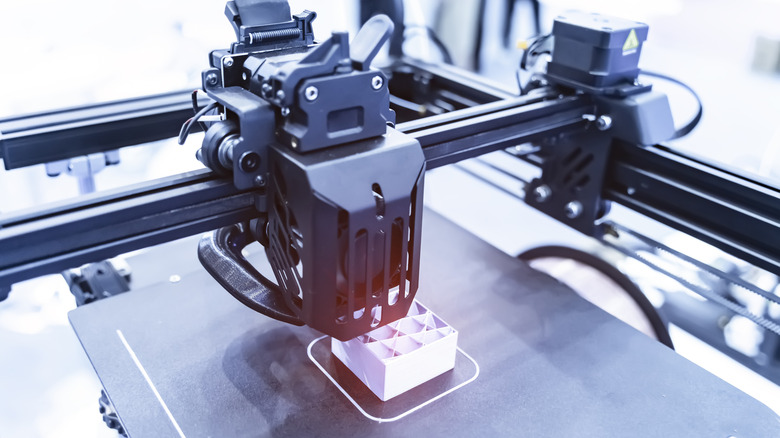
I've always been fond of creating and building things right from childhood, which is why I gifted myself a budget-friendly 3D printer a few years ago. With constant lockdowns and staying at home becoming the norm, I could spend a lot of time modelling objects and see them come to life. From home upgrades to making useful kitchen gadgets to building shelves for my home office, I've saved quite a bit of money thanks to my 3D printer. A 3D printer can also teach you several virtues. For starters — patience. Since prints can take several hours to complete, you automatically learn to wait patiently. Another important factor you learn as you keep using a 3D printer is that you may need many accessories to build an ecosystem that produces high-quality, reliable prints.
I realized this the hard way, after tons of failed prints, warping issues, clogged nozzles, and whatnot. To save you from these hassles, we've made a list of some must-have 3D printer accessories you can buy on Amazon. In my opinion, these accessories and peripherals can go a long way toward ensuring better prints and a more cohesive experience when 3D printing. Additionally, some of these accessories can even improve the functionality of your prints or let you print large objects in smaller parts and then join them together. I've used all of these gadgets personally and can attest that they're super helpful, whether you're new to the hobby or a 3D-printing veteran.
Layerneer 3D printer bed adhesive
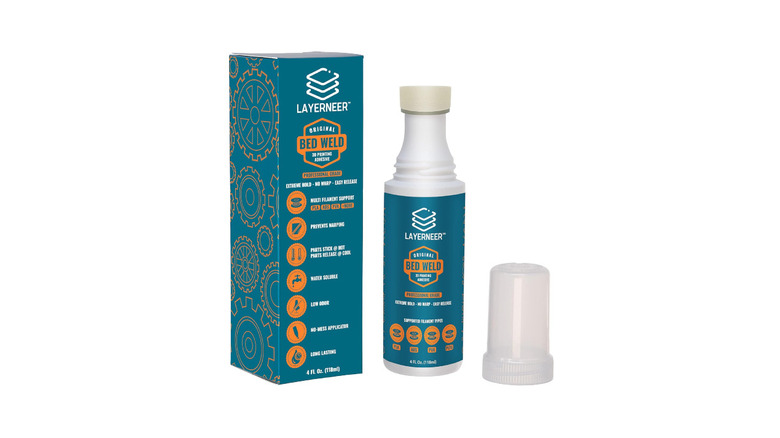
If you're new to 3D printing, you would assume that you can directly print an object on the print bed. While this is true, you may occasionally face issues with certain materials or print beds that have poor adhesion. A simple yet effective solution to this problem is using a glue stick. Spreading some glue on the print bed and printing on it prevents the object from getting detached from the bed during large prints. Generally, large prints take a lot of time, so there's a chance the bed's temperature may drop slightly — leading to the object getting detached and the print being ruined. The Layerneer 3D printer bed adhesive solves this problem.
Technically, you can use any standard glue stick to make sure your prints stay in place. However, the Layerneer adhesive stands out with its applicator design that's specifically made for 3D printer beds. This makes it easier to apply and spread the glue evenly. Uneven application can lead to print issues since it could lead to bed leveling inaccuracies. Along with keeping your prints in place, the Layerneer adhesive is also useful to prevent warping. It has no odor, it's water-soluble, and you can easily release the object from the bed once it cools down. This is an absolute must for large 3D prints.
Biqu CryoGrip Pro Glacier build plate
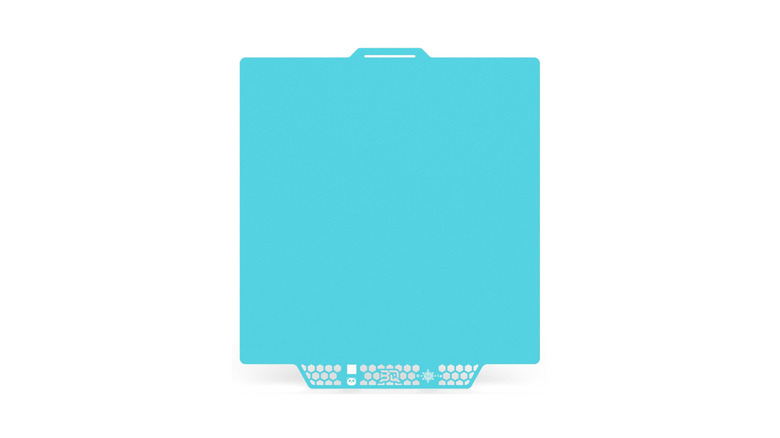
If you're new to 3D printing, you would assume that you can directly print an object on the print bed. While this is true, you may occasionally face issues with certain materials or print beds that have poor adhesion. A simple yet effective solution to this problem is using a glue stick. Spreading some glue on the print bed and printing on it prevents the object from getting detached from the bed during large prints. Generally, large prints take a long time, so there's a chance the bed's temperature may drop slightly, leading to the object detaching and the print being ruined. The Layerneer 3D printer bed adhesive solves this problem.
Technically, you can use any standard glue stick to make sure your prints stay in place. However, the Layerneer adhesive stands out with its applicator design that's specifically made for 3D printer beds. This makes it easier to apply and spread the glue evenly. Uneven application can cause print issues by introducing bed leveling inaccuracies. Along with keeping your prints in place, the Layerneer adhesive also helps prevent warping. It has no odor, it's water-soluble, and you can easily release the object from the bed once it cools down. This is an absolute must for large 3D prints.
Aeorum 3D printing toolkit
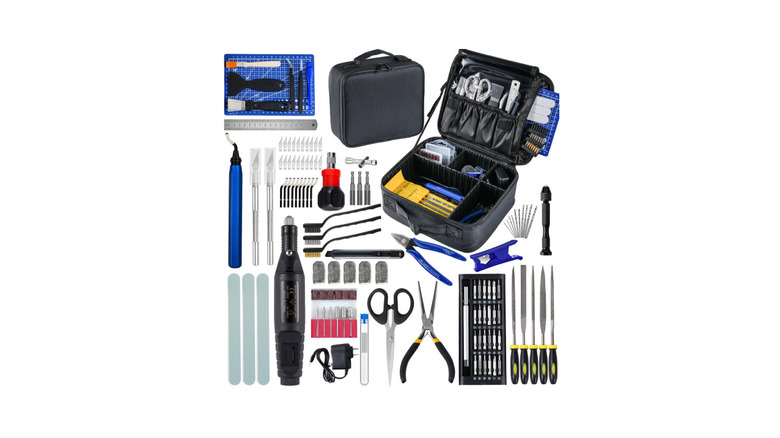
There are a bunch of accessories and tools that are useful regularly when dealing with 3D printers. Instead of buying all the tools separately, Aeorum has made it easy by compiling them into a single toolkit that can be stored in a bag. The kit includes everything from a scraper to remove filament from the print bed to a finishing tool that can improve the quality of the final print by removing excess filament or irregular edges. Honestly, this tool is a worthwhile investment, as you can use it to make holes or cavities in your print to join multiple parts or add extras like magnets.
You also get filers, pliers, metallic brushes, screw drivers, and a carrying case to store them all. Whether you're a beginner or planning to set up a print farm to mass-produce 3D-printed toys, this toolkit will certainly come in handy. In the latter case, the tools will help you achieve a more professional look with fewer sharp edges and rough corners. In turn, that should help with better reviews and repeat orders.
Cregrant 3D filament storage box
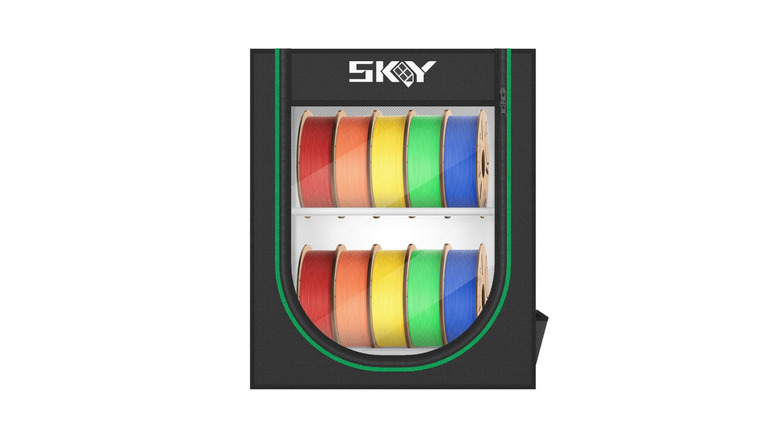
A couple of weeks into 3D printing, everything was going well until one fine day, I started experiencing stringing issues with my 3D prints. I looked on several online platforms and forums for solutions, which led me to adjust various parameters on the printer's interface. The issue persisted despite that. After a little bit of digging around, I found that the issue was with the filament I was using. Thanks to the tropical climate in my region, my filaments had picked up moisture, which can lead to stringing issues. This issue is inevitable if you store your filament spools out in the open.
That's when I realized the importance of filament storage boxes. These specialized containers are air-tight, meaning they do not allow moisture from the atmosphere to enter. As a result, your filaments stay dry and completely safe — which means no stringing issues anymore. The Cregrant 3D filament storage box is affordable, can store up to 10 filaments or five filaments and five raisin bottles if you also have an SLA printer, and is both dust- and waterproof. If your printer doesn't have an AMS system and you use multiple filaments, this is the best way to store them.
Guulibera 3D printer stand
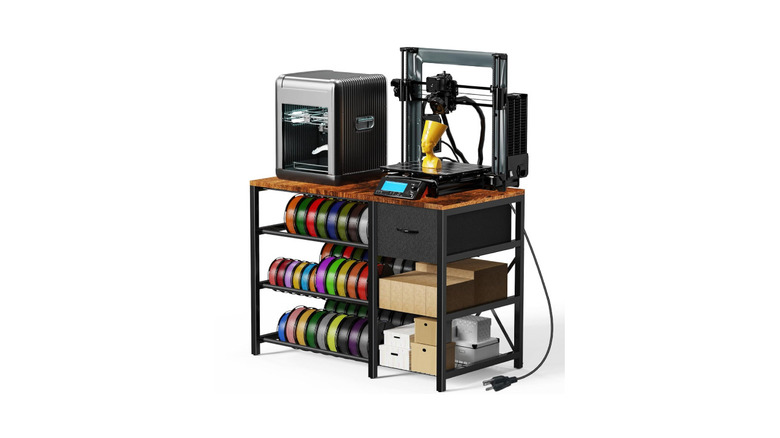
When I first got my 3D printer, I set it up next to my computer on my work desk. It didn't take me long to realize why that was a bad decision. When printing at high speeds, 3D printers tend to shake and cause vibrations, regardless of whether you have a bed-slinger or a Core-XY machine. Now that's definitely uncomfortable and distracting when I'm sitting at my desk while trying to get work done. I decided to invest in a dedicated table for the printer. The Guulibera printer stand is a good option that serves its purpose well while also providing additional functionality.
For starters, the top surface has ample space for a large 3D printer, a smaller SLA printer, or a filament dryer box like the one mentioned above. Then, there are three large rows to store your filament spools, so you don't need extra shelves or cabinets. On the right side, there's a drawer to store essential tools and accessories, with shelves below it for larger tools and products. Notably, the stand remains stable even with two 3D printers on it, which is commendable.
Verones sandpaper kit
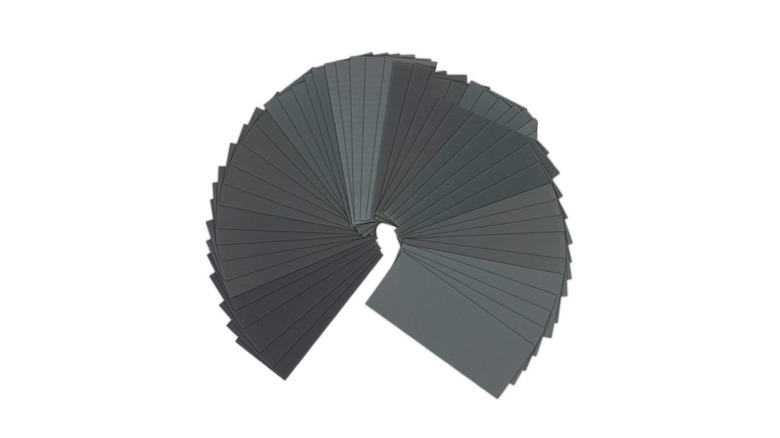
Those of you who have already worked with wood for DIY projects may already know the importance of sanding your objects to give them a more polished look. That's exactly why I recommend getting a bunch of sandpapers of different grits, even for your 3D-printed models. The Verones sandpaper kit includes 90 pieces ranging from 400 grit to 3,000 grit and can be used for both wet and dry sanding. There are nine grit levels with 10 sheets of each, so you're sorted for a long duration with this pack.
If you're a beginner and you just started printing your first few objects, you may not need a sandpaper kit. After all, the goal with your first few prints should be to have fun and try different models, experiment with supports, and learn how slicers, infill patterns, and walls work. But, once you get a little serious, you may want to smooth out rough edges, protrusions, and other imperfections in your prints. Additionally, if you're printing with supports, you may want to sand the surface after removing the supports to give it a smoother finish.
Rhinocats magnets
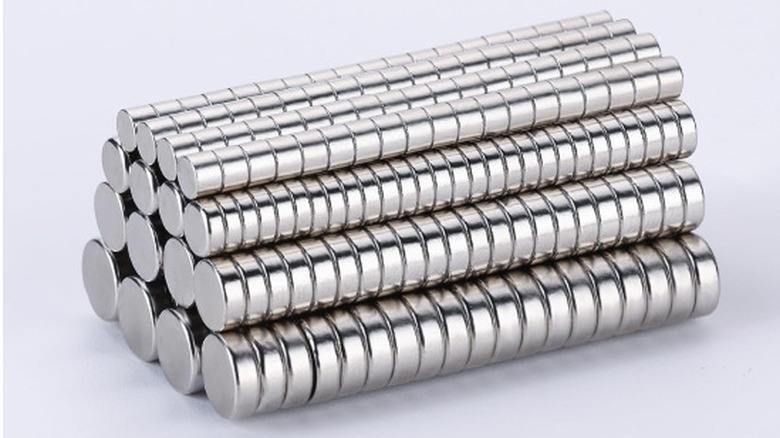
This is a niche accessory that not everyone may find useful, but it's certainly nice to have if you're enthusiastic about exploring the depths of 3D printing. The Rhinocats magnets are small and can turn out to be useful in several ways. For instance, I use them a lot to print fridge magnets that I either use on my own refrigerator or give out to friends as gifts. Simply print a shape of your choice and attach two magnets to the back. Similarly, you can make badges or pins to attach to clothing.
Another use case for these magnets is making toys or objects that require printing in multiple parts and then attaching them. One way to do it is to attach magnets with opposite polarity, so the objects automatically align and snap together when they come close. You will also find several models on online forums that use magnets, such as wallets and cardholders. If you're well-versed in designing your own objects, you can also create custom prints that use magnets to secure certain parts. The possibilities are endless.
Comgrow filament dryer box
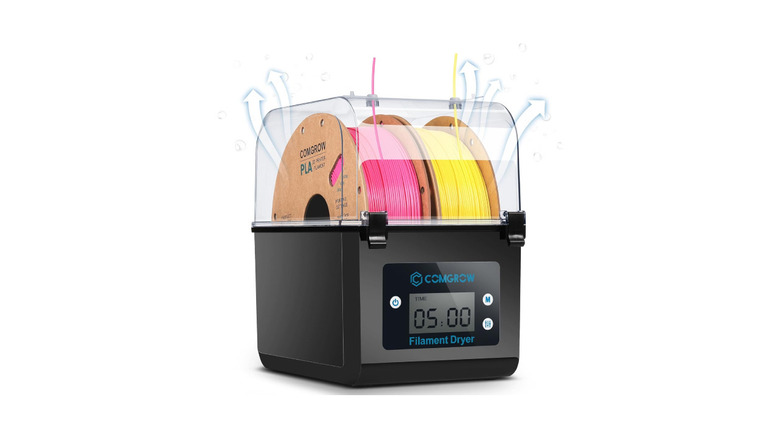
Remember, I mentioned how moisture in your filament can ruin your prints? While a waterproof filament storage box can definitely help keep fresh spools from attracting moisture, what do you do if you already have a bunch of filaments that have been exposed to external moisture? Well, you get a filament dryer box. The Comgrow filament dryer box is one of the most affordable options that does the job well. It sucks out moisture from your filament, so if you have multiple spools lying around, it's best to put them in this machine, dry them, and then store them in a dry box.
Alternatively, you can also use the dryer while printing. Route the filament to the printer via the dryer box. This way, the filament stays dry throughout the printing process. You can use PLA and ABS filaments with the Comgrow dryer box, and it also lets you set a temperature and a time duration for the filament to stay dry.
Kraftprotz 3D printer super glue
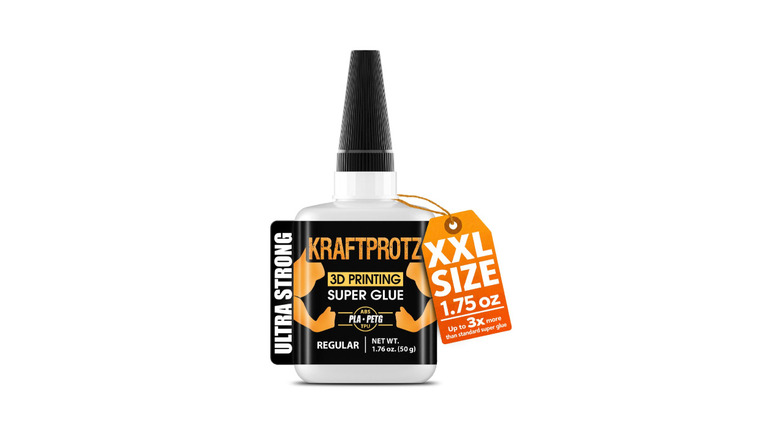
Along with glue to hold your prints in place on the print bed, you may also occasionally require adhesive to glue multiple 3D-printed parts together to form a larger object. Unfortunately, most traditional adhesives fall short in this regard, as they don't adhere well to plastic surfaces. A standard glue stick may not be sticky enough to hold large parts together, while a stronger glue may just burn through the plastic layers of your print. The Kraftprotz 3D printing super glue solves that problem. It's specifically made to stick PLA and PETG, so you don't have to experiment with different adhesives.
Per the brand, the glue also works with ABS, TPU, and nylon, which is excellent, since a lot of large prints that need to be assembled generally need reinforcement, which is why they're printed using harder materials like ABS. Kraftprotz also claims that the glue leaves no residue or doesn't cause any warping, which is important if you're going to sell your prints. I've also used 3D printing glue to stick a few of my broken prints, and it has done a fairly good job. However, don't trust it to hold liquids without seepage.
Vacbird vacuum bags for filament storage
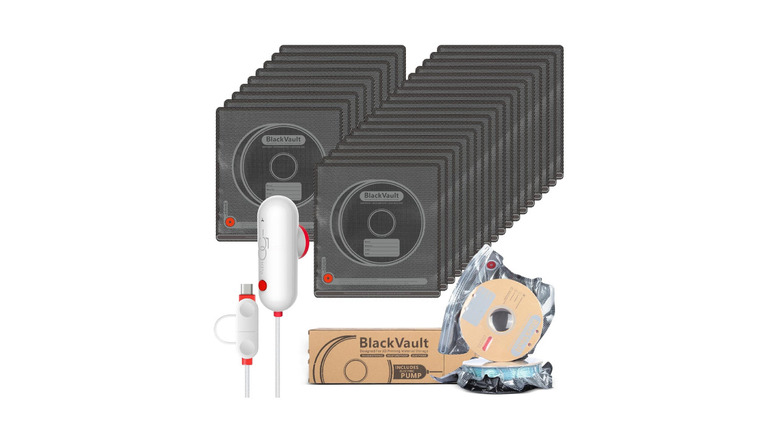
Ideally, a filament storage box should solve the issue with your spools attracting moisture when not in use. However, what if you have way too many filament spools lying around, some of which you may not be using regularly? In such instances, I would recommend storing your filaments in Vacbird's vacuum bags. You get 30 bags in one pack, which is excellent if you have a large rack to store filaments. Simply dehydrate your filaments using the dryer box, pack them into vacuum bags, and use the built-in suction tool to remove any air.
The best part is that all of these bags are reusable, so if you're going to use a spool regularly, get it out of the bag and replace it with another one. The suction tool uses USB for power, so you can even plug it into your phone or a power bank and carry out the suction process. Note that you can store a maximum of one kilogram filament in each bag. I've been using these bags to store all my filaments, and I would say they are even more effective than a storage container, especially if you live in a dusty environment.
Hardell digital caliper
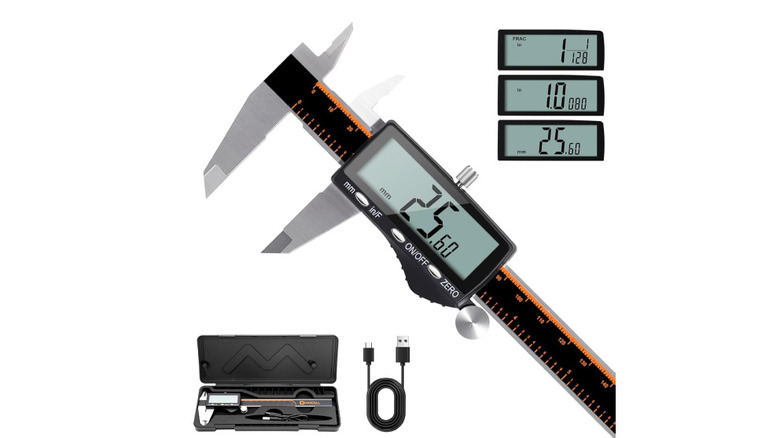
When you first get a 3D printer, the first few prints are usually models you download from various websites and forums. In fact, that is exactly how I used my 3D printer for the first two years. Once I got bored with the prints online, and I felt the need to make custom objects to use around the house, I learned to design my own items. Handles for utensils, cup holders that fit my desk, and shelves built as per the specific dimensions of my bedroom wall — these were all possible because I decided to make my own models. An extremely important factor when designing your own objects is getting the dimensions right.
If you're making a replacement handle for a broken pot, you need to get the measurements right to the millimeter. That's when I decided to get a digital caliper. The Hardell digital caliper is an affordable option that just works. Stretch the prongs, measure the desired object, and you will see the reading on the display. Another reason behind recommending the Hardel caliper is USB-C charging. Instead of replacing cells, a quick 20-minute charge can give you three months of usage.
Preciva threaded inserts
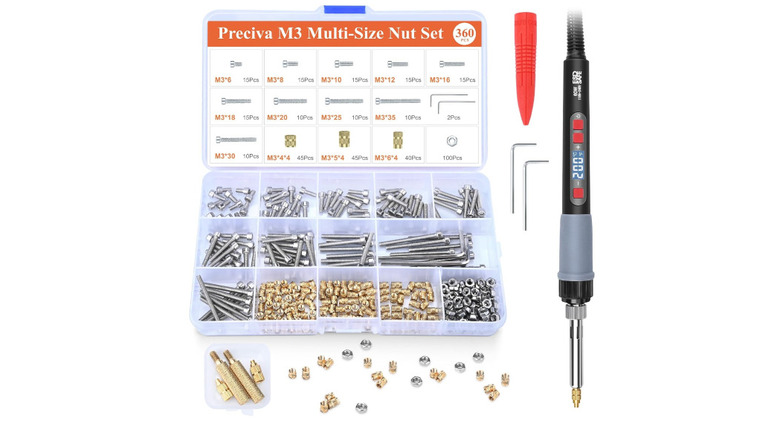
You might be aware of the fact that 3D printers can also be used to make replacement parts for gadgets, appliances, and vehicles. If you're going to be using these parts for serious work, it's not ideal to glue them into place or use magnets to fasten them. For such objects, I always use nuts and bolts. Of course, you can't use screws with plastic items, so you'll first have to use Preciva's threaded inserts. The kit includes a soldering iron with several tips that create cavities to insert screws and bolts. There are a plethora of projects that involve screwing multiple 3D-printed parts together.
Whether it's gears, opening and closing mechanisms, or ball bearings, you can use nuts and bolts to put them together and create a functional object. I once printed a safe for my wardrobe that used bolts to keep the hinge in place. Similarly, the Raspberry Pi case I printed also used screws to fasten the top onto the bottom portion. Funnily, I have also printed replacement parts for my old 3D printer that I screwed into place using third-party screws.
Creality Clog Poke
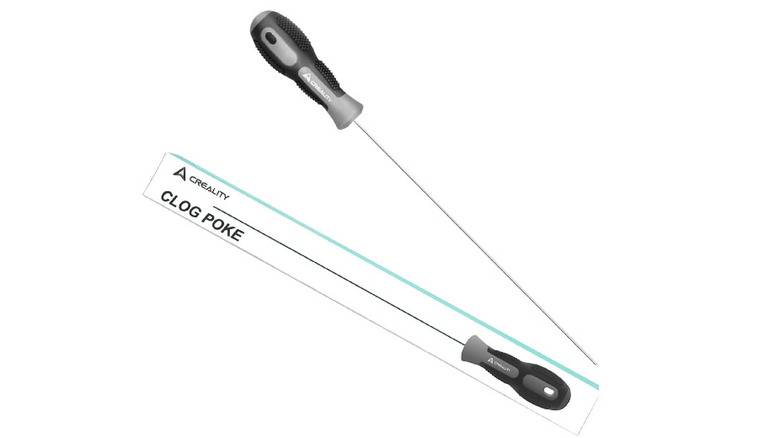
One issue that plagues many 3D printers after a few weeks or months of use is a clogged nozzle. If your printer randomly stops extruding, it's time to check the nozzle and remove any clogged filament. The simplest way to do that is using a dedicated accessory, like the Creality Clog Poke. Turn on your printer, set the nozzle temperature to the filament's melting temperature, and then insert the Clog Poke tool into the nozzle. This particular version from Creality is quite long, which is useful if the clog is deep down inside the extruder. Notably, it's best-suited for nozzles that extrude 1.75-millimeter filament.
Without a tool like this, you would have to dismantle the hot end to remove any clogs, and that would take up a lot of time. For beginners, it's also risky since they may not know how to put the contraption back together. At just $10, it certainly deserves a place in your toolbox. A lot of people use a needle for this purpose, but the Creality Clog Poke is much more convenient because it can reach farther down.
How we picked these accessories
Since stepping into the world of 3D printing, I have gradually accumulated these accessories as and when I have needed them for specific use cases. For instance, I got a filament dryer when I realized I was facing stringing issues with my prints due to the filament being moist. Similarly, I added the nozzle declogger to my arsenal when the hot end of my printer kept facing clogging issues. Essentially, these are all accessories that have practical use cases when operating a 3D printer regularly. The idea is to make 3D printing an enjoyable experience while eliminating niggles that can ruin the ease of use for beginners.