

5 Underrated CarPlay Apps Most Drivers Are Missing Out On
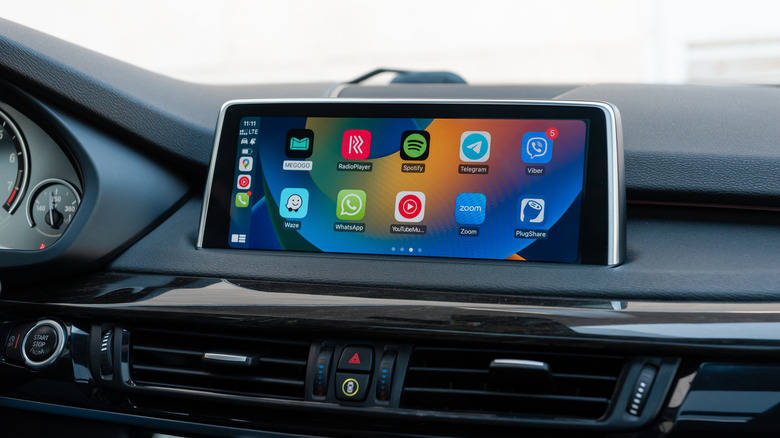
Whether you use a car for your regular commute to the office or just for picking up groceries, your best bud for those rides is likely either CarPlay or Android Auto. These in-car platforms let you run some smartphone apps on your vehicle's infotainment system, use turn-by-turn navigation, send and receive messages and phone calls, listen to music, and even play some games when safely parked. The debate rages on whether Android Auto or Apple CarPlay is better — and in many cases, Android Auto might come out on top — but it often boils down to personal preferences.
CarPlay and Android Auto largely come pre-configured with the apps you can use while your phone is tethered to your vehicle. However, blindly sticking to default apps can be a mistake, especially when there are better alternatives out there. Apple CarPlay especially hosts a treasure of third-party applications that are often better than what's already available. There are apps for finding open parking spots or EV charging stations, apps for providing you real-time weather information, and apps that can provide you even better directions than the default ones. In this guide, we've compiled a list of five underrated CarPlay apps that will make your experience better behind the wheel.
Notably, these aren't just random picks. Each app has been selected after long term, extensive personal usage during my own road trips. On top of this, each app has been verified and listed based on the positive user ratings on the App Store.
Waze
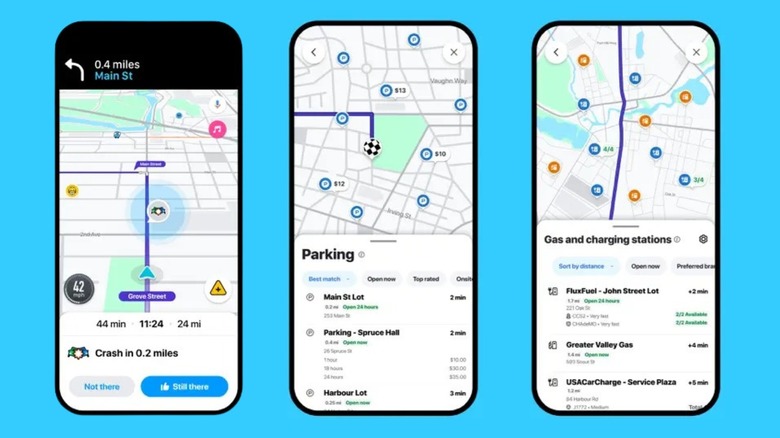
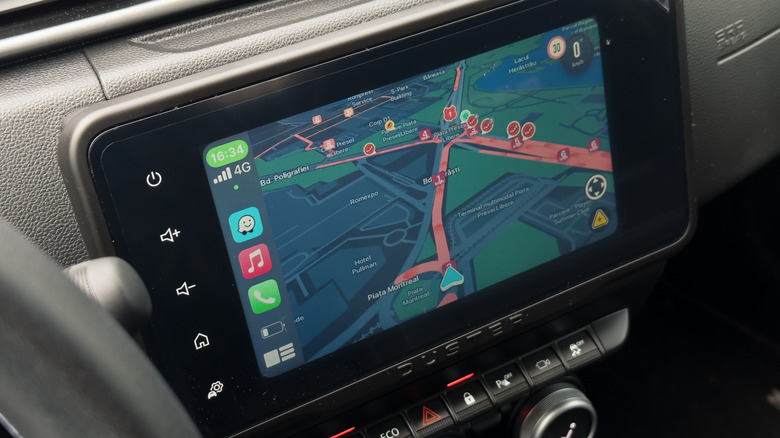
People are so used to Google Maps that they rarely consider alternatives. Yet it's been my personal experience that Google Maps hasn't been that accurate on more than one occasion. During a recent road trip in Europe, on multiple occasions, I was left stranded in the middle of nowhere! All thanks to Google Maps. Yet when I switched over to Waze, I found it surprisingly more accurate. The app has a 4.8-star rating on the App Store across 3.1 million user ratings.
Waze's primary advantage is its crowdsourced reporting. While both Waze and Google Maps can help you avoid accidents and traffic jams, the question is which one does it better and how. Our own look into Waze vs. Google Maps for navigation found Waze superior for finding the fastest route to a location. Google Maps did have the edge when it came to providing more general information about your destination in terms of things like phone numbers, hours of operation, photos of the location, and reviews of places like restaurants.
Some other things which I liked about Waze over Google Maps is how easily you can pair and integrate apps such as Spotify or Apple Music. On top of that, I found the interface fresh, and I enjoyed the selection of voices you could choose from to read off navigation directions. It isn't perfect, though. Because Waze is ad-supported, you will see them when your vehicle comes to a stop. On top of that, since Waze's main unique selling point is user reports, you will find the UI cluttered with icons for things like potholes, police, and construction.
Simple Radio
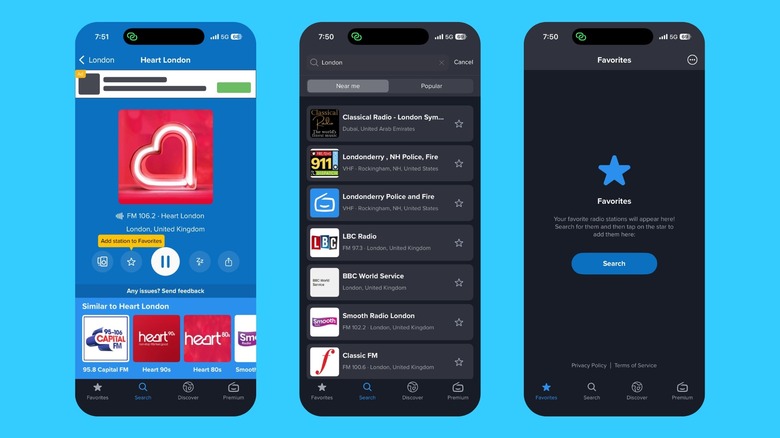
Is there a better way to kill time on a road trip than to play your favorite songs? I don't think so. However, even your carefully curated Spotify or Apple Music playlist can go stale after a while. In such situations, I tune in to the radio and love to hear whatever songs the deejay decides to play. But why just rely on your car's built-in radio when you can use a great radio app for Apple CarPlay?
Your car's radio is great, but it's got a limited range. However, with Simple Radio, there are no such limitations. With a 4.7 star rating on the App Store, this app grabbed my attention. Just download the app on your phone and turn on the internet to get access to over 90,000+ global radio stations, well beyond the range of the FM receiver in your car. I loved this feature myself, as I was able to access Indian radio stations during my stay in the U.K. to listen to authentic Bollywood tunes.
Simple Radio also simplifies discovery with filters for specific music genres, live scores from sports stations or breaking news. The premium version adds functionality, such as a sleep timer that will turn off the radio after a specific time. The drawback of this app is that it consumes mobile data — a big issue during my road trip in Europe where I was on a limited data plan, forcing me back to local media. Ads are intrusive, coming fast and often. Also, the stream requires a good cell service for uninterrupted audio playback.
GasBuddy
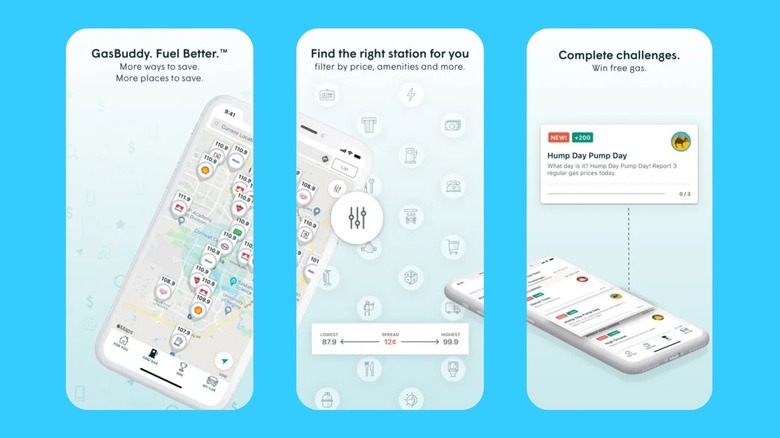
Gas prices are almost always volatile, thanks to several unavoidable circumstances. While an average driver can't control the market, you can control where you fill up. GasBuddy helps with that process as it uses crowdsourced information to show where you can get the cheapest fuel in your area. While you might choose other ways to reduce your pain at the pump, like using coasting or engine braking to reduce your fuel consumption, GasBuddy offers a less complicated solution. The app boasts a 4.7 rating on the App Store.
The GasBuddy app works by using real-time reports and offers plenty of functionality, providing you a map interface that you can filter by fuel types like regular, mid-range, or premium. It will also show you the local diesel prices as well if that's the type of fuel your vehicle runs on. The app offers plenty of other ways to save money or even earn free gas by playing games, finding deals, or snapping receipts. It can also monitor your driving habits, provide access to a trip cost calculator and a fuel log book, and alerts you of any gas station closures. GasBuddy is only available in the U.S. and Canada, though, so if plan on doing any driving overseas you'll have to find an alternative.
The app is available for free, which means you have to compromise on some fronts. Firstly, it requires continuous access to your location, which raises concerns for anyone who is privacy conscious. Additionally, free typically means loaded with ads and occasional promotional offers that can make things awfully cluttered, and GasBuddy squarely falls into this category.
SpotHero
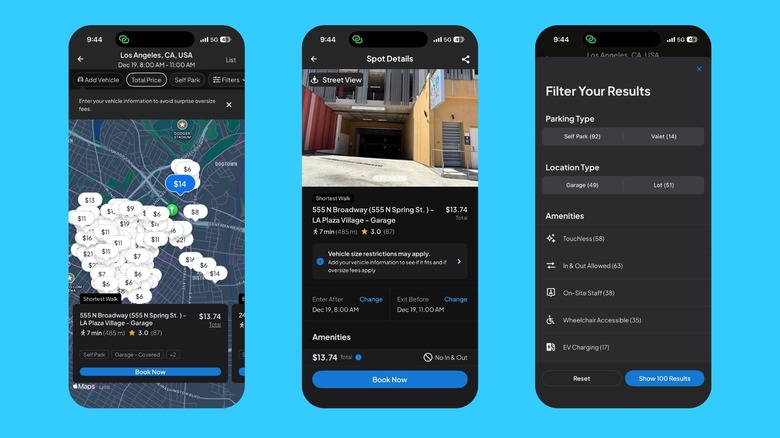
Finding an open parking spot can be a pain, especially when you are in a new location and don't know the lay of the land yet. Thanks to SpotHero, you don't have to do nearly as much guesswork. This interface of this free app, which has a 4.8 star rating on the App Store, lets you search for parking spots, book a spot in advance in over 300 major cities including New York City, Los Angeles, Chicago, Atlanta, Detroit, Houston, and Miami. SpotHero also offers discounts for first-time users when you reserve a spot through it, and lets you save certain parking spots to your list of favorites.
The app also shows you information such as the time the parking spot is available, pricing, location, photos, reviews, and all the different amenities that are nearby. You can filter spots based on parking type (self-park or valet) and location type (garage or lot). For me, though, the best part was that you can cancel your reservation for free in case your plans change.
There are some caveats, though. To book a spot with the app, you must add a payment option (Apple Pay isn't supported), a phone number, and details of your car like the make, model, and license plate number. Notably, you'll also need to have an iPhone running iOS 14 or higher to use SpotHero. While the app is free, SpotHero charges a service fee for booking via the app. Also, several users have reported issues out in the field; in some cases, the app booking was sometimes not honored by the attendant, while in others it turns out garages were actually full despite having a spot reserved.
Weather on the Way
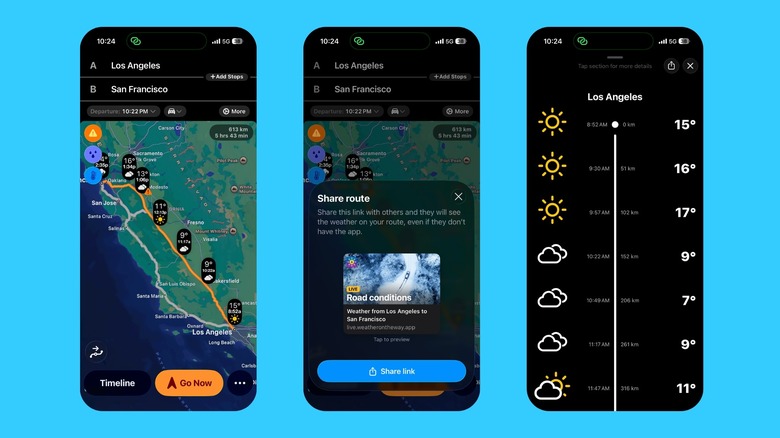
Now that you've got fuel, navigation, music, and parking covered, the only thing that remains is the weather. For such purposes, Weather on the Way is a must-have CarPlay app with a solid 4.8 star rating on the App Store. While Apple's default weather app is great, it's inaccessible when using CarPlay. You have to bring up Siri to find out the weather, and even then, you don't get as much detailed information as you might like. Weather on the Way, as the name suggests, gives you weather information for all the places on your trip.
For instance, if you are going on a road trip from Los Angeles to San Francisco, then this app shows you the weather forecast for all points in between. I've found the app to be quite accurate, and it updates in real-time based on your ETA. Apart from temperature, the app also shows you details such as road conditions, chances of precipitation, live snow and rain Doppler radar, time and place of sunset/sunrise, and any weather warnings that have been issued by your local weather service.
Weather on the Way offers a lot of functionality for free, no ads, and is available in more than 70 countries, but weather warnings are only enabled for the U.S., Canada, Israel, and EU member countries. The premium subscription unlocks even more features such as the best time to leave to avoid bad weather, live rain and snow radar, road surface conditions, visibility, wind speed details, and even more. The downside? Important features such as alternate routes based on weather, wind speeds, and live radar are all locked behind a paywall.
How apps were chosen
The apps in this list weren't just sourced willy-nilly. I have been using all of these myself for a long time, and they've been in regular rotation, beamed straight to my car's infotainment whether it's for a quick city errands to longer drives. After rigorous testing, I selected these apps based on how useful they were during my trips, ease of use, safety, and whether these apps were actually more beneficial than their corresponding first-party apps. Also, since experience is subjective and everyone has different tastes, I focused on apps with positive user reviews that had a rating of four stars or more from the App Store.