

9 Highly-Rated 3D Printers That Are Best For Beginners
We may receive a commission on purchases made from links.
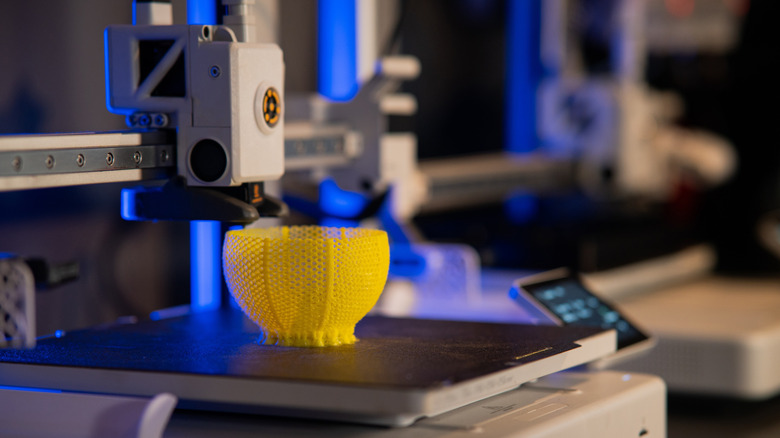
3D printing is a fun hobby, but most people find the barriers to entry formidable. Sourcing a 3D printer, a device that can cost a pretty penny, is a challenge in itself, and people also face a steep learning curve to understand how 3D printers work. Of course, all of this will be for naught if they don't have the technical know-how required to operate this device in the first place.
As daunting as it may seem, people who want to get into 3D printing shouldn't let these issues stop them from enjoying a unique, emerging hobby. 3D printers can help with home improvement projects or create unique miniatures for your next tabletop role-playing session. A great way to make this hobby more approachable is to buy a beginner-friendly 3D printer that is easy to assemble, won't overwhelm you with too many features, and gets the job done without requiring too much micromanagement.
Elegoo Centauri Carbon
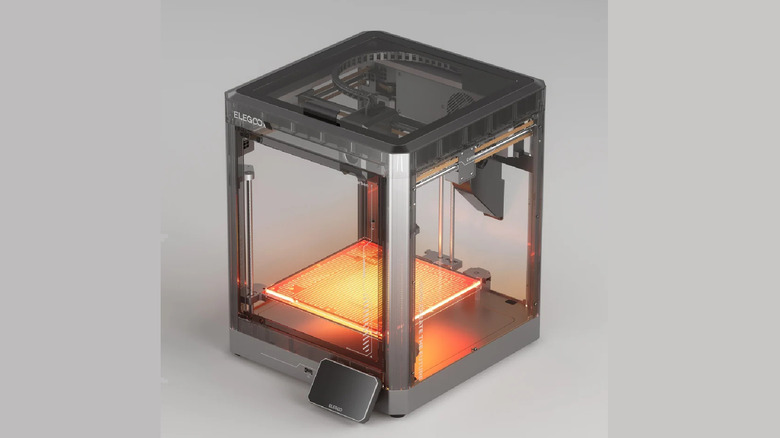
Affordability is a major issue with 3D printers, so it's nice to see that Elegoo, a major 3D printer brand, made sure its first-ever CoreXY printer didn't fall prey to it. Critics praised the beginner-friendly Elegoo Centauri Carbon 3D printer at $329.99, and it's currently on sale for $267.29.
The CoreXY design uses two motors on the X and Y axes to move the printhead, aiming to increase printing speed. It seems the Centauri Carbon has succeeded on this front, as Tom's Hardware highlighted. Reviewers also praised the printer's enclosed design, with PCMag noting that it reduces noise while allowing materials like ABS plastic.
To reach its attractive price point, the Centauri Carbon does have to make some concessions, however. The biggest issue is that this device doesn't support multi-color printing. Tom's Hardware found the chamber poorly lit, and the lack of heating may lead to warping or unwanted artifacts in larger 3D prints. The printer's cold plate also had disappointing adhesion, and PCMag noted that taller structures could topple without supports. Thankfully, they found the print quality itself good, which is what most people care about.
Anycubic Kobra 3 V2
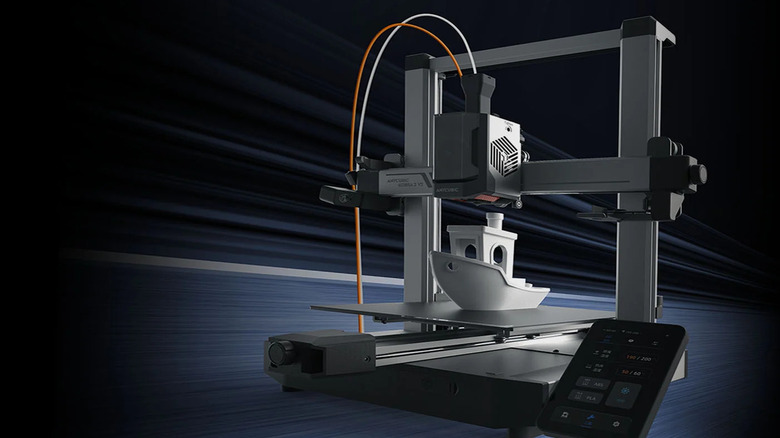
The Anycubic Kobra 3 V2 is another affordable 3D printer, priced at $329 at the time of writing, significantly below its usual $499 asking price. Beginners will appreciate the quick setup and ease of use, as multiple critics noted. Reviewers also praised its fast print speed. With input shaping and auto-leveling, it minimizes errors and won't require constant supervision. That said, the Kobra 3 V2 includes a useful 720p camera, so you won't have to babysit it. Ultimately, these bells and whistles help the printer consistently produce good output, with Creative Bloq noting that single-color prints were especially great on this printer.
The quick-change, all-metal hotend and nozzle are key parts of this unit, with a 0.4-millimeter flow rate that Tom's Hardware deemed quite fast. Meanwhile, 3DWork appreciated the improved nozzle over older models, which eliminated the leaks they'd experienced previously. However, the model's highlight is the ACE Pro module, which can load up to four filaments. Anycubic doesn't recommend TPU filaments here for multi-color 3D printing. It also includes a built-in filament dryer that critics appreciated, but they weren't entirely sold on the unit. During testing, they ran into issues with the ACE Pro not using the correct filament. Creative Bloq also noted that the nozzle would clog, a common 3D printing issue.
Creality Ender 3 V3 SE
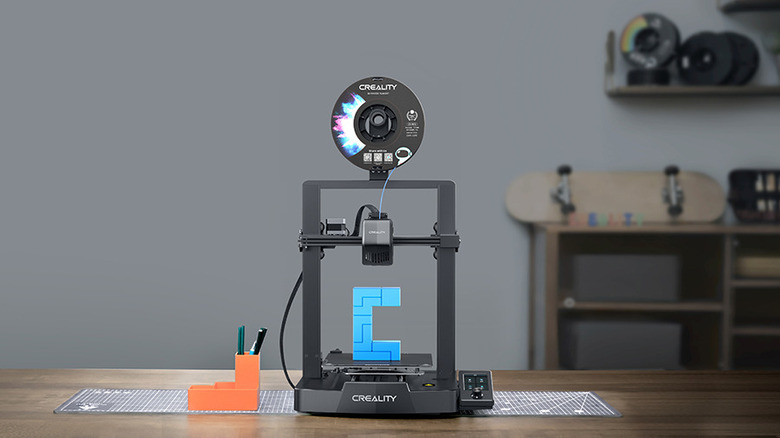
For $219, the Creality Ender 3 V3 SE is one of the more affordable printers on the market. As of this writing, it's discounted to $199. Tom's Hardware praised how easy this 3D printer is to set up. Most parts are pre-assembled, and you just need to tighten a few screws before the Ender 3 V3 SE is ready to go. Reviewers noted that the direct-drive Sprite extruder boosts performance, and its TPU filament support is nearly unheard of on budget-friendly 3D printers. For people worried about wonky prints, the Ender 3 V3 SE's auto-bed leveling should handle this and prevent errors.
This 3D printer cuts some corners to stay budget-friendly. Tom's Hardware wasn't a huge fan of the polycarbonate-coated build plate, which made for a sticky surface that was a nightmare to clean up after a printing job for them. Instead of a touchscreen, this printer uses a cheaper dial screen, the norm on older 3D printers. It has no filament sensor to detect when it's about to run out, so make sure you have plenty of filament before starting a longer task. Without a camera, you'll need to supervise the printer manually. Finally, the unit isn't enclosed, which may make it easier to spot problems during the 3D printing process.
Prusa Mini+
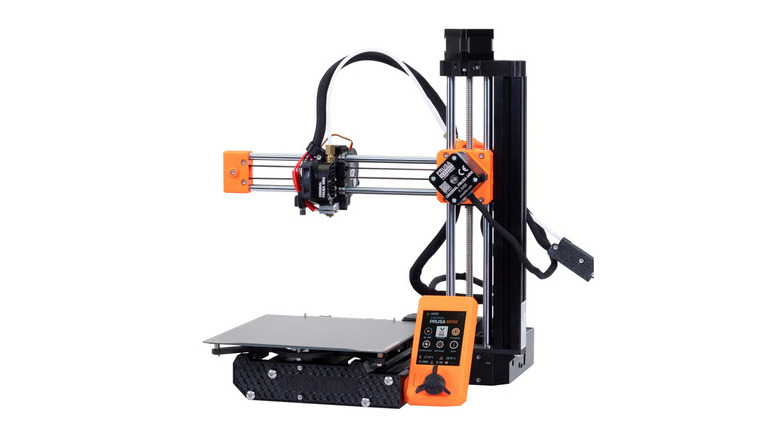
At $729, the Prusa Mini+ is one of the more expensive 3D printers on the market. That can make it a tough sell for beginners unsure whether this hobby is for them, so the $519 price at the time of writing is a welcome bonus. The Prusa Mini+ charges so much for a reason. This device is designed to improve the user experience. This kit comes pre-assembled, and the included cheat sheet includes a life-size reference to help you add the nuts and bolts without major issues. Tom's Hardware also appreciated how easy it was to load and unload filaments, and the auto-bed leveling feature is great for people who prefer error-free prints. Finally, the magnetic bed makes swaps easy.
All of these features would've been wasted on a 3D printer with subpar output, so you'll be glad to know critics gave print quality unanimous praise. However, a few issues can affect the end result. Tom's Hardware noted that this mini printer has a very small print bed, making it hard to build larger objects. All3DP also criticized the Bowden extruder, which jammed in their tests. Finally, the lack of a camera or an app to remotely monitor this 3D printer is pretty inconvenient.
Bambu Lab A1 Mini
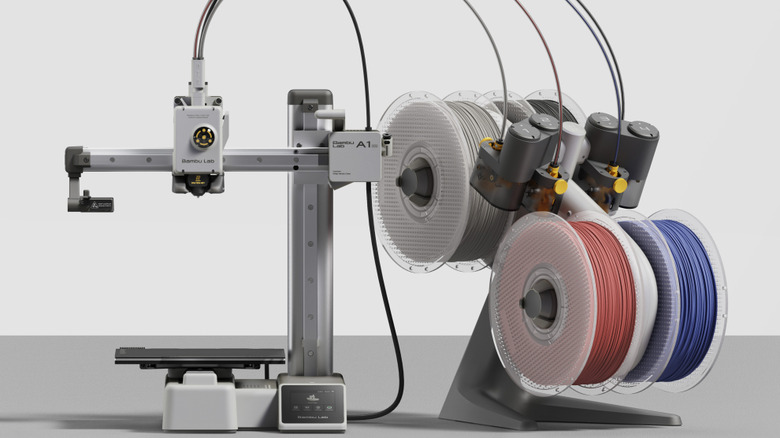
Like the Prusa Mini+, the Bambu Lab A1 Mini is another small 3D printer that comes mostly assembled. PCMag said it took them only 20 minutes to tighten the build plate, attach the filament holder, and remove any unnecessary screws. Another thing that the A1 Mini shares with Prusa's compact 3D printer is a print bed that may be too small for some. For what it's worth, most beginners start with basic models before moving on to more advanced tasks, so this isn't a dealbreaker. Both auto-bed leveling and Flow Dynamics calibration aim to improve print quality and reduce errors, and reviewers found them largely successful.
The bed is made of PEI-textured spring steel, helping models stick to the surface while also making it easier to remove the finished model from the print bed. If you want multi-color filament 3D printing, then the optional AMS (Automatic Material System) module is a must-have. You can get it as part of the Bambu Lab A1 Mini combo for $359.99, which is pretty reasonable. It's a great way to enhance this 3D printer's functionality, but keep in mind it takes up a lot of space. Multiple reviewers also found it inefficient, wasting a lot of valuable filament during printing.
Snapmaker U1
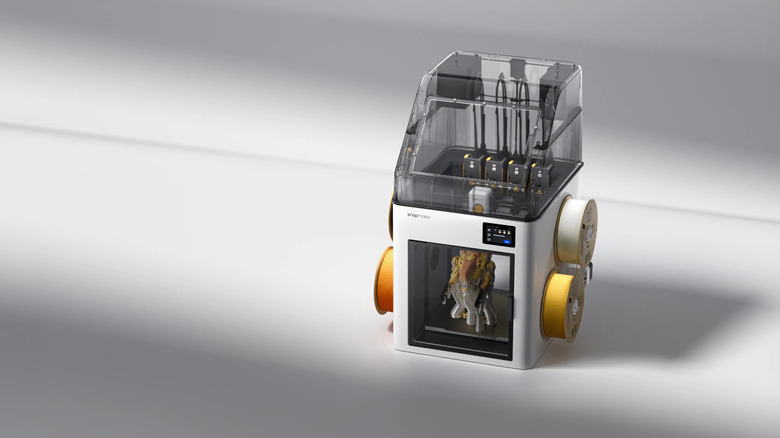
At this point, it's clear that most multi-color filament 3D printers have a waste problem. This is why the Snapmaker U1 is a good option, especially for beginners who don't want to deal with a painstaking setup process. All you need to do is remove the transport-protection screws, secure the tools and filament loads, load your filament of choice, and follow the calibration process in the printer's UI. Snapmaker's instructions clarify this, and 3DWithUs found them quite self-explanatory.
The direct-drive extruder includes a tool-changing system that plays a major role in reducing waste. That is why most critics aren't bent out of shape about the $849 price tag, which is further reduced by $100 at the time of writing; tool changers usually come with premium-grade 3D printers, making the Snapmaker U1 far more affordable by comparison.
Unfortunately, this affordability takes a hit if you opt for a separate $150 enclosure, which is downright mandatory if you want to use heat-sensitive ABS or ASA filaments. The CoreXY design supports quick tool changes and a toolhead printing speed of 500 millimeters per second, bringing your designs to life in no time. Meanwhile, an auto-leveling bed system, which Tom's Hardware found sufficiently large, and an AI-powered camera system that detects errors help prevent major mistakes during printing.
Creality SparkX i7
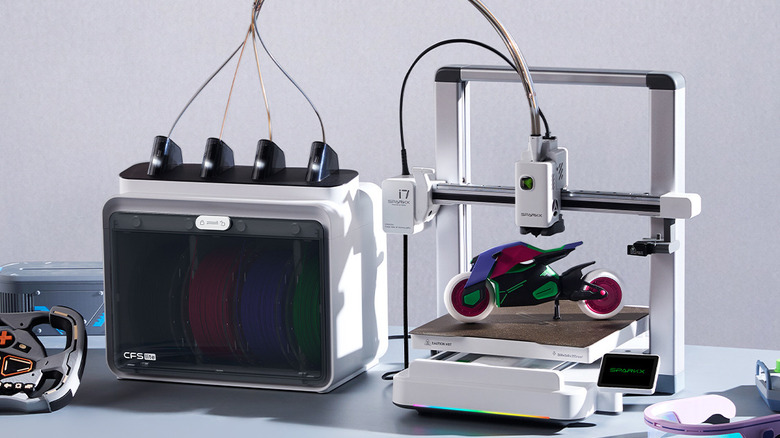
For people who want a multi-color 3D printer that costs less than the Snapmaker U1, the Creality SparkX i7 is a decent option. You'll need the combo package, which includes the CFS Lite module. It usually retails for $429, but you can get it for $349 as of this writing. PCMag was impressed by the sturdy steel nozzle, which made it compatible with all manner of filaments, including PLA, PLA-CF, PETG, and TPU. Meanwhile, Tom's Hardware liked how fast and quiet this 3D printer was during their tests, which was quite surprising given the SparkX i7's open design.
That said, the SparkX i7 doesn't cost as much as the Snapmaker U1 for a reason. Multi-color printing can waste a lot of filament, and without active spool tension, filament can unravel inside the unit. For what it's worth, the SparkX i7 includes auto-bed leveling and delivers print quality that far exceeds its cost, with PCMag especially impressed by its output.
Elegoo Saturn 3 Ultra
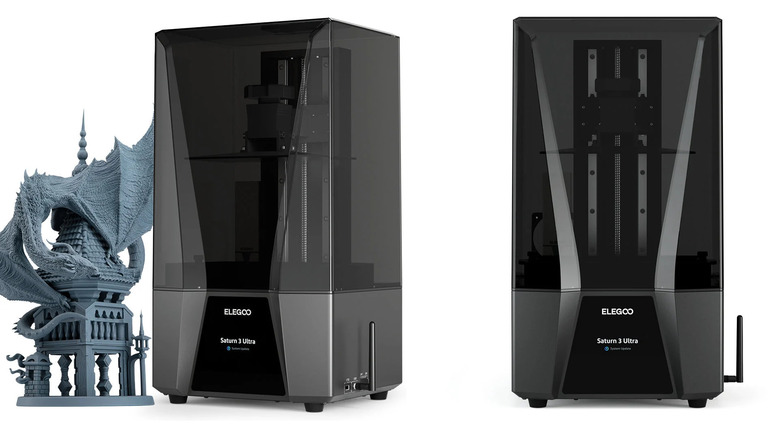
FDM (Fused Deposition Modeling), also known as FFF (Fused Filament Fabrication), is the most popular form of 3D printing on the market, but people who want to create pretty, high-quality miniature models are better off with a resin 3D printer. You should know that buying a resin 3D printer comes with its fair share of challenges — resin is more expensive than 3D printing filaments on average, it's usually far more complicated to operate these printers, and the toxic gases that emanate during the printing process make it important to set up a proper ventilation system. You might assume resin 3D printers aren't for beginners, but the Elegoo Saturn 3 Ultra might change your mind.
The 12K masking LCD screen helps unlock a level of detail that lets you create beautiful 3D-printed models, as multiple reviewers noted. Wi-Fi connectivity also earned praise, letting you effortlessly send model data to the printer over the internet. That said, critics found this wireless connectivity a bit more limiting than they'd have liked. CNET would've appreciated a way to wirelessly monitor the printing process, a missing feature that's especially problematic given the toxicity of resin printing we've already mentioned. 3DWithUs also found it somewhat puzzling that you couldn't send over any model details while the printer was running.
Bambu Lab X2D
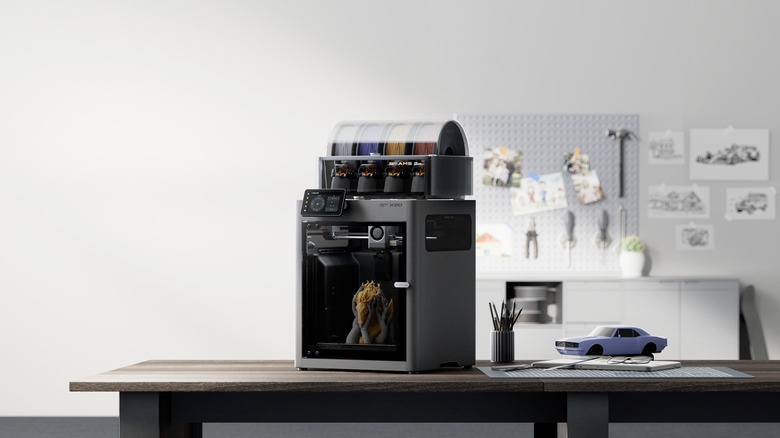
For $899.99, the Bambu Lab X2D is the most expensive 3D printer on this list. However, critics don't complain about it — in fact, Tom's Hardware says it's very reasonably priced for the features it offers. A dual-nozzle system for faster multi-color printing that's easy to swap out, a heated chamber that reaches 149 degrees Fahrenheit, high-speed printing thanks to the CoreXY design, and auto-bed leveling all help ensure print quality is as high as possible.
PCMag liked this 3D printer's output, noting that artifacts were minimal on finished products. However, the best part of the overall package that wowed multiple reviewers is the AMS 2 Pro, a high-quality module that enables swift multi-color 3D printing, is easy to clean, and even dries out the filament. You'll need another power source to use that final feature, but it's worth the connection.
Some issues hold this 3D printer back. The second nozzle uses a Bowden extruder, which limits overall speed and may cause the same clogging problems seen in the Prusa Mini+. A good 3D printing tip essential for beginners and experts alike is to keep nozzle replacements handy, which will serve you well when the Bowden drive causes issues. It's a controversial inclusion that many critics didn't appreciate, with PCMag going so far as to say that other systems with tool-changing or multi-toolhead systems are far more efficient. TechRadar noted that assigning filament types to each nozzle could be complicated for beginners, and the lack of filament recycling was a bit wasteful.
Methodology
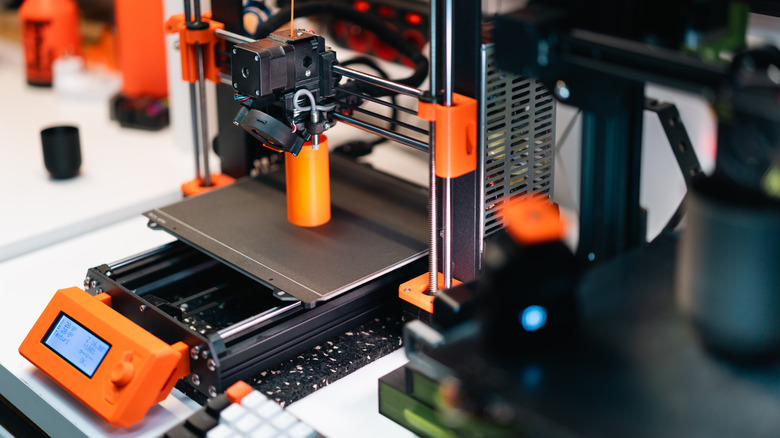
Professionals describe all the 3D printers on this list as relatively easy for beginners to use. To ensure high-quality recommendations, these printers have strong review scores — at least 4 out of 5 or 8 out of 10 — from three or more publications. These review outlets include PCMag, 3DPrintBeginner, TechRadar, All3DP, CGMagazine, Tom's Hardware, 3DWork, CNET, 3DWithUs, Creative Bloq, and Tom's Guide.