

SteelSeries Apex Pro TKL Gen 3 Cyber Review: A Unique Gaming Keyboard With A Price To Match
We may receive a commission on purchases made from links.
To some people, a keyboard is a keyboard. But if you're someone who's typing, gaming, or otherwise on the computer every day, you know that the keyboard and mouse is how one interacts with the digital world. Any old keyboard will not do. SteelSeries produces a variety of products, from gaming-oriented headphones to gaming mice to the gaming-focused keyboard we're discussing today.
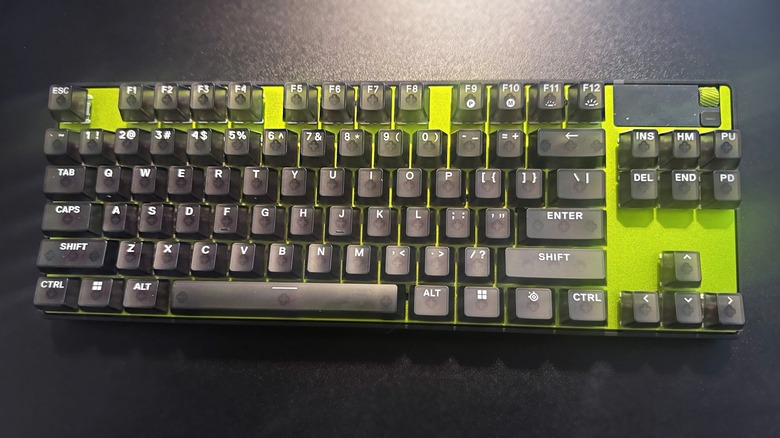
The SteelSeries Apex Pro line of keyboards have been on the cutting edge for years, and the new 3rd Gen edition once again pushes the line forward. I was sent the limited edition "Cyber" variant of the TKL version by SteelSeries for this review. If you're not hip to the scene, TKL stands for "tenkeyless," which means it lacks the far-right number pad of the largest model, but isn't as barebones as the mini version. It's a good mix of size and utility that anyone can use without being a computer expert.
I've spent the past few weeks using the keyboard. In fact, I'm using it to write this very product review. This keyboard's $239.99 asking price may seem like a hefty chunk of change if you're used to using the base-level keyboard that came with your work PC. But — as I found — if you use your computer for more than just the basics, it's a small price to pay for such a versatile piece of hardware.
The Cyber Difference
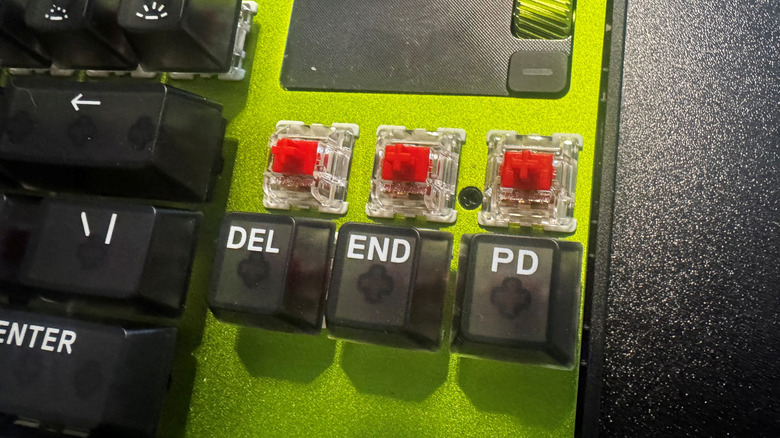
The limited-edition "Cyber" variant isn't identical to the regular black and white versions. It uses 50g Speed switches for a slightly different typing experience, though you probably won't notice the difference unless you're a hardcore keyboard enthusiast who knows all about the different types of mechanical switches.
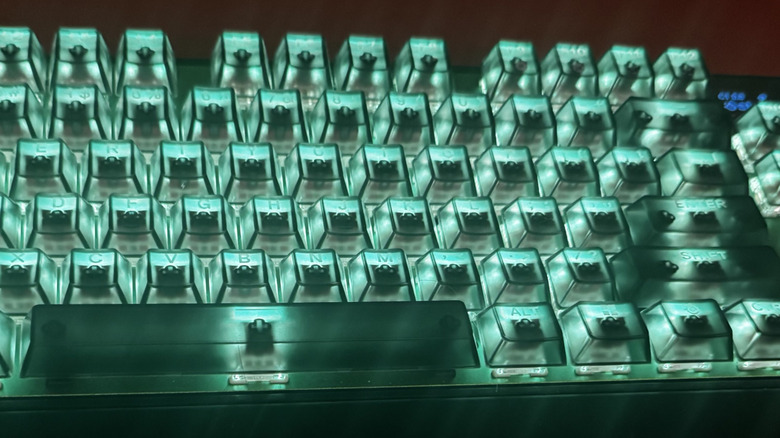
It also boasts a green color scheme on the keyboard surface, which wouldn't have been my first choice, but it's hardly a dealbreaker. Slightly more perplexing is the translucent keycaps, which don't really play well with the RGB lighting if seeing the labeling on the keys is something you're counting on.
You can see the switches through the keys and the white lettering key labels get kind of washed out by the lighting. To compensate, I set the keys to a dark blue color scheme so the light doesn't overwhelm the identity of the keys. This is one instance where the default keyboard and its opaque keys wins out over this limited edition variant. But if you prefer a dynamic color scheme, there's a cool "reflect" feature that bases the keys on the colors currently displayed on your screen.
Finally, it's also worth noting that this "Cyber" version is only available on the TKL size. If you want a full-sized keyboard with translucent keys and metallic green finish, you're out of luck.
A Mechanical Keyboard With A Hall-Effect Twist
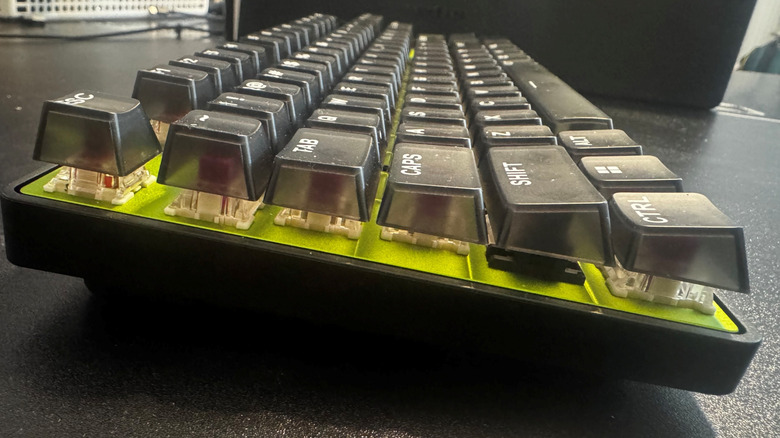
The new Apex Pro, like its predecessors, is a mechanical keyboard. It's still got that satisfying click-clack sound profile, but it's not quite as loud as other mechanical keyboards thanks to its secret weapon: hall-effect key switches. I guess the secret is out, since hall-effect keyboards are increasingly common in the gaming space, but it still feels fantastic to type away.
Now, I still wouldn't recommend bringing this one into the office. Even with hall-effect technology and some foam padding under the keys to dampen the sound, it's still probably going to be too loud for your cubicle-mate. Even so, it's not as overwhelming as other keyboards. You get great audio feedback and tactile response to your key-presses in a way that makes the act of typing feel genuinely fun.
There's a pretty far distance from where the keys rest to where they sit when fully depressed. Using the desktop app, you can adjust the actuation point to the point where the keys will register in an input if you so much as look at them funny. The default setting is 1.8mm, which felt great, but I wound up lowering it to 1.0mm. I observed and felt the difference, but it didn't really have a discernable impact on my typing speed. For a lark, I set it to 0.1mm, but that was more of a novelty than something that felt practical to use. Regardless, if you want it, the option is there.
SteelSeries GG App for keyboard customization
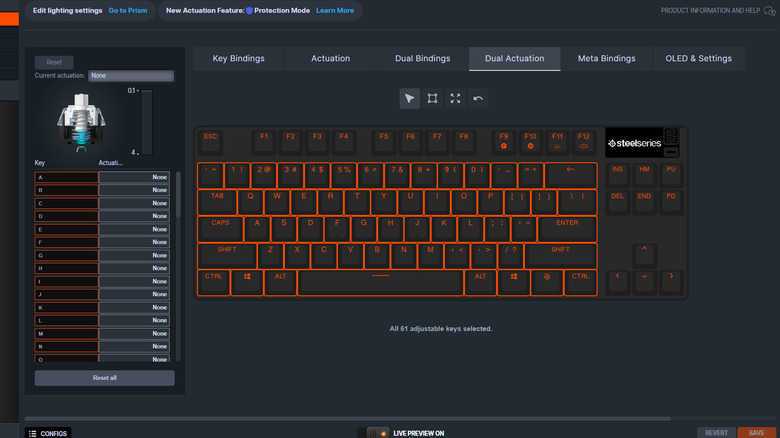
Speaking of the desktop app, called GG, it features a tremendous amount of customization options, and you can save up to five profile presets. The RGB lights and customizable actuation points can be set per key. If you're a video game enthusiast and want to highlight the WASD keys in a different color while making R (for reload) triggerable with the most sensitive of glancing touches? You can do it.
There's also a novel "dual actuation" feature that allows you map two inputs to one key, based on how far you push the key in. While a cool idea, I found it difficult to press down a key "only a little" to get a unique input. A next-gen version of this feature should integrate haptic feedback like the triggers on the DualSense controller for PlayStation 5 in order to make the dual actuation feature more viable.
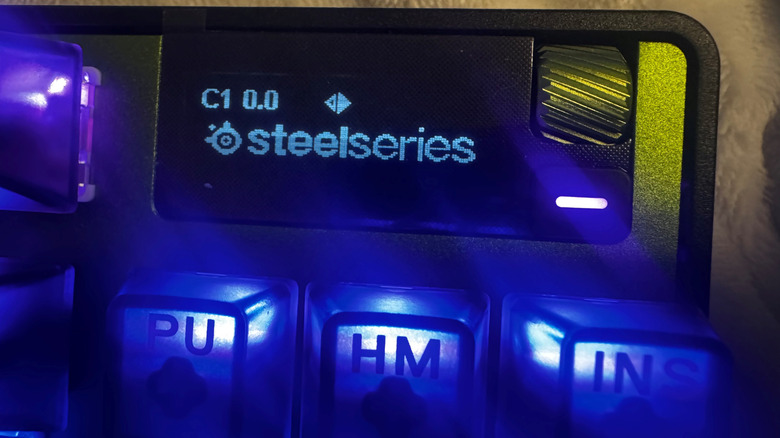
There's also a little OLED screen on the top right of the keyboard, complete with a little scroll wheel and button. You can put an animated black-and-white GIF there or use it to control the computer's volume. You can also use it to turn on macros you've set up, but you don't really need a fancy tiny OLED screen for that. The screen is a cute novelty, but would feel more at home on a pinball machine than a high-tech keyboard. At least it gives you a little extra feedback to see just how far you're pressing in the keys via a little meter on the screen that appears with every keypress.
Hardware Hands-On Experience
The keyboard feels great to use. The mechanical actuation is satisfying and tactile, and part of that satisfying feel comes from the base of the unit. It's heavy and solid, which makes the light keys feel like they float above the surface of the unit. The base has a pair of feet you can use to give it a bit of an angle if that's more comfortable to you, and it also has a wrist-rest if you feel the need for that, but I didn't feel the need for one. Of course, it depends on how you sit, where you sit, and personal comfort.
The customization options on the GG app are substantial, but there are a couple of settings I found useless. I can't say they do nothing whatsoever, but I found the "Rapid Tap" and "Protection Mode" toggles to be complete non-entities. "Rapid Tap" and "Protection" are supposed to help with reducing accidental inputs, but I never noticed a difference with them on or off. "Rapid Trigger," on the other hand, seems useful, since it resets actuation as soon as you lift your finger from a key. While theoretically useful, the feature is really only for insanely high-level video game play or world-class typists.
This limited edition "Cyber" version only supports a wired connection. There's no wireless option via USB dongle or Bluetooth. If that's a dealbreaker for you, other variants of the keyboard have wireless options. As for me, maybe I'm just an old-fashioned kind of guy, but I prefer a wired connection. The included USB-C cable gets the job done, and it's even braided, which is always a nice premium feature.
Price and Value
All told, this is one heck of a keyboard. It's versatile, it feels good to use, you can customize the keys in a variety of ways, and it's got a pretty, if mostly superfluous, OLED screen. But is it worth the price? For most people, $239.99 isn't chump change. If you've got a couple of C-notes lying around and you're not behind on your credit card payments, then yeah, go for it and buy one from the official site – you can also find a whole bunch of different iterations of this keyboard in their Amazon store. I can't say this is the last keyboard you'll ever need, but it's a fantastic accessory for anyone who spends a lot of time working and/or playing on their computer.
In the future, I'd like for the option to include haptic feedback on at least some keys. I'm sure it would be a pricey feature to implement, so perhaps it's impractical to expect it on every single key, but it would make the dual actuation feature a lot more viable. Likewise, you can't swap out the keyboard switches, at least not without cracking open the whole unit. Thanks to the hall-effect technology limiting friction and direct contact between components, I imagine these switches are built to withstand more wear and tear, but they'll surely require maintenance or replacement eventually, right?
This is a product designed for full-time computer enthusiasts. If you only dabble in gaming or never gave a thought to the idea of customizing your key bindings, then you can probably get by with a basic $50 keyboard. However, if you're hip to the scene and know what you want from a keyboard, them you can surely get it from this new Apex Pro.