

SteelSeries Arctis Nova Pro Omni Review: The High End Of Gaming Audio
We may receive a commission on purchases made from links.
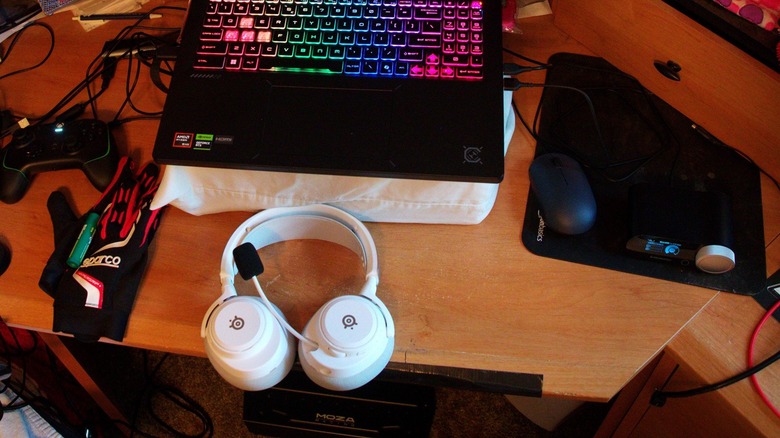
For quote than a few years now I've had a decent gaming headset to use whenever I hit the virtual track or streamed. In recent memory, that included a Logitech G432, which I had to replace when its extensively hard-wired cable got ran over one time too many. I bought its replacement, a Razer BlackShark V2 X, in 2025. It, too, has a hard-wired cable, one made longer by its additional audio input/output adapter, allowing me to directly plug it into my gaming PC's motherboard. As is the case with many gamers that prefer wire-connected accessories over Bluetooth, cable management is an ongoing nightmare for me.
But what if I didn't need to deal with such things. One of my fellow racers in the "iRacing" league I run in the owner's stead had recently acquired a SteelSeries Arctis Nova Pro Omni headset so he can take us in our league's Discord voice chat along while he took his dogs out before returning for our usual league silliness.
Not only did he sound great, but he seemed to love having that freedom from wires. How fortuitous, then, that SteelSeries would send my way that very headset for me to spend a couple of weeks reviewing to determine if the wireless way was, indeed, the way. Most of that time would be spent with an MSI Crosshair A16 gaming laptop I recently reviewed, but this headset did find its way into my everyday audio-centric experience away from the gaming racetrack, too.
In a high-end gaming collection
The SteelSeries Arctis Nova Pro Omni is near the top of the company's Arctis gaming headset lineup, ranging from the budget-conscious Arctis Nova 1 to the top-of-the-line Arctis Nova Elite. Here's what you can expect to pay for the Nova Pro Omni directly from SteelSeries, barring sales and other discounts:
- SteelSeries Arctis Nova Pro Omni: $399 as-tested before taxes and shipping.
There isn't much competition to compare the Arctis Nova Pro Omni to, but what competition does exist is ready to challenge this headset's place in the market. From within, there's the Nova Elite ($599, also reviewed by SlashGear), whose eye-watering price of admission brings carbon fiber speaker drivers and brass surround rings for the absolute best sound possible before moving up in weight class.
As for the barbarians outside the gates, the Audeze Maxwell 2 ANC ($429) adds a bit of complexity in the control arrangement, plus a removable mic, all in a big, heavy (1.23 lbs) package. The Turtle Beach Stealth Pro II ($349) offers nearly the same features as the Arctis Nova Pro Omni, but for $50 less with Dolby Atmos and wireless charging.
The Razer Kraken V4 Pro ($399) also matches up well with this Arctis (including pricing), adding in haptic sensors and RGB lighting for maximum gamer vibes. Finally, the Logitech Astro A50 Gen 5 ($399) opts for graphene drivers and a charging dock, but no hot-swappable batteries, making it an expensive proposition on the day its battery can no longer hold a charge.
A smidgen of color, but so much more
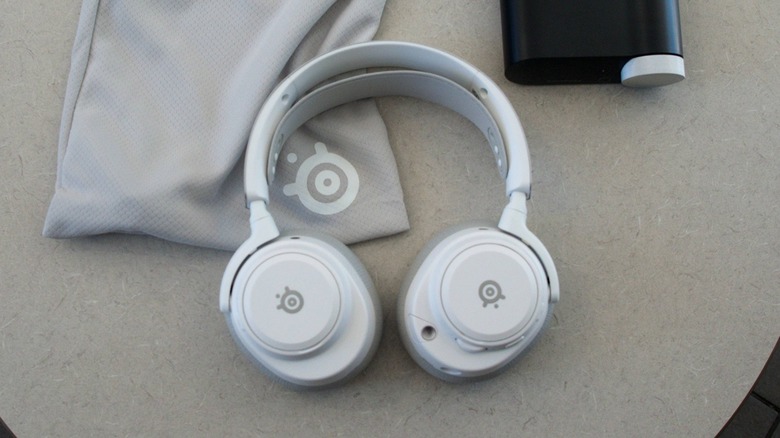
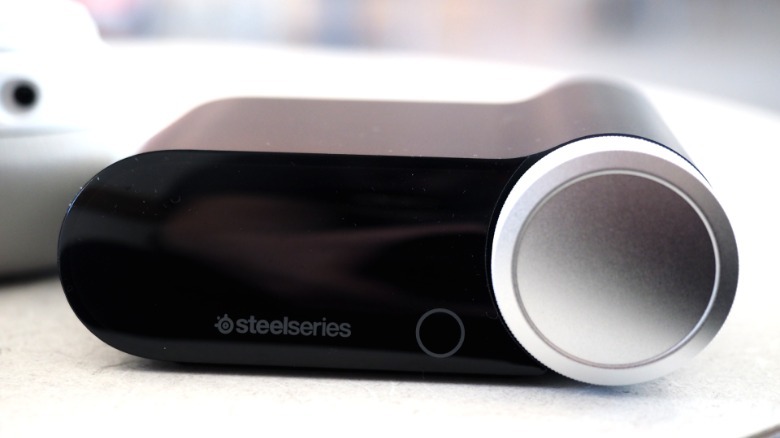
The first thing when considering a SteelSeries Arctis Nova Pro Omni headset for your gaming life is what color you want to wear on your head. There are three choices here: Midnight Blue (which is what my "iRacing" friend has), Black, and White. The included Nova Pro Omni GameHub only comes in black, but its dial matches the headset for the most part; the Midnight Blue is an exact match, while the Black and White dials are different shades of gray and silver.
 Cameron Aubernon/SlashGear
As far as weight goes, the headset comes in at 0.74 lbs, and the GameHub falls in at 0.37 lbs; my previous and current wired headsets weigh(ed) a bit less than the Arctis, for what it's worth. That pound of tech does come with a bag, though, making it all very easy to toss into your backpack for gaming or listening on the go.
This headset's magic allows for non-stop gaming
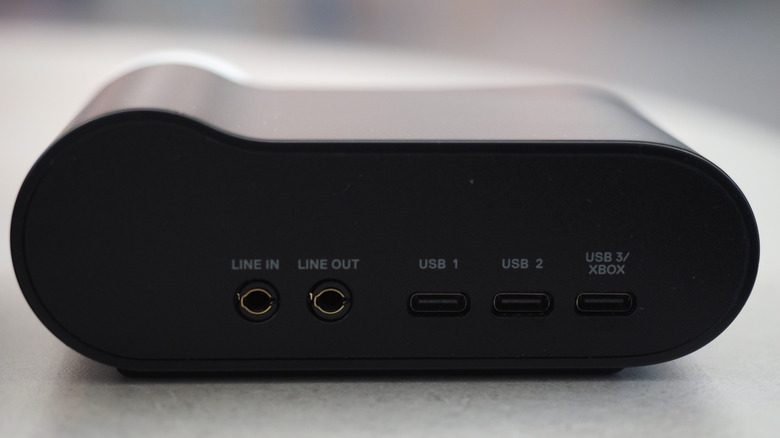
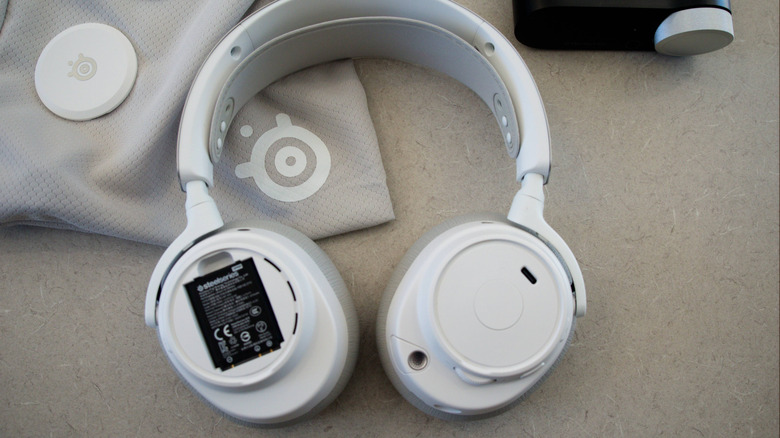
As for what's under the hood, the Arctis Nova Pro Omni includes a pair of hot-swappable lithium-ion batteries, with one residing in the charging station of the GameHub while the other lives in the right ear cup to power the whole thing; the battery can also be charged via the left ear cup's USB-C fast-charging port, providing up to four hours of play after a 15-minute charge. The back of the hub includes 3.5mm line in and line out ports, plus three USB-C ports, the last of which can be used with any gaming console, not just the Xbox.
 Cameron Aubernon/SlashGear
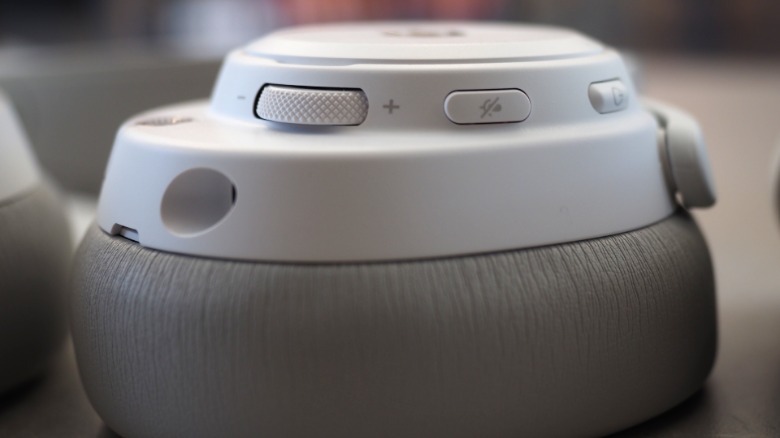
The audio drivers in both ear cups — which are covered in very soft memory foam wrapped in vegan leather — are 40-mm Neodymium Magnetic high-resolution units with active noise cancellation (ANC). There's also a built-in retractable omnidirectional boom mic in the left ear cup with AI noise rejection and ANC, plus a removable pop filter.
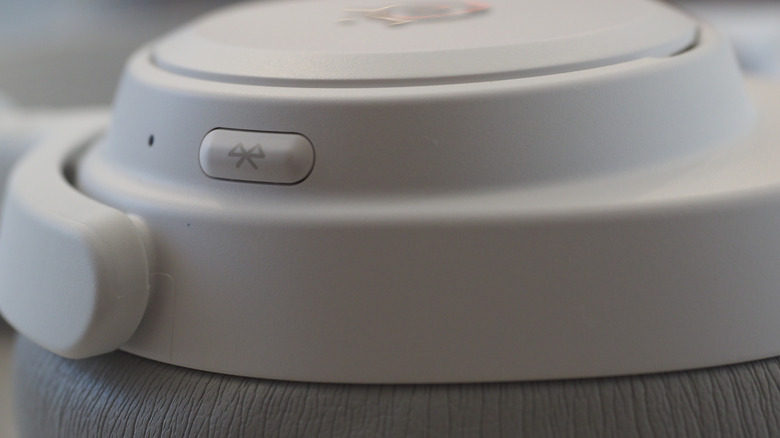
On-ear controls include volume/chat mixing, a mute button, and Bluetooth. Finally, there's an adjustable suspended inner band for even weight distribution to keep your head comfy when things get really hot on the virtual battlefields.
Tune in your enemies, turn up the radio
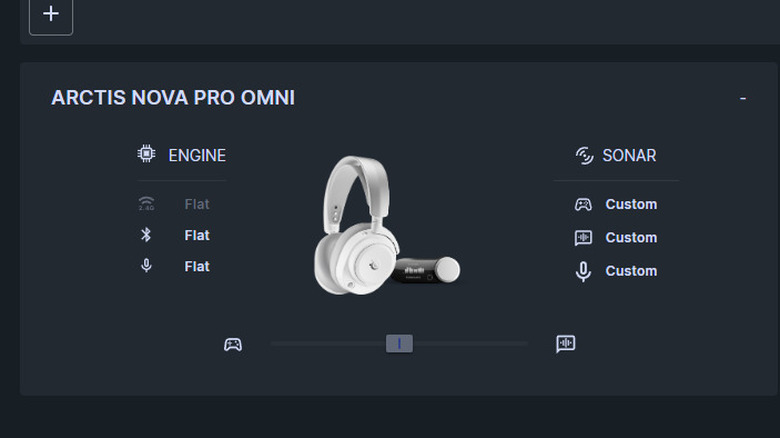
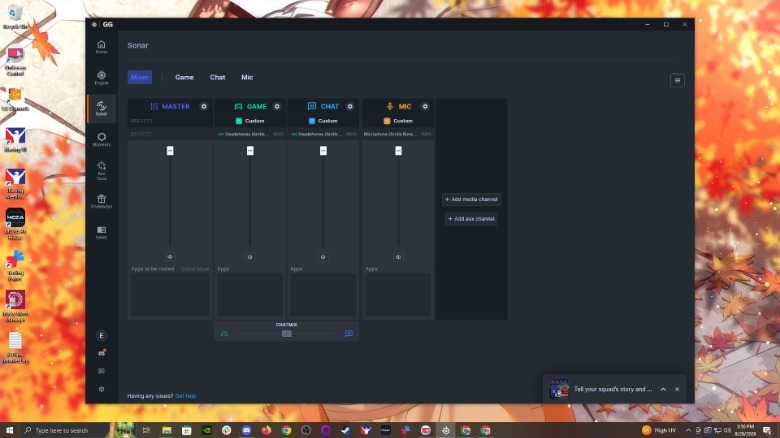
To really make the most of your gaming experience with the Arctis Nova Pro Omni, SteelSeries has its GG desktop app, a free download. The app manages all of your SteelSeries gear on Windows and Mac (alas, nothing for Linux gamers), as well as serve as the hub for features like giveaways, video capture, ready-made presets for your keyboard, and aim training so you can blow-off someone's virtual skull with improved precision and accuracy before they get yours. Concerning the Nova Pro Omni or any Arctis headset, though, is the Sonar section of the GG app.
 Cameron Aubernon/SlashGear
While you can use your Arctis headset of choice out of the box, the Sonar tab of the GG app is the only way to get every last thing out of that headset, as I would find out when I could hear my own voice coming out of the ear cups while I was in my "iRacing" league's Discord voice chat.
To fix that issue — or, really, to use Sonar at all — I had to first register my info with SteelSeries to gain access to that tab. Once there, though, my friend guided me through to the setting in Sonar to shut the monitoring off; it's a bit disorienting for me to hear myself while I stream or talk to people, to say the least. You can get really deep in the weeds customizing every last bit of sound within Sonar, to say the least.
Nothing to hold you back
First of all, the battery life is amazing. Each one of the two included lithium-ion squares can go up to 30 hours on 2.4Ghz mode with ANC off, 50 hours on Bluetooth with ANC off, and 19 hours with everything turned on. I did my best to run down the first battery I placed in the headset, but after two weeks, I only managed to get it down to 13% before the low-battery warning beep prompted me to swap it out for the fully charged battery in the GameHub. As for how long it took to recharge that battery once placed inside the little black box, that was around a couple of hours.
As far as sound was concerned, the Arctis Nova Pro Omni is the best-sounding headset (or any headphone, really) I've experienced. My favorite VTubers, my "iRacing" league friends, the music and videos I watch on YouTube, they all came through crystal-clear with excellent bass, mid-range, and high-end. The ANC function was nice to use, too, and the mic allowed me to sound better than ever. The headset was very comfy to wear, as well, as the ear cups were very soft, and the inner band did its job of keeping the weight in check.
The only real problem was after one race with my league, when the headset refused to talk to my gaming PC. A driver update arrived the next day, though, which seemed to fix that issue. At least the Arctis could still talk to my Lenovo ThinkPad and iPhone via Bluetooth, though.
SteelSeries Arctis Nova Pro Omni verdict
Spending two weeks with the SteelSeries Arctis Nova Pro Omni (available via the SteelSeries Store for $399) opened my eyes (and ears) to a way of experiencing sound like never before. No longer did I need to be at my laptop, my gaming setup, or my phone to hear the voices and music I wanted to hear. All I had to do was put on the headset, and walk away if I needed to, all without once taking the headset off. There really is nothing like going wireless.
The other big selling point is, without any doubt, the user-replaceable batteries. A lot of Bluetooth devices come with their batteries permanently a part of their bodies, meaning that expensive device becomes e-waste one day. Not so with the Arctis Nova Pro Omni or the rest of the wireless Arctis family; you can even buy an extra pair of batteries to replace or augment the ones that come with the headset for $30 (as of this writing).
The GG desktop app is quite a lot to take in, especially when it comes to managing your sound, and it is a shame to have to register in order to access the Sonar section of the app to do said managing. Yet, the fact that the Arctis Nova Pro Omni just works out of the box without the app is more than enough. This headset from SteelSeries might just find itself on your short list. It definitely will be on mine.