

Acer Googlebook 14 Review: A Sorta Fresh Take On The Chromebook Formula
Much like the car trip I took simultaneous with this Googlebook review, it all started off well enough. I didn't expect it to, to be perfectly honest, and to be a little more honest, it was both easier and harder than I expected it. I just climbed into my car with my wife to ride from the suburbs into Chicago to pick up a sweatshirt that she is very excited about. But, I have a review to write. "That's okay" I think to myself, "I'll take the Googlebook."
You see, since I've been using a Pixel 11 Pro in order to review this Googlebook, I should be able to connect to its internet connection and get some work done. It's perfect.
The problem is, I've tried this before, and it didn't go smoothly. Just a week ago, I had to manually go into my phone's settings and fire up the hotspot on my phone in order to connect. Either way, I'll still have internet; it just depends on how much friction I'll run into. That has been my experience so far during this review period. It works, but never quite how I expected it to, and often with a bit more friction than I expected.
That's the Googlebook, in a nutshell.
Specifically, this is a review of the Acer Googlebook 14, one of the first wave of devices called "Googlebooks." As such, I can't just jump in and review the hardware — it's a little more complicated than that. I've got to explain what using a Googlebook feels like, first.
Why not Chromebook if Chromebook-shaped?
When I went hands-on with the new Googlebooks for the first time a few weeks ago, I asked that question — why are these not just...Chromebooks? As it turns out, there were several reasons, which I outlined in that article.
In the interest of disclosure, I should point out that I'm not a huge Chromebook user. I use one occasionally — also an Acer, by the way — when fancy strikes me. It's fun. The operating system is not what I'm used to, but considering most of my work is done in a browser, it's not crazy.
So, the Googlebook isn't foreign to me; it's similar in a lot of different ways, but it leans more Android than Chrome OS. Chromebooks run Android apps, of course, but if a Chromebook feels like an emulation layer, then Android feels more native to the platform. That's both a good thing and a bad thing as you'll see.
Google has a plan with Googlebook OS, which, by the way is the official name of Google's newest and latest operating system. At first, that plan is not terribly ambitious, but Google seems to be committed to this OS — as much as Google stays committed to anything, that is.
Solid hardware for a laptop
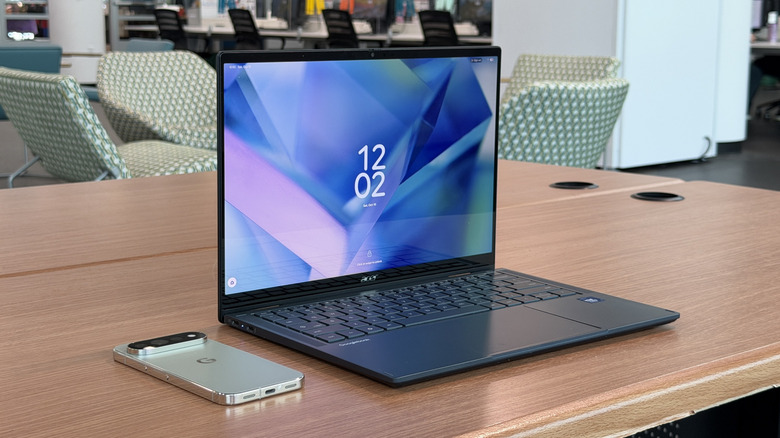
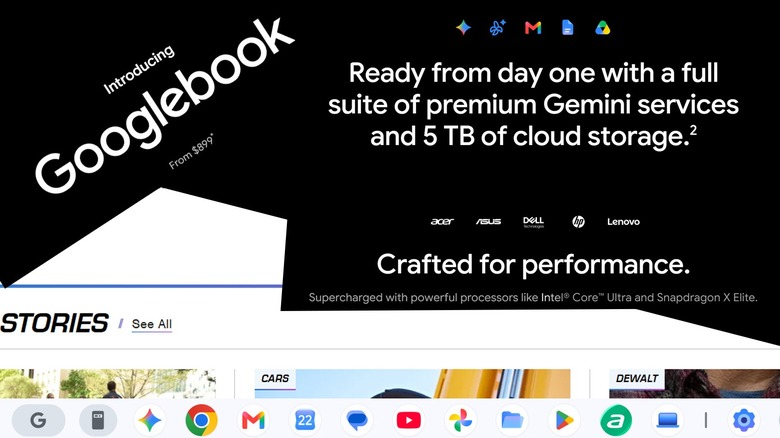
A who's who of laptop vendors stepped up to build Googlebooks for Google — Asus, Dell, HP, Lenovo, and of course Acer. Each of the first set of Googlebooks works with either a Qualcomm or Intel processor chipset — this one has an Intel Core Ultra 5 processor 325.
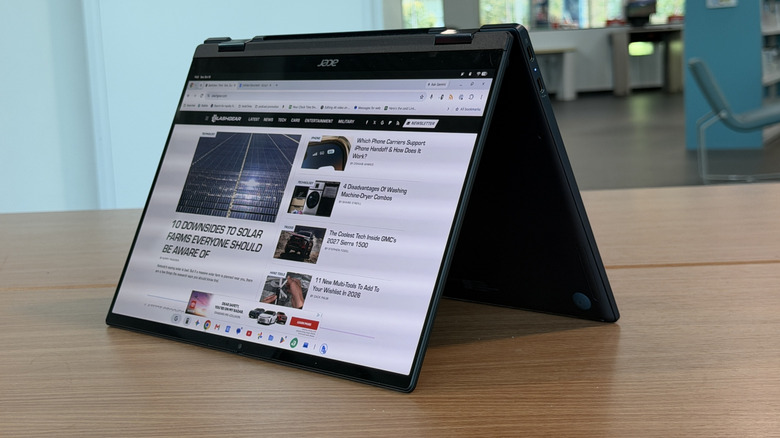
This Acer Googlebook 14 is a 2-in-1 with a 360-degree hinge and therefore is the only Googlebook that can be a tablet. The device has a 3K OLED touch display with a 120Hz refresh rate and a peak brightness of 500 nits, which is pretty bright. The screen also supports a Bluetooth stylus, though one is not included in the box.
The laptop is made of Aluminum-magnesium and sports a little bit of deck flex. There's 512GB of storage and 16GB of RAM — respectable specifications for a laptop, to be sure. The 71 Wh battery is a little on the small side, and this laptop is not a battery champion unfortunately. During a typical workday, I barely squeaked by on eight hours, which is not amazing considering the multi-day capabilities of some other laptops on the market today.
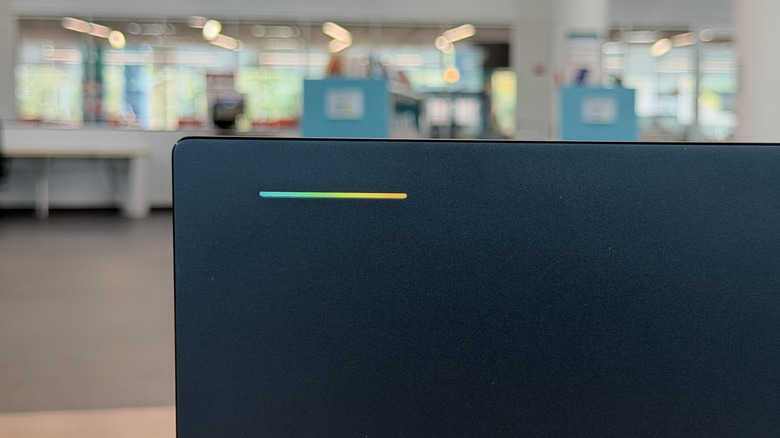
One aspect common to all Googlebooks is the LED bar on the cover that can do a variety of things. First it lights up when you first open the cover. It also glows when you are interacting with Gemini, similar to the light on the back of the Pixel smartphone. It can also light up to show you the battery's charge level when plugged in. All of these are nice, but not mind-blowing.
The only part of the hardware that was not impressive was the fingerprint scanner integrated into the power button. It worked, maybe, 70% of the time. At the same time, I'm not positive that was a fingerprint sensor issue as much as it may have been a software issue, as you'll soon see.
Googlebook OS could be better than Chrome OS, at some point

The software on the Googlebook feels half baked. As I type this, a couple of noticeable bugs — the screen periodically goes white and redraws in a flash, so that's weird.
There's also a virtual keyboard bug — occasionally the device's virtual keyboard will appear and stick to the screen. This is not unheard of with 2-in-1 devices (laptop/tablet), but I shouldn't need to fold the device all the way back to tablet mode, then back to laptop mode to fix the issue.
I had another issue during my trip into the city where everything I clicked was a right-click. I'm not sure why. I had to reboot the device order to get it to stop, but when I did, the instant hotspot didn't work automatically like it did before.
These are the most glaring "this laptop is not usable" errors I've seen thus far — they're all bad, for sure — but most of the other glitches are just that, glitches. I have a saying that I most often use when talking about Windows computers: Sometimes you don't command a computer so much as you trick it into doing what you want it to do.
Cool Googlebook features at launch
Some of the features Google wants to implement, like Instant Hotspot, are cool. Just like how a Mac laptop can detect and use the hotspot on your iPhone, a Googlebook can do the same thing.
Two of the most interesting software features are Magic Cursor and Continue On. The latter is part of the reason why I switched to a Pixel to review this laptop. Basically, when you start a task on your Pixel phone, an icon of that app shows up on the taskbar of the Googlebook. Click it, and that apps opens where you left off on the phone. My most notable use case was when working on a Google doc. It's nice to be able to put the phone down, pick up the laptop and pick up right where I left off.
That doesn't work for every app though. It seemed to only work for Google apps, like docs, and a handful of third party apps. Threads was not supported, YouTube was not supported. I saw one video that suggested the United app was, but not for me. I like where Google is going with this though.
The Magic Cursor feature is generally summoned by wiggling your cursor. When you do, you can select some or all of your screen, window, or text, and feed it into Gemini to ask it a question or act upon it in some way. You can select a chart and ask Gemini to extrapolate it for example. You can select a movie playing and ask who is on the screen. It's fun — or as much fun as AI can be anyway.
How Android features work on a Googlebook
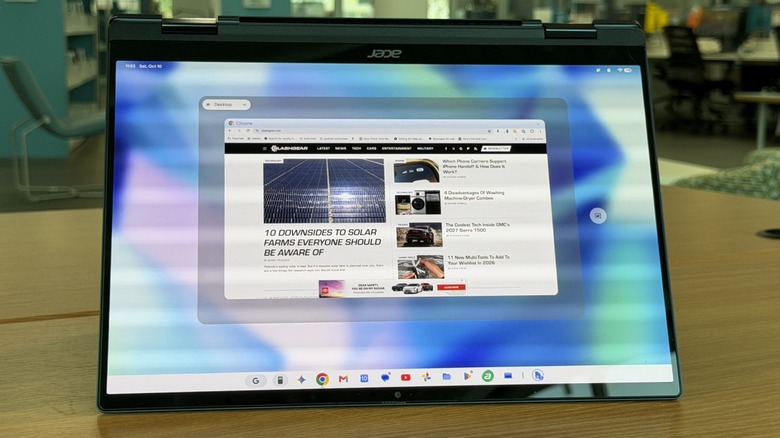
Some other features Google provides are not nearly as fun. App casting is here. Basically, you can launch apps that are streaming from your phone onto your desktop. That's nice, but it comes with some caveats. App casting on this device started out extremely slow and laggy during this review, but it's gotten (a little) better over the past week or so. But it also begs the question of why? Why should you stream an Android app from your Android phone onto your laptop which...runs Android?
Most of the time, I ended up just installing and running the app natively because it worked a lot better. I run Slack, Messenger, and Threads often enough that it felt more sensible to just install them on the Googlebook.
An argument could be made that if there's an app you only need to access occasionally, you can stream it. I would counter argue that if you're going to be running it that occasionally, just use your phone. If you're going to stream the app so often you don't want to stream it, install it and log into it.
Then, there's the issue that a Googlebook is a large-screen Android device, and so many apps are — still — not optimized for it. Slack is a good example of this. It's unusable in its app form (on the Googlebook) and in its streaming form via my Pixel phone. Installed as a PWA works, but it shouldn't need to come to that. This is an app developer problem, but it's also a Google problem — and it's not all that different from the problem of mass multi-screen adoption that's plagued Android since the beginning of the OS.
Googlebook OS DIY AI Widgets
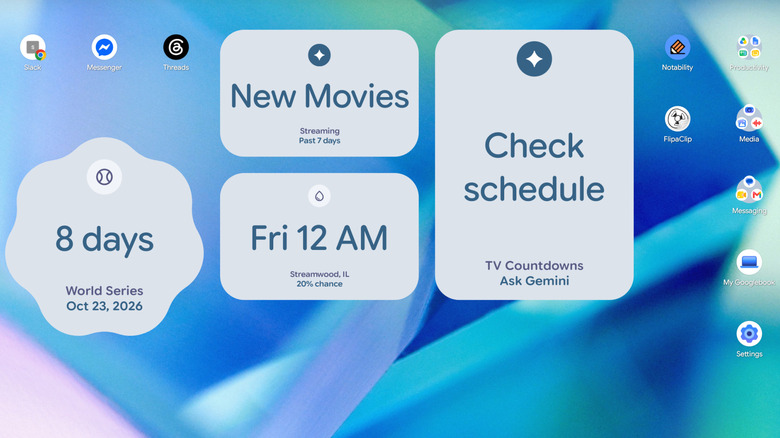
Another interesting feature in Googlebook OS is the ability to build your own widgets on the desktop using natural language. I'm generally not much of a widget guy, but for the sake of trying it, I built four of them; one of them turned out neat.
Two of them are literally just wrappers for a Gemini question. I asked for a widget that would display new shows debuting on streaming platforms from the last week. When you click it, it just opens a window asking Gemini "what new movies debuted on streaming services this past week?" Super.
The one widget I "built" which turned out pretty well was one that predicts the next time it'll be raining in my city. As an avid ebike/escooter rider and reviewer, that is genuinely useful to me, and I appreciate it. The rest are not terribly helpful. If I wanted to just open a Gemini window, I would just open a Gemini window.
Googlebook Verdict
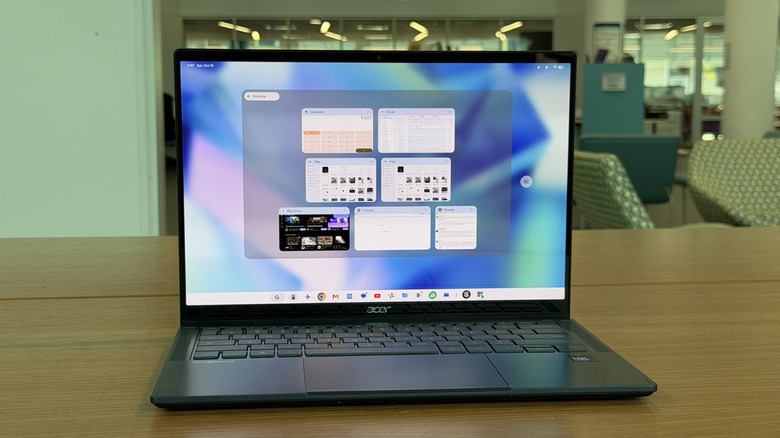
So where does that leave us? That's the big question. Googlebooks are essentially more-expensive Chromebooks that are built on Android, so they'll be easier to update and implement new features that work across the Android landscape. Lovely, I'm all on board that train. But the fact is that Google's created a system that may have just been launched with more questions than answers. There are screen issues, Wi-Fi issues, app issues, and that doesn't even address the biggest question of all: Why?
Why does Googlebook OS exist? I think the answer is part of the solution: they're easy to build for and update. The constant stream of updates during my review period demonstrated that. But they also demonstrated the fact that these Googlebooks launched weeks if not months too early. Even as this fully updated Googlebook sits right now, I can't recommend it as a product a consumer should purchase as-is.
So, I'm happy that Google wants to build this; I'm just not satisfied with what it launched. There's very little here that a high-end Chromebook wouldn't also provide except for a couple of party tricks that not even all of Google's apps support.
The whole thing feels...rushed...and that's not a great look for a company that has killed more apps in the past year than most app developers will ever build. But this is hardware, right? Remember the Pixelbook? I do.
Is this Googlebook to be another Pixelbook? I don't know. But I do know that Google certainly doesn't seem to be putting its best foot forward. It'd be easy to say that no one should buy one until Google fixes all of these issues, but even then, I'm still not positive I understand why these are here, and who should pay $899 and up (way up) for one.