

6 Of The Best Mechanical Keyboards You Can Buy For Your PC In 2026
We may receive a commission on purchases made from links.
Modern keyboards have become sleeker and more ergonomic than ever before. Thin form factors and minimalist designs have made them more satisfying for people to use, and this has led to mechanical keyboards being phased out of the mainstream. However, some people still love the tactile feedback and typing feel of mechanical switches, which is why a market exists for mechanical keyboards that are a perfect accompaniment to your PC.
Customizable keycaps, satisfying clicky feedback, improved durability, ease of repair, and nostalgia are just a few of the many reasons why mechanical keyboards are still so popular. Even now, there's a surprisingly high number of options on the market when it comes to these devices, and that can make the choice of which one to buy way harder than it needs to be. Thankfully, some of the best mechanical keyboards you can get right now have great reviews from professionals to guarantee their quality. Whether you're a longtime keyboard fanatic or a beginner when it comes to mechanical keyboards, some of these products should fulfil all your requirements and then some.
Keychron Q6 Ultra 8K
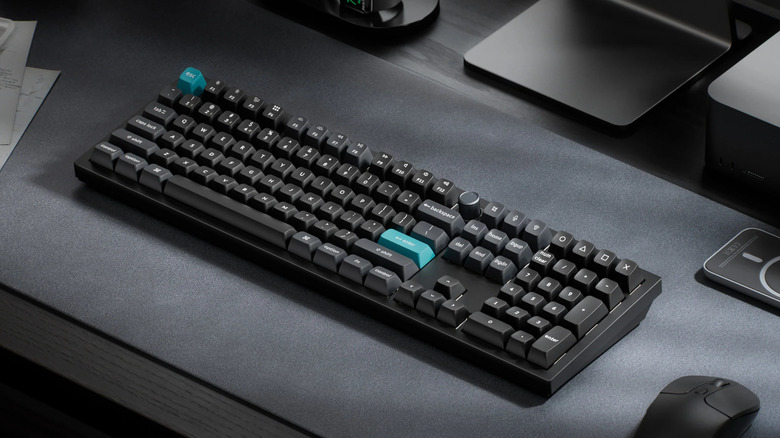
If you want a high-end mechanical keyboard useful for both intense gaming and regular work, the Keychron Q6 Ultra 8K could be one to consider. A $239.99 price tag — lowered by $25 on sale at the time of writing — can be a tough pill to swallow, but multiple reviewers have praised the overall typing experience, so clearly the Q6 Ultra 8K is doing something right. Audiophile-Heaven even went so far as to call it the best mechanical keyboard you can get right now, which may not be a huge surprise, given it's coming from one of the most reliable mechanical keyboard brands around.
Build quality is one area where reviewers were thoroughly impressed. The Q6 Ultra 8K comes with a sturdyaluminum body, in either black or white color options. With a hefty weight of 5 pounds, it's clear that this is supposed to stay on a desk. The polycarbonate backplate under the keyboard is scratch-resistant and further enhances its sturdiness. A USB-C connection is ideal for this laptop — especially if you're going to use it for gaming — but the 2.4GHz wireless receiver should be pretty fast in its own right. Of course, you can always resort to a Bluetooth connection if convenience is paramount and input lag isn't something you're concerned about.
While the stock keycap quality is improved over the previous model, Audiophile-Heaven felt that they were a bit too tall to type comfortably with. If you face this problem with the keyboard, then rest assured that the Q6 Ultra 8K's compatibility with keycaps from major brands — such as Gateron, Cherry, Kailh, and Panda — means this keyboard can be customized however you see fit.
NuPhy Node75
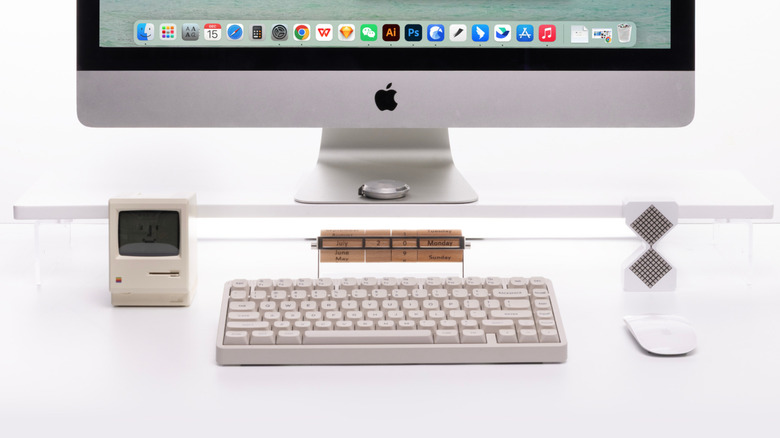
After seeing the Keychron Q6 Ultra 8K retail for more than $200, the $99.95 NuPhy Node75 will probably seem very reasonable in comparison. It's also currently on sale for $74.96, making it an even better deal. Reviewers were fairly impressed by the satisfying typing experience on this keyboard, courtesy of a gasket-mounted design. By isolating the case and the internal plate with dampening POM/LY composite materials, the end result is a keyboard with muted noise and satisfying feedback that feels very cushiony to type on. You can enhance this experience even further by opting for the Blush Max switches, which received a particular stamp of approval from The Gadgeteer.
The lightweight nature of this keyboard is another major perk. The standard version of this keyboard weighs 1.82 pounds, and this can be further lowered to 1.45 pounds if you opt for a variant with low-profile keys. On top of this, the Node75 boasts a whopping 1,000-hour battery life, making it a convenient travel companion for people who are too used to typing on a mechanical keyboard. Another unexpected addition on this budget-friendly device is a subtle touch bar right above the function keys. This was a pleasant surprise for many reviewers, and you can customize how swipes and single- or double-taps work on the NuPhy.io web application.
Ducky OK-M
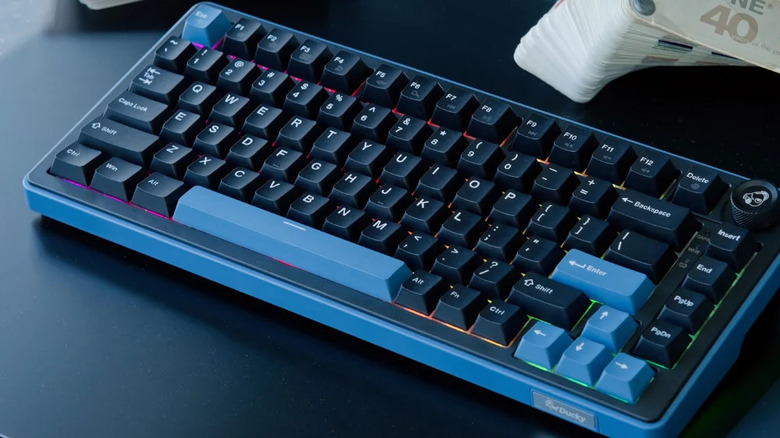
Another budget-friendly mechanical keyboard that punches well above its weight, the $89.99 Ducky OK-M-98 is a good option for people new to this hobby. It's an affordable product that'll help you decide if this hobby is worth a larger investment. In fact, it's entirely possible that you won't have to upgrade from the OK-M-98 because of how versatile it is. According to multiple reviewers, the default keycaps don't feel great to use, but they are hot-swappable. This means is that you can easily remove and add unique keycaps of your own to improve the typing experience.
Another area where the OK-M-98 cuts corners is an apparently cheap-feeling plastic body, but the keyboard is well-engineered otherwise. There are two feet and a hinge on the back that let you prop up this device at an angle for better typing. One switch at the back lets you alternate between Windows and iOS, depending on the system you're connected to. If you're not using a USB-C wired connection, then another switch toggles between 2.4Ghz and Bluetooth wireless connections. The 4,000mAh battery will last you for a long time, but it's puzzling that there's no indicator of the battery level on the keyboard itself. Instead, the backlight will start flashing at low charge, which can be inconvenient. None of the shortcut keys are labeled either, so you'll have to clumsily rifle through the included booklet to figure out the media controls and any other useful shortcuts.
Wooting 80HE
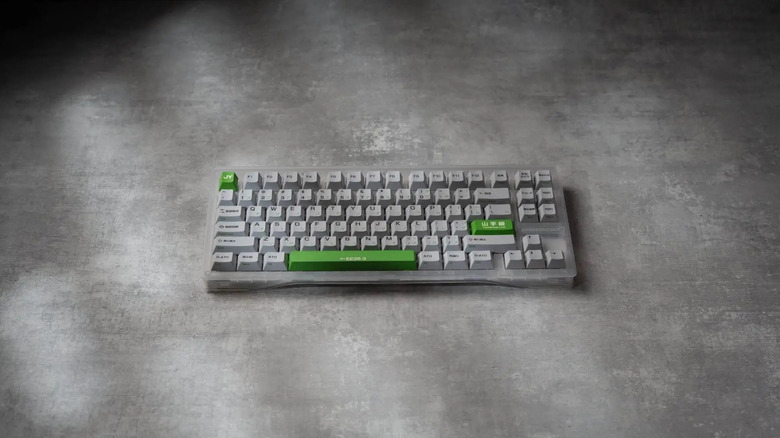
Retailing at $199.99, the Wooting 80HE is certainly one of the more expensive keyboards on the market. Before you even think about making this investment, keep in mind that this device is strictly wired. That will be appealing to people who want minimal latency when typing or gaming — as exemplified by a stellar 8,000Hz polling rate — but people who hate wires cluttering up their desk may not be huge fans. You'll also have to disable RGB lighting to enjoy the highest polling rate possible, which isn't ideal.
Thankfully, the rest of the package is solid and makes up for these issues, according to reviews. The hot-swappable keys are always a bonus and encourage customization, and the gasket-mounted design ensures that typing on this device feels smooth while still retaining that satisfying feedback people love in mechanical keyboards. You can choose one of two cases for the keyboard. The cheaper variant is made of post-consumer recycled (PCR) plastic — in layman's terms, 65% recycled plastic. This sustainable approach should be lauded, even if the case feels a bit cheap. This can be curbed if you go for the zinc alloy case, although you'll have to pay an additional premium on top of what is already an expensive keyboard.
Razer Pro Type Ultra
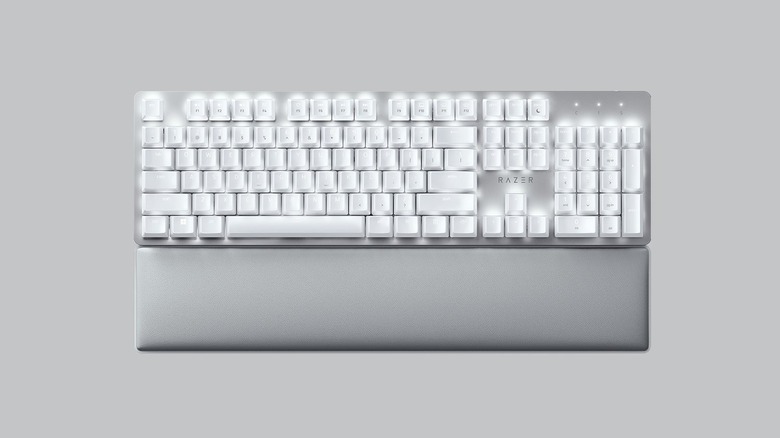
A mechanical keyboard with responsive switches, both wired and wireless connectivity options, and a built-in wrist rest — great for people paranoid about carpal tunnel syndrome — the Razer Pro Type Ultra is doing a lot of things to try and justify its $159.99 price tag. Whether you might find it successful will depend on your needs. If you have a Windows device, you can run the Synapse 3 software to set up macros, customize keys, set up multimedia shortcuts, adjust backlight strength, and switch between one of four connected devices. However, if you use Linux or an Apple device, you're out of luck. The software also requires you to register and has its fair share of ads.
Most reviewers are very satisfied with the typing experience on this keyboard, with the Razer Yellow mechanical switches being some of the quieter switches on the market. The linear feedback of every key press apparently feels great, and the fact that these switches are rated for 80 million key presses inspires confidence in this keyboard's longevity. Serious gamers should stick to a wired connection — Techaeris noticed some connection issues in wireless mode that can be very frustrating during competitive multiplayer sessions. The typing feel of this keyboard may not be perfect, either — TechRadar found the keys to be at a bit too high an angle, which negatively impacted the comfort factor. Add in the fact that the keys aren't hot-swappable, and you'll be in a bind if you get this keyboard and realize that it doesn't suit your typing style.
Be Quiet Light Mount
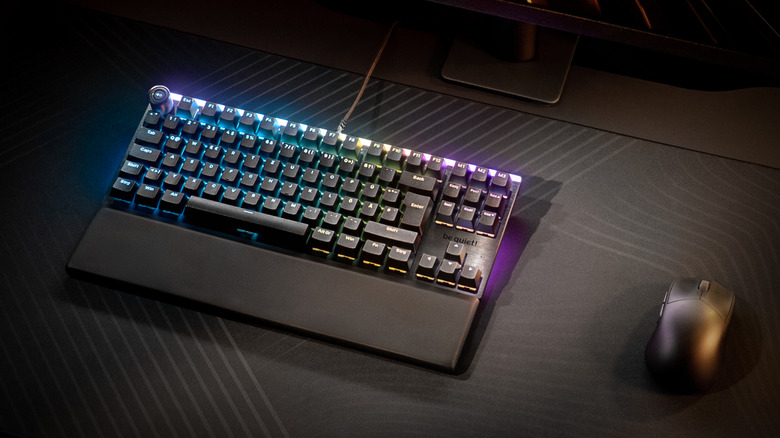
As first attempts at developing a mechanical keyboard go, the Be Quiet Light Mount seems pretty neat. The pre-lubed switches used in this keyboard are apparently — as the brand name would suggest — very silent, unlocking a smooth typing experience that won over numerous reviewers. The memory foam wrist rest is a unique addition that could enhance the overall comfort factor of this keyboard, too. Keep in mind that this keyboard is restricted to a wired connection — USB 2.0, to be more specific. The top plate of this device may be made of aluminum, but the rest of the chassis uses ABS plastic, which may seem a bit cheap for a keyboard that costs $134.90. Thankfully, it's on sale at the time of writing for $107.90, which makes it a better value-for-money proposition.
The keyboard comes with five dedicated macro keys that can be configured using the IO Center program or web app. It's a robust piece of software that also lets you customize the backlight, set up key bindings, and decide how Game Mode operates. The keycaps are also hot-swappable if you want to deck out this device however you see fit, and the textured-metal volume knob on the top-left of the keyboard is a nice design inclusion. TweakTown felt that the placement of this knob was a bit off, but you may not mind it.
Methodology
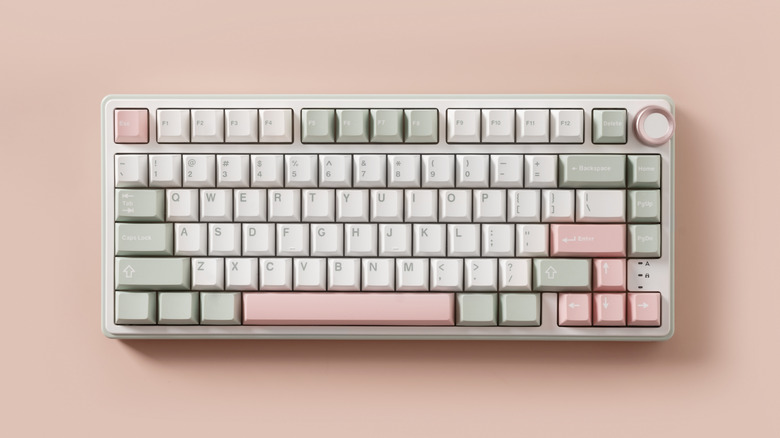
All the mechanical keyboards on this list have good reviews that are either quantitative — a rating of 4 out of 5, 8 out of 10, or 80 out of 100 at the very least — or qualitative — positive recommendations — in nature, from three or more publications. When assembling this list, we consulted reviews from publications like Tom's Guide, PC Mag, IGN, PC World, Wired, and more.