

What Happens When You Stop Paying For Your iCloud Subscription?
As universally praised as Apple's products are, the company infamously charges a premium for storage upgrades. Since there's no expandable storage support on the iPhone, going with the right storage tier at the time of checkout is extremely important. If you do eventually run out of storage, Apple conveniently offers various iCloud+ plans at different price points that let you store photos, videos, and other files in the cloud. Although every Apple account comes with a free iCloud plan, you're limited to just 5GB of storage space, which is barely enough to handle iPhone app and settings backups, let alone an entire library of photos and videos.
Upgrading to iCloud+ is simple, with Apple offering plans for 50GB, 200GB, 2TB, 6TB, and 12TB. You can pay for iCloud+ monthly, and as long as your payments go through, you can continue to upload files and sync data across your Apple devices. If you're using iOS 18.4 or later, you can downgrade or cancel your iCloud+ subscription by heading to Settings, tapping on your name, and navigating to Subscriptions > iCloud+. The steps are slightly different on older iOS versions and other Apple operating systems. You won't instantly lose access to your iCloud storage — the plan ends at the end of your current billing period.
If you still have more data stored in iCloud once the subscription ends, your files won't automatically be deleted, but you won't be able to upload any new files to the cloud. This also means your Apple device will stop syncing new messages, iCloud Mail, and app data. New device backups will also become unavailable.
Does your iCloud data get deleted?
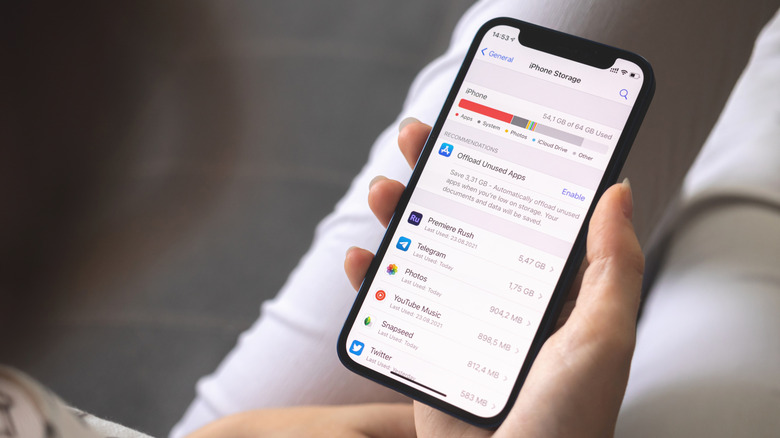
Like other cloud storage services, Apple doesn't immediately delete any of your photos, videos, or files if you stop paying for your iCloud+ plan. You can still access them as usual, but this shouldn't be a reason to treat iCloud as a free storage locker indefinitely. Apple states in its iCloud legal agreement that it may, with "30 days' notice, delete any stored data that exceeds your storage limit." While this doesn't mean your 30-day countdown begins the moment your iCloud+ subscription ends, it does mean that Apple reserves the right to not retain your additional data forever.
The bigger problems you'll run into, as we've mentioned before, are syncing and backups. Setting up an iCloud backup on your iPhone, Mac, or iPad means you don't have to worry about losing your important files or precious photos if you misplace or damage your device. With iCloud backup now disabled, however, you won't be able to recover any new data created after your last successful iCloud backup.
You will also stop receiving new emails sent to your iCloud email address if your iCloud storage is full. Apps will stop syncing their data to the cloud. Plus, if you rely on services like WhatsApp that use iCloud for backups, you risk losing newer chats and media if you ever switch to a new phone or accidentally delete the app. Apple recommends you download all data from iCloud if you plan to downgrade or cancel your subscription.
You also lose access to a few iCloud+ features
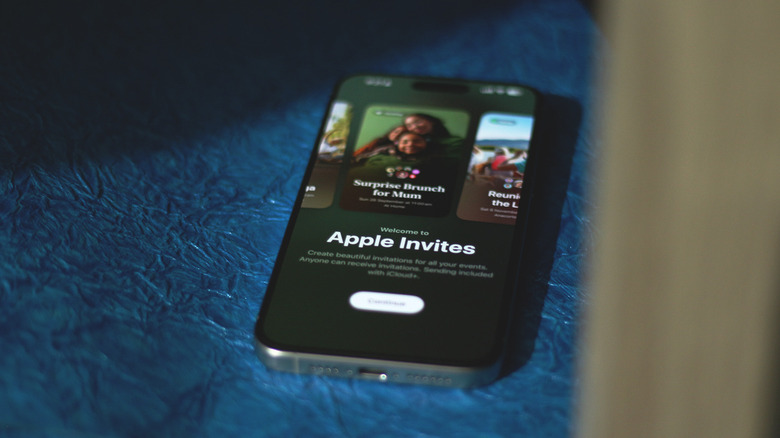
Over the years, iCloud+ has evolved into more than just a way to store extra files in the cloud. Features like iCloud Private Relay and Hide My Email are genuinely useful security and privacy tools. More recently, iCloud+ started including the Apple Invites service, which lets you create event invitations and share them with friends and family. Even if none of these features warrant paying for iCloud+ on their own, if you're used to these extras, you might notice their absence once your subscription ends.
Apple also includes iCloud+ in its Apple One subscription service. If you're already paying for Apple Music, iCloud+, Apple Arcade, and Apple Fitness+ separately, you might end up saving some money by bundling them together with an Apple One plan instead. If cloud storage is all you're looking for, there are a handful of cheaper iCloud alternatives worth trying.
That said, part of what makes iCloud so convenient is how deeply integrated it is into Apple's products and services. Yes, you can use alternatives like Google Photos to back up your iPhone's media and Mega for storing larger documents, but nothing works quite as efficiently as iCloud does on the iPhone, especially if you also need a solution to back up your apps, data, and other system settings. If you're tired of subscription fees, you could build your own cloud storage solution if you have a spare computer or NAS lying around.