

Testing The Ostation 2 Pro Made My Gaming Life Feel Greener
We may receive a commission on purchases made from links.
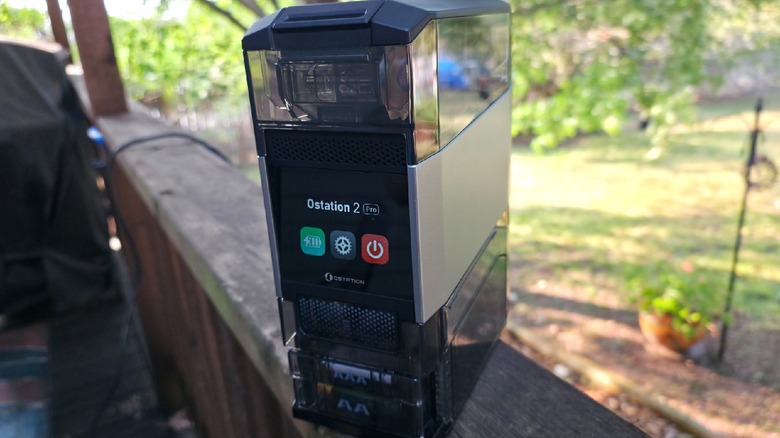
When I was contacted by Olight to test the company's battery charging gadget, the Ostation 2 Pro, I was immediately excited to get my hands on the device. As a retro gamer, I go through a lot of batteries, so long ago I switched from standard alkaline batteries to rechargeable ones. If you know anything about rechargeable batteries, you're aware of how they don't hold a charge for very long, requiring swapping them out for some in the charger, only to have to do so again in short order.
It's something of a pain, but I made my peace with it long ago. The process is still frustrating, and I've gone through a remarkable number of rechargeable batteries over the years, which isn't uncommon. Needless to say, I had a lot of interest in a charging station that streamlines the process. The Ostation 2 Pro is Olight's newest move in the world of rechargeable batteries, and it's a literal game changer ... at least, if you're like me and you go through plenty of batteries while playing games.
 Jonathan H. Kantor/SlashGear
It's not just a charger; the Ostation 2 Pro is a 3-in-1 machine, which retails for $140, and combines charging, battery checking, and battery storage into a single device.
Charging batteries has never been easier
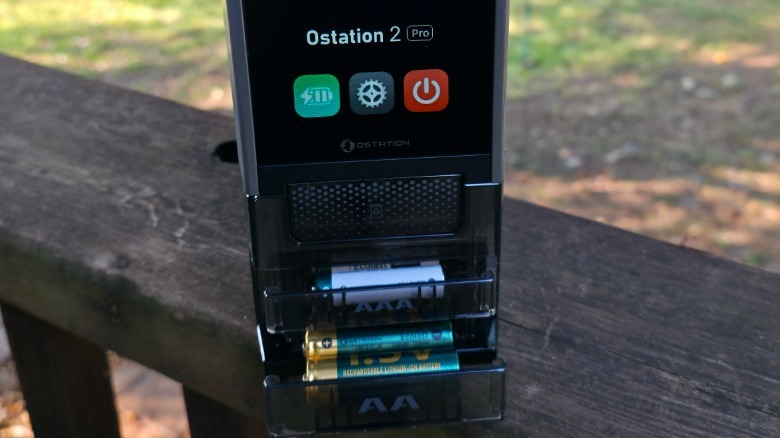
While the Olight Ostation 2 Pro is a 3-in-1 device that has multiple functions, it is, first and foremost, a battery charger. That trait alone is why most people would purchase something like this, as a battery checker and battery storage system costs far less, and there are a multitude of options. Most standard battery rechargers I've used accommodate AA and AAA batteries, though you're typically limited to charging four batteries at any given time.
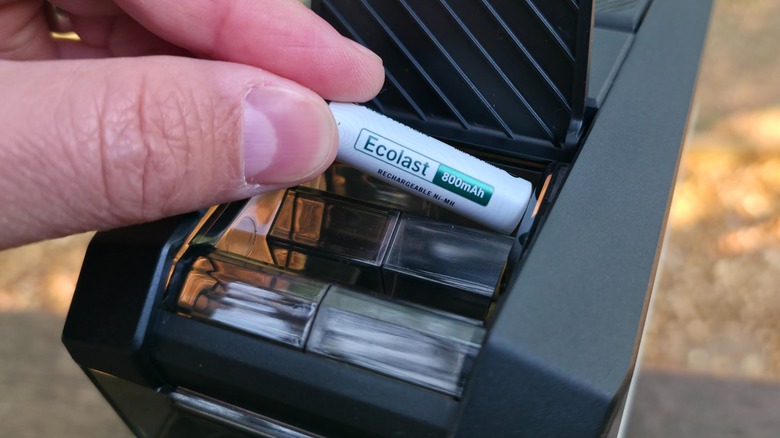
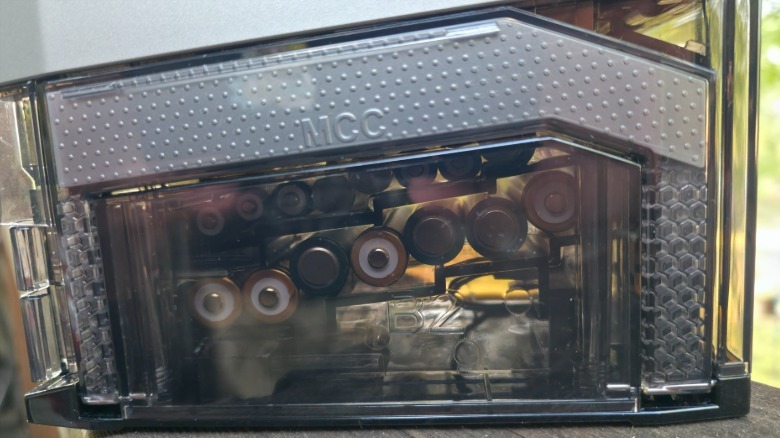
The Ostation 2 Pro can charge 24*. That's something of a misnomer, though, because the system *doesn't charge all 24 batteries at once. Instead, it uses gravity to move batteries that are charged into its two output drawers: one for AAA and another for AA. Two fully charged batteries drop whenever there's space in the drawer, while the rest continue charging or waiting to be charged. A maximum of four batteries are charged simultaneously, accommodating two AA and two AAA.
 Jonathan H. Kantor/SlashGear
Once you remove a couple from the drawer, the two that are charged fall into place while two more from each compartment begin their charge. The system can handle all Ni-MH batteries, though it's limited to Olight's lithium-ion batteries*, and you receive 12 AA and 12 AAA with the Ostation 2 Pro.
*As suggested by Olight, that is to say.
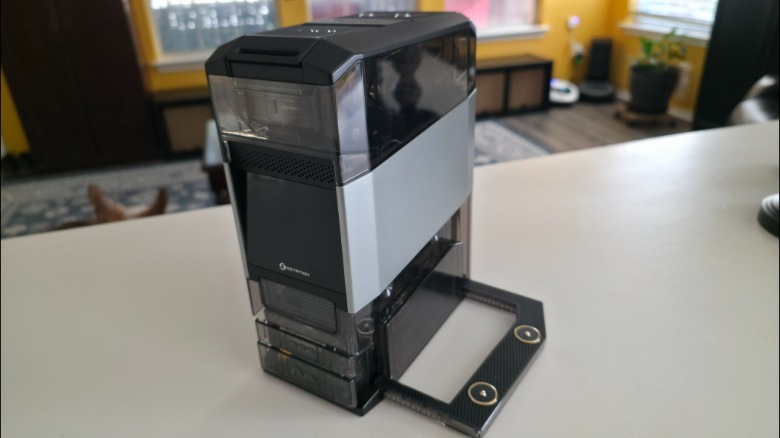
Olight is probably best known for its line of everyday carry (EDC) flashlights, like the company's 3-in-1 Arkfeld Ultra. This charger has a sort of hidden functionality when it comes to the brand's extended portfolio of devices — open the side and it acts as a dock charger for two Olight EDC flashlights.
Smart enough to know when a battery is bad
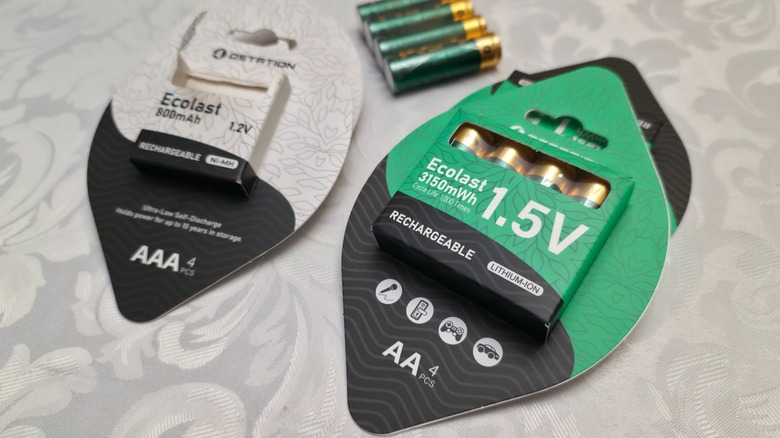
The Ostation 2 Pro isn't just a battery charger, and its ability to check each battery before charging is easily one of its best features. Batteries loaded into the machine are each slotted into independent contacts that automatically detect which end is positive. A switching circuit then diverts power to the proper cells, so you can load them in either direction without worry. Before it begins to charge, each battery is checked for compatibility and damage.
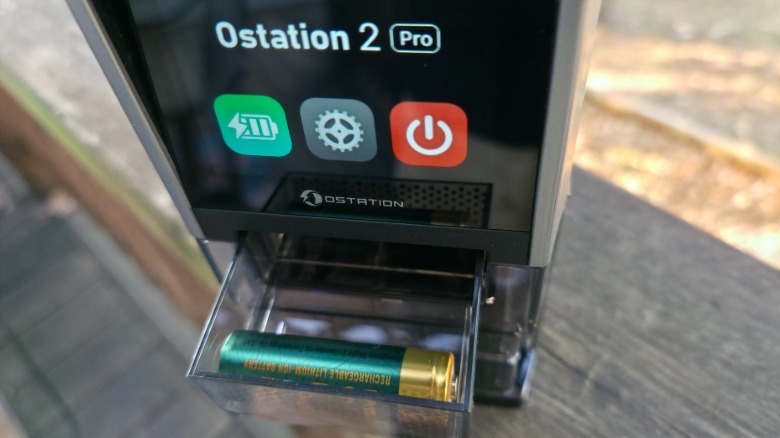
If it finds that the cell is safe to charge, it will charge it. If not, it routes the bad battery into the invalid battery bin so you can remove it. I tested this out in several ways, and was surprised to find that one of the AA lithium-ion batteries that came in the package was bad. The Ostation 2 Pro rejected it, so I discharged the battery, and the system accepted and charged it.
I also tried other branded batteries, a non-rechargeable lithium-ion AA battery, and an AA and AAA alkaline battery to see what would happen. The alkaline batteries were rejected, which wasn't surprising in the least.
 Jonathan H. Kantor/SlashGear
After all, that's what's supposed to happen, but I was surprised to see that other Ni-MH batteries not made by Olight were accepted and charged. To charge a battery, the Ostation 2 Pro uses a layered system that prevents overcharging, overheating, short circuits, overcurrent, tip-over auto shutoff, and overvoltage. It adjusts charging to prevent each of these issues, testing the temperature and current throughout the recharging process. This extra layer of protection keeps your batteries running longer and optimized for use.
Charging takes time depending on the type of battery you use
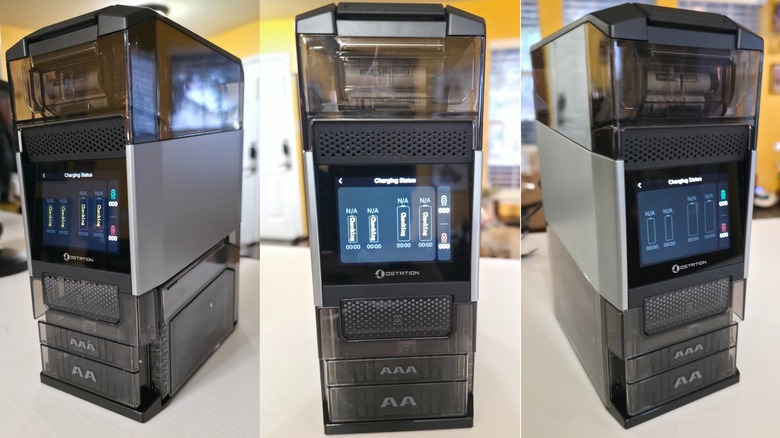
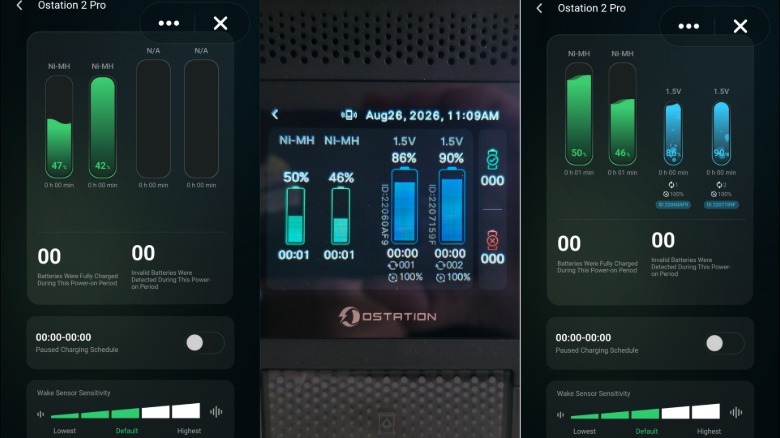
After receiving the Ostation 2 Pro, I quickly set it up and threw all 24 of Olight's proprietary batteries into it. Setup is incredibly easy, as all you need to do is plug it in and load batteries. There's more to it than that, thanks to Olight's app, which you can use to monitor and control the Ostation 2 Pro, which I found useful. You can see two screenshots from the app surrounding the Ostation 2 Pro's touchscreen display below.
After turning it on, I let the Ostation 2 Pro do its thing, and it took a little over five hours to cycle through and charge all of the AA and AAA batteries. The charging process is continuous, so the system will keep charging so long as it has batteries inside. That said, it won't overcharge, so it will only begin charging batteries that had previously been charged but not removed once it detects that it's safe to do so. The Ni-HM AAA batteries charged much faster than the AA lithium-ion, which makes sense, as AA batteries have a higher energy capacity than the smaller AAA batteries.
 Jonathan H. Kantor/SlashGear
One aspect of battery charging that I had to get used to was the sound the system makes when batteries drop from the charging area into the bin. It sounds like my ice maker in my fridge, but being on my desk, it took some time before I learned to ignore it. That's not a criticism of the Ostation 2 Pro's handling of batteries and more a fact of gravity-fed movement, so I wouldn't call it a real negative feature.
Olight recommends proprietary Olight batteries only
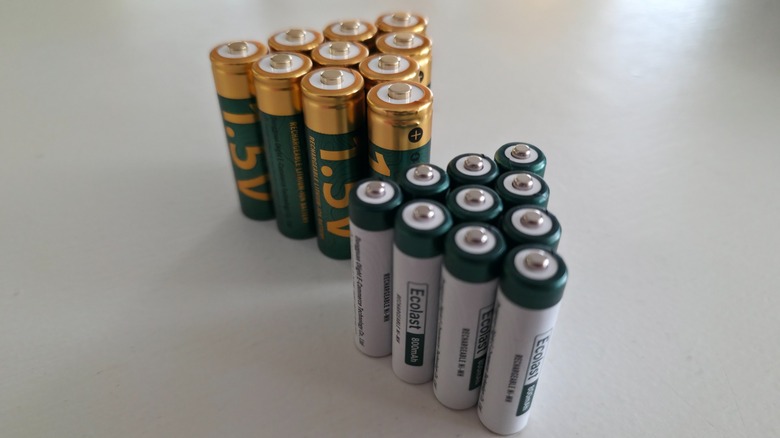
One aspect of the Ostation 2 Pro that might turn away some people who already have a large stock of rechargeable batteries is that it is designed to charge Olight's branded batteries. If you drop something into the hopper that has a different chemistry than what Olight produces, it will most often find its way into the battery rejection bin. This is because Olight uses proprietary lithium-ion cells that the company designed for its products.
That doesn't mean you can't use a couple of Olight AA batteries in your Xbox controller, but it does mean that the Ostation 2 Pro won't charge another brand's batteries ... for the most part. There are exceptions, and while my stock of batteries is somewhat limited by brand and chemistry, I loaded the Ostation 2 Pro with as many as I could. I placed four Amazon Basics AA and AAA rechargeable batteries, an AA and AAA alkaline, non-rechargeable battery, and a non-rechargeable Energizer AA lithium-ion battery to test out the system's rejection and testing function.
After the Ostation 2 Pro checked the Amazon Basics batteries, it proceeded to charge them as if they were made by Olight. Charging didn't take any longer or less time than Olight's Ni-MH batteries, so the chemistry was similar. Unsurprisingly, the system quickly tested and rejected the alkaline batteries as well as the non-chargeable lithium-ion battery. Unfortunately, I didn't have another brand of rechargeable lithium-ion battery to test, though, according to Olight, it would have been routed to the rejection bin.
The intelligent battery storage, charger, and tester declutters and keeps you green
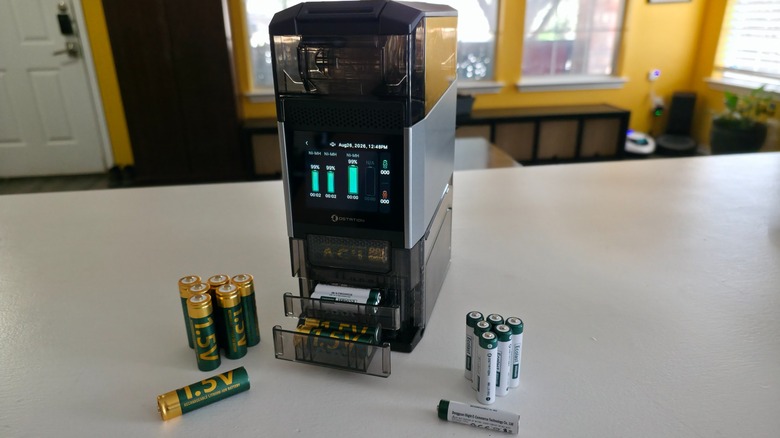
For someone who's gone through a lot of rechargeable batteries and chargers, I am a fan of the Ostation 2 Pro. I've tested and used it for over a week, and my honest assessment is that the Ostation 2 Pro is a must-have for anyone who goes through a lot of AA and AAA batteries.
 Jonathan H. Kantor/SlashGear
I'm of the opinion that if you can go green, you should, so if you have the means, get yourself an Ostation 2 Pro and stop using non-rechargeable batteries. I like the system's size, and as a decluttering device, it does just that. It weighs just under 3 lbs. (without batteries) and measures just under 9 inches tall, is just over 3.5 inches wide, and 6.25 inches deep. Whenever I need a new battery, I open the drawer and have a fully charged one ready to go.
While I always look for problems and technical issues when reviewing products, I failed to find anything worth mentioning. The only thing that I could see that might detract someone from buying an Ostation 2 Pro is that it won't charge non-Olight lithium-ion batteries. Since it charges Ni-MH AA and AAA batteries, this won't be a problem for many consumers. It certainly wasn't an issue for me, as I didn't have a non-Olight lithium-ion battery to test.
You can find the Ostation 2 Pro on Amazon for around $140 (without the Olight batteries) or from the Olight store for approximately $140 (also without the batteries). There's also a non-Pro version (with no display) for a slightly cheaper price.