

Asus Zenbook Duo Review (2026): At Last, A Reliable Laptop With Two Screens
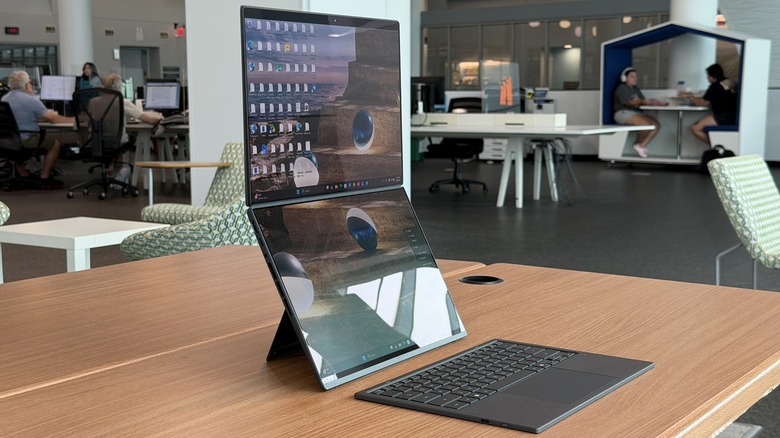
Ever since I saw the first dual-screened laptop, I have been absolutely in love with the category. My typical workflow involves using two screens at once — one for research materials, and one for what I'm working on based on those research materials. Over the past few years, I have worked remotely enough and used enough different laptops that I can generally get by without a second screen if I don't have one, but boy do I love it when I have one.
That's where the Asus Zenbook Duo (2026) comes in. This laptop has had multiple iterations in its history, but it landed on the twin OLED screen form factor in 2024 — this Zenbook Duo line has come a long way in a short number of years.
A notable competitor — Lenovo — has had the idea for a bit longer, but its concept always involved a second folio to carry the keyboard separately. Asus has always built everything into a single unit, and until now, that meant some big compromises, not the least of which was an odd hinge system that set the top screen back by about a quarter inch to accommodate the keyboard sliding in between the screens.
That is no longer the case, though one compromise still persists. We'll discuss that in a bit, but for now, I have been using the Asus Zenbook Duo for about three weeks, one of which while I was on vacation, and this is my full review.
One step forward
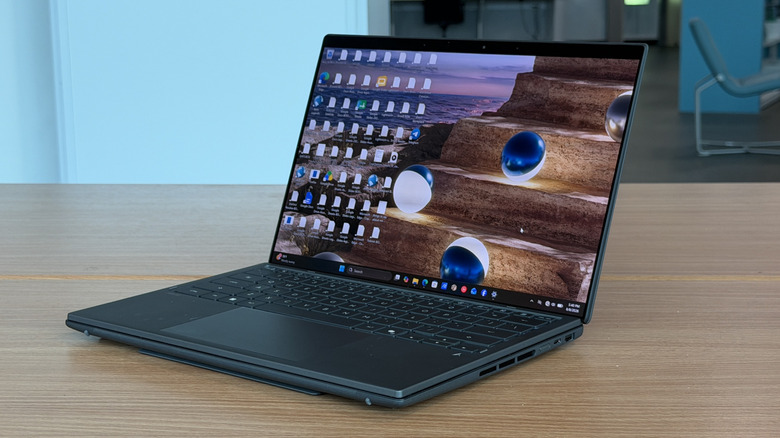
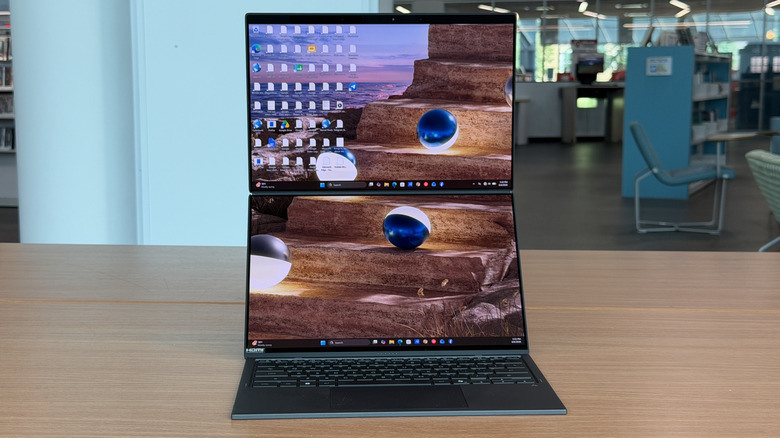
The Asus Zenbook Duo still honors its roots by sandwiching the keyboard in between the screens when the laptop is closed. In the past, this resulted in a top screen was was set back. It wasn't a big deal, but it definitely took some getting used to. Now, Asus has redesigned the hinge into what it calls a "hideaway hinge." When the laptop is open fully, both screens are flush with each other. There's still a bezel in between the two screens, but it's a more continuous look than previous generations, and this is also reflected in the Asus ROG Zephyrus Duo I reviewed a few months ago albeit with a much bulkier hinge.
Personally, I never minded the set-back second display, though aesthetically, this certainly is more attractive. The part that still bugs me more than a bit is the stand built into the bottom of the laptop. That stand adds bulk and another thing to catch on the laptop sleeve as you slide it into a bag. I'd like to see future stands continue to be built in — no one wants to carry a second folio, but if they could be integrated more into the body, that would be appreciated.
Of course, since I mentioned vacation, which was also a road trip, I really appreciated the ability to magnetically attach the keyboard to the lower screen to turning this into a regular laptop. I was able to write from the back seat of my 2024 Rav4 hybrid comfortably, though I noted a small wobble in the keyboard in this configuration.
Standing tall
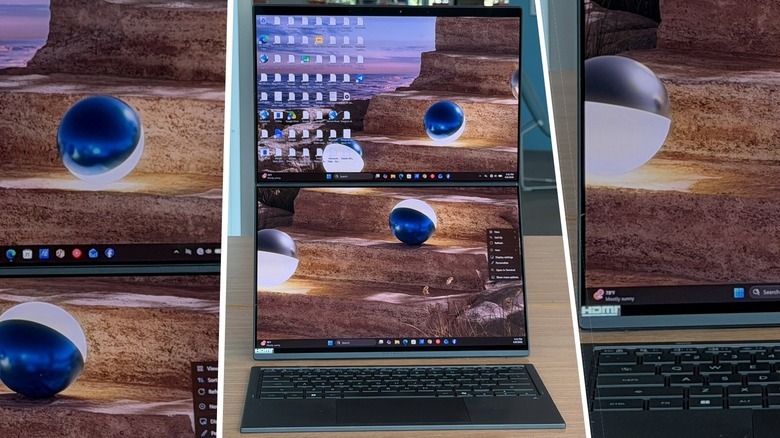
Of course, the best way to use this laptop is when it's standing up, and this is where the built-in kickstand comes in handy. The dual 14-inch "Lumina Pro" displays give you a ton of room for running whatever apps you need. Personally, I use this as just two normal displays, but four apps open — two per screen — could also work pretty well. There is a very minimal gap between the two displays — it's not small enough to ignore if you wanted to expand the canvas across both displays, but they are right up next to each other.
You can also use this with two portrait displays side-by-side if you wanted — and actually the hideaway hinge is ideal for that. Personally, I prefer landscape, but I could see this being handy for coders specifically, seeing multiple lines of code at once is useful. The built-in kickstand works for both orientations.
Built for power
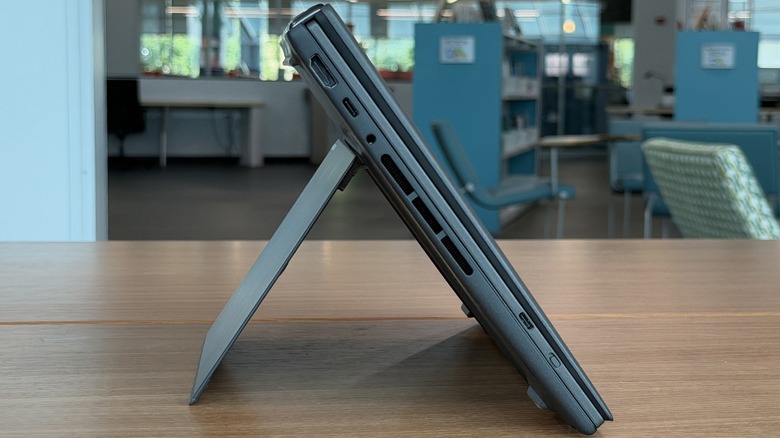
As for the rest of the specifications, as reviewed, the laptop has an Intel Core Ultra 9 processor, 32 GB of memory, 1TB of storage, and has a ton of I/O including a full-sized HDMI, USB-A port, two USB-C ports with display and power delivery, and a 3.5mm headphone jack. All this checks in at 3.64 pounds, so it's not even all that heavy by most standards.
The case is made out of Ceraluminum (as in devices like the Asus ZenBook A14), which is Asus's signature alloy that it has had for a couple of years now. Personally, I think it's okay, but I'm not in love with it. The power button on the right side is hard to find by feel, and there is no fingerprint sensor. Asus presence detection works pretty well, and facial recognition works often, but not always. Speaking of which, there is no physical shutter nor kill switch for the FHD camera which is a bit of a bummer.
Use the keyboard wherever
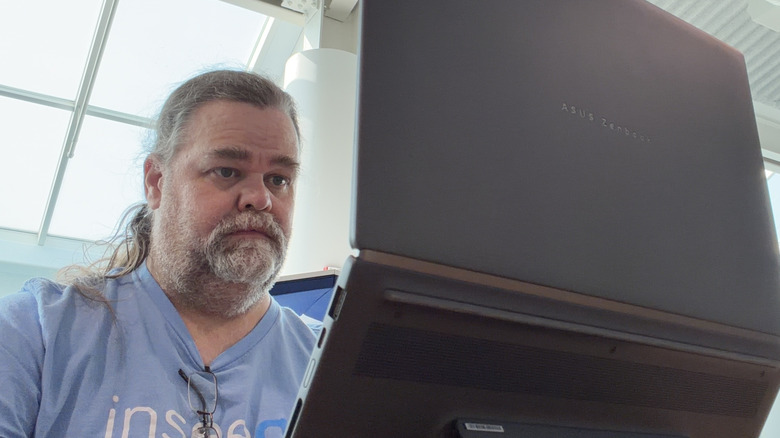
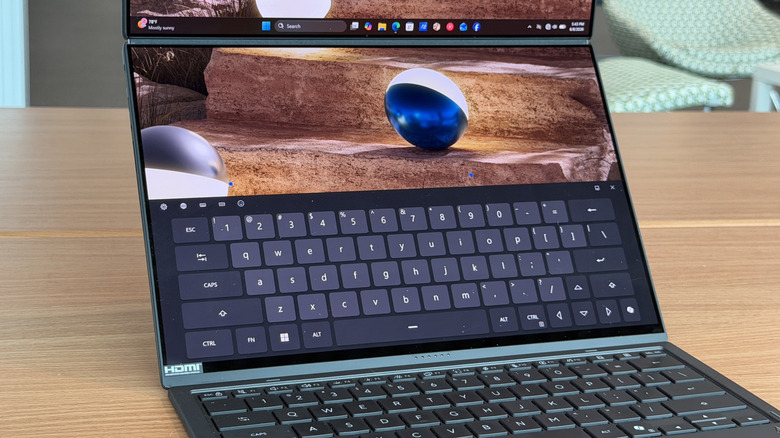
The detachable keyboard works very well. As mentioned, you can magnetically attach it to the lower part of the screen for laptop mode, or you can detach it and use both screens. When it's detached it connects via Bluetooth. Early on in testing, I had trouble keeping the keyboard connected via Bluetooth, but that didn't manifest itself after the first few days. I wonder if an update might have worked things out.
The keyboard itself is lovely, with nicely space keys and good travel. One thing that's common to the genre is the keyboard sits flat on a table which is fine, but I would love it if there was a mechanism to tilt the keyboard even slightly. Normal laptops can have a slight tilt to them due to the nature of the chassis, and it'd be great to see that on this keyboard as well. But, as it stands, I have no complaints. Plus, the keyboard is backlit, which is a major win — especially when you're in the backseat of a RAV4 at night.
Software add-on
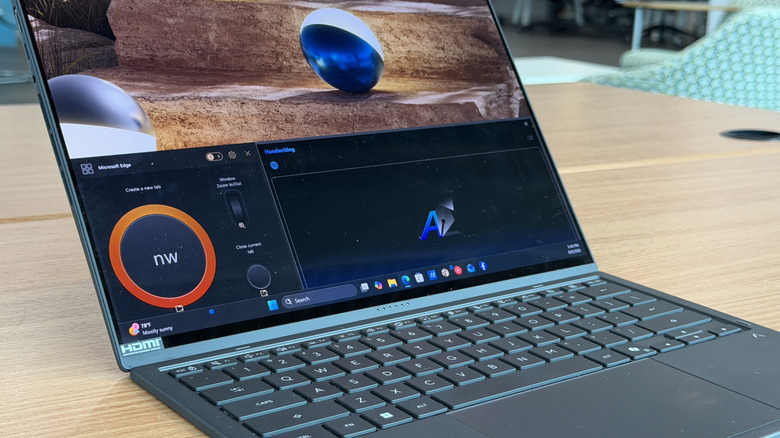
Asus bundles the laptop which its own My Asus app which is sort of your one-stop shopping for configuring your laptop. This is standard on all Asus laptops, and it comes with the same tricks like software updates, system diagnoses, and the like. Plus, you get glanceable info like your battery charge and health, CPU load and RAM utilization, and HDD space. All of these panels can be moved around as needed.
Additionally, you can change settings like display refresh rate and color options, and the PWM rate which will please some folks with sensitivity to that. You can also adjust your power settings so you can save your battery and make it last longer. This is mostly a set-and forget piece of software, but it's nice to have all those settings in one place.
Asus also bundles in its story cube software which is nice for creators, putting all your videos and photos together into one place. It's 2026, so of course Asus bundled in some AI to help you sort through your memories and make videos for you.
Stylus, sound, and battery
As reviewed, Asus also included a stylus, stylus charger, and sleeve to carry all this around in. The stylus works as a stylus should — there's a single button. When you tap with the stylus, it's a left click. When you tap with the button pressed it's a right click. The stylus charges with a charging cradle which is not ideal, but the stylus and the cradle can fit inside the elastic band in the carrying case, so that's where I kept them.
As for sound, the laptop has really good sound — for a laptop. I listened to music while working on this machine, and the sound did not ruin the experience. You don't get super-deep bass, but you can get a good idea of what the music is trying to say. I have definitely heard worse in 2026.
Battery life is pretty good. I was able to get through an entire eight-hour shift on a single charge, which is good for a dual-screen laptop. It won't last over a multi-day trip, but it'll go for a day easily. On my vacation, this was my only laptop, and it was set up in the hotel room in its dual configuration, and while I didn't sit at it and use it constantly, I used it sporadically over the week and I didn't need to plug it in. I call that a win.
Asus Zenbook Duo Price, Availability, and Verdict
Overall, this is my favorite dual-screen laptop that I've used thus far, which is saying a lot because I'm pretty sure I've used all of them at this point. The new hinge design was necessary, so I'm glad Asus figured that out. The fact that this is all one neat little package — the fact that it all works and does not require me to carry around any other accessories is nice.
As reviewed the Asus Zenbook Duo (2026) (available on the Asus store online) is priced at $2,699 which is not a bad price considering everything you get. It is certainly more expensive than a regular laptop and a portable monitor, sure, but that requires a ton of cables and drains your battery besides.
I'll take this setup any time, and in fact, I probably will take this setup with me on my next work trip to Berlin — that's not a task I'd trust to an unreliable laptop. Meanwhile, I recommend this laptop, but only for those whose workflows really benefit from two screens. If you can live without a second monitor, there are cheaper, lighter, and longer-lasting alternatives.