

5 Linux Distros That Will Make You Feel Like You Never Left Windows Or macOS
It's no secret that Windows 11 has been one of Microsoft's least popular releases. Was it the seemingly arbitrary hardware requirements that made a whole bunch of older computers into e-waste? Is it because the OS refuses to let you set up a computer without an account and Microsoft quietly seals up bypasses? Is it the too-frequent, annoying, and sometimes broken updates that may also bork your hardware? Is it the incessant ads, creepy features like Recall, or AI being shoved everywhere it can possibly be shoved? Take your pick, we have more. Things aren't necessarily great on the macOS side of things either, with macOS 26 Tahoe also generally disliked. People are fed up, and many are making the switch to Linux as a result. For a lot of people, though, that may seem daunting when you'd have to leave behind the familiar waters of Windows and macOS that you've sailed for decades.
Fortunately, a lot of Linux distributions have branded themselves as a gentle hug rather than a crash landing from the world's other two dominant OSes. We're talking about Linux distros that are so easy to install that a child could do it, require virtually no tinkering to work, and ship with a UI that's familiar enough that you'll feel like you never left Microsoft or Apple. There are, of course, downsides — too many to get into here — but if you've been considering Linux, then you're probably aware of them. So take this as some inspiration for which OS to switch to.
Zorin OS
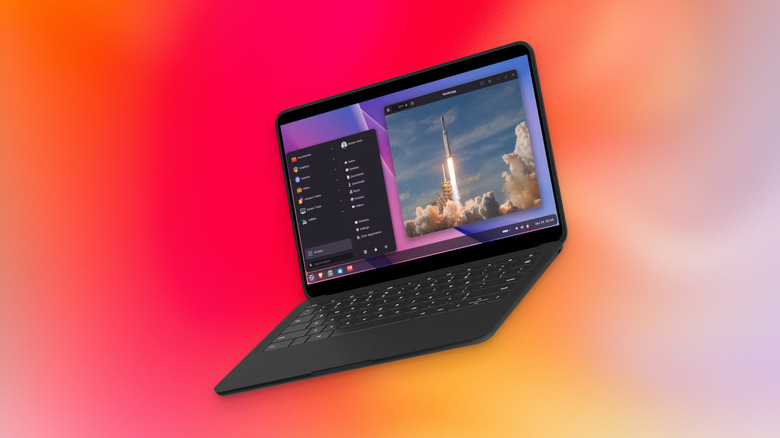
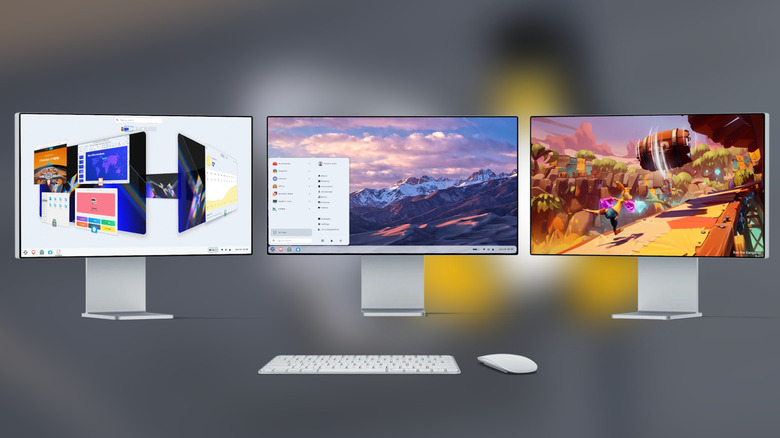
Hands down, our number one recommendation is Zorin OS, because Zorin OS is the only operating system on this list that lets you choose — on a whim — whether you want a Windows-like or macOS-like desktop layout. It's literally a one-click option in the settings. The OS looks clean and modern, despite having incredibly modest system requirements — a 1GHz dual-core CPU and 2GB of RAM, compared to Windows 11's 4GB requirement — making it the perfect alternative for a machine that can no longer support Windows 11. Many of the functions you're familiar with, like drag-and-drop window tiling and multi-touch trackpad gestures, are available to you.
What we also like is how hard Zorin OS tries to soften the pain points of Linux. For example, Windows apps can be installed automatically with Wine simply by double-clicking a .exe install file; it supports your third-party online accounts and can install web apps for anything you can't get running otherwise; Microsoft Fonts can be installed with a simple copy and paste command; if you have some old DVDs with DRM on them, Zorin has options to access and use them; it also has helpful guides on how to run Windows games on Linux from almost any storefront, including ones like Epic Games, Ubisoft Connect, and others beyond Steam.
Reviews of Zorin OS are overwhelmingly positive. I concur after having used it on an old laptop. It's a beautiful, snappy, and incredibly easy-to-use OS. People who are intimidated by having to, say, use the terminal don't have anything to worry about here. Zorin OS is free, although there's a $48 Pro version that adds some extra desktop layouts and a whole bunch of (free) pre-installed software for you.
elementary OS
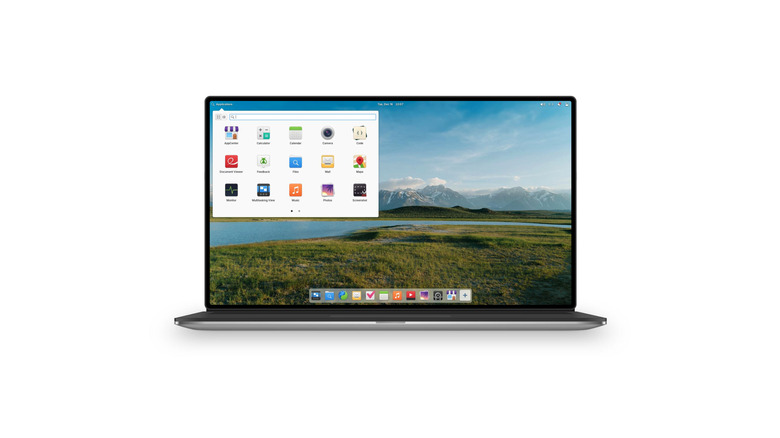
Whereas Zorin OS is casting a wide net for anyone looking to jump ship from the big two, elementary OS arguably has its sights set on former macOS users. Dock, Spotlight, and menu bar? Check. AppCenter with strict standards on what apps it allows? Check. App permissions that let you know when an app is, say, using the microphone, with options to deny it? Check. Mac-like full-screen multitasking, hot corners, and focus modes? Check. Also like macOS, it's clear the devs have gone to great lengths to give elementary OS its own special design language; it's cute eye candy, a timeless design we hope never does a Liquid Glass on us.
UI aside, it truly is easy to use, and I say that from personal experience. Right after a fresh install, it hand-holds you through everything. I can't remember a single time when I needed to open the terminal for anything. It also feels very smooth when changing desktops, tabbing through applications, and swapping application windows. For someone who worries that using Linux means being stuck with an unsightly, janky interface, elementary OS might be a relief.
Again, the sentiment from people who have tried elementary OS is quite positive. elementary OS does ask for a payment to support the project, but you're free to set the amount to $0 and get it for free, with no restrictions on your experience. Try it out first and see how you feel. If you're happy with it and decide to stay a long-term elementary OS user, then please donate to the project.
Bazzite
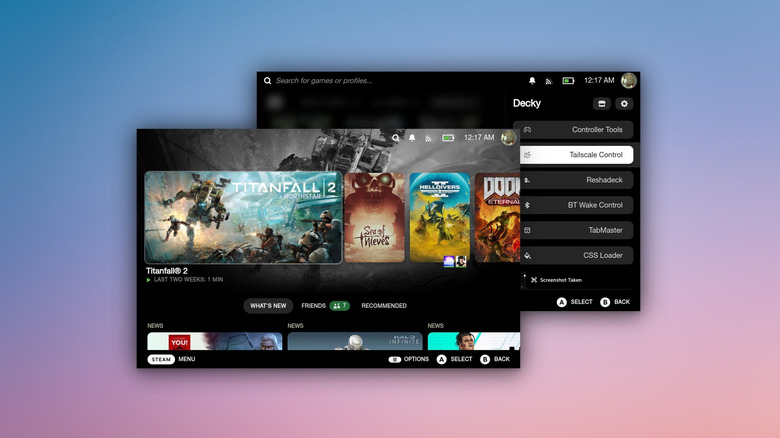
Zorin OS and elementary OS are intended for general-purpose everyday computing. Bazzite is not. It caters to PC gamers who might be tolerating their Windows PC only so they can play their games. In effect, Bazzite is SteamOS, but for all hardware configurations, transforming your gaming rig into a console. Think controller-first UI, being able to suspend and wake your PC with a single button press — even mid-game — and potential performance improvements.
You can either run Bazzite as a desktop edition that works similarly to a Windows gaming PC, or you can download the Home Theater PC edition so it works like a console, booting directly into Steam Gaming Mode. Most importantly, it's easy to install and incredibly easy to maintain. This is the ideal choice for anyone who just wants to turn on their PC and play games without troubleshooting. We highly recommend installing Bazzite in a dual-boot configuration with Windows before you commit to it 100%.
Now, before you get too excited, there are a few caveats. First, this is a Steam-focused OS. If most of your games are not on Steam, you will be able to get your games running, but it'll be more tedious. Further, while most games work on Linux, not all do. You'll be using the SteamOS compatibility ratings and ProtonDB to gauge how well a game can run. The big deal-breaker is that games that incorporate anti-cheat often don't work on Linux; you cannot play games like "Fortnite," "Apex Legends," or "Battlefield." Those caveats aside, the experience is truly amazing — and a must if you have a PC gaming handheld. There are alternatives to Bazzite with their own unique selling points that we'd recommend too, such as Nobara and CachyOS.
PearOS
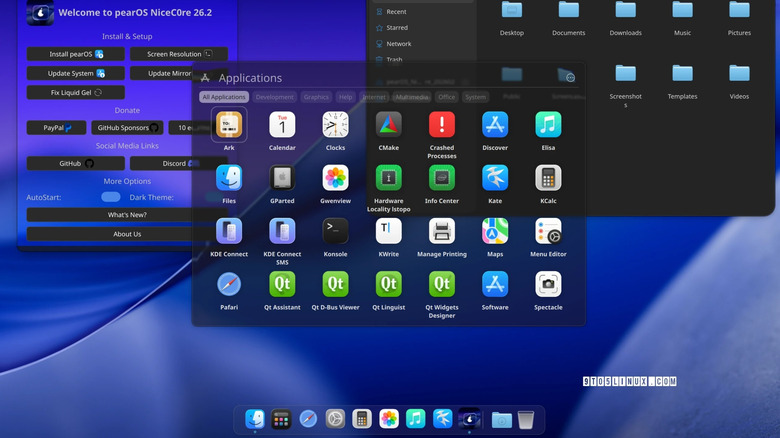
elementary OS is meant to be familiar to former users of macOS, not copy it. But what if there were a distribution that tried to mimic macOS so closely you might not notice unless you paid attention? Anyone could simply reskin their current Linux distribution with the macOS-like theme, but PearOS aims to go a step further, with a distro that looks and behaves like macOS. As in, a near-identical Dock, Spotlight, App Store, Control Center, a homegrown Pafari browser, and more. It's even incorporated Apple's new Liquid Glass design language. Reviews of PearOS are quite positive. It could be a great choice for someone who needs a lightweight macOS-like distribution so they can enjoy Linux and the macOS design language in one fell swoop.
Now, this is a hesitant recommendation. You're really getting PearOS if you adore that macOS design language and can't bear to part ways with it. An issue that irks me somewhat is that the website is choked with questionable ads. You don't really see that on any other distribution website. The developer has to find a way to finance the project other than the trickle of donations, sure, but it does raise my eyebrow a pinch. Finally, the development has had a pretty rocky past that makes us wonder how long the project will endure. So all things considered, it's something we can recommend, though only if nothing we've mentioned concerns you.
Personally, I'd recommend Zorin OS or elementary OS first. These are popular, respected Linux distributions that have been around for a while, and they'll have better documentation when you run into issues. Having said all that, we would be remiss if we didn't applaud the PearOS developer for the incredible job they're doing while working on the OS solo.
Gnome OS or KDE Plasma
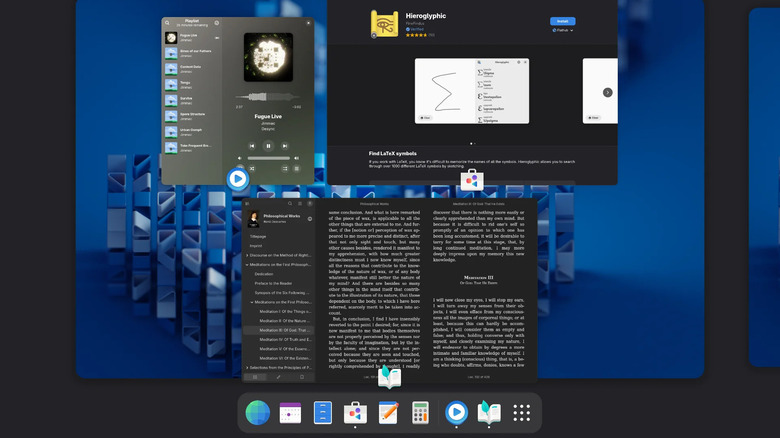
On Linux, two of the most popular desktop environments are KDE Plasma and GNOME, which from a bird's-eye view are sort of the Windows and macOS of the open-source world. KDE has a Windows-like Start menu, taskbar, notification center, and Windows-like window-snapping; GNOME has a macOS-like dock, a menu bar, a Spotlight-esque search, and a workflow built around separate virtual desktops. Both are excellent replacements for Windows and macOS, speaking in terms of how you interact with them. Both KDE Plasma and GNOME have distributions built around them, too.
It's worth noting that KDE Plasma and GNOME are also desktop environments available on a wide variety of Linux distributions. You'll find KDE Plasma versions of Fedora, Kubuntu, Bazzite, and SteamOS; GNOME is available on those, too, as well as Ubuntu, Pop!_OS, and Solus, among others. There are other desktop environments that have a Windows-like feel as well, such as Linux Mint's Cinnamon and Xfce. The point is, Linux has quite robust alternatives to Windows that are familiar and usable, and you have the freedom to not choose a distro based solely on the desktop environment it offers.
One thing we should note, once you choose a desktop environment, changing it after the fact could be a pain. Personally, I'd recommend committing to just one and using it exclusively. Luckily, most distributions ship with a Live ISO, which means you can trial the distribution on your device without installing it to kick the tires a bit and see if it works for you.