

iOS 27 Two Months Later: These Are The Best Beta Features So Far
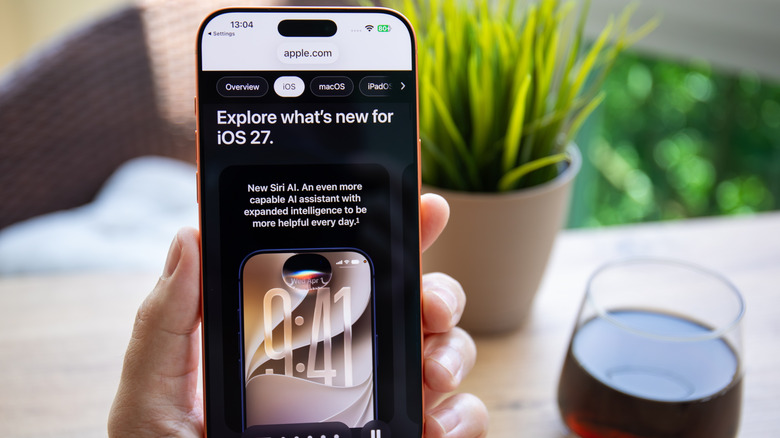
The iOS 27 beta released on June 8 of this year, and I downloaded it immediately. So at the time of writing, I've been using iOS 27 for about two months. One-word review? Hallelujah. The dumpster fire train wreck that was iOS 26 has been "fixed," unless you're one of those people that hates Liquid Glass — Apple doubled down on that one despite the less-than-popular designer behind it no longer being with the company. That aside, iOS 27 has been a shockingly stable, reliable, and (relatively) bug-free beta, and it's available on basically all the phones that iOS 26 was. The full list of features is too long to cover here, but suffice it to say, there are a couple in particular that you're gonna love.
I've been using iOS 27 on my main iPhone, for the record, so I think I have a strong idea of the actual day-to-day benefits, not just the marketing promises. Apple fixed so many things and added so many quality-of-life features; you can really feel how sorry it was for iOS 26 by how hard it worked to right the ship. It's not all perfect, but these five beta features are the ones that made the most impact (on me) with iOS 27.
New Siri
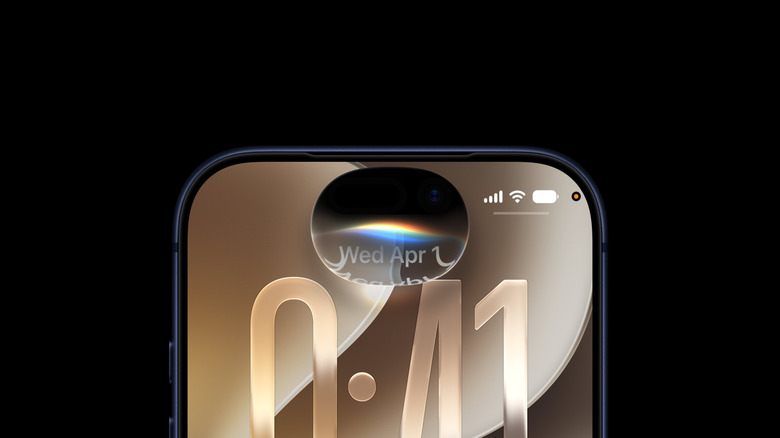
When Apple talked about the new Siri during WWDC 2026, we were feeling some very strong "once bitten, twice shy" energy. Would this actually fix the disastrously bad voice assistant that iPhone users have been forced to use, especially when the 2024 promises fizzled out? My answer was "yes" during my initial testing, and it remains a yes. New Siri is great.
Now, I admit that I haven't used the new Siri as extensively as I did during my initial testing; cool though it is to dredge up some obscure mention from old text conversations, that's more of a gimmick than a necessary feature. However, I still use it on a daily basis, and happily so. For one, there's huge peace of mind in actually being able to just ask Siri a question without worrying it'll provide a useless answer. For another, it finally embodies the term "digital assistant" in the sense of being my own personal secretary; it knows what's on my docket, knows who my contacts are, and thus can navigate basic tasks without needing to be steered. I've been able to reliably, say, use on-screen awareness to add events from emails to my calendar and set reminders.
It's by no means perfect. One thing I've noticed is that things that were (ironically) faster on the old Siri now take many more seconds, such as turning on lights. It also suffers from that issue inherent to LLMs where it may fail a simple request on the first try but do just fine on the second. But the fact that it works on the device, has Apple's privacy guarantees, and has intimate access to my personal context sells me — and I'm confident the beta analytics Apple is collecting now will smooth out the experience by the full release.
Describe a shortcut or Safari extension
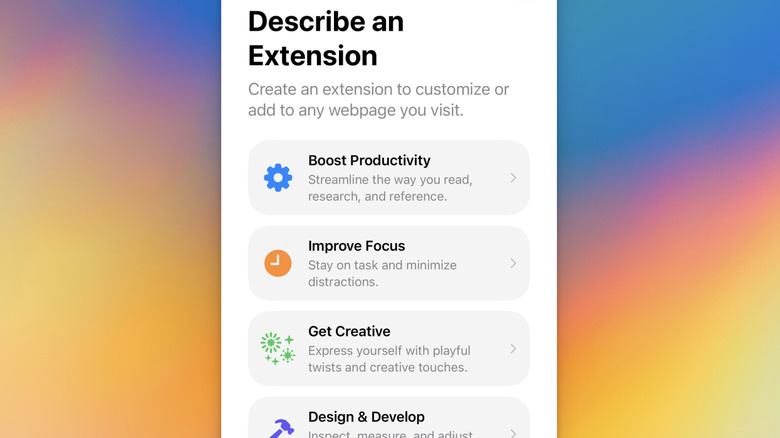
The Shortcuts app on iOS has long been an easy way for people to script actions on their phone. It was easy, but still perhaps a bit daunting for less tech-savvy people. iOS 27 fixes that. Now you can explain in your own words what you want the shortcut to do, and iOS will figure out the rest. In fact, this is now the default option when you create a shortcut. After reticulating splines, it guides you through the process of creating your desired shortcut — or automation — so you never have to faff about with all those settings and triggers.
In a similar vein, Safari now lets you build extensions with your own words, no coding required. What's cool about this feature is that, once you've described the extension you want, Apple will recommend extensions that already do that thing. For example, when I asked Safari for an extension to clean up the page for readability, it recommended a whole bunch of reader-mode apps. I imagine this is going to be incredibly helpful for people who want to compare prices while shopping, collect sources, clean up visually messy websites, and so much more. Plus, since it syncs to your iCloud, those extensions will appear on your iPad and Mac as well.
Of course, Siri and other Apple intelligence features are not perfect in iOS 27, and neither are the intelligent shortcut and extension creation tools. There are mistakes and misfires that are to be expected with an LLM. Having said that, I feel iOS 27 is going to have a lot more people making shortcuts, automations, and now extensions than before because the only requisite now is being able to speak English.
Improvements to the Messages app
For a long time, Apple's iMessage platform was in a weird place. It was fine as a halfway decent iPhone texting app, but the blue and green bubble nonsense made it deeply unpleasant to ever text Android users, who make up most of the world. WhatsApp and Telegram were superior to iMessage in most ways, so even if you did only talk to iPhone users, you had little incentive to use iMessage. In recent years, that has changed. Apple has been closing the gap, enough that iMessage may finally become the sort of app you want to use. Especially now in iOS 27.
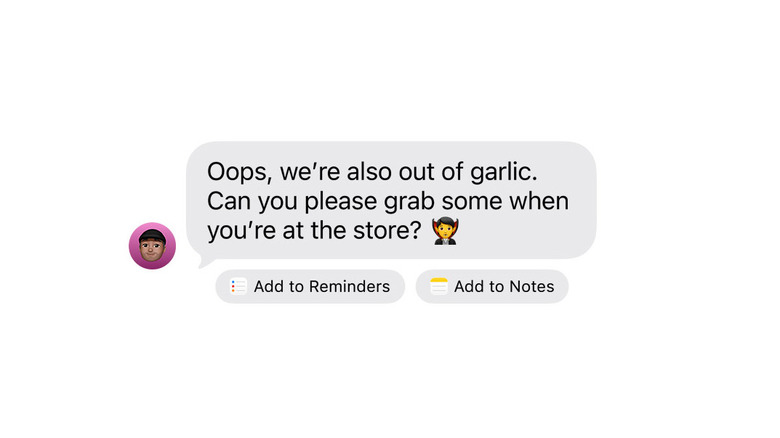
This is true for a number of reasons. For one, messages will finally retry sending if they fail, and progress bars appear when they take a while — like sending a photo or video — rather than leaving you guessing until the "Delivered" tag appears. Messages now get intelligent contextual suggestions when a particular type of content is detected. So, for example, if someone tells you about an upcoming event, you'll get an "Add to Calendar" button; repeat message notifications no longer bombard you over little things like message reactions and Tapbacks, instead combining them; RCS messages with Android users finally get inline replies; and overall, it's clear that Apple has polished the Messages app, both visually and code-wise.
There are other improvements beyond the Messages app that affect it indirectly. For example, dictation has gotten markedly better. I do not have an iPhone with 12GB of RAM (the requirement for Apple's new advanced dictation), yet I have noticed more accurate dictation regardless. The Smart Replies in the text suggestion bar also seem to have improved. I never thought I'd say this, but I've now been enjoying using the Messages app.
Natural language Calendar events and Reminders
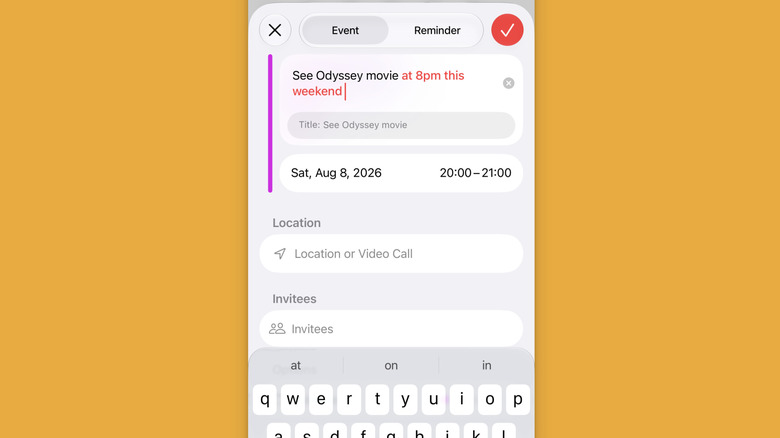
Apple's Calendar and Reminders apps are excellent, but they were the perfect candidate for a bit of AI assistance to make them more convenient to use. Now they get just that. In both apps, you can describe what you want in your own words, and the app will fill out the finer points. It notices details like time, date, early alerts, locations, contact names — virtually every option already available below — and grays them out. When you tap each grayed-out word or phrase, you'll see little recommendations above the keyboard where the app will guess what you meant. So if you said "this weekend," for example, the suggested date will show that. The feature is functionally identical in Calendar and Reminders, in my experience, with minimal differences between them.
What I like about it is that it works either way. The area where you'd normally enter the title is also the area where you describe the notification, so if you just start typing a title, it won't get in your way trying to add details or summarize it. Of course, you can just have Siri handle all of this, but if you're already in the app and/or can't speak out loud, then it saves you a few taps.
I will say, though, it's not perfect, whether that's because this is a beta or Apple needs to polish up the feature. It seems to only understand things when they're described naturally. So if you break your request up into logical chunks (like time, date, location) with commas or periods at the end, I notice more frequently that those obvious triggers aren't detected.
Independent volume settings
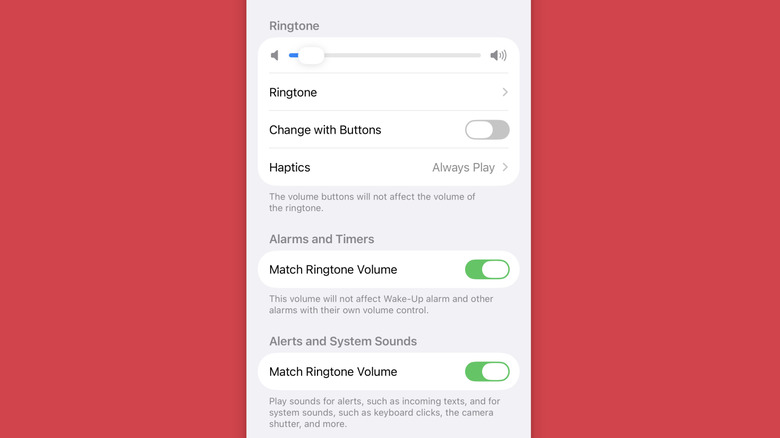
If you are an Apple user, then you have already (hopefully) consigned yourself to the reality that Android is going to get a feature years before it comes to you — sometimes decades. Just look at the calculator app on iPad, which arrived 14 years late. True to form, we now finally have independent volume settings in iOS. As in, you can change the individual volume settings for your ringtone, your alarms and timers, and your system alerts (i.e., notification pings) rather than being forced to keep them either too quiet or deafeningly loud. Praise be. We can talk all day about how this feature is unforgivably long overdue, but as the saying goes, better late than never.
To use it, all you have to do is go to Settings > Sounds & Haptics, then scroll down to the "Ringtone," "Alarms and Timers," and "Alerts and System Sounds" sections. Turning off the toggles for the bottom two lets you change their volume independently. Or, if you like, you can leave the volume the same across the board.
As wonderful as it is to finally get this feature in typical Apple fashion, it's still lagging behind what Android offers. On iOS, you can change your ringtone volume with the volume button as it's ringing, but the other volume settings have to be changed in Settings. I can only hope Apple adds the ability to change those volume settings directly from the volume slider via a volume mixer, like Android.