

5 Free Useful Alternatives To Paid Android Apps
In a system as open as the Android ecosystem, you don't have to stick to what's available on the Google Play Store for your tasks. You can sideload apps from third-party sources and get the job done, often just as well. However, several paid apps do the job so well that their alternatives are no match. You wouldn't and shouldn't mind paying for a subscription if it serves your purpose well, but paid subscriptions have a way of creeping into every corner of your life these days.
One app wants a monthly fee for cloud storage, another asks for a monthly payment to export a document without a watermark. The monthly bills can add up to a scary amount pretty easily. The good news is that there is no shortage of free apps that do the job when it's time to cut costs. VLC and OBS are just a couple examples of free apps that outperform their paid competitors, and there are so many more.
None of the apps we're going to cover here are stripped-down demos or trial versions labelled as "free," either. Each is a fully functional app or browser tool that a person can rely on without hitting a paywall.
Meld (Spotify alternative)
We all love listening to music, and Spotify is our best choice when it comes to feeding our music appetite. However, ads on the free version of Spotify can spoil your mood, and the premium version will run you $12.99/month in the U.S., just to get rid of those ads and access the offline downloads feature. The price climbs if you want to take family or duo plans, too. There's another option, though.
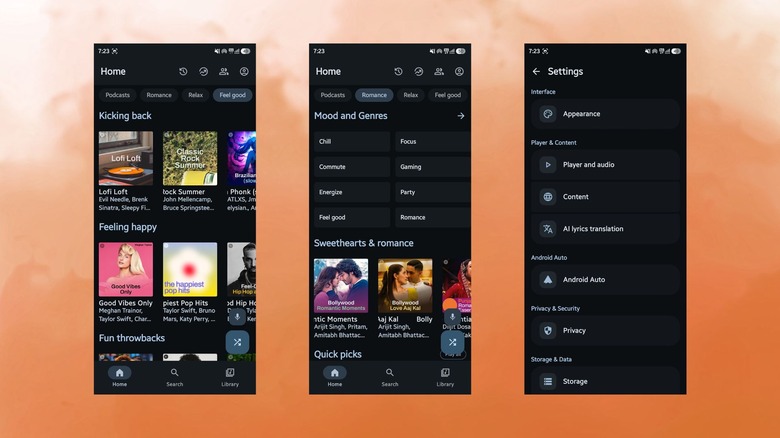
Available on GitHub, Meld is an open-source Android app that takes an unusual approach. Instead of streaming from Spotify, it logs into a free Spotify account just to pull personalization data, top tracks, saved playlists, liked songs, and search results. It then plays the matching track through YouTube Music's catalog, which is quite vast. The fun part is that you do not require a developer dashboard or API key. You just need to sign in with your regular Spotify account inside the app, and that's it.
Meld can also be added to Android Auto for ad-free music listening. You just need to unlock Developer Options on Android Auto Settings by tapping the version number three times. When you log in with Google, you can listen to age-restricted songs. It lands close to the apps that are among the best offline music players on Android that skip subscription entirely.
Photopea (Photoshop alternative)
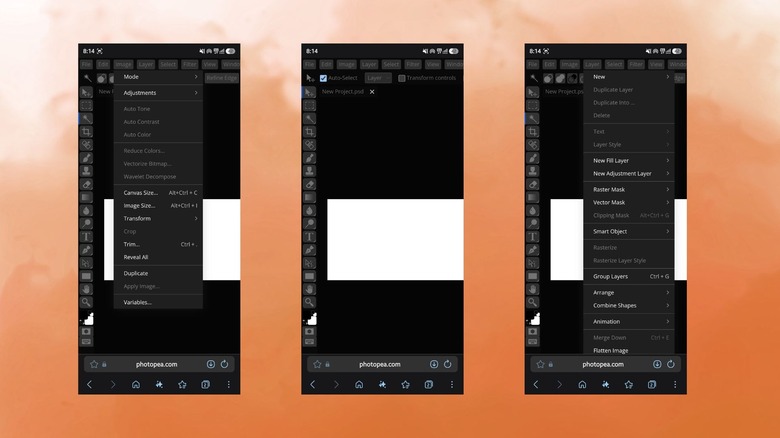
Adobe retired the option to buy Photoshop outright years ago, so anyone who wants it today is stuck paying into a Creative Cloud subscription. The price starts at $22.99/month for the single app's annual plan — pretty steep if you only need to retouch, crop, or layer images occasionally. Photopea sidesteps that entirely and gives you the entire Photoshop toolkit for free. Additionally, everything Photopea offers is available via a browser tab; no app needed, no installs required.
Photopea can open native PSD files, along with Illustrator and XD projects, and mirrors Photoshop's layout closely enough that the toolbar, layers panel, and menus should feel immediately familiar to anyone who has worked on Photoshop. This also eliminates any learning curve for those who are coming from Photoshop to this brilliant and free tool. Lasso select, the healing brush, layer masks, and curves adjustments are all present, and no account or download is required to start editing right away.
The service will even keep working offline once the page is loaded, which is handy if you are editing something in flight or in an area with unreliable internet. The tradeoff is a strip of ads along the workspaces, which can be removed if you pay for the premium tier. This stands among the best Photoshop alternatives available online, and remains the closest to Adobe's interface without asking for your credit card number.
PDFGear (Adobe Acrobat alternative)
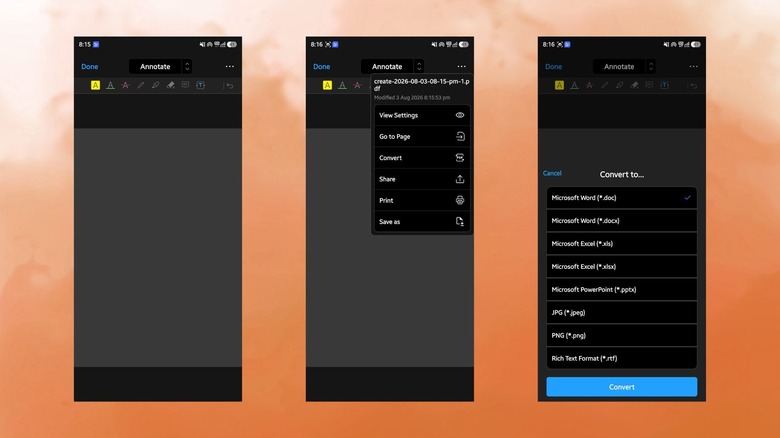
We all have to deal with PDFs, and the most common tool for opening them is Adobe Acrobat. It has become synonymous with PDFs, so much that many don't even look for other alternatives. Adobe Acrobat Pro's full subscription costs $239.88/year; that is before factoring in the separate eSign add-on many people end up needing for contracts. It feels silly paying such an exorbitant amount just to edit text, fill out forms, merge PDFs, or convert to a different file type. PDFGear is one of the more complete free options for solving that problem.
The app is available across Windows, macOS, iOS, iPadOS, and Android. It lets you view, edit, fill, sign, and convert PDFs without watermarks or a mandatory account, or even those annoying pop-ups that Acrobat throws up these days. It also keeps its core toolset entirely free, rather than locking it behind a paywall like some of its competitors. Converting PDFs to Word or Excel, merging multiple PDFs, and adding a digital signature are all handled in a few taps, and it works exceptionally well.
You might miss out on collaboration tools if you want something enterprise-grade. For that, you can check out some other open-source PDF editors. But it is the best tool for personal use and small business paperwork, as it has all the tools you would need to get your task done.
Desygner (Canva alternative)
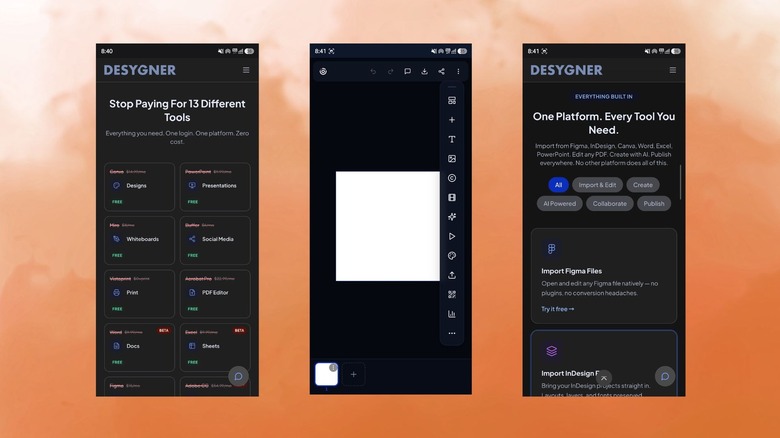
Canva's free plan is generous, and I use it when I have to deal with a few social media posts, but the moment you need a custom font, graphics, or use tools like background removal, you are asked to purchase a subscription. For freelancers, small business owners, or anyone building a social media page, that subscription cost can add up. Desygner is built specifically to fill that gap.
This app was originally modeled after Adobe InDesign's, but with a simplified drag-and-drop editor that's easier to use for people without a design background. The free tier includes access to templates for flyers, social media posts, business cards, and presentations, along with a library of stock elements. Desygner differentiates itself from Canva by providing print-focused templates and layout precision. This comes in handy for anyone designing something that's actually headed to a printer rather than on a social feed.
Do note that you won't get Canva's massive third-party integration ecosystem or its Magic Studio AI tools, and some of Desygner's advanced brand kit features also sit behind a paywall like Canva. However, for straightforward design work like creating logos, flyers, and one-off graphics, the app's free plan covers everything you would need, and that's enough to make it one of the best Canva alternatives you can try.
SwissTransfer (WeTransfer alternative)
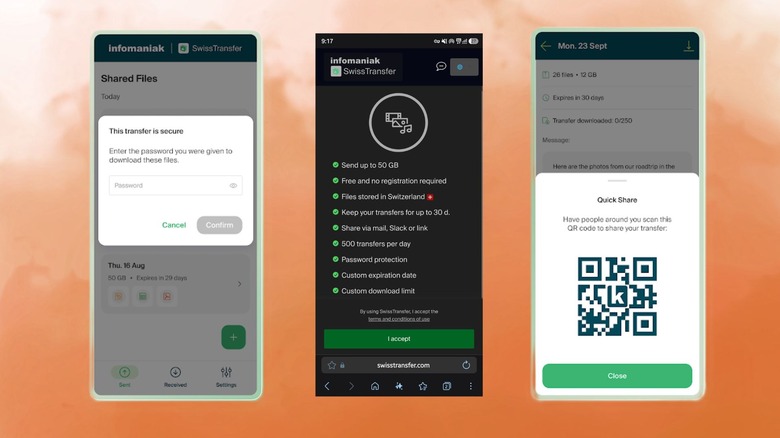
If your work involves sending and receiving huge multi-GB files, you probably already know how limiting WeTransfer is. The free plan caps out at 3GB per month, which sounds fine until you have to send a folder full of RAW photos and uncompressed video files to a client. Bumping up to WeTransfer Pro for unlimited storage runs about $19/month billed annually, which will seem like a bit too much just for moving files from one device to another to many.
SwissTransfer Android app solves the size issue by simply offering you 50GB per transfer completely free. You get zero ads, and you do not even need an account to get started. Files can be shared through email, a QR code, or a direct link dropped into WhatsApp or Signal. Every transfer can be locked with a password, given an expiration date, or capped at a set number of downloads. Your data is routed through Switzerland's strict privacy laws, matters to those who are sending sensitive documents.
The recipient just needs to have a stable internet connection to download large files before the link expires. Beyond that, it is difficult to find a real downside to SwissTransfer compared to WeTransfer's paid tier.