

Fitbit Air Review: How Google's Newest Wearable Judge Tells You Its Truth
Screenless health trackers have never really been my thing. I'm not an exercise guy — at all — but I love wearing smartwatches. The thing is, I almost never wear smartwatches to close my rings or do any of that gamification that some people get into in order to make exercise fun. I don't go jogging to make little animated cartoons, and I don't compare my stats to my friends on Runkeeper. Come to think of it, I don't know if Runkeeper has a friends function. This is what I'm talking about.
To me, a screenless exercise band is not a great investment. It tracks all my data, sure, but it can't serve me notifications or even have a cool screen that shows me the weather and the time in Chicago while I'm traveling. So, when Google offered a Fitbit Air sample, to be perfectly honest, I hesitated. I normally wear a Pixel Watch 4, so I'm already getting a bunch of that data anyway. All the same I decided to give it a go, and I'm very glad I did, but not really because of the Fitbit Air. It's the other upgrade Google did at the same time that has me excited.
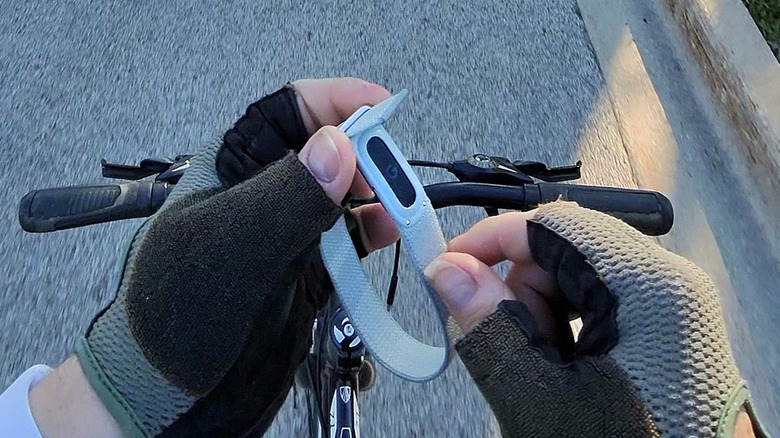
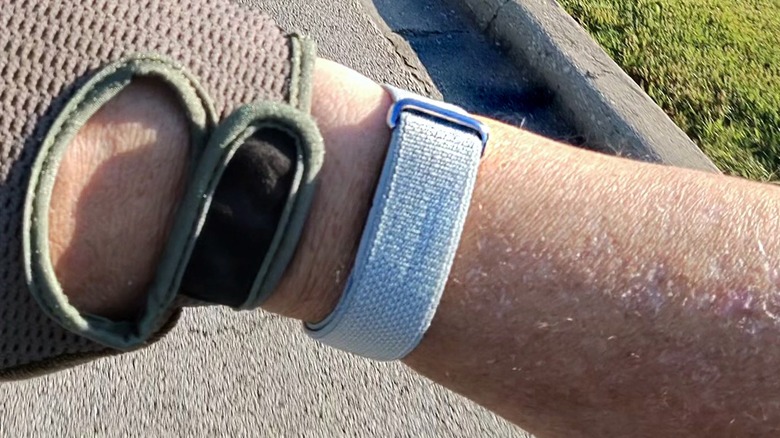
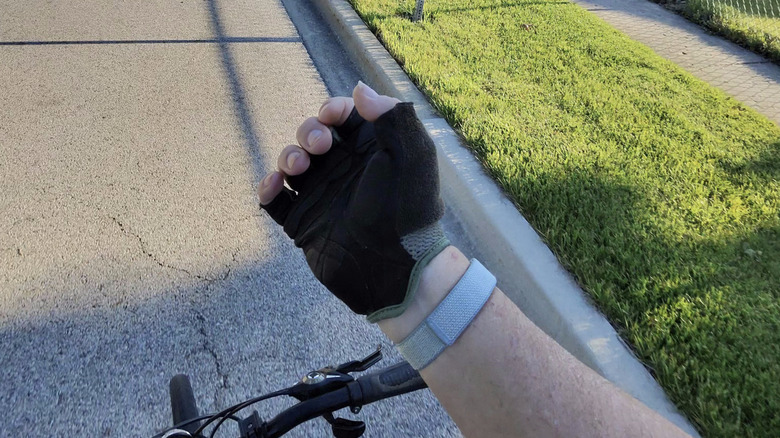
I've been wearing a Fitbit Air review sample provided by Google for one week paired to my Moto Razr Fold, and just for funsies, all the photos of the device were taken while out on bike rides with my Meta Oakley HSTN glasses. These are my thoughts.
Minimal hardware
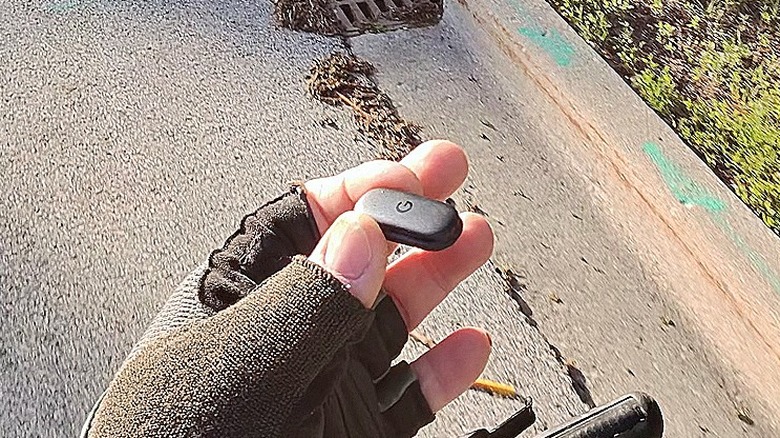
The Fitbit Air is a tiny sensor pack that clicks into a wristband. Google sent along three wristbands — one TPU band, one silicone active band, and one fabric band, the latter of which is the one I ended up using the most. I didn't like how the TPU band sat — the sensor made the band bulge a bit, and I will generally take a fabric band over silicon. That's just my preference.
The sensor is very small — roughly the size of two dimes side-by-side. Inside is a seven-day battery, heart rate sensor, 3-axil accelerometer, Blood Oxygen sensor, skin temperature sensor and vibration motor. The Fitbit Air charges with a proprietary magnet charger that can top up the sensor in around 90 minutes. This is a bit disappointing, considering how extremely speedy the Watch 4 charges.
When you're out on a bike ride, this can be annoying. You can't see your pace, or your heart rate or any other data unless you have your phone open. Some would argue that's okay — just go do the exercise and let the data handle itself. Don't worry about if you're in your moderate zone, etc. That's fair enough, but it wasn't my favorite part.
But that's it. There isn't much else to the hardware, and if that's where the story ended, this would be a short review. But it is very much not where the story ends.
Welcome Google Health
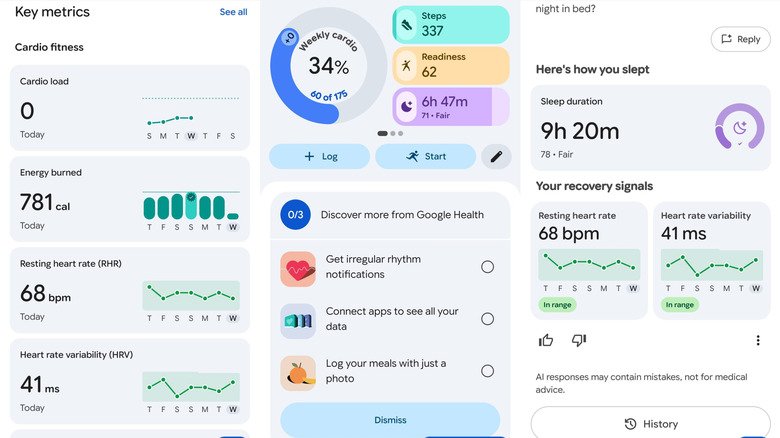
Google, the company famous for having multiple versions of the same app, has consolidated a bit. Google Health is now Google's primary health tracking app, and it comes with some big upgrades at just the right time! The app formerly known as Fitbit is now your one-stop shopping for all things fitness and health data.
Days before Google rolled out Google Health I was railing against the Fitbit App and Google Fit looking for health data to some exercising I had done and needed data from. I had tracked everything on my Pixel Watch 4, and I couldn't find what I needed. When the Google Health app rolled out, it all became much clearer — but there is still some room for improvement. Health data is laid out now like a journal of daily activities as detected by the Fitbit Air. So, if you're looking for a particular workout, just scroll to see the day, and it's all listed there for you. But that's not the cool part.
It's AI, but bear with me
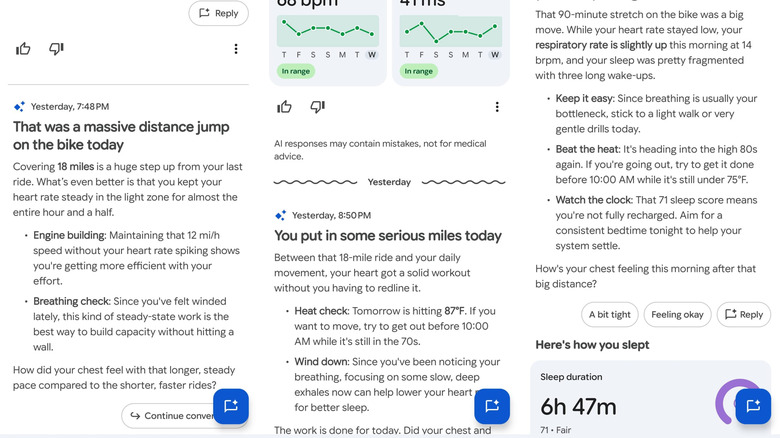
Google Health's premium subscription comes at $9.99/month or $100/year. That's a steep price, to be sure. It's over one-half a Netflix subscription. But it might be worth it. Most of my time with the app was spent reading and conversing with Google's Health Coach. It's exactly what it sounds like — a Gemini-generated chat bot that analyzes what you did that day. It takes in how much you slept, how much exercise you got, and even asks you some follow-up questions. From there it can explain your health stats and readiness score.
This is very similar to the Invoxia Minitailz Dog collar I checked out for my pooch a couple of years ago. Back then, I noted how this was an intelligent use of AI. Rather than just throwing you a number soup, it takes the time to explain what the numbers mean.
It could just say "resting heart rate: 68 bpm, Exercise: 45 minutes, Sleep: 9 hours, 30 minutes."
Instead, it says this: "You pushed through a tough day on very little fuel. Nearly 5,000 steps and a high-intensity ride is a lot to ask of your body when you're running on four hours of sleep. Since you mentioned breathing feels harder than your legs, that extra heart work today really earned you a full night of recovery."
So, it puts a lot of the work in context and helps you prepare for the next day. That's a big boost for someone who may not be familiar with exercise routines or is just getting started.
It's still AI, for better or worse
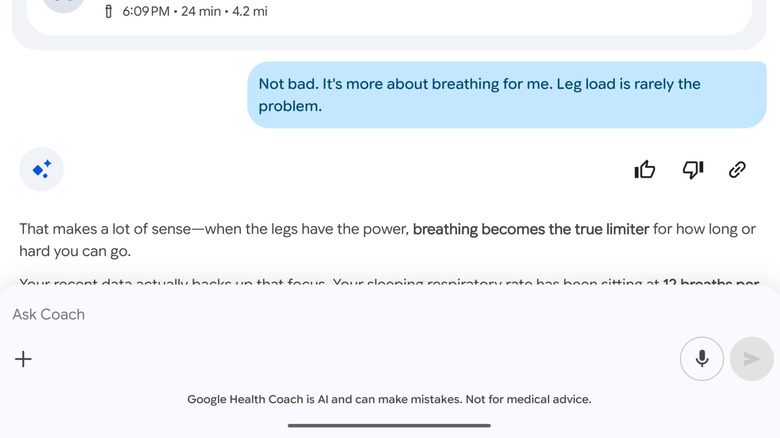
So here's the thing — this is Gemini powered, but it's AI. AI is prone to mistakes. I don't know if what the app is telling me is true or accurate. What it tells me sounds right, but how do I know? This thing is, I'm not a very active guy, so I don't really know. That's the 800-pound gorilla in the room.
I could see this being extremely helpful for someone who has a workout regimen and goes out daily, or every other day. They're going to be more familiar with this bodies and what exercise will do to them on that day and in days to come. I don't really have a baseline to compare it to. So I can tell you it sounds right and it looks cool, but I don't really know if it is in fact hallucinating.
That's the huge caveat that you have to hang on anything AI-generated in this day and age. You can use it as a guide, but you should never consider it to be the final word, nor anything approaching work product. It's for reference only, and in the best journalistic tradition — trust but verify.
Fitbit is still here
I also asked Google if the "Fitbit" brand is going away, and what the status was of Google Fit. According to the company, Fitbit will remain as a product name only going forward, but the app is now Google Health. Even "Google Fit" will be phased out in the not too distant future. When I asked if I should use Google Fit or Google Health to track activities, I was told specifically to use Google Health.
The Fitbit Air will also compliment the Pixel Watch, if you have one like I do. It's hard to pin down what the benefit is, beyond the fact that the Fitbit Air lasts for a week while the Pixel Watch 4 lasts for 48 hours at best. The Fitbit Air is also very comfortable to wear — it didn't affect my sleep at all. Then again, most watches don't either.
Fitbit Air Price, availability and verdict
The Fitbit Air is available from the Google Play store for $99.99. There's also a Steph Curry edition available for $129.99, if you're a basketball fan. Google Health premium, with the AI assistant is $9.99/month or $100 for the year. This may very well be the first AI product I can think of worth paying for, and this is coming from someone who does not exercise.
As I mentioned, I'm not a fan of screenless exercise trackers, and the Fitbit Air has not changed my opinion. I like watches, and I like having data on my wrist when I need it. I understand that screens kill battery, and that this device is some extremely small it had to make that sacrifice. There are also a lot of people not like me out there who want to move their exercise into the background. They want to enjoy the run for the run, and that's fair enough.
But to me, the real product here is Google Health Coach. This is one of the smartest implementations of AI that I've seen to date and it's one that I'm actively considering subscribing to. Google Health Coach comes to anyone using the Google Health App which can connect to a number of different devices. That's the real win here.