

Remarkable Paper Pure Is The Best Tablet For Notes: Here's Why
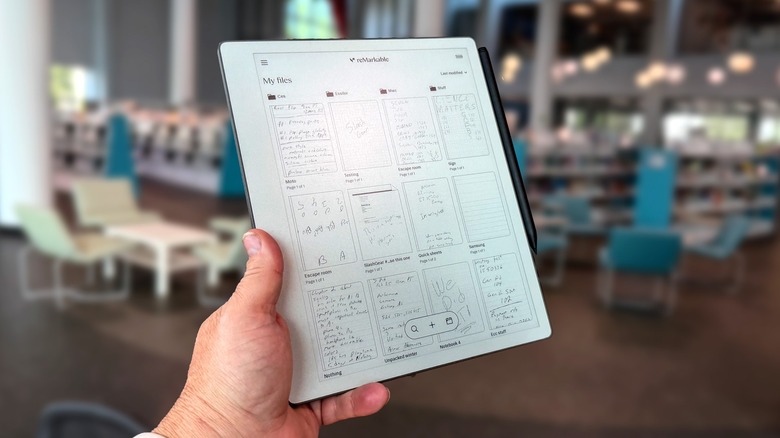
A couple of years ago I found myself frustrated by trying to take notes at a press briefing using my laptop, phone, or any other piece of electronic technology I had on hand. As such, I grabbed a physical paper notepad, a pen, and just like that, I was a note-taking machine. In some ways, it felt like a step backward, but it was also a refreshing upgrade to my typical briefing experience.
Of course, when it came time to sit down and write a story from the briefing, that's when I had to pick up the laptop and translate my hastily scribbled notes to the side of me. Then I came across the Remarkable tablet. Specifically, I took the "Remarkable Pro Move" tablet with me as part of my full set of tech tools I used to cover MWC 2026.
The "Move" is the smallest of the three most modern devices from the brand — the "Remarkable Pure" is a little bigger, while the "Remarkable Pro" is the largest of the trio. The middle-size "Pure" works very well for me. The Pro Move (the smallest of the three devices) is very narrow — akin to a hotel room notepad — and I felt comfortable writing notes on it, but I like something a bit wider so I can rest my palm comfortably.
So going forward, the Remarkable Paper Pure will probably be my companion — and it is the device we're looking at in the feature you're reading now. There are several reasons why this is the best tablet for taking notes. Here's what I've observed after spending two weeks and two press briefings with it.
Pen and paper feel, complete with erasing
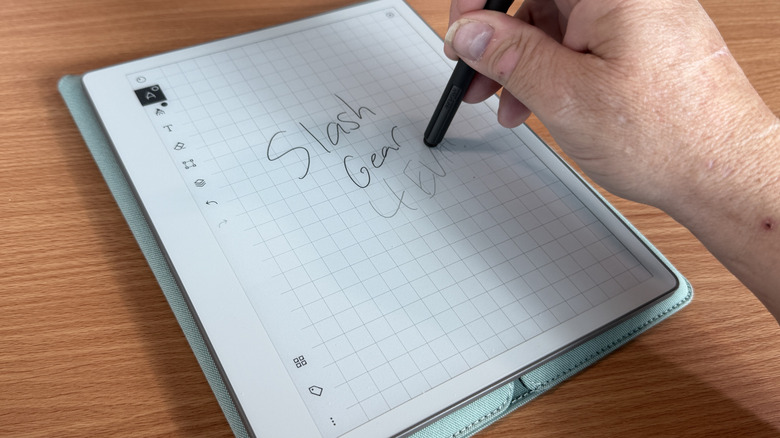
As Chris Davies said in his look at the Remarkable Paper Pure tablet, "It's the texture applied to that screen — and the nib of the stylus — which stands out, though. The same treatment as on the Paper Pro, it leaves the Paper Pure feeling like actual paper to write and sketch on." This is important to those of use who write frequently. Tablets with styluses typically don't have the same kind of feel as pen to paper.
The Samsung Galaxy S26 Ultra, with its garaged stylus, is a good example. The stylus sips over the glass on the screen with little resistance, so it gives you a sort of disconnect between what you're thinking and what you're writing. The texture of the remarkable tablet and stylus combo give you as close to the same feel as a real paper and ink writing utensil as I've ever felt in a digital device.
Then there's the fact that you can simply flip the stylus over and "erase" with the back of it. It's such an intuitive gesture, it simply has to be there. Rather than switching between the pen tool and the eraser tool, it's right there for you, which is especially important as you're hurriedly writing notes.
Thin and light as a notepad
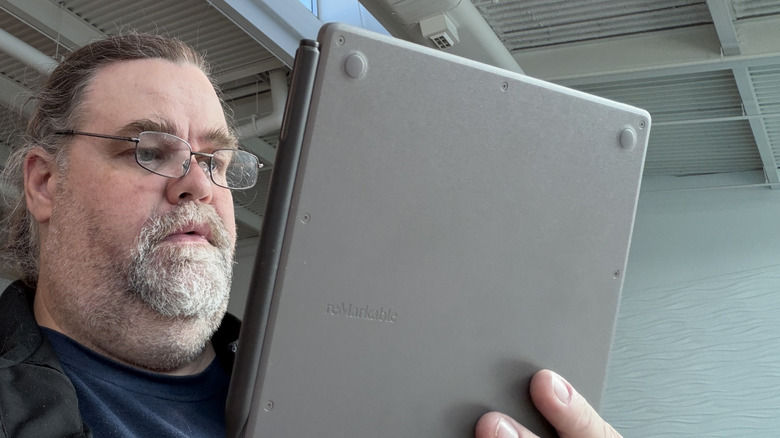
Adding to the illusion, the Remarkable Paper Pure tablet is extremely thin and light. Specifically, it's just 6mm thick and 360 grams which certainly fits the bill. 360 grams doesn't seem very light, but this is a 10.3-inch tablet, mind. Compared to the 477 grams of the standard 10th generation iPad, the Remarkable Paper Pure is a featherweight.
It's akin to the original Amazon Kindles that came out with the full keyboard at the bottom of them. That's the kind of "thin and light" that we're talking about here. I used to comment that when I was reading my original Kindle, I used to feel like I was on the Enterprise and some ensign had just handed me a report. I get the same feeling here, even more so because of the size of the tablet and the fact that it's a touchscreen.
The only thing that breaks the illusion for me is that the Remarkable Paper Pure ships in a case rather than a folio. In order to use it, you need to pull it out of its case. The case is nice, but the folio cover on the Remarkable Pro and the Remarkable Pro move make those devices feel more like a notebook that you're flipping open to get to work, rather than a "computer" you have to pull out of a sheath to use.
Cloud connectivity
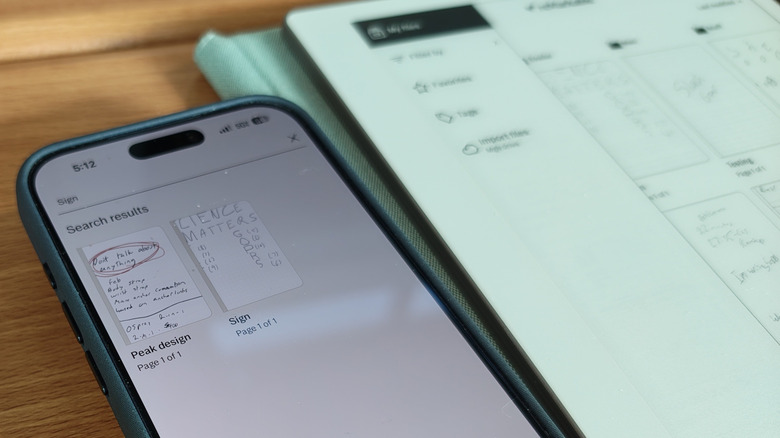
One of the killer features for me is the cloud connectivity. This syncs all of your notes on the tablet with the app on your phone, making them available anywhere you go, even if you don't have the tablet with you. Of course, the requires internet connectivity, so you'll want to make sure you connect as often as possible to get everything to sync.
As with most things in life, this comes with a subscription. Remarkable's Connect subscription is either $3.99 per month or $39 per year. This subscription allows you to search your handwritten notes and syncs all of your work. Otherwise, without the subscription the app only syncs workbooks that have been edited in the past 50 days. That's probably actually okay, but if you want to make sure you have access to everything, you'll need to pay for the privilege.
Google Drive connectivity
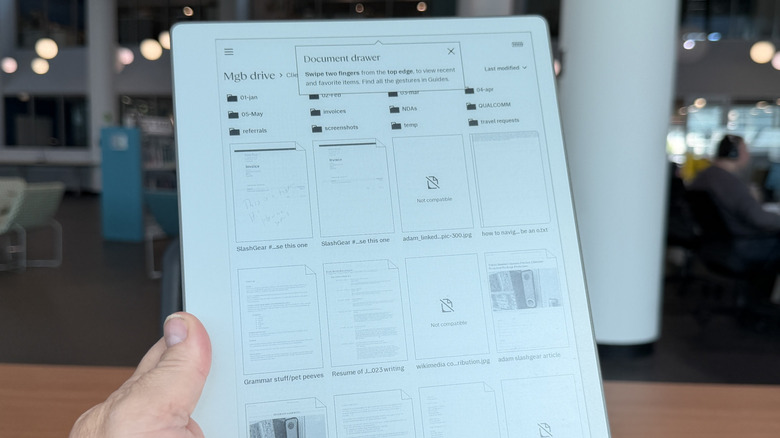
Speaking of the cloud, one new integration that Remarkable recently adopted is the adoption of cloud services. I linked up my Google Drive faster than you can say, "Single Sign On". This gave me access to all my work documents, which is invaluable. Of course, like the feature that syncs documents with the app, of course, internet connectivity is required.
One area this will help is the ability to sign documents and re-sync them back to the cloud. I come across documents I need to sign fairly frequently in my line of work, so that extra ability is particularly valuable. It also gives me the ability to read and markup things like press kits which can help organize my thoughts when it's time to write a review or research a new feature. The Remarkable tablets were excellent before, but this cloud integration ups the ante for the whole product line.
OCR and searchable notes
One of the biggest drawbacks of writing notes manually is going back and searching through them, looking for that nugget you picked up 20 minutes into a 45-minute presentation. Remarkable tablets give you the ability to convert your handwritten notes into readable and searchable text, which is pretty great. On some press trips, I've found myself after multiple Q&A sessions wondering which one had that little factoid I wanted to reference in my news post. With searchable notes, that makes it a lot easier to manage.
Of course, that also comes with a subscription — but it's the same subscription, so that's a relief. All the same, having the ability to go back hours, days, or months later and search for "Moto Razr Fold video wallpaper" makes life a lot easier and a lot more manageable. The Remarkable tablets, and especially the recent Paper Pure, is the best of both writing and digital that I've been searching for.
You can purchase the Remarkable Paper Pure at the Remarkable online store right now for approximately $399.