

This 3D Heat Press Took My Custom Printing Potential To A New Dimension
If you're reading this, chances are you're a DIY sort of person — and you've gotten to the point where you've expanded your sights beyond the basics. You want your art on as many different kinds of objects as possible. You've probably tried (or considered trying) a DTF printer, you've worked with radical laser etching devices, you've got a 3D printer of some sort or another, you might even have a thermal printer for label printing — and now you'd like to move to a previously-unexplored set of surfaces.
With sublimation printing, an artist and/or designer can have a design applied to almost anything — so long as they have the right heat and pressure. For products that are totally flat, your everyday average heat press will do the trick. Print (using a sublimation printer) to a sublimation paper, use your heat press to heat and press that paper against your product (like a t-shirt, for instance), and the printed design is transferred to the t-shirt.
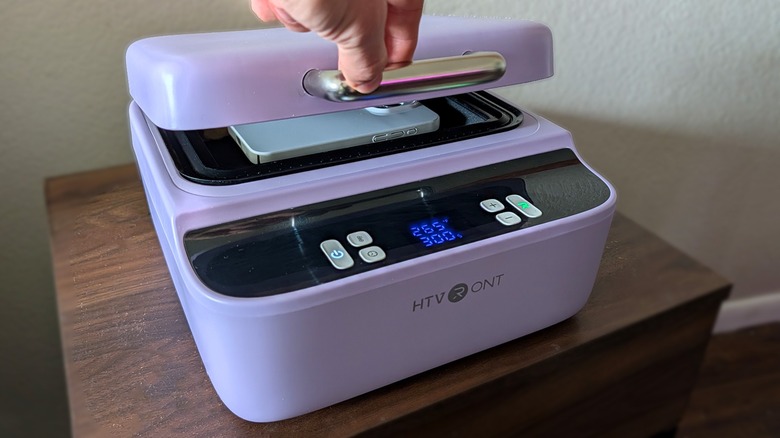
If you want to custom-print a design to a product that's not entirely flat, you'll need a slightly different solution. The HTVRONT Phone Case Heat Press uses a combination of heat and suction to allow its user to transfer a design to a variety of 3D objects — phone cases, coasters, tiles, and pen blanks included. When it comes to printing on all sides of an object, we (people at home without access to a factory with all-sides-printing options) have entered a new dimension.
This device has some limits — it's not a one-stop-shop for all things sublimation print applications — but it certainly does exactly what it's meant to do when it comes to its intended purpose.
This heat press requires A4-size sublimation film
I've been testing a purple HTVRONT H17 Phone Case Heat Press for a couple of weeks, and I'm impressed. It's not a complicated device. It's very simple to learn which buttons do what, and pretty much the whole process from box-opening to press is simple enough for any lay person to understand.
At the same time, there are two very, very important details you must know that might not be immediately apparent at this point. First, you need to have a sublimation printer — or at least a method to attain sublimation prints. But they need to be a specific sort — that's the second point.
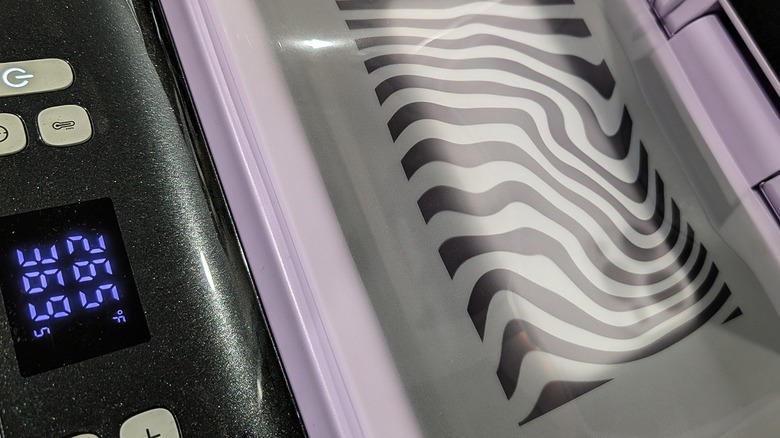
You need sublimation prints on A4-size sublimation film (you'll see one of these sheets (with a zebra print) in this article resting above a smartphone case on top of the H17's heating chamber). You cannot successfully use this device will smaller pieces of film, and it does not work properly with non-film sublimation prints.
The process this device uses requires that there be a tight seal around the edge of the heating chamber when the chamber is closed.* Without a tight seal, suction pressure does not work properly on the print. The heating chamber heats whatever is inside while the device is activated, but you need both heat and pressure to make a sublimation print transfer properly.
Here's how this press works
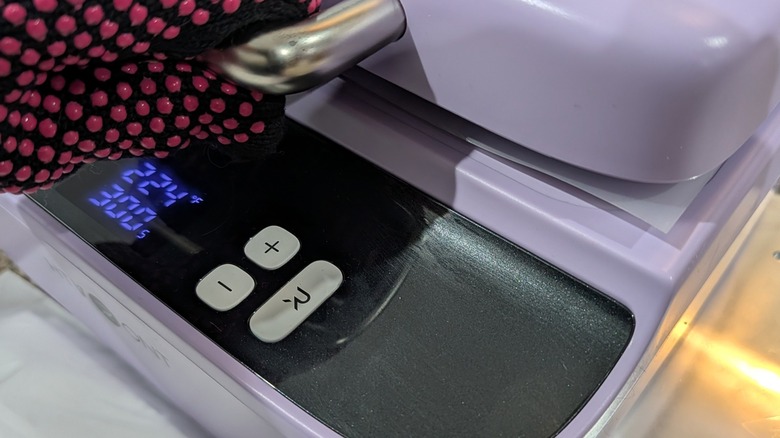
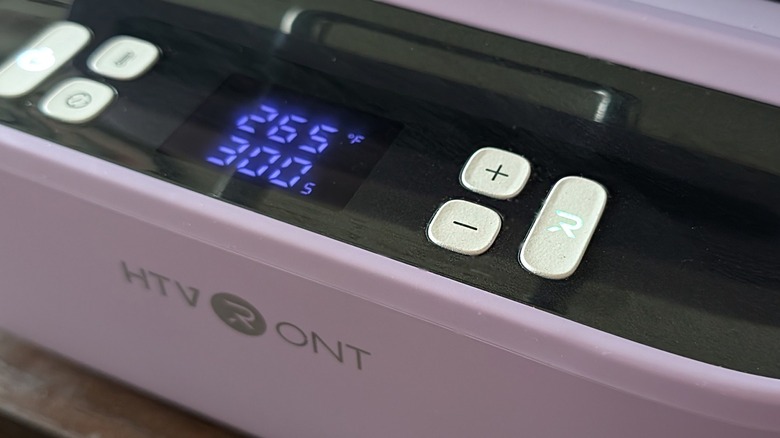
This device works with a standard AC power cord that needs to be plugged in for the device to function. When turned on, the machine shows two numbers — one is the temperature target for the chamber, the other is a countdown timer. The setup process (each time you want to customize a product) requires getting the heating chamber hot, inserting the target product, then placing your A4 sublimation print ink-down so it's positioned above the target product.
 Chris Burns/SlashGear
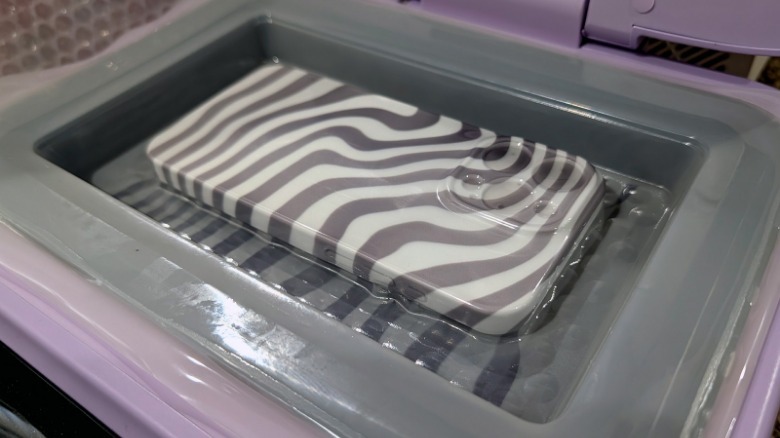
*It's important for the print to be bigger than the chamber, as the chamber needs to close on and hold the edges of the print. Think of the print like a slice of cheese in a sandwich, and the press is the bread. Suction inside the chamber pulls the heated sublimation film (print) down as the edges are all held in place.
As the air is pulled from the chamber, the film stretches around whatever product is in the chamber (as you'll see above). The heat and the pressure of the film pulled tight around the product creates the necessary combination of elements to transfer the print from the film to the product it surrounds.
Heat and suction force requires reinforcement
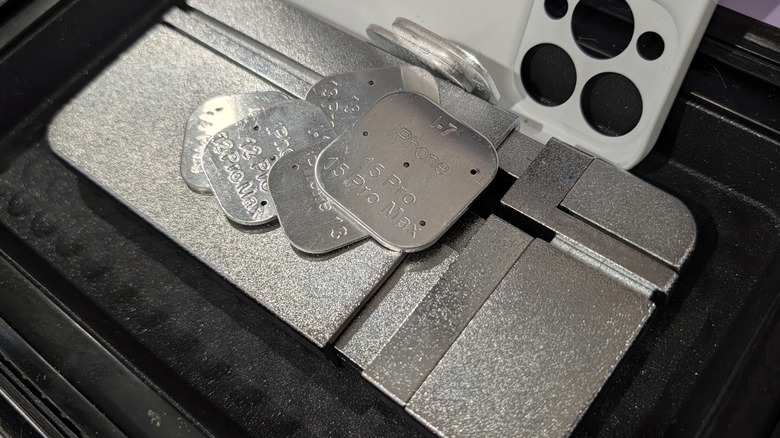
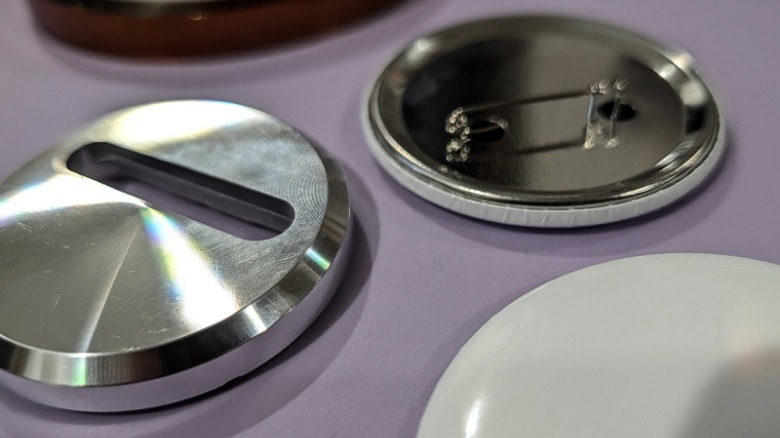
Because the chamber gets hot, and because the suction is strong, it's also important that the product is reinforced during this process. HTVRONT includes two methods for reinforcement with this product — one for 2.3-inch (58mm) pinback badges (shown below), the other for a wide variety of smartphone cases (shown above). The pinback badge reinforcement is a metal circle with a space for the pin — these are meant to keep the pin in place while suction occurs, mainly.
The smartphone case reinforcement is a bit more intricate — it's also made of metal, but it's made of multiple pieces that move in and out according to the size of the smartphone case that surrounds it. Smartly-arranged metal parts and springs make for a transformer that sits in place and holds its assigned phone case tight while the sublimation process takes place.
 Chris Burns/SlashGear
If you do not use proper reinforcement behind a product that you plan on working with in this press, the suction force combined with the sublimation film could make for a bad time. That is assuming you're attempting to apply a print to a product that's brittle and in a position to get squished with suction force. But, not to worry, your smartphone cases and buttons will be protected perfectly well by this machine's included metal backs.
It works, and it's fun
When I press the right buttons and place the sublimation film just like the instructions suggest, this device transfers my prints to products quite well. Using this device opened my eyes to new possibilities with DIY sublimation printing — and it made me wish for a much larger machine and much bigger sublimation film, and so on, and so forth.
If you keep in mind that the limitations of this product are the size of the chamber and the materials with which it works, it's a winner. Thus far I've had no significant issues with the HTVRONT H17 Phone Case Heat Press — it's been an eye-opening enjoyable experience.
You can get an iPhone Case Fixture Set — that includes a set of metal pieces that fit in the iPhone case's camera chamber — each one I tested worked quite slick. There's also a Universal Phone Case Fixture Set with replacement parts and blocks with a wider variety of devices — and more than likely every modern Android device case you've got a need to customize.
This device also comes with a set of heat-resistant gloves (shown above in black and pink), a few demo buttons ("sublimation badges"), badge fixtures, phone case fixtures (either the universal or iPhone version), 5x sheets of A4 sublimation film, and a nice pair of tweezers (not pictured, but certainly nice). You'll also get a roll of heat-resistant tape (not pictured, but important for keeping the phone case fixture camera piece in place in your custom case as you place it in the device's chamber).
The HTVRONT H17 Phone Case Heat Press will cost you right around $280 straight from the HTVRONT website, (or around $200 with the $80-off code for the standard package on the site right now).